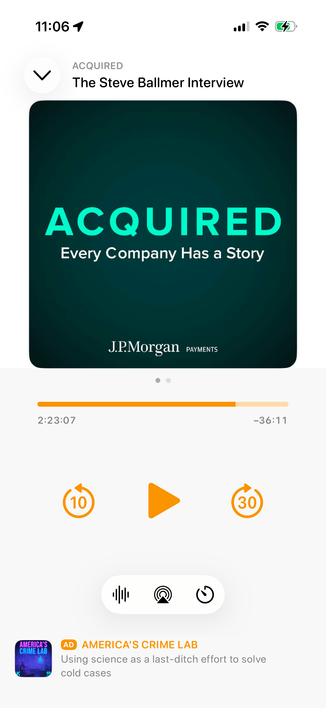
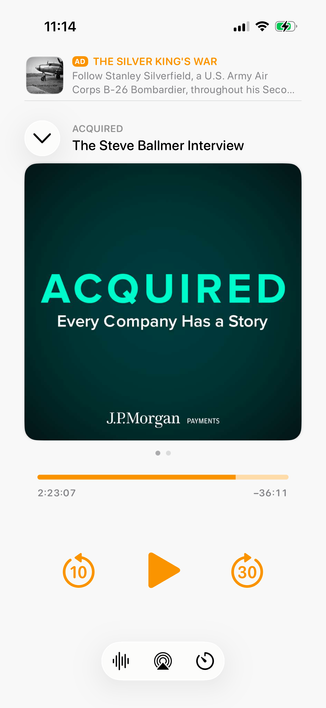
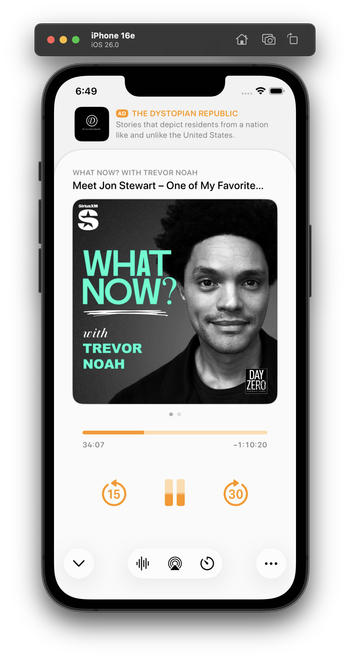
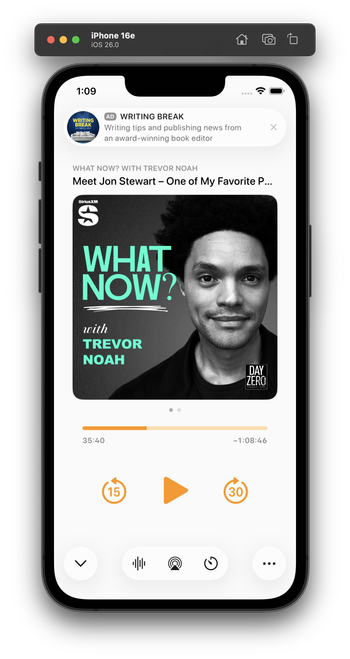
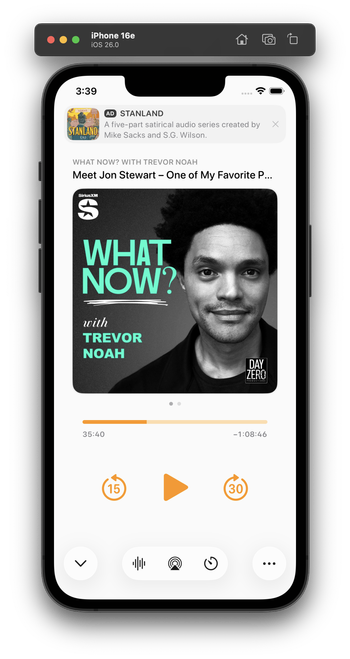
Integrating my now-playing controls with the new design language is hard. The biggest challenge: Where do I put the ad?

The system button-shadow style looks best at the screen edges, and can't stack (system-style toolbar buttons AND a capsule-style ad look bad next to each other).

Some options I'm playing with:
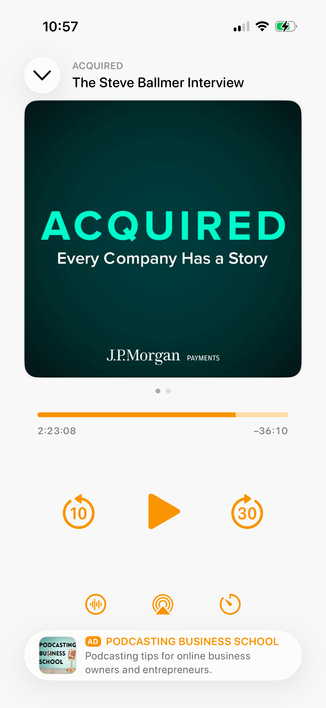
1 is the closest to the status quo.

2 seems safe, but I don't love the toolbar-style buttons floating in the middle like that.

Leaning toward 3 myself, but it's pretty different from the status quo.

Do you have a clear preference?

1: Bottom capsule ad, orange bottom controls
23.2%
2: Bottom flat ad, toolbar-style bottom controls
20.3%
3: Top flat ad, toolbar-style bottom controls
56.5%
Poll ended at .
I played with this wild idea a bit for a top ad. I don't think I like it, but I'm glad I tried it.

Everyone loves this one! I did, too, as a screenshot. But I build and use all of my designs to test them. This one’s downsides:

- It confuses the sheet-presentation metaphor

- When swiped to the show notes, it creates 3 levels of card depth, which is cluttered and doesn't fit the 26 design

- It needs a lot of vertical padding, which pushes the playback controls quite far down

This is why I build and live with my designs. I wouldn't find these tradeoffs in mockups or screenshots alone.

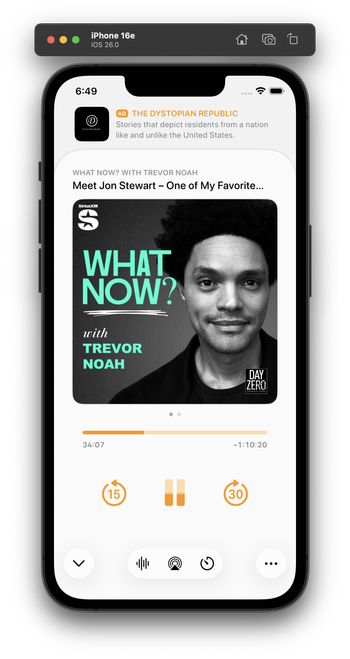
I've been using this design today. I think it looks great in screenshots, and improves a lot of those issues, especially in show-notes view (which lets the content scroll under the glass ad capsule).

In practice, though, it has a fatal flaw:

It always looks like I have a notification. And that's very distracting when it's sitting on a counter as I do stuff and I see it out of the corner of my eye.

Which I never would’ve realized until I lived with it on my phone for half a day.

Trying this variant for the second half of the day. It's less notificationey.

(I tried a border around the ad, but that doesn't fit 26's style and immediately looks old in context with the rest of the OS. And the low contrast between the backgrounds is, in this case, actually an upside — it makes it look less like a notification. I'm about 75% satisfied with this.)

(By FAR, the most time-consuming part of Overcast's design has always been the now-playing screen. You can see why it's so complicated!)

@marcoarment what’s the Alan Dye button for?

It feels off to me to have some buttons be the new UI and some the standard Overcast buttons.

@marcoarment Wouldn't the proper liquid glass-hole thing to do be to place the play/pause and skip buttons all shiny and clear over the artwork? #HalfKidding
@marcoarment an #AD is basicly an unwanted notification, so I think you #NailedIt

@marcoarment
> looks like I have a notification.

Ugh, good point.

@marcoarment mmm I think people would just get used to it unless maybe it has some visual indicator.
@marcoarment "looks like I have a notification" is the reason I voted for putting it at the bottom. Many people like notifications, but no one wants ads that fool them.

@marcoarment Have you tried putting the ad between the podcast title and the podcast artwork? Then when sliding to the show notes, the title and the ad could be static and the show notes could slide in. The date of the episode on the show notes screen would be in the way, but this might give you the best of both worlds.

Might look terrible, but it might fix the persistent notification look

@marcoarment I think the now playing screen doesn’t need any Liquid Glass buttons except for maybe the “minimize” toolbar button in the upper left.

I think your existing screen would look good as is within a redesign. I would focus on the layer below with a search tab bar, accessory view for the mini player and updated navigation bar. My 2 cents. 🙂

@nstrm @marcoarment I agree that glass buttons don’t seem to belong outside the toolbar or not on top of scrolling content. Glasseffect floating in plain white or black appears over-designed
@marcoarment tbh, the „ad at the top“ placement to me makes this whole screen feel… cheap? Idk why or what it is, but I really, really prefer it anywhere else. I suppose because it’s the first thing I see when looking at the screen(shot)? Using it could be way different though
@marcoarment What if that same ad style went between the cover art and the progress bar? Or between the progress bar and player controls?
@marcoarment Oh wow it really does doesn’t it.
@marcoarment I think that’s the biggest flaw of the entire Liquid Glass design philosophy. It claims to get out of the way of your content but the shininess of it actually catches your eye and draws it away.
@marcoarment I think having it at the top is a lot better
@marcoarment That’s far better than your earlier options. Clean, clear separation from content, but prominent.
@marcoarment I don’t know, that looks pretty amazing to me, but does it make conceptual sense? What’s underneath the now playing screen?
@stevenodb @marcoarment @marcoarment It might work better flipped, i.e. make the ad look like the top card.
@marcoarment in this configuration, I like how if a notification comes in, it’s not going to cover any of the content area of the app
@marcoarment doesn’t look bad, but absolutely get it. The rest looks awesome though.
@marcoarment yeah, this is my favorite so far!
@marcoarment I agree with several other people, the ad on the top looks pretty good.

@marcoarment this is a pretty good solution layout wise. Clearly separates the content from the ad.

The space could lend itself to be quite playful. Eg. if you try to swipe the “sheet” up over it you can trigger messaging to prompt subscribe to remove ads— or down the sheet to half detent, could reveal the subscription messaging/options below the ad.

Could also become annoying and not feel right over time— but might be worth experimenting with the space / interaction to see if it has legs.

@marcoarment I actually do like it! 😬
@marcoarment I kind of like it on the top of the screen. It takes it out of an accidental tap zone at the bottom of the screen, and gives ads more prominence without distracting too much.
@marcoarment I actually kinda like that best of the options you’ve shared so far!
@marcoarment My wife likes this one the best. I don’t get ads in Overcast, so I asked her.
@marcoarment This is my favorite too. Very clear distinction between what is related to the current episode and what is not.

@marcoarment Totally fair, but it does look very nice.

What about combining that with what you did earlier where the ad was at the bottom of the screen?

I like the “sheet below a sheet” effect.

@marcoarment Actually, I think that’s kind of nice. I’ve always responded to app designs that felt like layers of substrate being revealed /exposed / hidden, etc.

@jeffrock @marcoarment I thought so too. Animate it closed on donation, and people will donate just to see it happen.

I’m dying to see it close up.

@marcoarment I think this looks really good
@marcoarment Looks great to me. I'd go with this one.
@marcoarment Personality… I like it up there cause it’s out of the way for controls and stuff. But… depending on the terms you might have value in accidental clicks. (Not your terms, but industry in general)
@marcoarment it’s a weird thing - with controls mostly moving to the bottom, you’d think the top was a natural place for an ad, but I think because top ads still feel like junk web banners, it seems wrong up there. UI is mysterious.
@marcoarment I just don’t like the floating bottom middle toolbar. See the music app. Apple doesn’t do this on their player.
@marcoarment I mean, paying so I won't see this but this one is my favorite so far. Keeps the controls in thumb range like some of the other ad-on-bottom designs, but this one isn't going to have as many accidental taps.
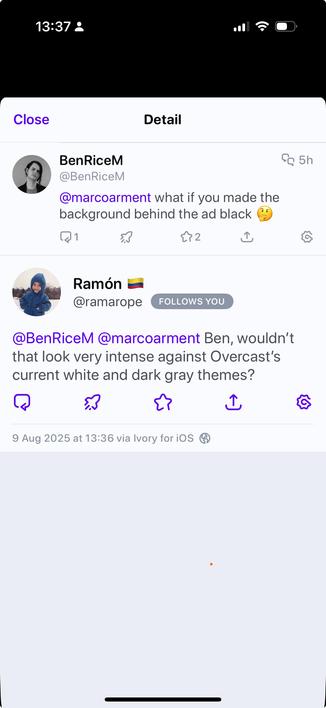
@marcoarment what if you made the background behind the ad black 🤔
@BenRiceM @marcoarment Ben, wouldn’t that look very intense against Overcast’s current white and dark gray themes?

@ramarope @marcoarment I mean, I should just look like an unusually short sheet.

How to handle the presentation animation could be a challenge though

@BenRiceM @marcoarment interesting. Thanks for taking the time to explain Ben
@BenRiceM @marcoarment I think this would confuse me, as I would expect the ad to still be there when the MiniPlayer downward facing arrow button is tapped
@marcoarment I also like this one the best. Not sure about the layering (shouldn't the ad be on the same layer as the cover art), but the down arrow in lower left is the key for me here. As a right handed max phone user, I love the reachability.. top left controls are always a thumb workout.
@marcoarment weirdly I prefer this to option 3 and Bens amended designs 😅
If you were going with the top ad banner placement this could offer potential enhancement later with initiating Overcast Premium
@marcoarment That looks great! It doesn’t distract from the player view. To be honest, I like this more than your three examples from earlier.
@marcoarment
What don’t you like about it?
@marcoarment This could be the most beautiful, unobtrusive ad I’ve seen in a very long time! 😎