Can't say I've seen #AdaptiveTechnology quite like this before!

https://www.instagram.com/reel/DQ0GFioDjvX/

Songs That Should Not Work on Instagram: "“She lost her arm… but not her music.” 🎻❤️‍🔥 At just 20 years old, Manami Ito, a Japanese nurse, Paralympic swimmer, and musician, lost her right arm in a traffic accident. But instead of giving up her passion for the violin, she reinvented how to play it. Using a specially designed prosthetic arm, she attaches the bow and controls it with delicate shoulder and torso movements — while her left hand still dances across the strings. 🎶 It took years of practice and pure determination, but today, Manami plays with both precision and emotion — turning tragedy into artistry. Her story isn’t just about music. It’s about resilience, innovation, and the human spirit refusing to stop creating beauty. 🌸 #ManamiIto #Inspiration #Violin #MusicMotivation #Paralympics #Resilience #OvercomingObstacles #JapaneseViolinist #InspiringStories #DailyInspiration #MotivationalReel #TheKnowledgeFactory"

Manami Ito's inspiring story showcases her unwavering commitment to her passion for music. After a life-altering accident, she reinvented her way to play the violin, incorporating a specially designed prosthetic arm and precise shoulder movements. Her perseverance and innovative spirit are a testament to the power of the human spirit, turning tragedy into something beautiful.

Instagram

Since my previous post asking about programmers, etc. received so many positive responses, I am going to use the same tags and explain what I wish to accomplish. That way, I can learn from real experts what is possible and what isn't. Note that I am not a programmer and am just writing as a user.

Hello, everyone. I am forty-one and totally blind, having never seen. I have loved DOS since I was a teenager and basically taught myself tto use it, since by the time I learned about it, people were already moving to Windows. I love XP and 7 but find 11 to be frustrating and annoying. Unlike many, I don't find Linux or Mac OS to be worthy replacements. But I strongly feel, given the general advances in technology, as well as those in modern versions of DOS, that it can be a viable alternative. It's quick, efficient, and text-based. This, then, is my ultimate vision. Some of these things may be easier to implement than others, and some may not even be possible. One of my favourite sites is this one, which debunks all sorts of fallacies related to DOS and gives me hope that my dream may someday be realised.

http://www.chebucto.ns.ca/~ak621/DOS/DOS-Fal.html

Summary

My ultimate vision is a 32-bit version of DOS with true multi-tasking, a talking installer, an updated screen reader, a software synthesizer, and usb support that could be used as a daily operating system on modern (or at least semi-modern) hardware.

Blind-Specific Goals

1. Talking installer: One of the main difficulties of installing DOS for a blind person is the lack of speech without a dedicated screen reader. This was true even in Windows XP, and to a lesser degree, 7, though Talking Windows PE (a version with the NVDA screen reader slipstreamed into it) changed that. I have also seen someone load config.sys, autoexec.bat, and command.com along with the ASAP screen reader onto a floppy and boot from it, so it may, indeed, be possible, though booting from a floppy is automatic, whereas booting from anything else would require changing the bootloader, which is not accessible to the blind. If it is not possible to create a talking installer, perhaps some sort of batch system, similar to XP Unattended, can be created, so that the user just has to hit a few keys and start an automatic installation.

2. Software speech synthesis or reasonable alternative: This might be one of the most difficult things to implement, but it is th emost important. As it stands, most DOS screen readers work with hardware synthesizers that connect either via a serial port or an internal card. They work well, but unless new ones are made, they may be difficult to find. Plus, many computers don't have a serial port, and I'm not sure usb to serial can even work in DOS, especially for this sort of thing. Ideally, there would be a synthesizer, similar to ESpeak in NVDA, that would work directly with the screen reader to voice text on the screen. However, it seems that these sorts of synthesizers require apis, etc. that DOS doesn't have. Whether it would be possible to simulate a hardware synthesizer in real DOS as is done in the Talking DOSBox, which also contains Windows 95, I don't know. It is possible to send speech directly to the pc speaker, but most pc speakers, when they exist, are designed for beeps and very low quality output. That said, there was a novelty synthesizer, called Tran, that did just this. Perhaps a more serious version could be created and connected to a screen reader. There were screen readers that worked with the SoundBlaster synthesizer which did use software, but even that required the real card to be installed. If drivers and synthesizers can be created for more modern soundcards, that might be a bridge between full software synthesis and requiring an external device. A final option is simply to create modern synthesizers with an RS-232 connection. At least the speech would be good and they would still be manufactured, unlike the older ones.

3. Updated screen reader support: I don't know how much screen readers would need to be updated in order to be able to take advantage of modern programs and versions of DOS, but having that option would be a good thing. The only fully open source screen reader I know of is Provox. While JAWS for DOS, Vocal-Eyes, Flipper, etc. were all made freely available, we don't have their code. I am going to attempt to contact Larry Skutchan, maker of ASAP, to ask if he is willing to let us work with the code, or rewrite and update it, as he may no longer have the program.

General Goals

1. 32-bit: Even in Windows, I don't see the need for a 64-bit system. But I do think that DOS can benefit dramatically from being upgraded to 32-bit. It would mean more memory could be used in ram, true multi-tasking without extra tools could be done, and maybe, some of the blind-specific ideas of mine could be accomplished. I really cannot stress the importance of multitasking enough, even for mainstream things such as browsing the Internet while keeping an e-mail client open to alert for notifications, or even listening to music while reading a website or downloading something. I am fully aware of tsr programs, and they are wonderful, but they don't allow for background processes. I have heard of FreeDOs-32, but it seems to be no longer maintained.

2. Full usb support: I know that there is very rudamentary support for usb storage, but if this could be expanded to other devices, it might be possible to use a sound card for speech, a usb keyboard, a camera or scanner for ocr, a wifi dongle, etc.

3. An accessible, modern browser and wifi support: I know that it is possible to connect to the Internet using certain wireless cards. I also know that there is at least one graphical browser called Arachne. But whether it is accessible or has been updated, and whether more exist, I don't know. And what about systems without these cards? Can they access the Internet using wifi or at least cable via an ethernet connection?

4. A text-based, menu-driven desktop: I love the commandline, but sometimes, it might be quicker and/or easier to use menus. The graphical desktops require use of the mouse. I want to retain the text-based nature of DOS. It seems that this may already exist, and that I need to research DOS Navigator, Volkov Commander, Midnight Commander, and Norton Commander.

Things to Avoid

Don't turn DOS into Linux or Windows. Keep program installation simple, don't start requiring permissions for things, don't make everything graphical with a terrible interface that keeps changing, ribbons, etc., and don't include artificial intelligence as mandatory.

#accessibility #AdaptiveTechnology #blind #DOS #FreeDOS #Internet #MSDOS #programmers #programming #ScreenReaders #software #SpeechSynthesis #technology
DOS Fallacies -- A Doctor DOS Discussion

Gives DOS Operating System Fallacies and Discusses Why they are Untrue

I know there are many #DOS gamers here and those who simply love #retroComputing and #technology . But are there any serious DOS #programmers here as well? If so, in which language/s do you write? (I want to learn #QuickBasic , but I am at the very beginning, and it's not advanced enough for what I need.) Does anyone here work on the development of #FreeDOS ? Assuming any of the above is true, do any of you know about #accessibility and #ScreenReaders ? I am totally #blind and have loved DOS since I was a teenager. I am now forty-one. I am aware of the many updates to the system over the years, but have been unable to take advantage of them due to the fact that no new or updated #AdaptiveTechnology is being developed for it. Everyone seems to love Linux. I don't. Neither do I like Mac OS. I love Windows XP and 7, but 11 drives me mad. I think we deserve another alternative to all of these, and I also think that DOS can be it if a few things are added to it, including a talking installer, an updated screen reader and good software speech synthesis. For those of you who think DOS only equals dialup modems and floppies, you may wish to read this, or at least skim through it.

http://www.chebucto.ns.ca/~ak621/DOS/DOS-Fal.html

DOS Fallacies -- A Doctor DOS Discussion

Gives DOS Operating System Fallacies and Discusses Why they are Untrue

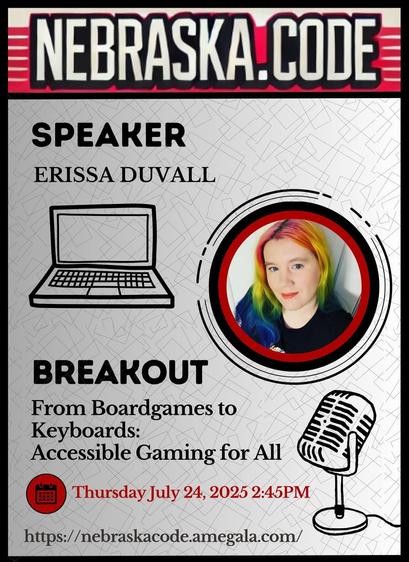
Nebraska.Code 2025 hosted on Whova

July 23 – 25, 2025, Lincoln, NE

🚀 Technology should adapt to your life, not the other way around. 🔄💡

🎧 AIDIO’s intuitive controls and personalized settings ⚙️📱 make better hearing effortless. 🔊✨

💬 What features matter most in your daily tech? 👇📲

#SmartTech #UserExperience #Innovation #BetterHearing #SeamlessTech #TechForGood #HearingHealth #ListenBetter #FutureOfSound #ClearSound #AccessibilityMatters #EnhancedAudio #PersonalizedTech #EffortlessHearing #AdaptiveTechnology #SmartAudio #SoundInnovation

🔊 Calling all #blind folks in the USA! Want to shape the future of #accessible banking? 🏦

I'm participating in a UX study with a major financial institution through uTest. They're looking for more blind participants, and I thought some of you might be interested!

Details:
• 60-minute remote session
• $200 compensation
• Must be in the United States
• Starting ASAP

If you're interested, use my referral link to apply: http://link.utest.com/inclusive-banking-study

Make sure to mention my name (Lanie Carmelo) and email (DM me for this) when filling out the screener survey. Choose "From friends/relatives under Referral Program" when asked how you heard about the project.

This is a great chance to make banking more accessible for all of us. Let's make our voices heard!

@mastoblind @main

#Accessibility #InclusiveBanking #BlindCommunity #VisuallyImpaired #UsabilityTesting #UXResearch #AdaptiveTechnology #DigitalAccessibility #FinancialInclusion #AssistiveTech #tech

uTest - The Professional Network for Testers

Elevate your testing skills – READ articles, RATE tools, LEARN new skills, FIND paid projects and CHAT about tech, career & trends with your peers.

#BlindTech friends, especially #WindowsUsers, I need to vent and ask if you've had similar experiences! 😓

I just had a maddening interaction with the WinCam screen recording app. Here's what happened:

1. Opened WinCam settings
2. Started tabbing through options
3. Didn't realize I was on the hotkeys tab
4. Suddenly, my #ScreenReader got stuck in an edit box for assigning a shortcut to start recording
5. Nothing would get me out - not even using my mini touchscreen display
6. I tried using the JAWS Touch Cursor shortcut and even the special app keys on my wireless keyboard, but WinCam just assigned them as new shortcuts!
7. Finally had to use a wireless mouse, moving and clicking randomly until I escaped the edit box

This lack of keyboard accessibility in that specific area is infuriating! Interestingly, other than this issue, the WinCam app is very accessible overall.

Have any of you encountered similar "keyboard traps" or accessibility issues in any software, not just recording apps? How did you handle it?

What strategies do you use when you get stuck in an inaccessible part of an application? Any clever workarounds or tools you've found helpful?

Also, I'm curious: Can anyone recommend other accessible screen recording apps for Windows? I bought a WinCam license for usability testing, thinking it was the most accessible option, but I'd love to know if there are other good choices out there.

I'm particularly interested in hearing from other Windows users, but all experiences are welcome. Let's share our knowledge and maybe help developers understand our needs better!

#Accessibility #AssistiveTech #BlindProgrammer #SoftwareAccessibility #KeyboardNavigation #UserExperience #a11y #VisuallyImpaired #AdaptiveTechnology #InclusiveDesign #DigitalAccessibility #AssistiveSoftware #BlindnessAwareness #AccessibleSoftware #KeyboardTraps #ScreenRecording #UsabilityTesting #JAWS #ScreenReaderChallenges #blind @mastoblind @main

🚀 Exciting News Alert! 🌌

In what might just be the coolest thing to ever happen to me, I received a personal invitation from Jeff Bezos himself, following a conversation with TED Conferences's Chris Anderson about the incredible work we're doing at Bridge the Gap. The invite? To test the accessibility for disabled individuals on none other than a suborbital rocket - BLUE ORIGIN's New Shepard!

Yes, you read that right. My good friend Björn and I are being given the opportunity to participate in one of the next launches. 🌍➡️🚀 This isn't just a giant leap for accessibility; it's a quantum leap for inclusive space exploration!

Our journey with Bridge the Gap, advocating for tech and design solutions that foster inclusion and accessibility, has always aimed sky-high, but this is literally out of this world. We've tackled challenges on the ground, and now, we might just be taking them to space.

The prospect of contributing to making space travel accessible is a dream that's too good not to share. Stay tuned for more updates as we embark on this star-studded adventure!

#AccessibilityInSpace #BridgeTheGap #NewShepard #InclusiveExploration #SpaceAccessibility #InclusiveSpace #AccessibleSpaceTravel #UniversalDesign #TechForAll #InclusiveInnovation #BarrierFreeSpace #DisabledInSpace #AdaptiveTechnology #InclusiveExploration #AprilFools

"Weather can be unpredictable ☔ Does #Ara maintain its accuracy in rain or shine? #TechForAll #AdaptiveTechnology

#AdaptiveTechnology picks of the day:

➡️ @NVAccess - Non-profit making free open source NVDA screen reader

➡️ @wai - W3C initiative for web accessibility standards

➡️ @freedomscientific - Making accessibility computer products for blind people

➡️ @superblindman - Award-winning video game accessibility consultant, worked on Last Of Us etc

➡️ @ralfaro613 - Blind retired adaptive technology specialist, tech enthusiast and gadget junkie.

🧵 1/3