 Linux Easy
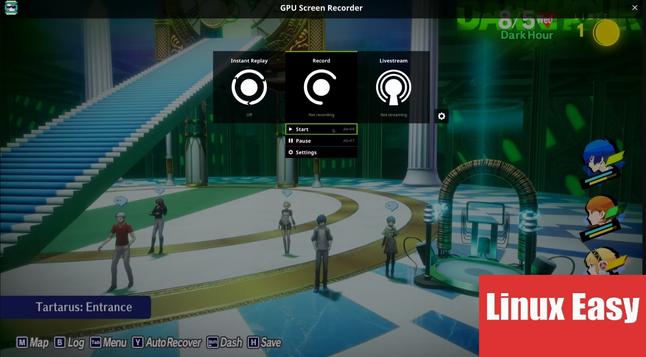
GPU Screen Recorder: Registratore schermo Linux basato su GPU, veloce, leggero e compatibile con Wayland e X11.
#Linux #ScreenRecording #Wayland #AMD #NVIDIA #Intel #OpenSource
 DigitalEscapeTools
Cap is an open-source alternative to Loom that lets you record, edit, and share screen recordings while keeping control of your data.
Record locally, self-host the platform, use your own S3 storage, collaborate with teams, add comments, generate transcripts, track analytics, and use custom domains.
👉 https://digitalescapetools.com/tools/tool.html?id=cap
#OpenSource #FOSS #Privacy #SelfHosting #ScreenRecording #LoomAlternative #Productivity
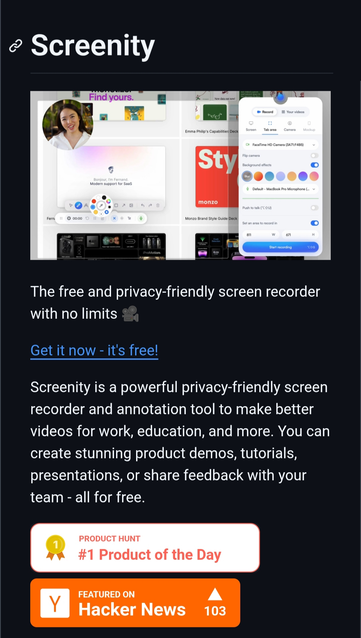
Screenity is an open-source screen recorder and annotation tool for Chrome that works without sign-ins, tracking, or recording limits.
It supports screen/audio recording, drawing tools, blur for sensitive content, offline usage, local self-hosting, and exporting videos as MP4, GIF, or WebM.
More details: https://digitalescapetools.com/tools/tool.html?id=screenity
#OpenSource #Privacy #ScreenRecording #SelfHosted #Chrome #Linux
 GadgetFlux
#Cap: #4K #screenrecording with built-in #AI
https://gadgetflux.eu/cap-nregistrare-ecran-4k-cu-ai-integrat/
 Lukas
LukasI finally ditched heavy GUI recording apps that were thermal throttling my fanless m3 laptop.
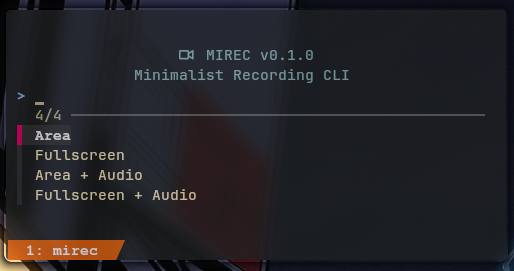
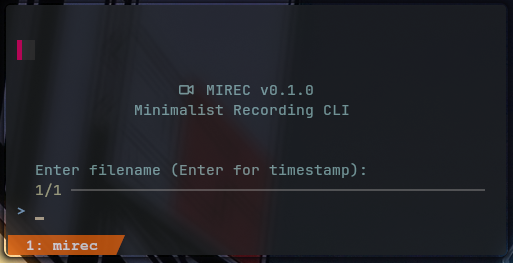
I’ve just released Mirec, a minimalist TUI wrapper for wf-recorder designed for #Wayland and #Hyprland.
It uses fzf for area selection and offloads the heavy lifting to Intel VA-API hardware.
It keeps my CPU load under 5% and temperature around 60C. Perfect for low specs laptopts.
Stay cool and keep recording!
https://github.com/Rakosn1cek/mirec
#Wayland #Hyprland #Linux #OpenSource #ArchLinux #ScreenRecording
I’ve just released Mirec, a minimalist TUI wrapper for wf-recorder designed for #Wayland and #Hyprland.
It uses fzf for area selection and offloads the heavy lifting to Intel VA-API hardware.
It keeps my CPU load under 5% and temperature around 60C. Perfect for low specs laptopts.
Stay cool and keep recording!
https://github.com/Rakosn1cek/mirec
#Wayland #Hyprland #Linux #OpenSource #ArchLinux #ScreenRecording
 Luke Harby
I am HOPELESS at AV stuff, but I help administer a little art/photo crit group.
We started out meeting on Zoom and that has an inbuilt tool to screen record. In our efforts to try and stick it to the corporate stiffs we migrated to Jitsi.
Since then I have never made a successful screen recording.
I have done one that was silent (I think with Quicktime), a second that was silent but using the inbuilt mac screen software. Another was entirely black (not from using Incognito mode) and the last was just a 2 hour recording of my face (this was Jitsi in the browser using the record function but it just used my camera).
Years ago I do recall using Soundflower to help change input/output for audio. I also have CleanShot. but I think my problem is the audio input/output.
TL; DR
How do I screen record via the browser on a Mac. And treat me like I am 6. I need it super simple. Is there a way to toggle the audio easily?
TIA
#Jitsi #ScreenRecording #ScreenCast #ScreenRecord #ScreenRecordings #Conferencing #VideoConferencing #VideoConference #ScreenCasting
 NewsletterTF
Recordly: A Free, Open-Source Challenger in the Screen Recording Arena
Recordly is a new free app that lets you record your screen and edit it right away. It's good for people who make videos for work or school.
#RecordlyApp, #FreeSoftware, #ScreenRecording, #VideoEditing, #OpenSource
https://newsletter.tf/recordly-free-app-edit-screen-recordings-instantly/
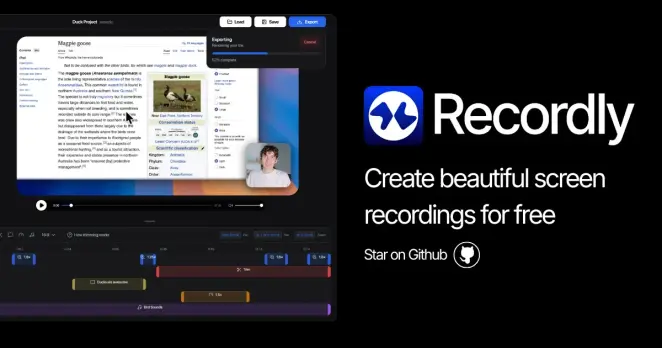
Recordly is a new free app that makes editing screen recordings easy. It has features like smart zoom and easy editing, unlike paid apps.
#RecordlyApp, #FreeSoftware, #ScreenRecording, #VideoEditing, #OpenSource
https://newsletter.tf/recordly-free-app-edit-screen-recordings-instantly/
 Matthew Whitaker
Hey y'all. Any suggestions for a good accessible screen recording app for Windows?
Also running into something weird… I'm not getting any progress bar sounds unless I plug my headphones directly into my desktop. Right now my headphones are plugged into my mixer and NVDA is coming through that.
I've tried both the SoundAlign and Pleasant Progress Bar add-ons with no luck.
Anyone run into this before or have ideas on what might be causing it?
#Windows #NVDA #Accessibility #Blind #ScreenReader #AssistiveTech #WindowsAccessibility #Tech #AudioRouting #MusicProduction #OBS #ScreenRecording
 yo shi
#scribesAndMakers
my game is called "toiletSpace"
#artemis2 #jouRapNal late to #mirloMondays with a #screenRecording of an #artiphon #orba #music song for #weeklyBeats #bonk or #notBonk?
#wordWeavers
the outer ring is only attached to the inner ring by vibration free loops
Does the above describe:
(A) hadron collider;
(B) spit guard; or
(C) orba
?