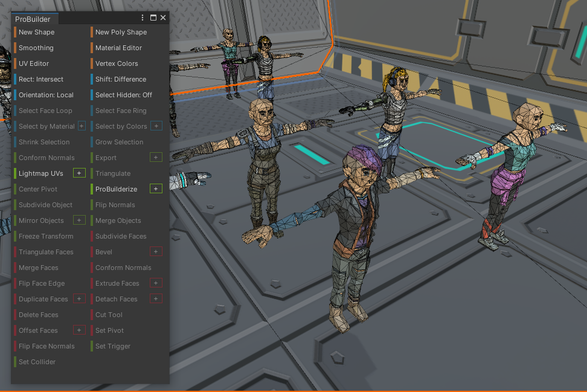
UV Unwrapping With Unity ProBuilder
Tonight’s self-guided continuing education installment: UV unwrapping using Probuilder in Unity. …
https://mindcreatesmeaning.com/uv-unwrapping-with-unity-probuilder/
--
#madeWithUnity #ProBuilder #realtimeVFX #Unity3D #UVUnwrapping
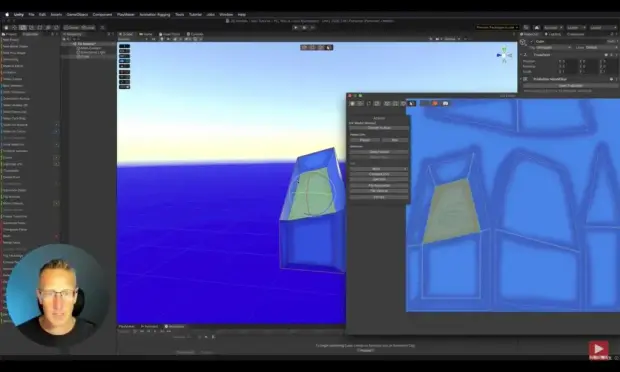
4/4
There have been cases in the past where #Unity has bought out third party paid assets and made them an official free part of the engine (most notably #TextMeshPro and #ProBuilder) but it has been many years and my hope that they would do this for #OdinInspector is gone.
Honestly as a long time user and being #selftaught, I could go on and on about Unity and their questionable decisions over the years, but I'll close this #rant here for now.
'Mesh Editing Directly In The Unity Editor?!'
Wow, direct editing of meshes within the Unity editor exists through the #proBuilder package.
No more round trips to Blender & back again. Seems like a slick party trick 👍.
https://mindcreatesmeaning.com/mesh-editing-in-editor-with-unity-%f0%9f%a5%b3/
_____
#gamedev #MeshEditing #soloDev #Tools #Unity3D
using
Webmention Enabled!
Connect with my site & profile:
https://mindcreatesmeaning.com @autonomyagency
And now starting on the first round of character modelling / hacking work for Space Game :D
#indiedev #indiegamedev #indiegame #indiegames #unity3d #probuilder #gamedev #gamedevelopment #synty
Had a fight with #ProBuilder today.. it ate my car mesh!! Luckily, have restored things from a backup.
I've learned my lesson: gotta learn #Blender 😬 not looking forward to it but it's about time..
I'm still upset at how Unity absorbed ProBuilder and ProGrids and then proceeded to more or less abandon ProBuilder and insist that their single dimension grid snapping toggle was equivalent to ProGrids before ditching it, leaving it under preview forever.
If you're not gonna make that shit first class citizens in your piece of shit 50 components to do the same thing none of which are compatible laden UX, why buy it at all?
Oof this glitch is a nasty one. #Unity3D - anyone have the solution? Some say it has to do with merged objects in Pro Builder. Someone else said ff you are getting a weird progress bar every time you try do something in Unity, try turning on Reload Domain in Project Settings -> Editor -> Enter Play Mode Settings
https://forum.unity.com/threads/application-tick-what-does-this-mean.920819/
This is a pretty great tutorial for those getting going with #ProBuilder for #prototpying their games in #Unity3D. Shows you how to let go of bad habits and develop zippy good ones.
I am also glad that my #Blender3D students will now find these concepts much more familar. ProBuilder really is a nice mini Blender within Unity!
https://www.kodeco.com/12008376-probuilder-tutorial-rapid-prototyping-in-unity