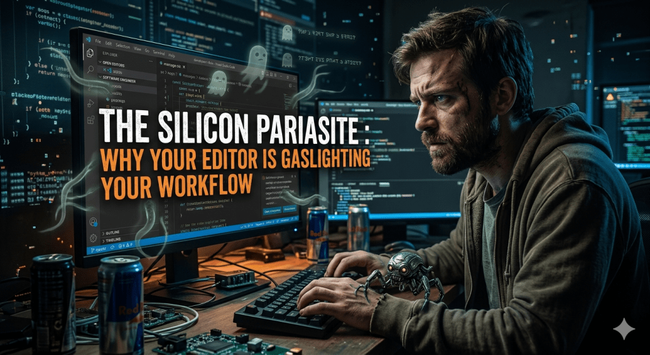
The Silicon Parasite: Why Your Editor is Gaslighting Your Workflow
1,401 words, 7 minutes read time.
The industry is rotting from the inside out, and the rot smells like a predictive text engine. Your editor used to be a sharp blade, a surgical tool that did exactly what you told it to do and nothing more. Now, Microsoft has turned Visual Studio Code into a bloated, desperate “co-pilot” that thinks it knows your logic better than you do. It’s forcing these “helpful” little AI ghosts into your margins, under your cursor, and into your RAM, and the worst part isn’t just the lag—it’s the violation of the protocol. You go into the settings, you hunt down the toggles, and you kill the processes. You think you’ve reclaimed your sovereignty. Then, two weeks later, after a silent “background update,” the intrusive shadows are back, whispering suggestions that break your flow and turn your high-level architecture into a graveyard of hallucinations. The hard truth is that we are living through a Great Refactoring where the toolmakers no longer trust the craftsmen. They want to turn you into a prompt engineer, a glorified copy-paster who doesn’t understand the “dark matter” of the codebase because the AI hid the complexity from you. If your career is leaking memory, it’s because you’ve outsourced your critical thinking to a corporate plugin that prioritizes its own telemetry over your deployment stability.
We’re going to break down the three reasons why this forced AI integration is a terminal infection for a real developer. First, we’ll look at the technical debt of “Ghost Code”—the garbage logic that AI sneaks into your editor and how it mirrors the compromises you make in your own integrity. Second, we’ll analyze the architectural collapse of the “Local Development Environment,” where the tools you rely on have become Trojan horses for corporate data harvesting. Third, we’ll tackle the psychology of the “Automated Interruption,” and why letting a machine break your deep work state is the fastest way to become a mediocre, replaceable commodity. This isn’t just about a slow IDE; it’s about the battle for the kernel of your professional identity.
The Ghost in the Machine: Hallucinated Logic as Technical Debt
When you allow an AI tool to “suggest” a block of logic, you aren’t just saving keystrokes; you are importing unvetted debt into your system. In the world of SharePoint and complex web architecture, one misplaced bracket or a misunderstood API call in a “suggested” function can lead to a catastrophic failure that doesn’t manifest until you’re under 100x load. These tools operate on probability, not logic. They don’t understand the specific, heavy-duty constraints of your environment; they only know what the most common, often mediocre, solution looks like across a billion public repositories. By forcing these tools into the UI, Microsoft is betting that you’re too lazy to write your own boilerplate.
This mirrors a fundamental failure in the character of modern developers. Integrity in code means knowing exactly why every line exists. When you accept an AI suggestion because you’re tired or in a rush, you’re admitting that you’ve lost control of the architecture. You’re letting a black box write your “load-bearing” functions. In a man’s life, this is the equivalent of taking the path of least resistance and hoping the consequences don’t compile until you’re gone. If you can’t vouch for the logic in your own editor, you aren’t an architect; you’re a janitor cleaning up after a machine that doesn’t even know it’s making a mess. You have to treat every “helpful” AI pop-up as an unauthorized PR from an intern who lied on his resume.
The Multi-Node Infection: Syncing Mediocrity Across the Grid
The real nightmare begins when you realize this isn’t just a local bug; it’s a distributed system failure. You spend an hour diving into the JSON of your settings.json, manually flagging every “Copilot,” “IntelliCode,” and “Suggested Action” to false. You feel a brief sense of victory as the UI cleans up. But then you head to your secondary machine, or your home rig, and because Microsoft has tethered your identity to their cloud sync, the “helpful” ghosts have already migrated. It’s a digital game of whack-a-mole where the hammer is made of foam and the moles have admin privileges. In my opinion, this forced synchronization of unwanted features is a direct assault on developer autonomy. They’ve turned your configuration into a suggestion rather than a command.
Architecturally, this is a violation of the principle of isolation. A developer’s machine should be a clean room, a sandbox where only the necessary dependencies are permitted to run. When the IDE decides to override your local environment variables via a cloud-synced “profile update,” it breaks the chain of custody for your workflow. IMHO, this mirrors the way many men allow their focus to be fragmented by “synced” distractions—notifications that follow you from the phone to the desktop to the watch. If you can’t maintain a consistent, hardened perimeter around your workspace across multiple nodes, you’re not managing a system; you’re being managed by one. Your tools should serve your intent, not the telemetry goals of a corporation trying to justify its latest AI acquisition.
The Latency of Thought: Why “Context-Aware” is Just Bloated Interference
There is a physical cost to this AI-first pivot. Every time you pause for a millisecond to think, the IDE interprets that silence as an invitation to interrupt. It spins up a background process, eats a chunk of your thread pool, and spits out a grayed-out suggestion that you now have to mentally process and reject. It’s a constant context-switch forced upon the brain. In the world of high-performance web development or SharePoint architecture, “latency” is the enemy. We spend weeks optimizing SQL queries and minimizing payload sizes, yet we tolerate a tool that introduces a 200ms cognitive lag every time we hit the spacebar. To me, this is the height of technical hypocrisy.
This interference is the “spaghetti code” of the mind. When your editor is constantly trying to finish your sentences, you lose the ability to think three steps ahead. You become reactive instead of proactive. In the trenches of a massive system failure, you need a clear, unencumbered path between your logic and the disk. If you’re fighting your IDE’s “helpful” suggestions while trying to patch a load-bearing security flaw, you’re going to lose. IMHO, true leadership in this field requires the discipline to silence the noise. If you let a machine dictate the pace of your work, you are effectively down-clocking your own intelligence to match the output of a statistical model.
Reclaiming the Kernel
The hard truth is that the industry is moving toward a future where the “developer” is just a high-level debugger for AI-generated garbage. If you want to remain a true architect, you have to fight for your environment. You have to treat your VS Code settings like a firewall—constant vigilance, regular audits, and a refusal to accept the default configuration. Microsoft wants you to be a passive consumer of their ecosystem, but a real engineer is a master of his tools, not a tenant in them.
In my opinion, your worth as a developer is measured by what you can build when the internet is down and the AI is silent. If you can’t write the logic without a prompt, you don’t actually know the logic. Stop letting the “helpful” tools soften your mental edge. Refactor your workflow, harden your settings, and stop making excuses for why the “whack-a-mole” game is too hard to win. If you want to lead, you start by taking absolute command of the very machine you’re sitting at. No excuses. No fluff. Just clean, intentional code.
SUPPORTSUBSCRIBECONTACT ME D. Bryan King
Sources
Disclaimer:
The views and opinions expressed in this post are solely those of the author. The information provided is based on personal research, experience, and understanding of the subject matter at the time of writing. Readers should consult relevant experts or authorities for specific guidance related to their unique situations.
#AIHallucinationsInCode #authenticCoding #codeRefactoring #codingFlowState #codingWithoutAI #cognitiveLoadInCoding #developerAutonomy #developerProductivity #disableVSCodeCopilot #disablingIntelliCode #distributedSettingsFailure #GitHubCopilotInterference #gritLitDevBlog #IDEPerformance #leadArchitectInsights #manualSettingsJson #mentalLatency #MicrosoftTelemetry #ProfessionalProgrammingStandards #programmingIntegrity #seniorDeveloperAdvice #SharePointArchitecture #softwareArchitecture #softwareCraftsmanship #softwareDeploymentStability #softwareEngineeringDiscipline #stopAISuggestionsVSCode #stopVSCodeBackgroundUpdates #technicalDebt #technicalLeadership #VisualStudioCode #VSCodeAITools #VSCodeBloatware #VSCodeExtensionsBloat #VSCodeProfileSync #VSCodeSettingsSyncProblems #VSCodium #WebDevelopment #workflowOptimization Patrick
 Fossery Tech

 Patch Notification Robot 🔔
 Erik
Erik Tim Böttcher
 Guerz
Guerz
 tkissing
 Zachary Cutlip
 Andrea Callegaro
 Bryan King