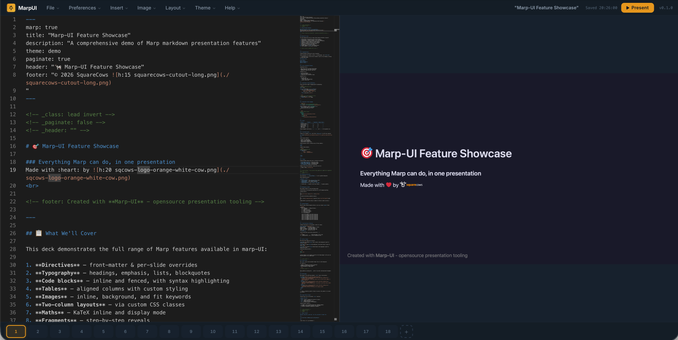
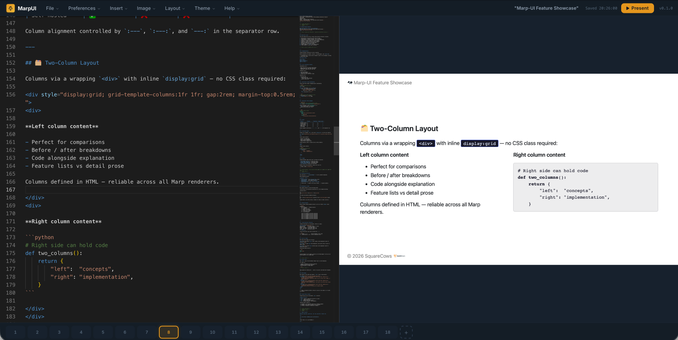
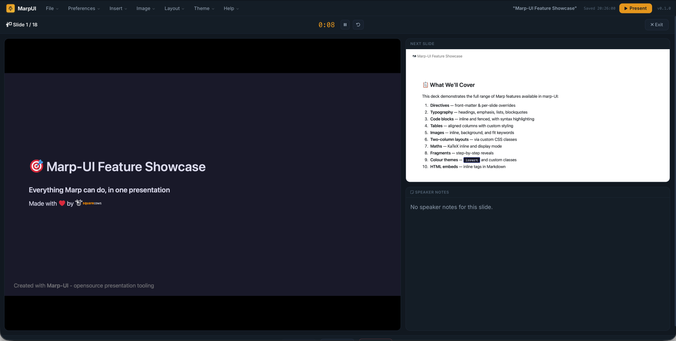
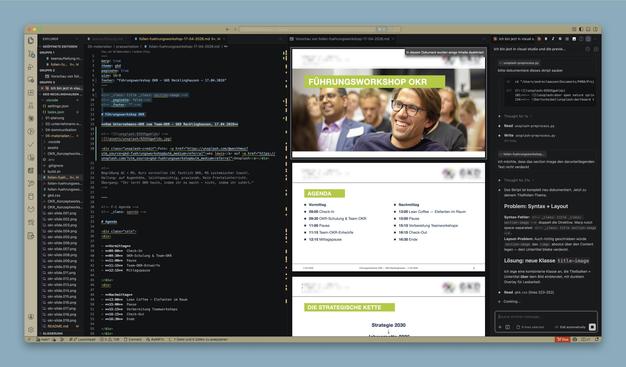
Megan McDermott is editing the presentation she's giving about #MARP, using MARP (in VSCode) to edit the presentation on #MARP -- very recursive!

@kwlug

I'm at the @kwlug meeting; Megan McDermott is presenting on #MARP, a Markdown Presentation Ecosystem.

I don't know what that is, should be interesting!

https://kwlug.org/node/1468

#Kitchener #Waterloo #Linux #UserGroup

#LinuxUserGroup #WaterlooRegion

KWLUG Meeting: Monday, March 2, 2026, 7pm | KWLUG - Kitchener-Waterloo Linux User Group

Nano Banana 2が出たらしいので、ここ1年のAIスライド生成を振り返ってみる - Qiita

こんにちは!ひさふるです。 日本時間の2026年2月27日(金)の0時ごろ、Gemini上でNano Banana 2なるモデルが呼び出されるようになったという報告をみかけました。 今回はこのNano Banana 2を使ってみた感想を共有すると共に、せっかくなのでこ...

Qiita

𝗠𝗮𝗿𝗽:

#Markdown #Marp

https://thewhale.cc/posts/marp

Marp (also known as the Markdown Presentation Ecosystem) provides an intuitive experience for creating beautiful slide decks. You only have to focus on writing your story in a Markdown document.

Why is #JavaScript so popular? I hate everything about it.

I'm speaking at the #Canberra Field #Naturalists meeting at #ANU next month on #Malaise trapping and the #insects and other #invertebrates that surround us without our noticing them.

I expect most of my slides to be arrays of four or six #microscope images with a header (probably a family name in most cases) and captions for each image.

I don't want to lay out all these images in #LibreOffice (or any similar presentation tool) because I'm a perfectionist and getting it all tidy will take forever.

So, I decided to try out #Slidev, #Marp and other #Markdown-based presentation tools. The Markdown part is very appealing, but they all lean hard into JavaScript. That would be fine so long as I don't have to think about that side of things.

Slidev's AppleBasic theme seemed to be the best starting point, so I started hacking it to add som extra gridded image views. Plain image grids were not too challenging, but I really want captions for each image, so I started trying to understand how the templates use the forest of underlying JS libraries and CSS artefacts to produce the displayed slides.

Frankly, the whole thing is so opaque and would take me much longer to understand than preparing multiple presentations by hand would.

Then I realised I can use #montage on the command line to produce the kind of layouts I want, and I can script #exiftool to extract and prepare the captions which will save time.

So, my new plan is to write a #Python script that processes a #YAML file listing all the slides, titles and image paths. It can generate PNG images that are close to the target 1920*1080 size (give or take a little). I'll then use LibreOffice for a couple of more text-oriented or irregular slides, export those and combine all the images into a PDF.

I'm sure this will be way faster than battling Node.js. Not sure why I felt I had to write it up.

https://fieldnatsact.com/

Field Naturalists Association of Canberra

Followed this great overview article of @Chrisayers about creating great #Marp presentations: https://chris-ayers.com/posts/customizing-marp/ Thanks Chris, very concise and insightful piece! 👍 🙏
Unleash Your Creativity with Marp Presentation Customization

This is part 2 of the MARP series. You can read the series of articles here: Marp - Create Presentations with Markdown Unleash Your Creativity with Marp Presentation Customization Introduction # Marp is a powerful Markdown presentation framework that enables you to create stunning slides effortlessly. By using simple text-based formatting, you can easily customize your presentations to suit your unique needs and style. Although Marp provides built-in themes and configurations, the true potential of this framework can be realized by customizing your presentations to suit your unique needs and style. In this blog post, we will delve into some of the key customization options available in Marp and guide you through the process of creating a truly standout presentation.

CodeBytes - The Curious Engineer

Because of work, I haven't really made presentations since ~2016, and when I had to, I was basically forced into PowerPoint.

Back then, my conference & OSS talks were HTML+CSS for me (in Spanish, mostly). Markdown was just for Wikipedia.

Now I’m prepping a #FOSDEM 2026 talk for @badgefed and discovered #marp.
Markdown-based slides, and… wow. I'm having way more fun than I expected.

https://marp.app/

Marp: Markdown Presentation Ecosystem

Marp (also known as the Markdown Presentation Ecosystem) provides an intuitive experience for creating beautiful slide decks. You only have to focus on writing your story in a Markdown document.

@rwg Thanks for the post! Makes me want to have a closer look at #Marp, although I am all in with #Quarto for Markdown-based writing and publishing...
Devo ammettere che con il software #marp per le presentazioni, alcune cose sono un po' complesse (#css), ma una volta capito come fare, si va davvero veloci a fare le #slide! Infine l'uso del linguaggio #markdown permette anche di versionare i contenuti con #forgejo

Learn how to create beautiful slide decks with Markdown and Marp, a simple and powerful tool for presentations.
https://gagor.pro/2025/11/create-markdown-presentations-with-marp/

#blog #markdown #marp

Create Markdown presentations with Marp

Learn how to create beautiful slide decks with Markdown and Marp, a simple and powerful tool for presentations.

Tom's Blog