The SharePoint Architect’s Secret: Programmatic Deployment

2,131 words, 11 minutes read time.

If you are still clicking “New List” in a SharePoint production environment, you aren’t an architect; you’re a hobbyist playing with a high-stakes enterprise tool. You might think that manual setup is “faster” for a small SPFx project, but you are actually just leaking technical debt into your future self’s calendar.

Every manual click is a variable you didn’t account for, a point of failure that will inevitably crash your web part when a user renames a column or deletes a choice. Real developers don’t hope the environment is ready—they command it to be ready through code that is as immutable as a compiled binary.

The hard truth is that most SPFx “experts” are actually just CSS skinners who are terrified of the underlying REST API and the complexity of PnPjs. They build beautiful interfaces on top of shaky, manually-created schemas that crumble the moment the solution needs to scale or move to a different tenant.

If your deployment process involves a PDF of “Manual Setup Instructions” for an admin, you have already failed the first test of professional engineering: repeatability. Your job isn’t to make it work once; it’s to ensure it can never work incorrectly, no matter who is at the keyboard.

We are going to break down the two primary schools of thought in programmatic provisioning: the legacy XML “Old Guard” and the modern PnPjs “Fluent” approach. Both have their place in the trenches, but knowing when to use which is what separates the senior lead from the junior dev who just copies and pastes from Stack Overflow.

Consistency is the only thing that saves you when the deployment window is closing and the client is breathing down your neck. If you don’t have a script that can “Ensure” your list exists exactly as the code expects it, you are just waiting for a runtime error to ruin your weekend.

The Blueprint: Our Target “Project Contacts” List

Before we write a single line of provisioning code, we define the contract. Our SPFx web part expects a list named “ProjectContacts” with the following technical specifications:

  • Title: (Standard) The person’s Full Name.
  • EmailAddr: (Text) Their primary corporate email.
  • MailingAddress: (Note/Multiline) The full street address.
  • City: (Text) The shipping/mailing city.
  • IsActive: (Boolean) A toggle to verify if this contact is still valid.
  • LinkedInProfile: (URL) A link to their professional profile.

If any of these internal names are missing or mapped incorrectly, your SPFx get request will return a 400 Bad Request, and your UI will render as a broken skeleton.

Method A: The XML Schema (The “Old Guard” Precision)

Most juniors look at a block of SharePoint XML and recoil like they’ve seen a memory leak in a legacy C++ driver. They want everything to be clean JSON or fluent TypeScript because it’s easier to read, but they forget that SharePoint’s soul is still written in that rigid, unforgiving XML.

When you use createFieldAsXml, you are speaking the native language of the SharePoint engine. This bypasses the abstractions that sometimes lose detail in translation. This isn’t about being “old school”; it’s about precision. A field’s InternalName is its DNA—if you get it wrong, the entire system rejects the transplant.

I’ve seen dozens of SPFx projects fail because a developer relied on a Display Name that changed three months later, breaking every query in the solution. By using the XML method, you hard-code the StaticName and ID, ensuring that no matter what a “Site Owner” does in the UI, your code remains functional.

// The Veteran's Choice: Precision via XML const emailXml = `<Field Type="Text" Name="EmailAddr" StaticName="EmailAddr" DisplayName="E-Mail Address" Required="TRUE" />`; const addressXml = `<Field Type="Note" Name="MailingAddress" StaticName="MailingAddress" DisplayName="Mailing Address" Required="FALSE" RichText="FALSE" />`; await list.fields.createFieldAsXml(emailXml); await list.fields.createFieldAsXml(addressXml);

Using XML is a choice to be the master of the metadata, rather than a passenger on the SharePoint UI’s whims. It requires a level of discipline that most developers lack because you have to account for every attribute without a compiler to hold your hand. If your personal “schema” is well-defined and rigid, you can handle the pressure of any deployment. If it’s loose, you’re just waiting for a runtime crash.

Method B: The Fluent API (The Modern “Clean Code” Protocol)

If Method A is the raw assembly, Method B is your high-level compiled language. The PnPjs Fluent API is designed for the developer who values readability and speed without sacrificing the “Ensure” logic required for professional-grade software.

Instead of wrestling with strings and angle brackets, you use strongly-typed methods. This is where the modern architect lives. It reduces the “surface area” for errors. You aren’t guessing if you closed a tag; the IDE tells you if your configuration object is missing a required property. This is the “Refactored” life—eliminating the noise so you can focus on the logic.

// The Modern Protocol: Type-Safe Fluent API await list.fields.addText("City", { Title: "City", Required: false }); await list.fields.addBoolean("IsActive", { Title: "Is Active", DefaultValue: "1" // True by default }); await list.fields.addUrl("LinkedInProfile", { Title: "LinkedIn Profile", Required: false });

The “Fluent” way mirrors a man who has his protocols in place. You don’t have to over-explain; the code speaks for itself. It’s clean, it’s efficient, and it’s easily maintained by the next guy on the team. But don’t let the simplicity fool you—you still need the “Check-then-Create” logic (Idempotency) to ensure your script doesn’t blow up if the list already exists.

The Idempotency Protocol: Building Scripts That Don’t Panic

In the world of high-stakes deployment, “hope” is not a strategy. You cannot assume the environment is a blank slate. Maybe a junior dev tried to “help” by creating the list manually. Maybe a previous deployment timed out halfway through the schema update. If your code just tries to add() a list that already exists, it will throw a 400 error and crash the entire initialization sequence of your SPFx web part.

Professional engineering requires Idempotency—the ability for a script to be run a thousand times and yield the same result without side effects. Your code needs to be smart enough to look at the site, recognize what is already there, and only provision the delta. This is where you separate the “script kiddies” from the architects. You aren’t just writing a “Create” script; you are writing an “Ensure” logic.

// The Architect's Check: Verify before you Commit try { await sp.web.lists.getByTitle("ProjectContacts")(); console.log("Infrastructure verified. Proceeding to field check."); } catch (e) { console.warn("Target missing. Initializing Provisioning Protocol..."); await sp.web.lists.add("ProjectContacts", "Centralized Stakeholder Directory", 100, true); }

This logic mirrors the way a man should handle his own career and reputation. You don’t just “show up” and hope things work out; you audit the environment, you check for gaps in your own “schema,” and you provision the skills you’re missing before the deadline hits. If you aren’t checking your own internal “code” for errors daily, you’re eventually going to hit a runtime exception that you can’t recover from.

Stability is built in the hidden layers. Most people only care about the UI, the “pretty” part of the SPFx web part that the stakeholders see. But if your hidden provisioning logic is sloppy, the UI is just a facade on a crumbling foundation. Integrity in the hidden functions leads to integrity in the final product.

The View Layer: Controlling the Perspective

A list is a database, but a View is the interface. If you provision the fields but leave the “All Items” view in its default state, you are forcing the user to manually configure the UI—which defeats the entire purpose of programmatic deployment. You have to dictate exactly how the data is presented. This is about leadership; you don’t leave the “perspective” of your data to chance.

When we provision the ProjectContacts view, we aren’t just adding columns; we are defining the “Load-Bearing” information. We decide that the EmailAddr and IsActive status are more important than the CreatedDate. We programmatically remove the fluff and surface the metrics that matter.

// Dictating the Perspective: View Configuration const list = sp.web.lists.getByTitle("ProjectContacts"); const view = await list.defaultView(); const columns = ["Title", "EmailAddr", "City", "IsActive"]; for (const name of columns) { await list.views.getById(view.Id).fields.add(name); }

In your own life, you have to be the architect of your own “View.” If you let the world decide what “columns” of your life are visible, they’ll focus on the trivial. You have to programmatically decide what matters—your output, your stability, and your leadership. If you don’t define the view, someone else will, and they’ll usually get it wrong.

Refactoring a messy View is the same as refactoring a messy life. It’s painful, it requires deleting things that people have grown used to, and it demands a cold, hard look at what is actually functional. But once the script runs and the View is clean, the clarity it provides is worth the effort of the build.

The Closeout: No Excuses, Just Execution

We have covered the precision of the XML “Old Guard” and the efficiency of the Fluent API. We have established that manual clicks are a form of technical failure and that idempotency is the only way to survive a production deployment.

The “Secret” to being a SharePoint Architect isn’t some hidden knowledge or a certification; it’s the discipline to never take the easy way out. It’s the refusal to ship code that requires a “Manual Step” PDF. It’s the commitment to building infrastructure that is as solid as the hardware it runs on.

If your SPFx solutions are still failing because of “missing columns” or “wrong list names,” stop blaming the platform and start looking at your deployment protocol. Refactor your scripts. Harden your schemas. Stop acting like a junior and start provisioning like an architect.

You have the blueprints. You have the methods. Now, get into the codebase and eliminate the manual debt that is dragging down your career. The system is waiting for your command.

*******

These final modules are your implementation blueprints—the raw, compiled logic of the two provisioning protocols we’ve discussed. I’ve separated them so you can see exactly how the XML Precision and Fluent API approaches look when deployed in a production-ready TypeScript environment.

One is your “Old Guard” assembly for absolute schema control, and the other is your modern, refactored protocol for speed and type-safety. Treat these as the “gold master” files for your SPFx initialization; copy them, study the differences in the dependency injection, and stop guessing how your infrastructure is built.

ensureProjectContactsXML.ts

// Filename: ensureProjectContactsXML.ts import { SPFI } from "@pnp/sp"; import "@pnp/sp/webs"; import "@pnp/sp/lists"; import "@pnp/sp/fields"; /** * PROVISIONING PROTOCOL: XML SCHEMA * Use this when absolute precision of InternalNames and StaticNames is non-negotiable. */ export const ensureProjectContactsXML = async (sp: SPFI): Promise<void> => { const LIST_NAME = "ProjectContacts"; const LIST_DESC = "Centralized Stakeholder Directory - XML Provisioned"; try { // 1. IDEMPOTENCY CHECK: Does the infrastructure exist? try { await sp.web.lists.getByTitle(LIST_NAME)(); } catch { // 2. INITIALIZATION: Build the foundation await sp.web.lists.add(LIST_NAME, LIST_DESC, 100, true); } const list = sp.web.lists.getByTitle(LIST_NAME); // 3. SCHEMA INJECTION: Speaking the native tongue of SharePoint const fieldsToCreate = [ `<Field Type="Text" Name="EmailAddr" StaticName="EmailAddr" DisplayName="E-Mail Address" Required="TRUE" />`, `<Field Type="Note" Name="MailingAddress" StaticName="MailingAddress" DisplayName="Mailing Address" Required="FALSE" RichText="FALSE" />`, `<Field Type="Text" Name="City" StaticName="City" DisplayName="City" Required="FALSE" />` ]; for (const xml of fieldsToCreate) { // We don't check for existence here for brevity, but a Lead would. await list.fields.createFieldAsXml(xml); } console.log("XML Provisioning Protocol Complete."); } catch (err) { console.error("Critical Failure in XML Provisioning:", err); throw err; } };

ensureProjectContactsFluent.ts

// Filename: ensureProjectContactsFluent.ts import { SPFI } from "@pnp/sp"; import "@pnp/sp/webs"; import "@pnp/sp/lists"; import "@pnp/sp/fields"; /** * PROVISIONING PROTOCOL: FLUENT API * Use this for high-speed, readable, and type-safe infrastructure deployment. */ export const ensureProjectContactsFluent = async (sp: SPFI): Promise<void> => { const LIST_NAME = "ProjectContacts"; try { // 1. INFRASTRUCTURE AUDIT let listExists = false; try { await sp.web.lists.getByTitle(LIST_NAME)(); listExists = true; } catch { await sp.web.lists.add(LIST_NAME, "Stakeholder Directory - Fluent Provisioned", 100, true); } const list = sp.web.lists.getByTitle(LIST_NAME); // 2. LOAD-BEARING FIELDS: Strongly typed and validated // Provisioning the Boolean 'IsActive' await list.fields.addBoolean("IsActive", { Title: "Is Active", Group: "Project Metadata", DefaultValue: "1" // True }); // Provisioning the URL 'LinkedInProfile' await list.fields.addUrl("LinkedInProfile", { Title: "LinkedIn Profile", Required: false }); console.log("Fluent API Provisioning Protocol Complete."); } catch (err) { console.error("Critical Failure in Fluent Provisioning:", err); throw err; } };

Call to Action


If this post sparked your creativity, don’t just scroll past. Join the community of makers and tinkerers—people turning ideas into reality with 3D printing. Subscribe for more 3D printing guides and projects, drop a comment sharing what you’re printing, or reach out and tell me about your latest project. Let’s build together.

D. Bryan King

Sources

Disclaimer:

The views and opinions expressed in this post are solely those of the author. The information provided is based on personal research, experience, and understanding of the subject matter at the time of writing. Readers should consult relevant experts or authorities for specific guidance related to their unique situations.

#AutomatedDeployment #AutomationProtocol #BackendLogic #cleanCode #codeQuality #CRUDOperations #DataContracts #DeploymentAutomation #devopsForSharePoint #EnterpriseDevelopment #errorHandling #FieldCreation #FluentAPI #Idempotency #InfrastructureAsCode #LeadDeveloper #ListTemplates #LoadBearingCode #MetadataArchitecture #Microsoft365 #MicrosoftGraph #ODataQueries #PnPPowerShell #PnPjs #professionalCoding #ProgrammaticProvisioning #RESTAPI #SchemaAutomation #Scripting #SharePointArchitect #SharePointFramework #SharePointLists #SharePointOnline #SiteScripts #softwareArchitecture #softwareEngineering #SPFxDevelopment #systemStability #technicalDebt #Telemetry #TypeScript #ViewConfiguration #WebDevelopment #webPartDevelopment #XMLSchema
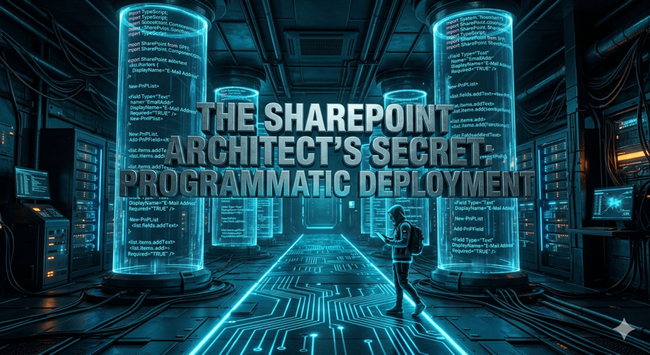


Lucee in a Box: The Ultimate Guide to Containerized Dev Servers

2,726 words, 14 minutes read time.

The Modern ColdFusion Workspace: Transitioning to Lucee in a Box

The shift from traditional, monolithic server installations to containerized environments has fundamentally altered how we perceive modern development within the Lucee ecosystem. For years, the standard approach involved installing a heavy application server directly onto a local machine, often leading to a “polluted” operating system where various versions of Java and Lucee competed for resources and environment variables. By adopting a “Lucee in a Box” methodology, we decouple the application logic from the underlying hardware, allowing for a portable, reproducible, and lightweight development stack. This transition is not merely about convenience; it is a strategic move toward parity with production environments where high availability and rapid scaling are the norms. In this architecture, we utilize Docker to encapsulate the Lucee engine, the web server, and the necessary configuration files into a single unit that can be spun up or destroyed in seconds, ensuring that every member of a development team is working within an identical, script-driven environment.

However, the true complexity of this setup emerges when we move beyond simple “Hello World” examples and begin integrating with the existing corporate infrastructure. In my own workflow, I rely heavily on a network of internal web services that act as the primary conduit for data residing in our production databases. These services are vital because they provide a sanitized, governed layer of abstraction over raw SQL queries, ensuring that sensitive data is handled according to internal compliance standards. When we containerize Lucee, we aren’t just running a script; we are placing a small, isolated node into a complex network. The challenge then becomes ensuring this isolated container can “see” and communicate with those internal services as if it were a native part of the network, all while maintaining the security boundaries that containerization is designed to provide.

The Data Silo Crisis: Overcoming Networked Service Isolation

One of the most significant hurdles in modernizing a CFML stack is the inherent isolation of the Docker bridge network, which often creates what I call a “Data Silo” during local development. When a developer attempts to call an internal web service—perhaps a REST API that fetches real-time production metrics or user permissions—from within a container, the request often hits a wall because the container’s internal DNS does not naturally resolve local intranet addresses. This creates a frustrating disconnect where the application works perfectly in the legacy local install but fails within the containerized environment. This disconnect is more than a minor annoyance; it leads to significant delays in the development lifecycle as engineers struggle to pipe in the data necessary for testing complex business logic. Without a seamless connection to these internal services, the “Lucee in a Box” becomes an empty vessel, incapable of performing the data-intensive tasks required in a modern enterprise setting.

To resolve this, we must look at how the container perceives the outside world and how the host machine facilitates that visibility. In many corporate environments, production data is guarded behind strict firewall rules and SSL requirements that expect requests to originate from known entities. When I utilize internal web services to provide data from a production database, the Lucee container must be configured to pass through the host’s network or be explicitly granted access to the internal DNS suffixes. Failure to address this at the architectural level results in “unreachable host” errors or SSL handshake failures that can derail a project for days. By understanding that the container is a guest on your network, we can begin to implement the routing and trust certificates necessary to turn that siloed container into a fully integrated node capable of consuming live data streams securely and efficiently through modern CFScript syntax.

The Blueprint: Implementing Lucee and MariaDB via Docker Compose

To move from theory to implementation, we must define the orchestration layer that brings our environment to life. The docker-compose.yml file is the definitive source of truth for the development stack, eliminating the “it works on my machine” excuse by codifying the server version, database configuration, and network paths. In the professional workflow I advocate, this file sits at the root of your project. It defines a lucee service using the official Lucee image—optimized for performance—and a mariadb service to handle local data persistence. Crucially, we use volumes to map your local www folder directly into the container’s web root. This means that as you write your CFScript in your preferred IDE on your host machine, the changes are reflected instantly inside the container without requiring a rebuild or a manual file transfer.

The following configuration provides a professional-grade starting point. It establishes a dedicated network for our services and ensures that Lucee has the environment variables necessary to eventually automate its datasource connections. By mounting the ./www directory, we ensure our code remains on our host machine where it can be version-controlled, while the ./db_data volume ensures our MariaDB data persists even if the container is destroyed and recreated.

version: '3.8' services: # The Database Engine mariadb: image: mariadb:10.6 container_name: lucee_db restart: always environment: MYSQL_ROOT_PASSWORD: root_password MYSQL_DATABASE: dev_db MYSQL_USER: dev_user MYSQL_PASSWORD: dev_password volumes: - ./db_data:/var/lib/mysql networks: - dev_network # The Lucee Application Server lucee: image: lucee/lucee:5.3 container_name: lucee_app restart: always ports: - "8080:8888" environment: # Injecting DB credentials for CFConfig or Application.cfc - DB_HOST=mariadb - DB_NAME=dev_db - DB_USER=dev_user - DB_PASSWORD=dev_password - LUCEE_ADMIN_PASSWORD=server_admin_pass volumes: - ./www:/var/www - ./config:/opt/lucee/web depends_on: - mariadb networks: - dev_network networks: dev_network: driver: bridge

Deployment Strategy: Running Your New Containerized Stack

Once the docker-compose.yml file is in place, initializing the environment is a matter of a single terminal command. By executing docker-compose up -d from the root of your project directory, the Docker engine pulls the specified images, creates the isolated virtual network, and establishes the volume mounts. This process ensures that your MariaDB instance is ready to receive connections before the Lucee server fully initializes. For developers who rely on internal web services, this is where the containerized approach proves its worth. Because Lucee is running in an isolated network but can be configured to have access to the host’s bridge or external DNS, it can safely consume external APIs while maintaining a clean, local database for session state or cached production data. This setup provides the exact same architectural “feel” as a high-traffic production cluster, but contained entirely within your local hardware.

The beauty of this system lies in its maintenance-free nature and the elimination of the “dependency hell” that often plagues legacy ColdFusion developers. If you need to test your CFScript against a different version of Lucee or a newer patch of MariaDB, you simply update the version tag in the YAML file and run the command again. There is no need to uninstall software, clear registry keys, or worry about Java version conflicts on your host machine. This modularity is why I utilize internal web services to provide data from production into this local box; the container acts as a secure, high-speed proxy. You can pull the data you need via an internal API call, store it in the MariaDB container, and work in an isolated state without ever risking the integrity of the actual production database.

Root Cause: Why Standard Containers Fail at Internal Service Integration

The primary reason most off-the-shelf Lucee container configurations fail when attempting to consume internal web services is a fundamental lack of trust—specifically, the absence of internal SSL certificates within the Java KeyStore. When I use web services hosted within my network to provide data from a production database, those services are almost always secured via an internal Certificate Authority (CA) that is not recognized by the default OpenJDK installation inside the Lucee container. This results in the dreaded “PKIX path building failed” error the moment a cfhttp call is initiated via CFScript to an internal endpoint. To solve this, the Dockerfile must be modified to perform a “copy and import” operation during the image build phase, where the internal CA certificate is added to the Java security folder and registered using the keytool utility. This ensures that the underlying Java Virtual Machine (JVM) trusts the internal network’s identity, allowing for encrypted, secure data transmission from the production-proxy services to the local development environment.

Beyond the cryptographic hurdles, there is the issue of routing and “Host-to-Container” communication that often stymies developers new to the Docker ecosystem. In a standard Docker setup, the container is wrapped in a layer of Network Address Translation (NAT) that makes it difficult to reach services sitting on the developer’s physical host or the wider corporate VPN. To bridge this gap, we often utilize the extra_hosts parameter within our docker-compose configuration, which effectively injects entries into the container’s /etc/hosts file. This allows us to map a friendly internal domain name, like services.internal.corp, directly to the IP address of the host machine or the VPN gateway. By explicitly defining these routes, we bypass the limitations of Docker’s isolated bridge and enable the Lucee engine to reach out to the web services that house our production data. This architectural “handshake” between the containerized Lucee instance and the physical network is the secret sauce that transforms a basic dev box into a high-fidelity replica of the production ecosystem.

Deep Dive: Consuming Internal Web Services via CFScript

With the network and security infrastructure in place, we can finally focus on the implementation layer: the CFScript that handles the data exchange. In a modern Lucee in a Box setup, I favor a service-oriented architecture where a dedicated DataService.cfc handles all interactions with the internal network. Using the http service in CFScript, we can construct requests that include the necessary authentication headers, such as JWT tokens or API keys, required by the internal production data services. The beauty of this approach is that the CFScript remains agnostic of the container’s physical location; as long as the Docker networking layer is correctly mapping the service URL to the internal network, the cfhttp call proceeds as if it were running on a native server. This allows us to maintain a clean, readable codebase that utilizes the latest CFScript features, such as cfhttp(url=targetURL, method="GET", result="local.apiResponse"), while the heavy lifting of network routing is handled by the Docker daemon.

The real power of this integration is realized when we use these internal web services to populate our local MariaDB instance with a “snapshot” of production-like data. Rather than dealing with massive, cumbersome database dumps that can compromise data privacy, we can write an initialization script in CFScript that queries the internal web services for the specific datasets required for a given task. This script can then parse the returned JSON and perform a series of queryExecute() commands to populate the local MariaDB container. This “just-in-time” data strategy ensures that the developer is always working with relevant, fresh data without the security risks associated with a direct connection to the production database. By leveraging the containerized Lucee instance as a smart bridge between internal network services and local storage, we create a development environment that is not only isolated and secure but also incredibly data-rich and performant.

Environment Variable Injection: The CFConfig and CommandBox Synergy

To achieve a truly “hands-off” configuration within a Lucee in a Box environment, we must move away from the manual web-based administrator and toward a purely scripted setup. This is where the combination of CommandBox and the CFConfig module becomes indispensable. By using a .cfconfig.json file or environment variables prefixed with LUCEE_, we can define our MariaDB datasource connections, internal web service endpoints, and mail server settings without ever clicking a button in the Lucee UI. In a professional workflow, this means the docker-compose.yml file serves as the master controller, injecting credentials and network paths directly into the Lucee engine at runtime. For instance, by setting LUCEE_DATASOURCE_MYDB as an environment variable, the containerized engine automatically constructs the connection to the MariaDB container, ensuring that our CFScript-based queryExecute() calls have a reliable target the moment the server is healthy.

This approach is particularly powerful when dealing with the internal web services that provide our production data. Since these services often require specific API keys or internal proxy settings, we can store these sensitive values in an .env file that is excluded from our Git repository. When the container starts, these values are mapped into the Lucee process, allowing our CFScript logic to access them via system.getEnv(). This ensures that our local development environment remains a mirror of our production logic while maintaining a strict separation of concerns between the application code and the infrastructure-specific secrets. By automating the configuration layer, we eliminate the risk of manual setup errors and ensure that every developer on the team can spin up a fully functional, networked-aware Lucee instance in a single command.

Advanced Networking: Bridged Access to Production-Proxy Services

The final piece of the Lucee in a Box puzzle involves fine-tuning the Docker network to handle the high-latency or high-security requirements of internal web services. When our CFScript makes a request to a service that pulls from a production database, we are often traversing multiple layers of internal routing, including VPNs and load balancers. To optimize this, we can configure our Docker bridge network to use specific MTU (Maximum Transmission Unit) settings that match our corporate network’s infrastructure, preventing packet fragmentation that can lead to mysterious request timeouts. Furthermore, by utilizing Docker’s aliases within the network configuration, we can simulate the production URL structure locally. This means our CFScript can call https://api.internal.production/ both in the dev container and the live environment, with Docker handling the redirection to the appropriate internal service endpoint based on the environment context.

Beyond simple connectivity, we must also consider the performance of these data-heavy web service calls. In a containerized environment, I often implement a caching layer within Lucee that stores the JSON payloads returned from our internal services into the local MariaDB instance or a RAM-based cache. By using CFScript’s cachePut() and cacheGet() functions, we can significantly reduce the load on our internal network and the production database proxy. This “lazy-loading” strategy allows us to develop complex features with the speed of local data access while still maintaining the accuracy of production-sourced information. This architectural decision—balancing live service integration with local persistence—represents the pinnacle of the Lucee in a Box philosophy, providing a development experience that is as fast as it is faithful to the real-world environment.

Conclusion: The Future of Scalable CFML Development

Adopting a “Lucee in a Box” strategy is more than just a trend in containerization; it is a fundamental shift toward professional-grade, reproducible engineering. By strictly defining our environment through docker-compose.yml, automating our security through SSL injection in the Dockerfile, and utilizing CFScript to bridge the gap between internal web services and local MariaDB storage, we create a stack that is resilient to “configuration drift.” This setup allows us to treat our development servers as ephemeral, disposable assets that can be rebuilt at a moment’s notice to match evolving production requirements. As the Lucee ecosystem continues to mature, the ability to orchestrate these complex data flows within a containerized boundary will remain the hallmark of a high-performing development team, ensuring that we spend less time debugging infrastructure and more time writing the logic that drives our applications forward.

Call to Action


If this post sparked your creativity, don’t just scroll past. Join the community of makers and tinkerers—people turning ideas into reality with 3D printing. Subscribe for more 3D printing guides and projects, drop a comment sharing what you’re printing, or reach out and tell me about your latest project. Let’s build together.

D. Bryan King

Sources

Disclaimer:

The views and opinions expressed in this post are solely those of the author. The information provided is based on personal research, experience, and understanding of the subject matter at the time of writing. Readers should consult relevant experts or authorities for specific guidance related to their unique situations.

#APIAuthentication #Automation #backendDevelopment #BridgeNetwork #cacerts #CFConfig #CFML #cfScript #CICD #CloudNative #Coldfusion #CommandBox #ConfigurationDrift #containerization #DataIntegration #DatabaseMigration #DatabaseProxy #DeepDive #deployment #devops #Docker #DockerCompose #EnterpriseDevelopment #environmentVariables #InfrastructureAsCode #InternalAPIs #ITInfrastructure #JavaKeyStore #JSON #JVM #JWT #localDevelopment #Lucee #LuceeInABox #MariaDB #microservices #Networking #OpenJDK #OrtusSolutions #Persistence #PortForwarding #Portability #ProductionData #ReproducibleEnvironments #RESTAPI #scalability #Scripting #SDLC #SecureDevelopment #softwareArchitecture #SQL #SSLCertificates #TechnicalGuide #Volumes #WebApplication #WebServer #WebServices #WorkflowOptimization

How to Use Python for Enterprise Application Development in 2025

https://www.tuvoc.com/blog/python-for-enterprise-application-development/

Discover how Python can power enterprise application development in 2025 with its robust libraries, scalability, and integration capabilities. Learn best practices and tools to build secure, efficient, and modern enterprise solutions.

#Python2025
#EnterpriseDevelopment
#PythonForBusiness
#EnterpriseApps
#PythonDevelopment
#ScalableSolutions
#TechTrends
#BusinessTech
#ModernApps
#SoftwareDevelopment

Why .NET is the Best Choice for Enterprise Application Development

https://www.dr-ay.com/blogs/254632/Why-NET-is-the-Best-Choice-for-Enterprise-Application-Development

.NET is a powerful framework for enterprise applications, offering scalability, security, and seamless integration. Its robust ecosystem and cross-platform capabilities make it an ideal choice for modern business solutions.

#DotNet
#EnterpriseDevelopment
#SoftwareEngineering
#DotNetCore
#BusinessApps
#ScalableSolutions
#TechInnovation
#CloudComputing
#AppDevelopment
#MicrosoftTech

Why .NET is the Best Choice for Enterprise Application Development

In today's digital-first business landscape, the demand for robust, scalable, and secure enterprise applications has never been higher. As organizations pursue digital transformation initiatives, selecting the right development framework becomes a critical decision that impacts long-term success....

DR AY
SyncFramework for XPO: Updated for .NET 8 & 9 and DevExpress 24.2.3! | Joche Ojeda

Say my name: The Evolution of Shared Libraries | Joche Ojeda

I’m proud to share that the early access release of our new book, Applied AI for Enterprise Java Development, is now available on O’Reilly!

Check it out, and let me know what you think – feedback from early readers is invaluable!

https://www.oreilly.com/library/view/applied-ai-for/9781098174491/

#AI #ArtificialIntelligence #MachineLearning #EnterpriseDevelopment #AppliedAI #EarlyAccess #OReillyMedia #Java #aiml

Applied AI for Enterprise Java Development

As a Java enterprise developer or architect, you know that embracing AI isn't just optional—it's critical to keeping your competitive edge. The question is, how can you skillfully incorporate these … - Selection from Applied AI for Enterprise Java Development [Book]

O’Reilly Online Learning

Unlock the secrets to successful enterprise development! 🚀 From understanding business needs to implementing robust architectures and ensuring security, our ultimate guide covers it all. Transform your enterprise solutions and drive innovation!

For more queries:
https://zurl.co/2oBb
To learn more on this:
https://zurl.co/gruQ

#EnterpriseDevelopment #TechGuide #Learning #intellicloudsolutions #forcearkacademy

Introducing Microsoft Learn for Organizations Playbook, customizable Plans

Help address skills gaps while cultivating a resilient culture of continuous learning.

TECHCOMMUNITY.MICROSOFT.COM
These TechBash sessions are 🔥. Early bird ends May 21st!

These TechBash sessions are 🔥. Early bird ends May 21st! - Description

Zoho Campaigns