 Aptivi
Aptivi Development Toolkit (ADT) v1.2 is now available!
#Aptivi #ADT #Development #programming #dotnet #csharp #TechNews #TechUpdates
https://officialaptivi.wordpress.com/2026/05/31/aptivi-development-toolkit-v1-2-0-0-is-available/
Aptivi Development Toolkit (ADT) v1.2 is now available!
#Aptivi #ADT #Development #programming #dotnet #csharp #TechNews #TechUpdates
https://officialaptivi.wordpress.com/2026/05/31/aptivi-development-toolkit-v1-2-0-0-is-available/
Why Custom Attributes in .NET give me Nightmares
https://blog.washi.dev/posts/custom-attributes-and-why-they-suck/
Der vierte Teil von Heise zu .NET‑GUI‑Frameworks widmet sich Web‑Frameworks.
🔑 Kernfakt: ASP.NET Core bleibt der Allrounder, aber leichtgewichtige Optionen wie Blazor WebAssembly oder FastEndpoints bieten höhere Performance und schnellere Prototypen.
- Architektur‑Fit ins .NET‑Ökosystem
- Produktivität vs. Ressourcenverbrauch
- Szenario‑basierte Empfehlungen
#dotnet #webdevelopment #opensource #privacy #decentralizedWeb
Mibo.Raylib 1.0.0 is out!
An F# micro framework for building code-first games
> dotnet new install Mibo.Raylib.Templates
> dotnet new mibo-2d -o MyGame
> cd MyGame && dotnet run
Docs website:
https://angelmunoz.github.io/Mibo.Raylib/
Release:
https://github.com/AngelMunoz/Mibo.Raylib/releases/tag/v1.0.0
Custom attributes in #dotnet give me nightmares.
Read my new blog post to learn why:
👉https://blog.washi.dev/posts/custom-attributes-and-why-they-suck/

Was talking with folks from the EF Core team about common anti-patterns. I walked through offset pagination, Skip().Take(), and forgot to mention keyset pagination.
I should have. So I wrote the post I should have brought.
Skip().Take() isn't wrong, it's misapplied. On large or write-heavy tables, it's slow (OFFSET reads and discards every skipped row) AND silently skips or duplicates records under concurrent writes.
Keyset fixes both.
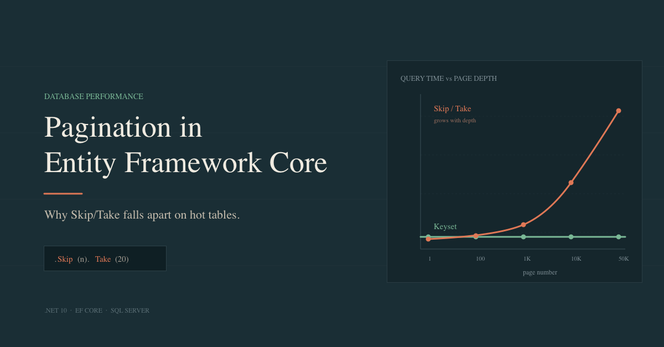
If you've built an ASP.NET Core API or list view backed by Entity Framework Core, you've almost certainly written something like this: var page = await _db.Orders .OrderBy(o => o.Id) .Skip((pageNumber - 1) * pageSize) .Take(pageSize) .ToListAsync(); It works. It matches the page-number UI most users expect. Every EF Core tutorial uses it. It's also
Hmmm... this issue is slowly starting to look like a comprehensive guide 🥰

 Lobsters
 Lobsters
 Global Feed
 Alberto Morillo
 Angel D. Munoz
 Washi
Washi Chris Woody Woodruff
 Cédric Belin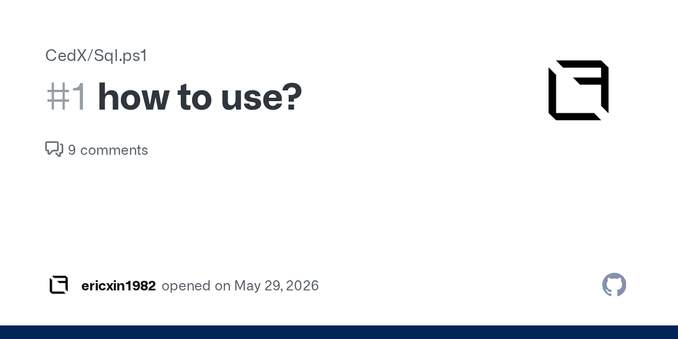
 Chris Pelatari