 Wizards Anonymous
Curious what others use for #OpenSource graphed local #PerformanceMonitoring. Something like #NetData but self contained on a local system/network (#NoThirdPartyCloud). Resources and Mission Center are nice when they're open, but it would be better to have something without a GUI running in the background 24/7.
 Bryan King
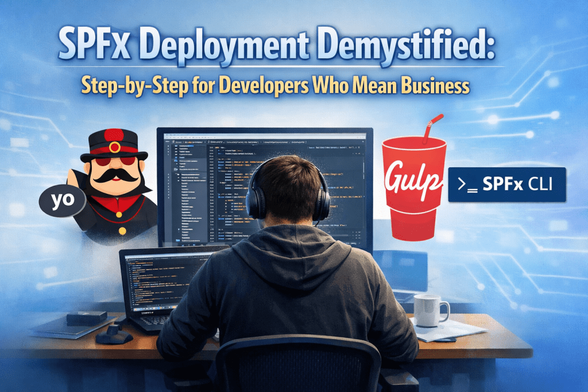
SPFx Deployment Demystified: Step-by-Step for Developers Who Mean Business
686 words, 4 minutes read time.
The world of SharePoint Framework (SPFx) development has come a long way since its inception, but for many developers, the process of deploying and managing these solutions remains shrouded in
mystery.
Introduction
As a developer, understanding SPFx deployment is crucial to delivering high-quality, scalable, and secure solutions. In this article, we’ll delve into the step-by-step process of deploying SPFx projects, covering the key considerations, technical nuances, and best practices that will help you master this essential skill.
Pre-Deployment Planning
Before embarking on your deployment journey, it’s essential to plan carefully. This involves understanding your target environment, identifying any dependencies or prerequisites, and choosing the right tools and resources for the job.
const manifest = require('./manifest.json');console.log(manifest);Setting Up Your Environment
To deploy an SPFx solution, you’ll need to set up your development environment. This includes installing the necessary tools, such as Yeoman, gulp, and the SharePoint Framework CLI.
npm install -g @microsoft/generator-sharepointgulp new projectBuilding and Packaging Your Solution
Once you’ve set up your environment, it’s time to build and package your SPFx solution. This involves creating a package file (.sppkg) that contains all the necessary files and dependencies.
gulp package-solutionDeploying Your Solution
The deployment process itself is where things can get complex. You’ll need to consider factors such as security, permissions, and scalability. In this section, we’ll explore some best practices for deploying SPFx solutions in a production environment.
const deploy = require('@microsoft/sp-deployment-webpack');deploy(manifest, { env: 'prod' });Post-Deployment Tasks
After deployment, there are several tasks to complete. These include configuring security settings, testing the solution, and monitoring performance.
const config = require('./config.json');console.log(config);Best Practices and Patterns
Throughout this article, we’ve highlighted some key considerations for deploying SPFx solutions. However, there are many more best practices and patterns to explore. In this section, we’ll discuss some additional strategies for improving the overall quality and
reliability of your deployments.
Reflection / Challenge
- What are some common pitfalls or challenges you’ve encountered when deploying SPFx solutions in the past?
- How do you ensure that your solution is scalable and secure in a production environment?
- Can you think of any additional tools or resources that would make the deployment process easier or more efficient?
Conclusion / Next Steps
Deploying SPFx solutions requires careful planning, attention to detail, and a deep understanding of the underlying technology. By following the steps outlined in this article, you’ll be well on your way to mastering this critical skill. However, there’s always more to learn, so we recommend exploring additional resources and best practices for continued growth and improvement.
Next Steps: Take some time to review the code examples and best practices outlined in this article. Experiment with different deployment scenarios and test your skills on a small project before tackling a larger solution. And don’t be afraid to ask questions or seek guidance from more experienced developers!
Call to Action
If this post sparked your creativity, don’t just scroll past. Join the community of makers and tinkerers—people turning ideas into reality with 3D printing. Subscribe for more 3D printing guides and projects, drop a
comment sharing what you’re printing, or reach out and tell me about your latest project. Let’s build together.
Sources
- Don’t Fear the Next Deployment of Your SPFx Project
- Packaging and Deployment SPFx Web Part in SharePoint …
- Deploy a SPFx web part – AlphaBOLD
- SPFx Environment Setup Step By Step Guide – 2025 – SPGuides
- Mastering the SharePoint Framework (SPFx) – Voitanos
- Deploy your client-side web part to a SharePoint page …
- Mastering the SharePoint Framework (SPFx) – YouTube
- SharePoint SPFx Development Setup Guide – Aufait Technologies
- Set up your SharePoint Framework development …
- Modern SharePoint Development: SPFx …
- A Complete Guide to SharePoint Framework (SPFx)
- Guide to the SharePoint Framework (SPFx) – YouTube
- Getting started with SPFx – Building your first extensibility …
- Adventures with the SharePoint Framework (SPFx): Part 1
- Why and When to Opt for the SharePoint Framework
Disclaimer:
The views and opinions expressed in this post are solely those of the author. The information provided is based on personal research, experience, and understanding of the subject matter at the time of writing. Readers should consult relevant experts or authorities for specific guidance related to their unique situations.
Related Posts
#MicrosoftGeneratorSharepoint #azure #bestPractices #cloudSolutions #configJson #deployment #deploymentScript #devEnvironment #devops #environmentVariables #Gulp #gulpNewProject #gulpPackageSolution #gulpWebpack #JavaScript #management #manifestJson #microsoft365 #nodejs #npmInstall #npmUpdate #office365 #onPremisesDeployment #patterns #performanceMonitoring #productionEnvironment #reliability #scalability #security #securitySettings #sharepointAdministration #SharePointFramework #sharepointFrameworkCli #SharePointScalability #SharePointSecurity #softwareDevelopment #solutionPackage #SPFxDevelopment #sppkgFile #testing #WebDevelopment #webpackBundle #Yeoman
 Brandon H


 Olivia Madison

 agile
agile Online Marketing Strategy ⌘
 N-gated Hacker News
 Mayerfeld Consulting
 PPC Land