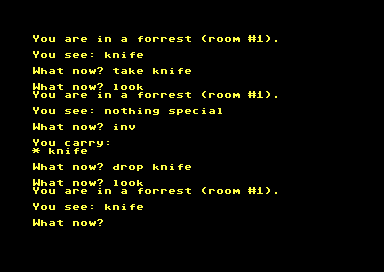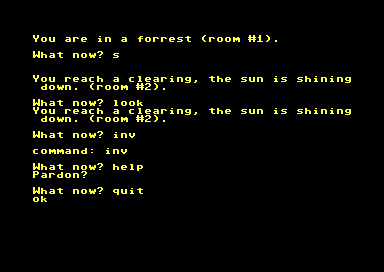
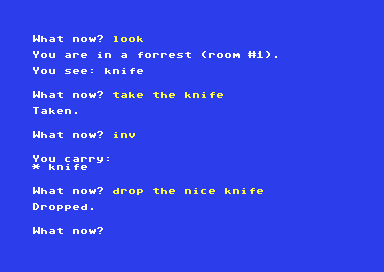
It was a cold and rainy day today so I decided to rework the parser of my text adventure game skeleton.

So now you can enter a simple sentence as can be seen in the screenshots which is better than the two-word approach I initially implemented (still not Infocom like but then that's not what I am after).

What happens in the background is that the user input is split into sub-strings which are then checked against a list of strings (e.g. object names, verbs), leaving their corresponding list index number on the stack. These numbers are then used within the actual game logic.

Oh, and I've added some colors - now the thing is beginning to look like a game ...
#textadventure
#game
#parser
#retrocoding
#durexforth
#forth

Had a day off today and used the free time to implement "take", ""drop" and "inv" (inventory) for that #text #adventure #game skeleton I'm occasionally tinkering with.

On the #Commodore64 I use #durexforth, but the same code also works on the #MyNorMy4th and with #gforth and I plan to get it to work on the #Minstrel4d as well.

I still use just a two-word #parser at the moment but I'm already looking into ways of expanding that (will not be as great as Infocom but better than it is now).

#forth
#retrocoding

tinkering with #durexforth on the
#Commodore64, doing some #retrocoding

I have compiled Durexforth from source, using the "master" branch. The main reason for this being that - unlike the official 5.0.0 release - the most recent code allows the S" word to be used in interactive mode.

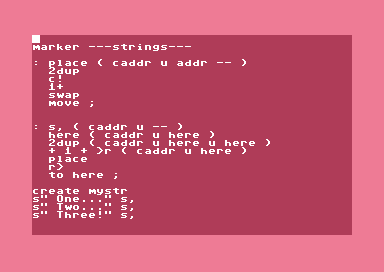
Even more interesting is the fact that there already is a COUNT word but not its counterpart PLACE - so I provided that myself. And that eventually enabled me to provide a new, custom word: S, (which you may know from gforth)

S, will add a counted string to the dictionary, starting at HERE

Which eventually gives us a the ability to create nice lists of strings. 💡

Now, why do all of this (despite having fun)? 🤔

Well, remember when I put together a two-word parser for a simple #textadventure #game in DX-Forth on CP/M? 🔄
(https://oldbytes.space/@Wintermute_BBS/115996588963884170)

With my additions in place that code now also runs on Durexforth without any changes (despite ASCII to PETSCII conversion) .... yay!

#forth
#programming

I wanted to be able to run #VolksForth for the #Commodore64 from a .CRT image so that it becomes immediately available at power on (just like you can do with #DurexForth ).

So I found this nice little #Python script below which converts your *.PRG file to a *.CRT file and adds a bootloder to it.

Some of you probably know this already, but I was very happy to find it - works with #Python3 as well:

https://frank-buss.de/c64/prg2crt/index.html

#prg2crt
#EasyFlash
#Tool

C64 PRG to CRT converter

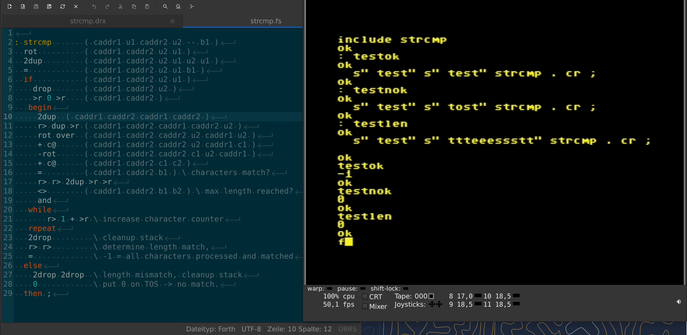
Turns out that durexForth for the Commodore 64 doesn't implement COMPARE or any similar word for (counted) string comparison - so I wrote a simple one myself while watching LIV-MCI ⚽ ...

#retroprogramming
#Commodore64
#durexForth
#forth

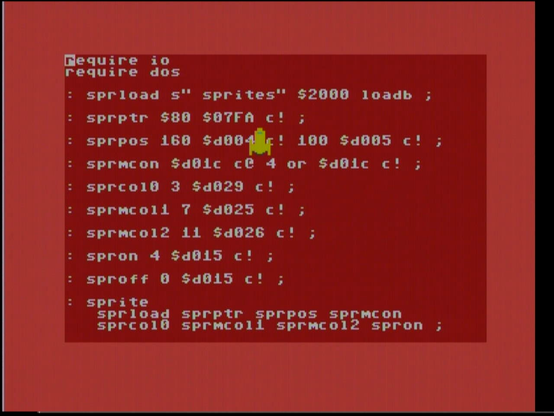
Getting back to some #DurexForth code I've written on the #Commodore64 about a year ago. It shows a little #Sprite of a spaceship. But I have to admit: in the end it's not very different from what you would do in #assembler ...
Jpeg -> GIMP -> Scale down -> No, smaller -> Smaller still -> Greyscale -> Indexed color -> Raw data -> Hex editor -> #C64 -> #DurexForth -> 🤯
#Forth #retroprogramming
Source image: By ROTFLOLEB - Own work, CC BY-SA 3.0, https://commons.wikimedia.org/w/index.php?curid=27603178
File:Human eye with blood vessels.jpg - Wikimedia Commons

Sieve of PETSCIItosthenes

YouTube

Check out this #c64 implementation of the Stepping Feet illusion code.

Written in #durexforth with link to explanation of code in the description. 👍

By @amuletofyendor

https://www.youtube.com/watch?v=aL8ZStWd4NE

Stepping Feet Illusion tutorial video for the Commodore 64 and DurexForth (link in description)

YouTube
DurexForth - C64-Wiki