wtf is #gvfs ?
I can't believe this crap. When I mount an smb with thunar or nautilus it will result in a mounted remote filesystem share that is SUPER slow and I even cannot open files at all. Also it get's mounted in some madeup subdirectory in /run/media or some stupid path nobody would ever search in.

When I use mount.cifs instead it's super fast and works transparently.
Who invents such crappy piece of wannabe software? I don't see the benefit of it though.
#linux

MB-Freigaben in Linux systemweit mounten: Warum dein NAS-Ordner im Programm fehlt und wie du ihn fixierst

Ich erkläre, wie man NAS-Ordner mounten kann, wenn sie in bestimmten Programmen fehlen.

#GVFS #CIFS #SMB #Linux

https://gnulinux.ch/mb-freigaben-in-linux-systemweit-mounten

MB-Freigaben in Linux systemweit mounten: Warum dein NAS-Ordner im Programm fehlt und wie du ihn fixierst

Ich erkläre, wie man NAS-Ordner mounten kann, wenn sie in bestimmten Programmen fehlen.

GNU/Linux.ch
Ok, caught in the #Debian trap. I‘d need a newer #gvfs or #smb implementation in hope things are fixed then. But #LMDE is even slower than #Debian, so no updates yet.

2/3

* También depende del entorno gráfico: #gvfs (#gnome, #xfce) o el equivalente en #kde (creo que es #kio), que suelen montar en /run/media.

* Configuraciones personalizadas de #polkit pueden hacer que los usuarios puedan montar discos en diferentes ubicaciones.

* El mismo udisks2 permite cambiar configuraciones para montar automáticamente en otros directorios.

* Y por supuesto, el montaje manual y uso de /etc/fstab puede permitirnos montar directorios no estándar.

👇

Finally found the correct answer today to the question of why, over 5 years since the #Samba project disabled the deprecated SMB1 protocol by default, GUI file browsers in #Linux still cannot browse SMB2 or SMB3 network shares.

It's a bug in #GNOME's #gvfs that apparently no one wants to fix or even can fix, and it affects all file browsers that use it.

I cannot simply click on my NAS unit and have it displays shares and login to it. I have to choose "Connect to Server…" from the menus.

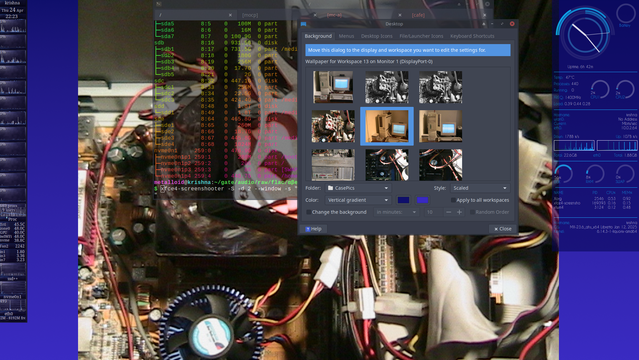
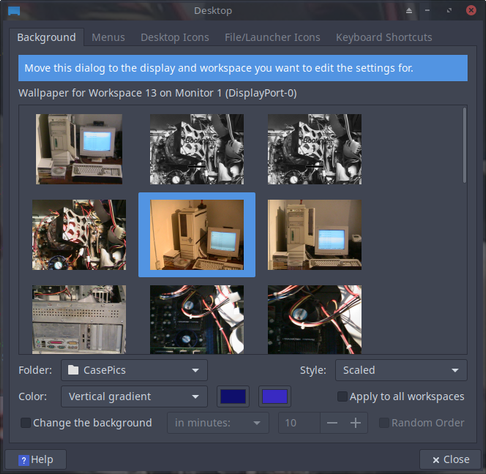
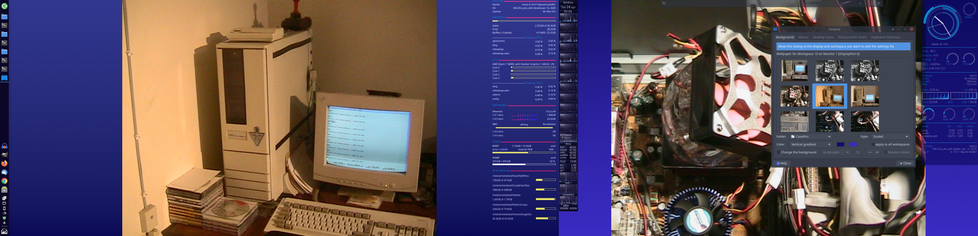
I still need some more feel at home config help. As you can see here I love having vertical gradients on my displays, but in KDE and Vallpaper I have not found how I can set gradients on the side of my wallpaper which are deliberately not 16:9 since I love to look at (vertical) gradients. Where do I need to look to achieve that? Is there a KDE action that I need to define for all my 20 KDE desktops?

.🖋️ #xFace #KDE #bash #MX #mxLinux #sh #zsh #ksh #csh #tksh #fish #distro #gPartEd #Gnome #Linux #POSIX #fresh #programming #hugo #gvfs #backgrounds #wallpaper #Vallpaper #gufw #RetroComputing #Amiga #C64 #gradient #Indigo

As you see here I already have configured the minimal amount of users that I need in my K Desktop Environment

The next phase will take a bit of time because I need to fine tune critical small keyboard shortcuts so that they work as transparently as they do in xFace with muscle memory

.🖋️ #bash #MX #mxLinux #sh #zsh #ksh #csh #tksh #fish  #distro #gPartEd #xFace #KDE  #Gnome #Linux #POSIX  #fresh #programming  #hugo #gvfs  #backgrounds #wallpaper #Vallpaper #gufw

Im starting to achieve platform distro OS translucency regarding more and more projects. Now I can smoothly work in my hugo projects from any distro I want in Linux. All I need to do is keep the copies I work on in sync.
Since I dont run zfs jet on a centralized HDD / SSD I simply use mc -a to do the job manually.
Normally it should be trivial, but the hugo projects want rm -Rf dir otherwise old files with similar size can be changed, thus screwing up continuity

Since my KDE MX install is smoothing out in cfg features I need, which is a combo of XFce components and KDE, I can smoothly switch to the KDE distro and work further while I tune it.

I chose to keep XFce seperate from KDE distro wise due to size constraints I;ve put on my boot partition

.🖋️ #bash #MX #mxLinux #sh #zsh #ksh #csh #tksh #fish #distro #gPartEd #xFace #KDE #Gnome #Linux #POSIX #fresh #programming #hugo #gvfs #backgrounds #wallpaper #Vallpaper #gufw

Found a file modification timestamp UTC offset problem in #GVFS affecting #GNOMEFiles, in case there are any #FTP experts around: https://gitlab.gnome.org/GNOME/gvfs/-/issues/789
Remote FTP file's modification timestamp is presumed to be UTC time, and is offset in Nautilus (#789) · Issues · GNOME / gvfs · GitLab

Testing with Nautilus 47.1 from Fedora 41: Connect to a FTP server using Nautilus (ex: using Material Files...

GitLab
Um eine lib für #XMPP zu testen, habe ich ein kleines Demo Programm geschrieben. Für die ersten Schritt ja ok, aber wirklich nachhaltig ist es auch nicht.

Eine Idee ist eine #xmpp #shell zu programmieren. Dort kann man dann XMPP mit command line Befehlen benutzen.

XMPP> Client has been connected with XMPP Server

XMPP> presence
XMPP>
XMPP> join
XMPP Join Chatroom - JID> [email protected]/Test
XMPP> <<< Groupchat Message from [email protected]/Stefan: Test: Das ist ein Test
Es gibt doch GVfs — Virtual File System,... ob man damit dann vielleicht sein #Jabber account als file system abbilden könnte.

echo "Wir treffen uns in 10 min am großen Baum" > /buddy/user@domain/chat
Dann wäre Jabber auch endlich mal ein #Messenger für Normale User. 😉

Ich glaube ich muss mir mal #gvfs ansehen,...