Anybody know some good blind/screen reader friendly utilities for better managing virtual desktops in Windows 11/10? I use 4 to separate out my workspaces. I'm blind, so this is the next best thing to having multiple monitors. Better yet, each desktop has its own separate alt+tab app switcher list. Unfortunately, it's a frustratingly manual process micromanaging which apps open on which desktop and moving apps that opened in the wrong desktop on startup. I would love something that can make sure apps/app windows open in the right desktops, or at the very least have some keyboard shortcuts so I don't have to dive into the task view and faff around with context menus to move apps around. As far as I can tell, Windows simply doesn't have any native keyboard shortcuts for this stuff after you hit win+tab
#windows #windows11 #windows10 #blind #virtualDesktops #taskView
Gaaaah, will this infernal anvil around my neck ever be done?

Another late change of mind for my
probable penguin-of-choice when i penguinise dad's pooter sometime in the next fortnight [maybe?].

Created new VM today from
sparkylinux-8.0.1-x86_64-xfce.iso, explicitly to assess it as possible better candidate for Dad's impending "EndOf10" penguinisation. For months i have been thinking i would give him #LMDE, then before that ordinary #Mint22. I'd changed my idea from Mint to LMDE coz nobody should be subjected to any ubuntu-based system IMO 😜. Recently though, getting cold feet on LMDE mainly for really rotten timing; due to #Eo10 i can't defer doing the conversion beyond 10Oct & i want it actually in Sept... but LMDE atm is v6, with v7 due out before year-end, meaning dad would be subject to another big change, this time an upgrade not replacement, in short order, & i wanna spare us both from that "trauma". 😱

Though on my main pooter i use
#SparkyLinux SemiRolling Testing [ie, now Debian14 Forky] as my 2nd-boot after ArchLinux, for dad i reckon Stable is more suitable, being Debian13 Trixie, hence today's d/l & VM choice.

#Sparky has no #Cinnamon spin per se, so i d/l their #Xfce one, then installed the C desktop from their excellent #Aptus app. I shall show both to dad & let him decide which one he prefers as his default desktop. IMO Cinnamon is better only if he were to actively use multiple #VirtualDesktops, given its nice desktop grid overview options, whereas otherwise Xfce IMO would be better as is more configurable. On his extant win10 pc, despite the number of times over the years i have shown him how to use virtual desktops & the overview, every single time i remote into his pc for updates or troubleshooting he is ignoring other VDs & has all his 42,000 windows open on one VD. Assuming he remains just as recalcitrant once in the Land Of The Penguins, then i guess it'll be Xfce not Cinnamon. TBC.

I just want this OVER. I've been researching it, preparing for it, discussing it with him, for the last few
years now, & i am so bloody sick of the delay [enforced by him] & palaver.

#DadsPooterProject #EndOf10

On my laptop I have some virtual desktops, as I have too many applications and not enough monitors (one).

On the old #Lenovo keyboard, I could press the control and windows key with my thumb, and use the properly sized arrow keys to go left and right.

On this #Dell keyboard, the fn-control-windows keys are swapped to control-fn-windows, so I cannot use a single thumb anymore.

With PowerToys I've tried to re-map the fn key (didn't work) and the key-formerly-known-as-right-windows-key-but-now-copilot-key (also didn't work).

For the last couple of days I've mapped left-alt capslock and left-alt A to the control-windows-left and control-windows-right and I'm actually pretty happy with it.

#keyboard #powertoys #virtualdesktops

Krzysztof Donat's program GoVD makes it possible to use the Workbench on up to eight virtual screens under AmigaOS 3.2 or higher. It is possible to specify which Workbench windows and programs should use which of the screens. The current version 2.4 now also offers improved compatibility with AmigaOS 4.1.

https://www.amiga-news.de/en/news/AN-2025-05-00080-EN.html

#Amiga #Workbench #virtualDesktops #shareware

amiga-news.de - Virtual desktops for the Workbench: GoVD 2.4 with AmigaOS 4.1 compatibility

I went looking for a better way to work with macOS Spaces, their virtual desktops, and while I didn't find anything to say "send this to desktop 8", I did find something else that was useful: Switching apps would make their desktops neighbors, but I wanted the desktops to stay in order. It's:
* System Settings
* Desktop & Dock
* Mission Control / "automatically rearrange Spaces based on most recent use", and disable that
#macOS #spaces #VirtualDesktops

To whoever it was that clued me in that fvwm3 can do "page each monitor separately" thank you ! I appear to not have bookmarked that toot.

I just found `DesktopConfiguration per-monitor` which is the key thing.

Now I just need to copy/rework *all* of my old fvwm2 "don't use Xinerama, two separate X displays" configuration and I'll be a very happy bunny.

#Linux #Xorg #fvwm #virtualdesktops

@WindOfChange Hi. I use two #Activities, "Main" & "Other". Each one has four #VirtualDesktops [for many years i used nine, but a couple of years ago downsized to four].

On "Main" i use my browser/s on VD1, β€‹ on VD2, general stuff on VD3, & my #QEMU #KVM #VMs on VD4. At times of specific short-term tasks, some of those VDs will also have other apps, eg, during internet banking VD1 will also have open my #KeePassXC & #KMyMoney... etc.

When i do updates, i rarely bother opening #Konsole, but instead use #Yakuake [which i divide into four virtual terminals].

On "Other", i do...
πŸ¦— πŸ¦—πŸ¦—

With February's fast-approaching #Plasma6 arrival, & its potential removal of Activities altogether afaik, i expect soon to be quietly grieving the removal of a major KDE / Plasma component that i've "used" since KDE4, without ever once discovering a compelling use-case of it for me. πŸ˜œβ€‹

   #ArchLinux #KDEPlasma #Wayland πŸ’œ

Why Virtual Desktops and How they Compare to Virtual Activities

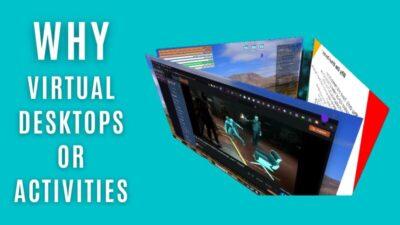
Teal background colour with title in white "Why virtual desktops or activities" and to the right a 3D cube showing three different desktop backgrounds No matter what OS you use, virtual desktops, workspaces, and activities allow us to better separate and group our activities more logically together. If you dislike clutter, and want better productivity and organisation, then this […]

https://gadgeteer.co.za/why-virtual-desktops-and-how-they-compare-to-virtual-activities/

https://squeet.me/display/962c3e10-bff65082-d70c675a501570a1

Why Virtual Desktops and How they Compare to Virtual Activities

No matter what OS you use, virtual desktops, workspaces, and activities allow us to better separate and group our activities more logically together. If you

GadgeteerZA

Why Virtual Desktops and How they Compare to Virtual Activities

https://video.hardlimit.com/w/ugN99CWEyHSs3eHA6SNchT

Why Virtual Desktops and How they Compare to Virtual Activities

PeerTube

Why Virtual Desktops and How they Compare to Virtual Activities

No matter what OS you use, virtual desktops, workspaces, and activities allow us to better separate and group our activities more logically together. If you dislike clutter, and want better productivity and organisation, then this video is worth watching if y ...continues

See https://gadgeteer.co.za/why-virtual-desktops-and-how-they-compare-to-virtual-activities/

#opensource #productivity #technology #virtualdesktops

Why Virtual Desktops and How they Compare to Virtual Activities

No matter what OS you use, virtual desktops, workspaces, and activities allow us to better separate and group our activities more logically together. If you

GadgeteerZA