.NET 10.0 LTS and Visual Studio 2026 released!

The fifth Long Term Support (LTS) release for the modern .NET framework, .NET 10.0 has just been released! This release features performance improvements across various areas, feature additions, and many changes that will improve your .NET development experience.

To download this version of .NET, visit the below link by clicking on the buttons shown below:

Download Learn More Release Notes

Not only that, but Visual Studio 2026 has become generally available to the public. Because of this, your development workflow will be improved tremendously due to the new features that it introduces, compared to Visual Studio 2022.

To download Visual Studio 2026, visit the below link by clocking on the buttons shown below:

Download Learn More

Get yourselves excited with the .NET 10.0 release! Download .NET 10.0 by going to the top of the page and clicking on Download to get started!

Visual Studio 18.0 will be shipped with built-in support for .NET 10.0 so that you can use this version of .NET with Visual Studio seamlessly.

#Net #Net10 #Net100 #NETConsoleProject #NetFramework #NetStandard #csharp #VBNET #visualBasic #visualStudio #VisualStudio2026 #vs #VS2026

Try out the .NET 10.0 Alpha SDK!

.NET 9.0 was released on November 12th, 2024, to provide your applications with brand new features, such as ref struct in interfaces, performance improvements, and bug fixes related to several of the .NET components.

Not so long after, .NET 10.0 alpha builds were spotted in the main installer GitHub repository, which is public. The table shows the platform table with two releases: .NET 9.0 and the upcoming .NET 10.0, which is going to be another LTS release.

The upcoming version of .NET will provide you with several of nice features, as well as performance improvements and bug fixes. This .NET version is to be released on November 2025 to accommodate with the release schedule, as well as its first preview to be scheduled for February 2025.

If you have Visual Studio 17.13 or later (may change across preview releases), you can now try out the Alpha builds of .NET 10.0, which you can find in the above link. Here are the links to .NET 10.0:

Please note that this software is in its alpha state and may contain features that may not make it to the final release. Use with care.

Enjoy!

#Net #Net10 #Net100 #NETConsoleProject #NetCore #NetFramework #NetStandard #azure #C #dotnet #runtime #sdk #softwareDevelopment

Unit Testing, enhanced!

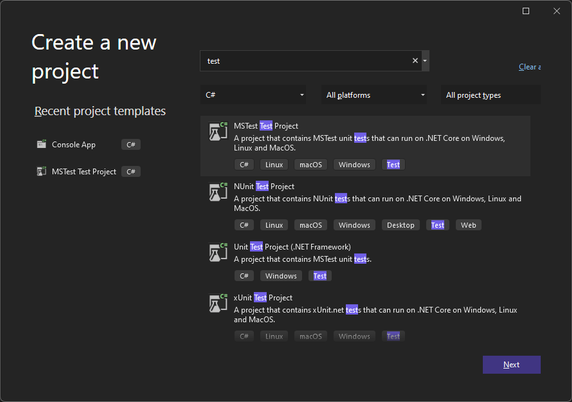
You may have noticed that one library, Terminaux, had its unit test project improved. How? By using the newly introduced SDK, called MSTest.Sdk. According to this Microsoft blog post, it has several improvements over the older style that we’re migrating all our test projects from, such as:

  • Better defaults
  • Simplified usage
  • Extensibility of the MSTest runner
  • Easier opt-in for new features (e.g., native AOT tests).

This new SDK not only boasts better default configurations, such as increasing your required MSTest.Sdk version at the top of your unit test .csproj file, but it also simplifies the definition of the project file itself by implicitly referencing the required MSTest NuGet packages using the version defined in the SDK definition, extends the MSTest runner, and letting you opt in to the new features easier than before, such as the native AOT tests.

Our libraries will slowly migrate to use this testing style, ensuring that we have no intention to use any other test framework, such as NUnit (which we have used previously) and xUnit. This will bring improved testing performance, as well as improved testing reliability.

However, this means that in order to be able to build our projects that have been migrated to use the new SDK, you’ll have to upgrade Visual Studio to at least 17.9.

Enjoy!

#Net #Net6 #Net60 #NET7 #NET70 #Net8 #Net80 #Net9 #Net90 #NETConsoleProject #NetCore #NetFramework #NetStandard #csharp #csproj #dotnet #dotnetfx #test #testing #unitTest #unitTesting

Nitrocid KS 0.1.0 – Final – Magic Bloom

This is the moment that all of you have been waiting for! Before going to the subject, we need to tell you the history of Nitrocid KS when it was Kernel Simulator in 2018. If you want to go straight to the announcement, skip to the below section colored in yellow.

History of N-KS

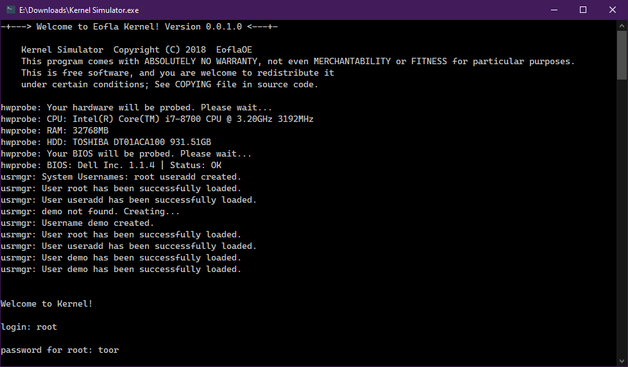
When Nitrocid 0.0.1 (Kernel Simulator back then) was released in February 2018, we had focused on the core features of the kernel that didn’t make its way to the final release, and it worked only on Windows systems that had .NET Framework 4.0 installed. Since then, various features were planned to be added to the kernel, but it required us to separate them into various different major versions.

The first version of the simulated kernel had only the most basic features, including hardware parsing and the minimal shell that only supported one-word commands with no arguments and switches. It was also colorless due to not using the colors feature in the console.

Since then, the second version, 0.0.2, came out with colors and versions after that came with many new features, such as languages on 0.0.6, command arguments on 0.0.4, increased color support to 256 colors on 0.0.8, settings application on 0.0.12, dynamic themes on 0.0.16, splashes and true color on 0.0.20, and command autocompletion and conditions on 0.0.24.

This is a huge leap forward, especially considering that this project wasn’t expected to be this big, so we’ve made several separations from this project’s source code, including the latest separation, Terminaux. Nitrocid heavily depends on it because it was a library that provided all console tools necessary for all our projects (and hopefully yours) to look nice.

The separation began as early as 2020 when extensions and things unrelated to the kernel were being developed, with the release of Extensification (deprecated) and Inxi.NET (deprecated because of SpecProbe). Since then, various things have been developed, and some of them have come from Nitrocid itself.

The overall state of 0.0.24, however, has convinced us to start afresh starting from August 10th, 2022, leading to a version that we have been talking to you about, with its three beta releases and a release candidate:

  • Beta 1 (February 22nd, 2023)
  • Beta 2 (August 10th, 2023)
  • Beta 3 (December 28th, 2023)
  • RC (February 1st, 2024)

And now, we’re introducing you to a totally fresh new version of the kernel simulator that not only got a massive overhaul, but its codebase too…

Nitrocid KS 0.1.0!

Nitrocid KS 0.1.0 boasts a big amount of mind-blowing features, including endless amounts of additions and improvements. Let’s detail a few of the hit features, and we’ll hide the rest for you to discover as a surprise!

Fact: Did you know that Nitrocid KS 0.0.24.0 in its codebase was actually a preparatory stage for this version of Nitrocid?

When it comes to mods, we have simplified the screensaver and the splash addition from separate DLL files to their own individual managers with their associated register and unregister functions that allow you to add and remove your splashes and screensavers from your mods. Your mods can also load early, in case you want to add splashes.

When it comes to interactives, we have improved a lot in this area by making it more dynamic. This ensures that you can resize the console without worrying about making the display unreadable until you manually refresh it. This improvement has been brought to different versions of Terminaux during the whole development of this version of Nitrocid KS.

Kernel addons have also been introduced to the kernel, and it allows us to make two versions of the kernel: lite and full. The lite version can be upgraded to the full version of the kernel by a single command, getaddons. This allows us to update the non-core kernel parts without affecting the core kernel parts. In addition to that, your kernel modifications can communicate with kernel addons. They can also talk to each other, making the modifications dependent on each other. This is the reason we’ve added mod dependencies.

The interactive file manager has been introduced to the kernel in order to be able to manage your files interactively without any single command. Just write “ifm” to get started! This was planned in 2018, and this version was the time that this feature has come to fruition.

The hardware parsing feature got a significant performance boost with the help of the latest library, SpecProbe, that allows your .NET applications, such as Nitrocid, to parse your hardware faster than Inxi.NET that relied on management frameworks to get hardware information. SpecProbe finds the fastest way to get information about your hardware, beating Inxi.NET to deprecation and removal.

We’ve also added countless amounts of screensavers to ensure more flexibility of the choices. These screensavers can be used once you’ve installed the screensaver packs addon.

And the rest? Figure them out yourselves.

Get ready!

Are you excited? Get ready for this release and download it now!

Download

See you soon!

#Net #Net6 #Net60 #NET7 #NET70 #Net8 #Net80 #Net9 #Net90 #NETConsoleProject #NetCore #NetCore31 #NetFramework #NetStandard #Announcement #application #ApplicationUpdate #apps #Aptivi #boot #bootManager #bootloader #C #Computer #ComputerSoftware #Computers #Console #dotnet #Kernel #KS #Launchpad #Linux #microsoft #MicrosoftWindows #msbuild #new #nitrocid #NitrocidKS #nks #OpenSource #OpenSourceSoftware #operatingSystem #OSS #update

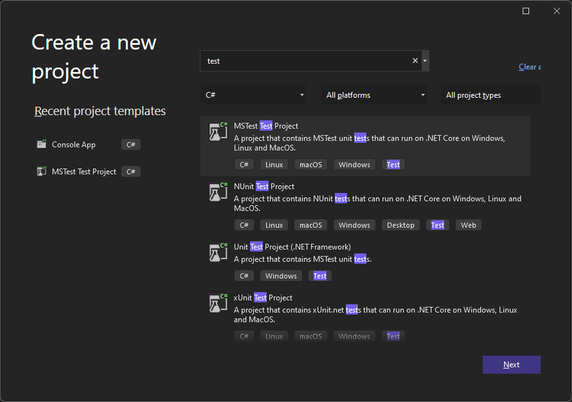
Your C# tests can now run faster with MSTest!

Unit testing is generally available for all C# projects that use one of the following test frameworks:

  • VSTest
  • NUnit
  • xUnit

However, it looks like we have another test framework that aims to be faster than all the test frameworks, called MSTest. It was because it was built from scratch with a new idea in mind to be fully Ahead-of-Time (AOT) compatible. It uses a completely different method to detect and run tests.

You can consult the blog article on how to enable the new MSTest feature here:

Try it out!

The new MSTest framework allows you to publish your unit test projects for the target computer using the dotnet publish command. It allows you to run your tests without requiring the .NET SDK for flexibility.

This increases the performance of your unit tests to be able to run them in no time. This is beneficial for large tests. However, it aims to be more reliable than the current test frameworks. By default, it will fail the test when there are zero unit tests run, but you can override this by passing this argument to the unit test application (test.exe –minimum-expected-tests 0).

This framework is also designed to be extensive by providing you with extensions to be able to orchestrate your unit tests even further and to increase its flexibility.

Our projects

Our projects currently use NUnit. As the changes made to the MSTest framework look promising, we’re in the process of moving all the projects that contain their own unit tests gradually to that framework from NUnit to allow us to test them faster than before.

The first project that will witness the change is Nitrocid KS 0.1.0, as the final release of that project is coming to the close. Be assured that the release candidate will be released on February 1st, 2024.

Enjoy!

#Net #Net6 #Net60 #NET7 #NET70 #Net8 #Net80 #Net9 #Net90 #NETConsoleProject #NetCore #NetCore31 #NetFramework #NetStandard #dotnet #dotnetfx #test #testing #unitTest #unitTesting

SharpLyrics is replaced with BassBoom

Earlier this year, we’ve released SharpLyrics to provide you with an easy-to-use lyrics parsing library. It’s able to parse both the normal lyrics (.LRC) file and the lyrics file with the word timings.

This library was working well, which meant that there were no maintenance releases needed.

However, BassBoom was released on October 1st, 2023, with the built-in lyrics support that was based on the SharpLyrics codebase.

Unfortunately, we have to stop the development of SharpLyrics and transfer its development to the lyrics part of BassBoom where improvements and new feature implementations continue.

As a result, every application that uses SharpLyrics must migrate to BassBoom to get further improvements and new features.

Enjoy!

#Net #Net6 #Net60 #NET7 #NET70 #Net8 #Net80 #NETConsoleProject #NetCore #NetCore31 #NetFramework #NetStandard #bass #bassboom #boom #csharp #dotnet #lyrics #music #sharplyrics

BassBoom Documentation is Ready

BassBoom 0.0.1 was released to the public back on October 1st after much testing, but the documentation was lacking because the GitBook documentation of the library didn’t exist.

As we were making the GotBook documentation, we realized that we’re simultaneously making the second alpha version of BassBoom released yesterday, dubbed as BassBoom 0.0.2, and we didn’t want to cause inconsistencies with the source code version, so we’ve decided to wait until BassBoom 0.0.2 gets released.

When it got released, we’ve managed to finish the BassBoom documentation, and the new documentation is now available to the public.

Go to the documentation!

The documentation explains how BassBoom works, its features, and its API functions that you can use in your application that plays sound.

What are you waiting for? Go ahead and update your applications to use BassBoom 0.0.2 while consulting its documentation!

Enjoy!

#Net #Net6 #Net60 #NET7 #NET70 #Net8 #Net80 #NETConsoleProject #NetCore #NetCore31 #NetFramework #NetStandard #2023 #bass #bassboom #boom #docs #documentation #dotnet #gitbook #music #musicPlayer #sound #soundPlayer

BassBoom! Announcement

When we discovered that there were actually no working C# managed cross-platform libraries that can deal with MP3 files and play them, we came up with a solution that’s going to excite all of you.

For instance, NAudio can only play music files on Windows systems, while it’s basically useless as a music player on macOS and Unix systems because it relies on a subset of Windows-only APIs, like WaveOut, DirectSound, and so on.

Additionally, there is PortAudioSharp2, but it was very slim for its purpose. Also, we’ve seen no working mpg123 wrappers for C# without either missing functions or missing native interops.

So, the only option was for us to implement a working music library, and this is the library that we’re going to announce it to you.

And it’s:

BassBoom!

BassBoom is a cross-platform MP3 player that’s built with .NET. Currently, it’s a front-end for the MPG123 library that’s licensed under the LGPL. This native library is used to give BassBoom Basolia an ability to play any MP3 music files across all platforms that support it.

BassBoom is available as two variants of the players:

  • BassBoom CLI is an MP3 music player oriented through the console.
  • BassBoom GUI is the same player implemented with Avalonia.

Currently, BassBoom doesn’t support playing music files other than the MPEG music files, like ogg, aac, wav, and other common formats, but we’ll be working on abstracting the Basolia library to support other native libraries responsible for playing such files.

Cool! Where do I get it?

You can try out BassBoom and test it by building the source code. As always, this is currently in early access, so bugs are bound to exist.

The source code in its current form is currently in GitHub. Press the button to go to the page.

GitHub

Enjoy!

#Net #Net6 #Net60 #NET7 #NET70 #Net8 #Net80 #NETConsoleProject #NetFramework #NetStandard #bassboom #csharp #dotnet #Library #mp2 #mp3 #mpeg #mpg123 #music #musicPlayer #out123 #player #Project #Projects #syn123 #VBNET #visualBasic #visualStudio #visualStudio2022 #vs #vs2022

GRILO – Bootloader Simulator

After four years of no major application after Kernel Simulator, which was out in 2018, we finally decided to release the bootloader simulator imagined, called GRILO!

You may be surprised by the origin of the name, but it’s a portmanteau of both names of the famous Linux bootloader still used by now, GNU GRUB, and the abandoned legacy Linux bootloader used by the first Linux distributions, LILO. If we combined between “GRUB” and “LILO”, one of the mashed-up words would be GRILO.

However, it’s nowhere near GRUB and LILO as it still is in the very basic state. However, we’re constantly expanding it to try to support all bootloader features across GRILO releases.

Let’s stop talking and start explaining about what we made so far. By the way, the paths that the GRILO program uses are found under either %localappdata% in Windows or .config under Linux.

Bootable Applications

Bootable applications are just normal .NET executable files that implement the IBootable interface. These applications are usually defined with their own BootMetadata.json files that define several boot options for the same application. They usually come with this format.

[
{
"OverrideTitle": "Name",
"Arguments": []
}
{
"OverrideTitle": "Name2",
"Arguments": [ "Arg1", "Arg2" ]
}
]

For example, the demo bootable application shipped with the GRILO release has the Metadata file that looks like this:

[
{
"OverrideTitle": "GRILO Bootable App Demonstration",
"Arguments": []
},
{
"OverrideTitle": "GRILO Bootable App Demonstration (with arguments)",
"Arguments": [ "hello", "hello world" ]
},
{
"OverrideTitle": "GRILO Bootable App Demonstration (test boot fail)",
"Arguments": [ "fail", "hello world" ]
}
]

These are used by GRILO to define boot entries of a bootable application. There can be more than one entry in one metadata file, in case you want to make different boot entries that use different arguments.

These bootable apps are located under GRILO/Bootables.

Boot styles

The boot styles customize how GRILO draws the boot menu entry and its highlight. They add awesomeness to the boot loader.

You can make your own custom boot styles using the simple API documentation under this link. The DLLs can be found under GRILO/Styles.

Bootloader configuration

The bootloader can also be configured. When GRILO starts for the first time, you’ll have a configuration file placed under GRILO/BootloaderConfig.json that has the following configuration entries:

  • Boot style: The name of the boot style from either the pre-defined ones (Default so far), or the custom ones.
  • Diagnostic messages: Prints the diagnostic messages to the debug log file.
  • Print diagnostic messages to console: If the diagnostic messages are enabled, if printing them to console is also enabled, they’ll get printed to the console as they get written to the debug log file.
  • Additional bootable folders: Specifies these additional bootable folders to be scanned for boot files and the metadata file.

Controls

Finally, we also want to talk about the bootloader controls used commonly. GRUB and LILO usually use top and bottom arrows to select the entries and the enter key to boot the selected entry.

In GRILO, these keys are used:

  • Top and Bottom Arrows: They are used to select boot apps
  • ENTER: Boots to the selected entry by invoking IBootable.Boot()
  • Right Arrow: Same as the ENTER key

Get it!

If you are excited, why not try this application out by checking the Releases? If you’re a console artist and want to make boot styles or something else for the GRILO bootloader, check out its NuGet package. If you want to make your application bootable, check out GRILO.Boot.

#Net #Net6 #Net60 #NET7 #NET70 #NETConsoleProject #NetCore #NetCore31 #NetFramework #boot #bootManager #bootloader #C #Computer #ComputerSoftware #Console #csharp #grilo #NuGet #OpenSource #OpenSourceSoftware #OSS #visualBasic #visualStudio #visualStudio2022 #vs #vs2022