 Aptivi
.NET Framework 3.5 no longer becomes a Windows optional component, starting from Windows 11 build 27965.
#dotnet #dotnetfx #csharp #programming #Windows #Microsoft #TechNews #TechUpdates
.NET Framework 3.5 no longer becomes a Windows optional component, starting from Windows 11 build 27965.
#dotnet #dotnetfx #csharp #programming #Windows #Microsoft #TechNews #TechUpdates
.NET Framework 3.5 has become a standalone deployment
.NET Framework 3.5 was released on November 19th, 2007, to include new features, such as LINQ, and was first available for Windows XP and Vista systems. It ran applications that were built for this framework version.
When Windows 8 was released, it has been moved to an optional Windows component, which users can install on their systems whenever they require an application that supports this version of .NET Framework.
Today, Microsoft has announced that .NET Framework 3.5 has been removed from the list of optional components, starting from Windows 11 Insider Preview Build 27965. This change doesn’t affect neither Windows 10 nor Windows 11 installations that are 25H2 or older.
As a reminder, this version of .NET Framework will end its support on January 9th, 2029. You can read more about the announcement here.
#NetFramework #NETFramework35 #dotnetfx #news #Tech #Technology #update
Support for .NET Framework for our libraries will end on January 3rd, 2030.
#dotnetfx #csharp #programming #TechNews #TechUpdates #dotnet #library #libraries #Windows #Microsoft #MicrosoftWindows
Ending support for .NET Framework for our projects on January 2030
.NET Framework first made it to Windows systems on 2002 before being backported to Linux unofficially with the Mono project. Then, in 2016, everything changed when Microsoft had released .NET Core that aimed to be a cross-platform .NET framework to give developers the ability to create cross-platform applications. However, the legacy .NET Framework is still in use by enterprises and other workstations, because it would be costly to make a migration, especially when it comes to enterprise internal applications.
Nitrocid had started as an application that was written with Visual Basic using the legacy .NET Framework 4.0 version, before moving to 4.8 before finally migrating to the modern .NET framework on 0.1.0, starting with .NET 8.0. During this period, we had created several libraries, including Terminaux, which all provided support for both the classic .NET Framework and the modern .NET.
After that, we started testing everything under the modern .NET framework instead of what we’re originally aiming for, which makes the deprecation of our support of .NET Framework imminent.
Today, we are announcing our decision to deprecate .NET Framework support for our projects, starting January 3rd, 2030.
This deprecation was necessary to ensure that we move forward with our projects, because maintaining legacy support has become burdensome. However, not all projects will follow the same path, because we have libraries that are platform-agnostic, such as Nettify and Textify. Projects that use native libraries, such as BassBoom, and projects that reference them, such as Terminaux, will be affected by this decision.
This list may change between now and January 9th, 2029, depending on how the development of our libraries goes, such as features that will be introduced in future versions. However, the release date has been finalized according to the factors, such as the following:
On January 9th, 2029, we’ll start migrating libraries and their tests slowly to use only the modern .NET framework, and this migration will be done on the last week of each month until January 3rd, 2030.
#Net #NetFramework #dotnetfx #microsoft #news #Tech #Technology #update #Windows
Unit Testing, enhanced!
You may have noticed that one library, Terminaux, had its unit test project improved. How? By using the newly introduced SDK, called MSTest.Sdk. According to this Microsoft blog post, it has several improvements over the older style that we’re migrating all our test projects from, such as:
This new SDK not only boasts better default configurations, such as increasing your required MSTest.Sdk version at the top of your unit test .csproj file, but it also simplifies the definition of the project file itself by implicitly referencing the required MSTest NuGet packages using the version defined in the SDK definition, extends the MSTest runner, and letting you opt in to the new features easier than before, such as the native AOT tests.
Our libraries will slowly migrate to use this testing style, ensuring that we have no intention to use any other test framework, such as NUnit (which we have used previously) and xUnit. This will bring improved testing performance, as well as improved testing reliability.
However, this means that in order to be able to build our projects that have been migrated to use the new SDK, you’ll have to upgrade Visual Studio to at least 17.9.
Enjoy!
#Net #Net6 #Net60 #NET7 #NET70 #Net8 #Net80 #Net9 #Net90 #NETConsoleProject #NetCore #NetFramework #NetStandard #csharp #csproj #dotnet #dotnetfx #test #testing #unitTest #unitTesting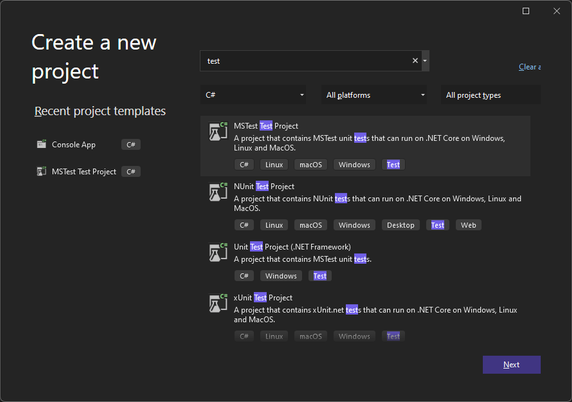
Your C# tests can now run faster with MSTest!
Unit testing is generally available for all C# projects that use one of the following test frameworks:
However, it looks like we have another test framework that aims to be faster than all the test frameworks, called MSTest. It was because it was built from scratch with a new idea in mind to be fully Ahead-of-Time (AOT) compatible. It uses a completely different method to detect and run tests.
You can consult the blog article on how to enable the new MSTest feature here:
Try it out!The new MSTest framework allows you to publish your unit test projects for the target computer using the dotnet publish command. It allows you to run your tests without requiring the .NET SDK for flexibility.
This increases the performance of your unit tests to be able to run them in no time. This is beneficial for large tests. However, it aims to be more reliable than the current test frameworks. By default, it will fail the test when there are zero unit tests run, but you can override this by passing this argument to the unit test application (test.exe –minimum-expected-tests 0).
This framework is also designed to be extensive by providing you with extensions to be able to orchestrate your unit tests even further and to increase its flexibility.
Our projects
Our projects currently use NUnit. As the changes made to the MSTest framework look promising, we’re in the process of moving all the projects that contain their own unit tests gradually to that framework from NUnit to allow us to test them faster than before.
The first project that will witness the change is Nitrocid KS 0.1.0, as the final release of that project is coming to the close. Be assured that the release candidate will be released on February 1st, 2024.
Enjoy!
#Net #Net6 #Net60 #NET7 #NET70 #Net8 #Net80 #Net9 #Net90 #NETConsoleProject #NetCore #NetCore31 #NetFramework #NetStandard #dotnet #dotnetfx #test #testing #unitTest #unitTesting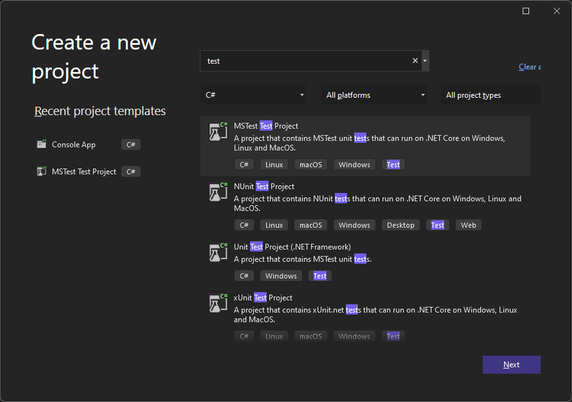

 Aptivi
 Rocky Lhotka 🤘🖖