
Ever wonder if your USB C cable is USB2 or USB3? Do you have some charge-only cables hiding in a box just waiting for the right moment to spoil your project plans?!
Fear no more!

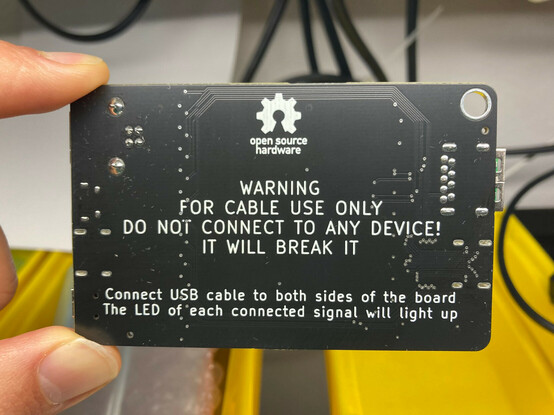
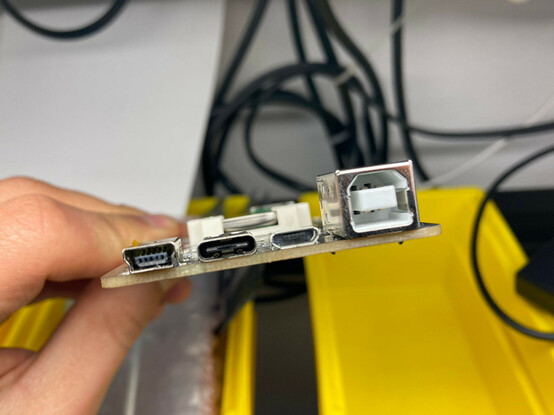
I’ve made a simple board to test most of the things!
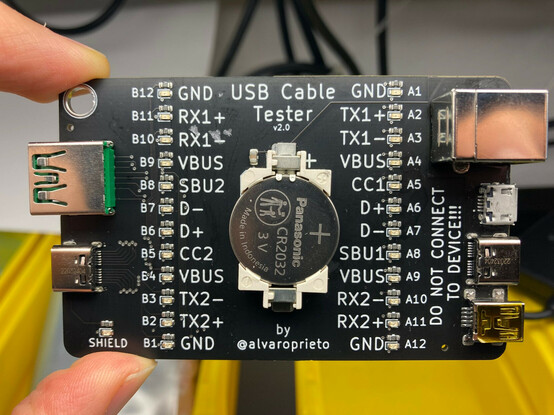
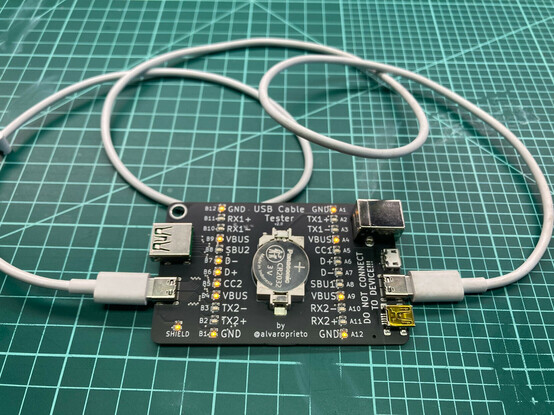
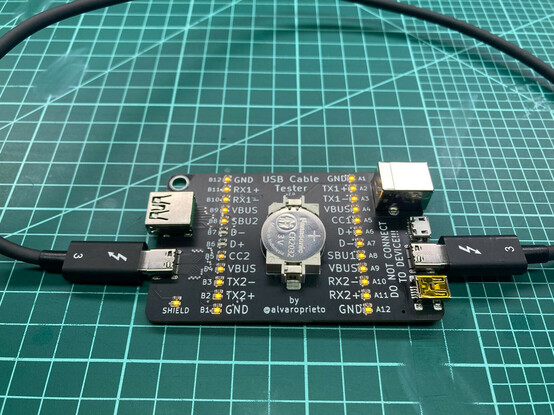
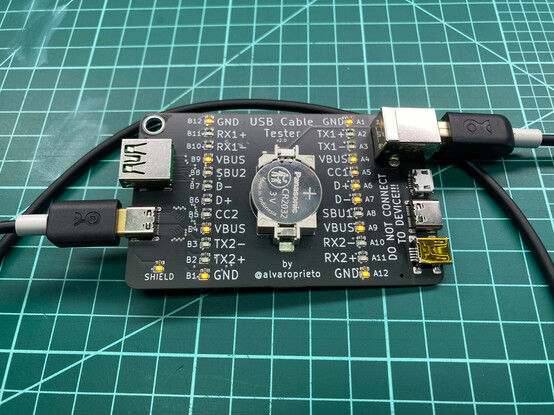
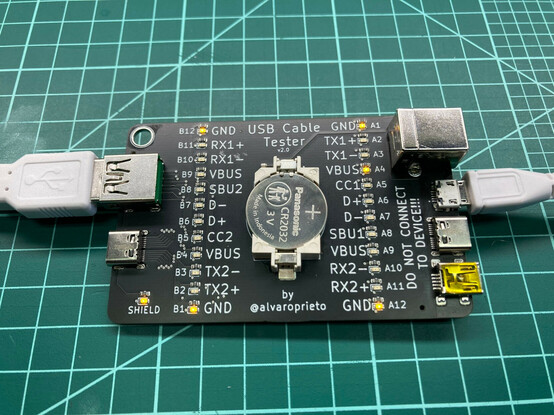
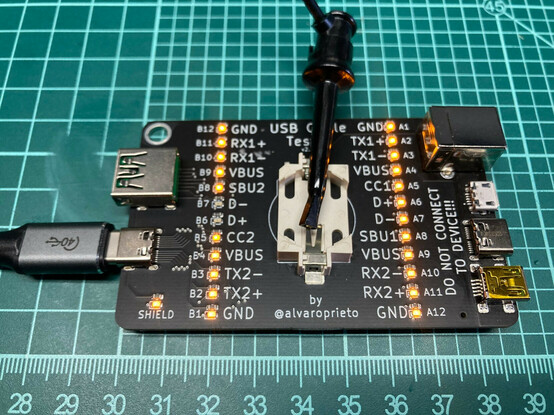
Connect your cable to both sides and the signal LEDs will light up if they are connected. Here’s an example of a USB2 cable and a thunderbolt 3 cable.
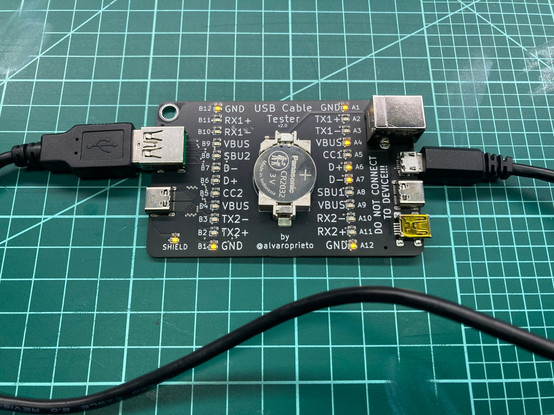
Want to test a USBA to C cable? How about a USBA to MicroB? USBC to B? MiniB? You’ve got it!
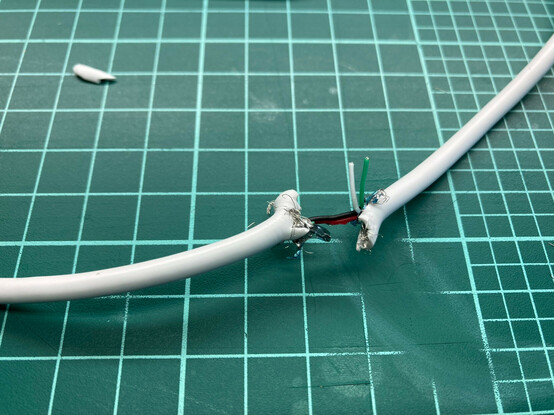
Here’s what a the dreaded charge-only cables look like. I had to make my own since I had previously banished them from my lab!

Best part of all? It’s open hardware! If you want to make your own, here’s the kicad project: https://github.com/alvarop/usb_c_cable_tester

I made a few, so if you know me and want one, let me know :)

GitHub - alvarop/usb_c_cable_tester

Contribute to alvarop/usb_c_cable_tester development by creating an account on GitHub.

GitHub
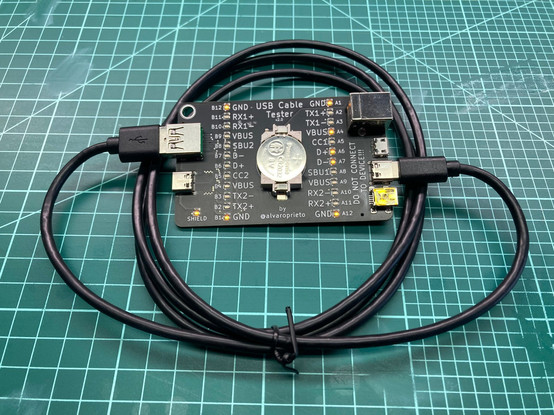
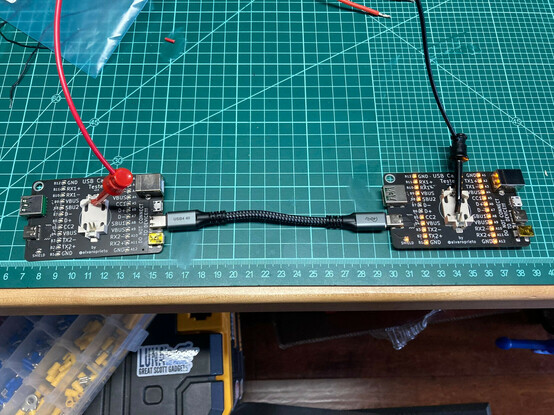
But….What if my cable is too short!? We have that covered too 😂

If you want to make it yourself, I've added gerbers, BOM, and assembly files here: https://github.com/alvarop/usb_c_cable_tester/releases/tag/v2.0

Should be pretty easy to order from JLCPCB. I have made a page with lots of screenshots on how to do it here: https://github.com/alvarop/usb_c_cable_tester/blob/main/ORDERING.md
:D
Release v2.0 · alvarop/usb_c_cable_tester

If you want to make these yourself, you can get the files below for JLCPCB. They include both gerbers as well as BOM/assembly files. You may have to rotate the battery holder if you're having them ...

GitHub
@alvaro I'd love to buy a USB cable tester, if you have one available!
@alvaro I would buy several of these, do you sell them online?
@shapr I don't, but you can get some made by JLCPCB. Here are the instructions https://github.com/alvarop/usb_c_cable_tester/blob/main/ORDERING.md
usb_c_cable_tester/ORDERING.md at main · alvarop/usb_c_cable_tester

Contribute to alvarop/usb_c_cable_tester development by creating an account on GitHub.

GitHub
@alvaro: You should try to put that URL on the PCB mask somewhere, maybe on the bottom of the backside text. So just posting the pictures would have sufficed to share the URL, even if the people would have to type it. 🙂
@alvaro You don't know me, but I'd be interested in one!
@bensonleung if you’re in the Bay Area, I can get you a few!
I’ve read your reviews for sure!!!
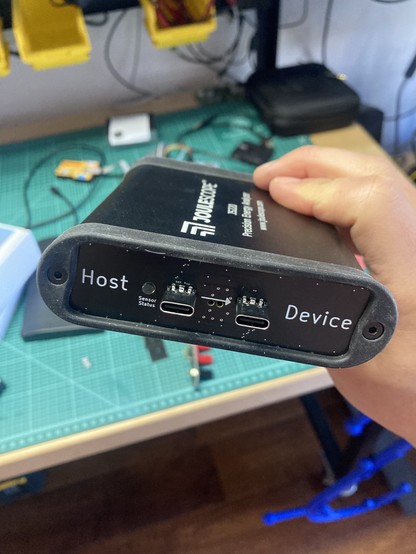
@bensonleung also, if you have a Joulescope JS220, I have a USB-C front plate for it as well
Hi @alvaro I would like one of those. The godforsaken cables drive me up the walls. Do you sell this perchance as a ready to use thing?
@alvaro I would totally buy one of these!
@alvaro why doesn't one of the VBUS leds on the left light up for the charge-only cable?
@electronic_eel because I only connected it to 1/4 vusb lines available. Since it’s a USBA cable there’s only the one. :D
@alvaro why no VBUS indicated on the left side?
@vbabka for the USB-A connector, only the right side LEDs are relevant. USB-C has 4 VBUS lines, USB-A just one
@alvaro Just curious, how do you handle detecting CC1 versus CC2 continuity? You've got two receptacles there, so it's possible the orientation of both plugs is flipped, so neither CC1 nor CC2 connect to each other on a valid cable. Also, e-marked cables have Ra resistors. Do you detect those somehow?
@bensonleung it’s pretty dumb, just sees if there’s connectivity. You’ll have to rotate if you want it to match CC1/2.
I don’t think I have a smart cable to test the other thing though
@alvaro the thunderbolt 3 cable in your pictures has an e-marker, and therefore has Ra pulldowns on the Vconn pins in both plugs. All advanced cables (better than 3A and USB 2.0 only) have Ra's.
@alvaro what voltage do you use for the continuity check?
@alvaro I need at least two. One for the hackspace and one for myself. Will you take any orders?

@Bobo_PK I'm not selling them, but you can order some from JLCPCB

https://mastodon.social/@alvaro/109376934298917228

@Bobo_PK Sorry, still learning Mastodon,here's a link to the instructions https://github.com/alvarop/usb_c_cable_tester/blob/main/ORDERING.md
usb_c_cable_tester/ORDERING.md at main · alvarop/usb_c_cable_tester

Contribute to alvarop/usb_c_cable_tester development by creating an account on GitHub.

GitHub
@alvaro awesome work! Thank you
@alvaro my hackspace was faster than I was. We have a workshop coming up where we will solder and flow the parts on to the PCB.
@alvaro @aallan that’s really cool!
Where can I get one? :)
@ciaby @aallan I'm not selling them myself, but you can order some from JLCPCB: https://mastodon.social/@alvaro/109376934298917228
@ciaby @aallan Sorry, still learning Mastodon,here's a link to the instructions https://github.com/alvarop/usb_c_cable_tester/blob/main/ORDERING.md
usb_c_cable_tester/ORDERING.md at main · alvarop/usb_c_cable_tester

Contribute to alvarop/usb_c_cable_tester development by creating an account on GitHub.

GitHub
@alvaro @aallan thanks!
Could be a nice project for winter times :)
@alvaro i feel like this says everything that needs to be said about USB standards
@alvaro @skimbrel yeah, next project: Dear box, which USB charging protocol do you support? #usb #standards

@saper @alvaro “yes”

or “this one i made up myself, isn’t it great?”

@alvaro I love this! Does it cycle through the lights like an ethernet pair tester, or just light them all up at once?
@mwbrown it’s all at once. That would be the right way to do it, but it would make it more complex.
@alvaro Nice project! I’ve got to give this a go…
@alvaro im surprised usb-c isnt usb3 only

@alvaro - Wow, that's a useful thing to have in a toolkit. I gotta make (or, since I'm lazy, buy) one of these.

Most of my Thunderbolt cables are marked, but would it be hard to add T-bolt cable evaluation as well?

@alvaro yup, count me in, too - I'd love to have a USB cable tester!
@alvaro awesome. I’m gonna order me up some when I get home. Nice work.
@alvaro Nice job on this continuity tester!
@alvaro Thanks for this, I'll definitely buy or make.
@alvaro What a great idea, I love it.
@alvaro Have you thought about exposing nice test pads for CC lines to measure resistance? Some A-to-C cables and adapters use invalid resistor configurations and often cause troubles, would be great to easily catch those as well!
GitHub - alvarop/usb_c_cable_tester

Contribute to alvarop/usb_c_cable_tester development by creating an account on GitHub.

GitHub
@alvaro ha! I was talking about this a couple of days ago after doing a JLCPCB run of them! https://aus.social/@jpm/109470818139932774

@alvaro Re the "do not connect to device" warning: how hard would it be to add some low current detection/safety features to determine "I think I'm plugged into an actual USB peripheral/host" and fall back to a safe idle condition? Detecting voltage from VBUS to ground would be a good starting point but I'm sure there's room for more sanity checks past that.

Also, looks like it won't work with the dreaded A-to-A cables unless you get an adapter ;)

@azonenberg the main problem is that I shorted all the pins on one side 😅
Folks have suggested a better solution which is similar to what ethernet cable testers do by cycling through each pin one at a time. I mostly wants to make a super simple cheap one to play with hah

@alvaro Ah, I see. And yeah cycling the pins is better since it would also detect shorts.

Ideas for rev 2 I guess?

@alvaro I would so buy this... like 3...
@alvaro You've done a great service to the modern civilization. Thank you!
@alvaro This is insanely great. Where to get this gadget?