 ungineer
#38 Klein Tools VDV501-853 Teardown (Scout Pro 3)

#38 Klein Tools VDV501-853 Teardown (Scout Pro 3)
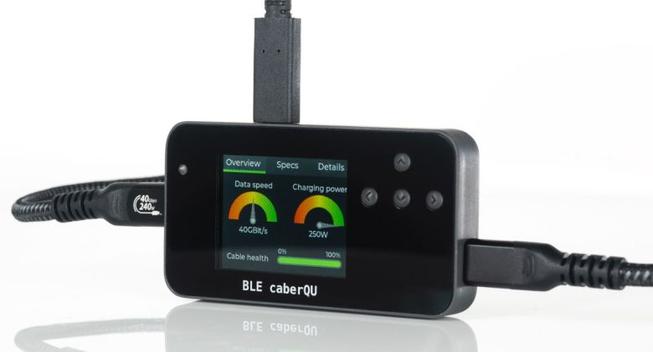
BLE caberQU is a USB-C cable tester that displays data, charging, and cable health details (crowdfunding)
Not all USB Type-C cables are created equal. Some support higher data transfer speeds than others. Some support fast charging and others don’t. And it can be difficult to tell what a cable is capable of just by looking at it.
So a few years ago developer Peter Traunmüller created the C2C caberQU, an open source board that can detect the capabilities of any cable that’s plugged into it and […]
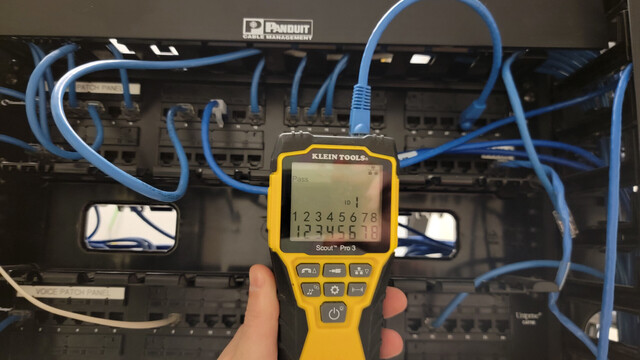
Testing and repairing data cables for a business in downtown Greenville, SC.
Ned help with your data wiring?
(864) 881-1675
Website:
https://grandcentralwiring.com/structured-wiring-greenville-sc/
#technology #data #voip #cabletester #datanetwork #panduit #rack #wiring #repair #downtown #greenvillesc
Ethernet Tester Needs No LEDs, Only Your Multimeter
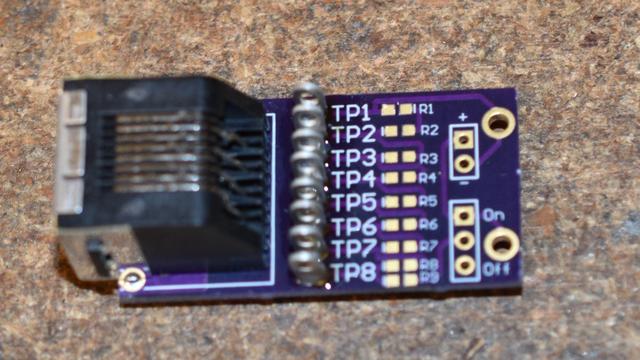
Ethernet cable testers are dime a dozen, but none of them are as elegant and multimeter-friendly as this tester from our Hackaday.io regular, [Bharbour]. An Ethernet cable has 8 wires, and the 9 volts of easily available batteries come awfully close to that - which is why the board has a voltage divider! On the 'sender' end, you just plug this board onto the connector, powered by a 9 volt battery. On the "receiver" end, you take your multimeter out and measure the testpoints - TP1 should be at one volt, TP2 at two volts, and so on.
As a result, you can easily check any of the individual wires, as opposed to many testers which only test pair-by-pair. This also helps you detect crossover and miswired cables - while firmly keeping you in the realm of real-life pin numbers! This tester is well thought-out when it comes to being easily reproducible - the PCB files are available in the "Files" section, and since the "receiver" and "sender" PCBs are identical, you only need to do a single "three PCBs" order from OSHPark in order to build your own!
Bharbour has a rich library of projects, and we encourage you to check them out! If you ever want to get yourself up to speed on Ethernet basics, we've talked about its entire history - and we've even explained PoE! After some intensive learning time, perhaps you can try your hand at crimping the shortest Ethernet cable ever.
#networkhacks #toolhacks #cabletester #continuitytester #ethernet #ethernetjack #hackadayio #networktester
Arduino Cable Tracer Helps Diagnose Broken USB Cables
We've all found ourselves swimming amongst too many similar-looking USB cables over the years. Some have all the conductors and functionality, some are weird power-only oddballs, and some charge our phones quickly while others don't. It's a huge headache and one that [TechKiwiGadgets] hopes to solve with the Arduino Cable Tracer.
The tracer works with USB-A, Mini-USB, Micro-USB, and USB-C cables to determine whether connections are broken or not and also to identify wiring configurations. It's built around the Arduino Mega 2560, which is ideal for providing a huge amount of GPIO pins that are perfect for such a purpose. Probing results are displayed upon the 2.8″ TFT LCD display that makes it easy to figure out which cables do what.
It's a tidy build, and one that we could imagine would be very useful for getting a quick go/no-go status on any cables dug out of a junk box somewhere. Just remember to WIDLARIZE any bad cables you find so they never trouble you again. Video after the break.
 Brad Linder
 GeekProjects News
 Grand Central Wiring
 Wikinaut
 hackaday unofficial