 Dantali0n

This super neat #gpib to usb adapter is doing the numbers. And for good reason, feels nice finally having an offering that doesn't rely on usb to serial!
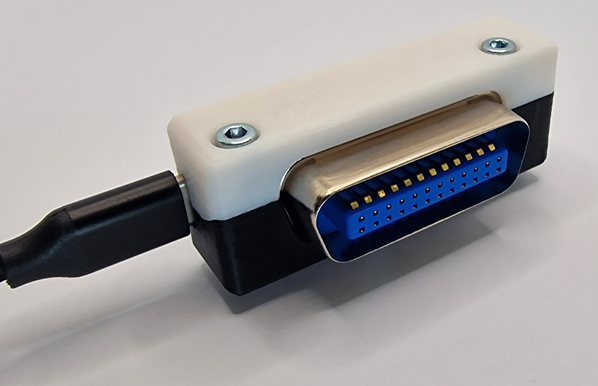
This super neat #gpib to usb adapter is doing the numbers. And for good reason, feels nice finally having an offering that doesn't rely on usb to serial!
Problem: You are trying to connect to a USB instrument using PyVISA & pyvisa-py, but the PyVISA resource manager doesn’t find any instruments: #!/usr/bin/env python3 import visa rm = visa.ResourceManager() print(rm.list_resources()) # Prints "()" => No instruments found! Solution: In order for pyvisa-py to be able to connect to USB instruments, you need to install theContinue reading →
Scope GUI Made Easier
#hackadaycolumns #skills #softwaredevelopment #python #pyvisa #rigol #scpi #tkinter #visa #hackaday
-- Delivered by RssEverything service
Red Pitaya using only pyVISA
The Red Pitaya boards offer an SCPI server over an TCP/IP Socket connection. The makers describe how to use it. But instead of using plain pyVISA, they provide their own SCPI class.
That's fine, because that class also provides handy functions to set the various in-built applications (signal generator and the likes).
But
https://bowfinger.de/blog/2023/10/red-pitaya-using-only-pyvisa/
#Embedded #Engineering #Linux #Python #python #pyVISA #RedPitaya
The Red Pitaya boards offer an SCPI server over an TCP/IP Socket connection. The makers describe how to use it. But instead of using plain pyVISA, they provide their own SCPI class. That's fine, because that class also provides handy functions to set the various in-built applications (signal generator and the likes). But it is…
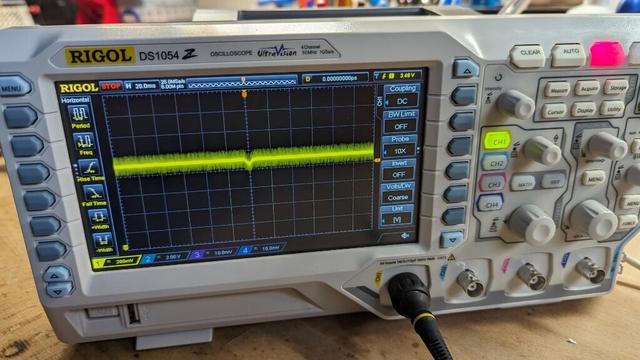
Geeking out playing with PyVISA . Simple Hello world complete. Wrote a loop for my Rigol DP832A to increase from 0 to 10v in .5 volt increments, while measuring every .5 seconds from my Rigol DM3068 and writing the output to file. Was not too painful. Need to start playing the commands for my digital load, signal generator and oscilloscope now.
Yet Another Rigol DS1054Z Viewer
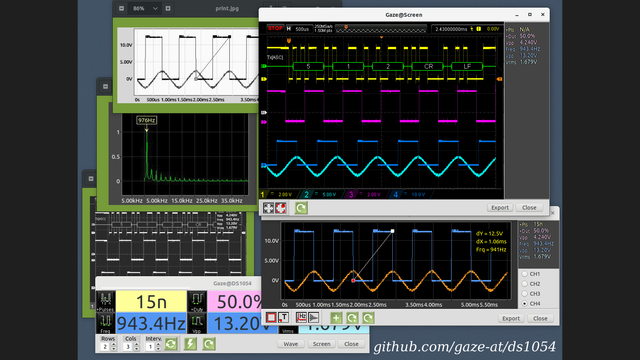
Tired of squinting at the small numbers on the oscilloscope display, [Alfred] aka [Gaze@] decided to take matters into his own hands and wrote yet another tool to remotely view images from a Rigol DS1054Z. At least that was the initial idea. But, it grew unexpectedly -- as [Alfred] says, "the more the project turned out to be fun, the more it got out of hand". We know the feeling well.
In addition to being able to simply view and export the screen, the program implements waveform measurements (we're not sure if it is using the measurement ability of the 'scope, or actually performing measurements in the program). And as you can see in the animated GIF of the program in operation over on the GitHub repository, the numbers are certainly clear and legible. His problem of squinting at the small screen has indeed been solved.
This is coded in Pascal (FPC Lazarus), but we weren't able to browse the program because [Alfred] hasn't posted the source code yet. It is written only for Linux, and he has tested it on Ubuntu, Debian, Fedora, and Manjaro. The project relies on Python, PyVisa, and gtk2, and talks to your DS1054Z over USB or LAN. The installation instructions are well documented, but as [Alfred] himself warns, if you encounter trouble arising from subtle dependency version conflicts, you may need to be a nerd and/or a pensioner with unlimited time on your hands to solve them. There is no users guide nor extensive help according to [Alfred]. However, simple hints might be found in hover text or by pressing F1. Disclaimers aside, this looks like an interesting project to try out.
As [Alfred] notes, there are many other tools available to fetch data and images from your Rigol oscilloscope. [Jenny List] wrote a two-part series on using Python to control your test instruments, and here's an example of a simple Python script that does a screen grab. Do you have a favorite way to remotely operate your oscilloscope? Let us know in the comments below.
#toolhacks #freepascal #linux #pyvisa #rigol1054z #screencapture
 FLF
FLF Andro Abhi
 GeekProjects News
 🇺🇦🇪🇺 cweickhmann
 Chaospott
 William - W1WRA
 hackaday unofficial