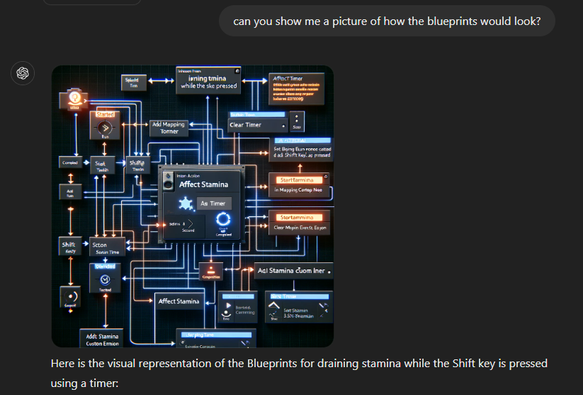
Didn't understand what ChatGPT was trying to explain.. and I still don't 😂 To the YouTube! #ue5 #blueprints #nooblife #gamedev
Taking notes on Kevin Freeman's fantastic YouTube series on Blueprint Fundamentals (Ask A Dev / livinfreestyle6727). These tutorials are the best I've found for finding a solid footing in visual scripting. #ue5 #gamedev #unrealengine#learning #nooblife #week2
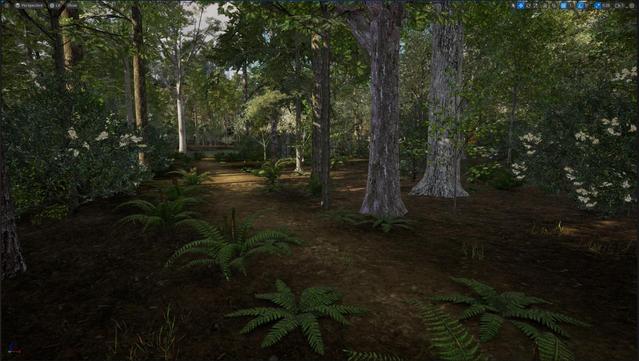
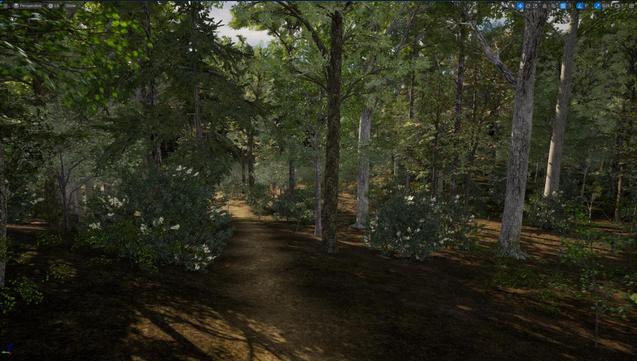
Yesterday’s progress - all NE US Appalachian foliage. Still working on the ground layer. I guess I need to learn how to implement moving water? #UE5 #gamedev #UnrealEngine #nooblife
I love exploring different technologies and learning about how computer and internet systems work. I hope I can find a good career as a sysadmin, cybersec or something. That being said, I never want to be anywhere near email servers. I never wanna hear the letters smtp or imap again 😂 (I am trying to tie all my emails into my Nextcloud) #learning #nooblife #tech #homelab #homeserver #nextcloud

What are we using for apps here? The official Mastadon app for Android seems clunky.

Tusky is feeling pretty good though.

#NoobLife

@AndGraceToo Mine find great joy in simply watching me try to go through doors or climb ladders. Hilarity ensues. #NoobLife

@bri_seven And it is only now that I understand who or better what Fedi is.

#NoobLife

Having /home on its own partition is fucking joy.

I decided to ditch #Ubuntu Studio and go with Ubuntu #Mate. I knew having /home on a separate partition would preserve some of my settings, but I was pleasantly shocked for it to boot into my desktop exactly as I left it, and for my apps to already be set up as I left them.

It's 100% Proper.

#Linux #NoobLife
LInux jukebox update:

Okay this is coming together. I've been struggling to get a remote desktop running to my satisfaction. I'm a Linux noob and also not the sharpest knife in the drawer, so even basic tasks on Linux can cause my brain to implode.

I tried a a few VNC server/client combos before succeeding. What I want is for the server and client to share an identical screen, so I can control the jukebox either locally or remotely. But the VNC software wanted to start an entirely new desktop session, which is pretty cool, but not at all gonna work for me.

I tried X2go, TightVNC, and some other things before finding NoMachine. I got NoMachine up and running to my satisfaction in ~40 seconds, and had to edit 0 config files, which by the way is the number of config files that I prefer to edit.

So now instead of using AIMP in WINE to play music (and controlling it through the LAN using a web client), I'm using RhythmBox to play the music, and controlling it through NoMachine.

I'm only a few songs into this setup (blasting 2LiveCrew) but so far it's solid.

The CPU load was ~50% with the AIMP-in-WINE setup, and now it's dropped to the high teens with RhythmBox-with-NoMachine.

RhythmBox is so-so as a player. It's far more useful than any of the GUIs I tried for Mopidy/MPD, but not nearly as good as AIMP. So if NoMachine works out, my next step will be to find the most powerful but least annoying music player.

#Linux #Jukebox #NoobLife

Linux Jukebox project update:

So, after giving up on MPD/Mopidy I switched to running AIMP in WINE. I can control AIMP over the LAN through a webpage so that's all pretty awesome. But AIMP is a closed source Windows program, so I'm not quite satisfied with this situation.

Today I installed tightVNC on the jukebox and Vinagre (VNC viewer) on my laptop. This is my first time using VNC, so it took a few attempts to make it work. It seems to work pretty well! The overhead on both the jukebox and laptop is negligible.

The only thing not good about it is that the VNC viewer seems to open its own desktop session. So what I see on the laptop is entirely different than what is on the screen of the jukebox. That's not really ideal, as when I'm closer to the jukebox than the laptop I'd rather adjust volume/playlists/tracks/whatever from there. So now I'm off to learn more about VNC.

#Linux #Music #NoobLife