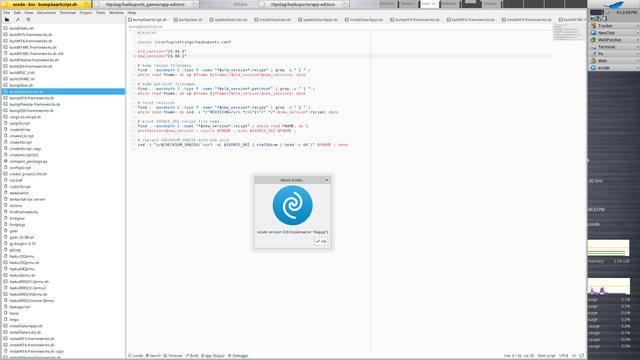
집에 있는 미니PC들에 이런저런 운영체제 깔아보고 어느 정도 되었다 싶으면 오피스 깔아서 소설 써보는 게 다음 수순인데. 지금까지 윈도, 리눅스, 맥, #HaikuOS 에선 해봤고 대륙제 룽손에선 아직 안 해봤네. BSD에서도 해보려고 했는데. BSD가 네이티브로 깔리면서 그래픽 환경까지 지원하는 PC 맞추기가 좀 까다롭다....

I have not updated #OpenBSD yet, BTW. Do not feel good with the fact that team still has not responded to the AI-coded tmux update, especially that it sits in source from January. I am aware that Theo said no to AI code in source, but the reality says something else. Utlimately more AI code will leak into the source through tmux, LLVM and other stuff. What is the choice then? #NetBSD even if has no-AI code policy (a little unclear), then it will get the AI code through 3rd party apps in base. #HaikuOS has LLVM in base. I am left with 9front, TempleOS, MS-DOS 4 and RedoxOS.

But at the end of day I am hypocrite because I need Fish Linux for y*-dlp and gov websites.
#noAI
My Haiku arm64 Progress

I don’t have a Pinebook Pro, and the hardware I do have has very little in common with it. Unless another developer wants to support Pinebook Pro, Haiku won’t run on it. Looking at the device tree, it probably wouldn’t be too difficult to get Haiku booted to the desktop though.

Haiku Community
🎉 Haiku OS finally crawls onto M1 Macs, but wait—before you get excited, it's slower than a snail in molasses. 🐌💻 Forget coding, just enjoy the zen of watching your cursor lag while you ponder why you thought this was a good use of your time. 🤦‍♂️
https://discuss.haiku-os.org/t/my-haiku-arm64-progress/19044?page=2 #HaikuOS #M1Macs #SlowPerformance #TechHumor #OSDevelopment #CursorLag #HackerNews #ngated
My Haiku arm64 Progress

I don’t have a Pinebook Pro, and the hardware I do have has very little in common with it. Unless another developer wants to support Pinebook Pro, Haiku won’t run on it. Looking at the device tree, it probably wouldn’t be too difficult to get Haiku booted to the desktop though.

Haiku Community
My Haiku arm64 Progress

I don’t have a Pinebook Pro, and the hardware I do have has very little in common with it. Unless another developer wants to support Pinebook Pro, Haiku won’t run on it. Looking at the device tree, it probably wouldn’t be too difficult to get Haiku booted to the desktop though.

Haiku Community
Haiku OS runs on M1 Macs now – OSnews

Haiku not only supports ARM64 now, but it has now booted to desktop on bare metal Apple Silicon M1:
https://discuss.haiku-os.org/t/my-haiku-arm64-progress/19044/33

#haikuos #apple

My Haiku arm64 Progress

I don’t have a Pinebook Pro, and the hardware I do have has very little in common with it. Unless another developer wants to support Pinebook Pro, Haiku won’t run on it. Looking at the device tree, it probably wouldn’t be too difficult to get Haiku booted to the desktop though.

Haiku Community
Well, someone gets it. I experienced some of this while getting used to #HaikuOS .

CC: @[email protected]

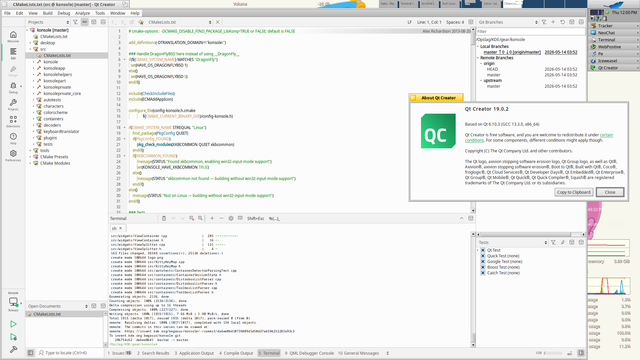
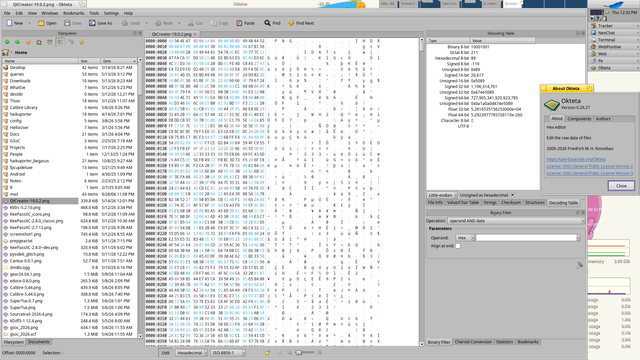
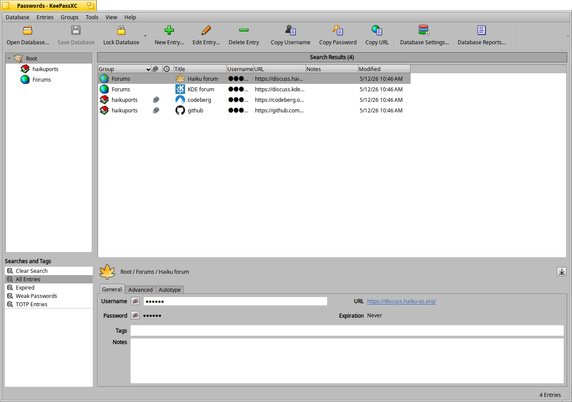
Been a while, so here are some of my latest updates for Haiku, done with our tool haikuporter.
* msedit (new)
* Pencil2D 0.7.2
* MKVToolNix 98.0
* KDiff3 1.12.4
* SourceTrail 2026.4
* SuperTux 0.7
* Calibre 5.44.0
* ecode 0.8.0
* KeePassXC 2.7.12
* Qt Creator 19.0.2 (64bit only)
* Okteta 0.26.27

#HaikuOS #haikuporter #msedit #pencil2d #mkvtoolnix #kdiff3 #sourcetrail #supertux #calibre #ecode #keepassxc #qtcreator #okteta

Haiku Activity & Contract Report, April 2026

This report covers hrev59570 through hrev59671. GSoC selection happened at the end of last month; you can read the news post announcing this year’s selectees. Thanks to everyone who applied!

Haiku Project