Finally got my hardware brightness buttons to work in #BunsenLabs.

1. With root permission, append this string:
acpi_backlight=native
Between the quotes in the line:
GRUB_CMDLINE_DEFAULT=" "
Which is found in the file:
/etc/default/grub

2. Run in terminal:
sudo update grub

3. Reboot

4. Use hardware backlight keys as normal.

This took me over a week of scorched retinae to unearth. Now i post it here.

#Linux #Debian #Debian12 #CrunchBang #CrunchBangPlusPlus #oldlaptop #i915 #acpi #grub

While messing with Linux on my ageing Surface Pro 2, I tried several lightweight distros and really fell in love with CrunchBangPlusPlus. It's essentially just Debian with the OpenBox window manager, but it works really nicely.

https://www.crunchbangplusplus.org/

#Linux #CrunchBangPlusPlus #Debian #SurfacePro

CrunchBangplusplus | Debian Based Minimal Linux Distro

Looking at #lightweight #Linux distros and window managers. I already know I like #CrunchBang and its standard #OpenBox from when I last daily-drove Linux, So #CrunchBangPlusPlus and #BunsenLabs are obvious first picks, and have already made it onto my #Easy2Boot / #Ventoy #LiveUSB, but I've also peeked at #Nobara and decided to try it on for size as well.

Looking at a few other window managers, I was pretty impressed by #AwesomeWM and have also heard good things about #FluxBox.

All will suit my needs more or less equally (and any can be modified or switched), each just have unique flavors, quirks, and footprints.

@FlashMobOfOne I'll do you one better. I'm uninstalling #Windows wholesale, because I have finally lost interest in harboring corpo malware/gov #spyware on my devices intentionally anymore, which doesn't seem to offer any valid advantage itself over other systems anyway.

#windowsupdate, #msstore, #msdefender, search app, #edgebrowser, shell-embedded ads, nonstop logging and telemetry, things just refusing to function reasonably because Windows knows that it's a day that ends in "Y" -- Windows ceaselessly masturbating itself in various elaborate ways finally ran out my last iota of sanity.

In my assessment, the point of me having my computer was for me to use it, not just to have it sit there wasting time touching itself — and galavanting in the background with my system resources as if it had worse ADHD than me while I seethe and reach for the #ProcessHacker on my taskbar that I've kept perpetually open with Admin rights for most of the last decade (along with #ResMon and #TaskMgr; in order to combat Windows' defensive strategy of gaslighting the user about what it is or isn't doing) — instead of actually doing what I tell it to.

Anyway, enough about bad operating systems. Anybody happen to feel any particular preference between #CrunchBangPlusPlus (#!++) and #BunsenLabs #Debian? Haven't decided yet which I'm settling on (I have them both loaded on a #liveusb using #Easy2Boot / #Ventoy), but I was a daily driver of og #CrunchBangLinux back in the day.
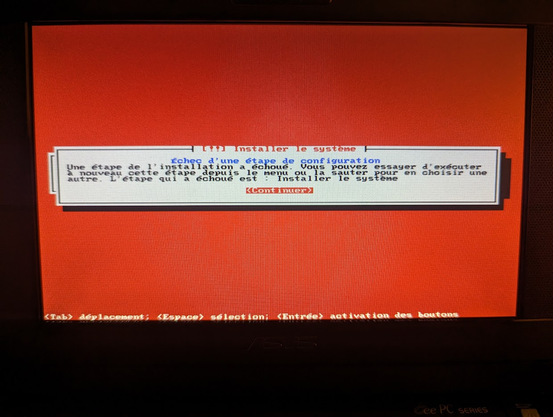
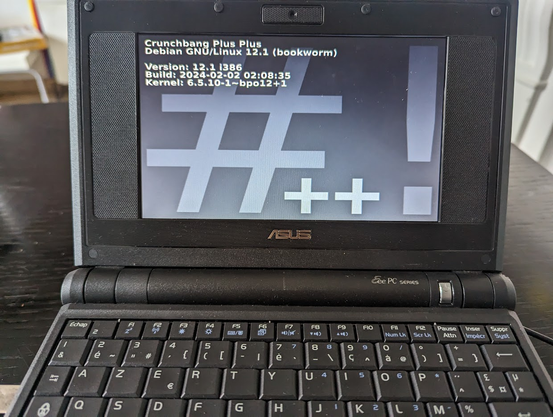
J'ai un souci avec l'installation d'un #Linux léger sur mon vénérable Asus #EeePC701 de 2009 doté de 1 Go de Ram et de 4 Go de SSD .

J'ai tenté d'installer plusieurs distributions légères, dont #Lubuntu, #PuppyLinux, #BusenLabs, #Porteus et #CrunchBangPlusPlus.

A chaque fois, ça plantouille à l'étape "installation du système"... alors que le partitionnement s'est bien déroulé juste avant. Pour le moment, je ne sais pas comment passer cet obstacle ! Des idées ? #GeekHelp

#Crunchbangplusplus is *the* go-to option imo for low-end hardware (especially laptops) for intermediate and advanced Linux users.

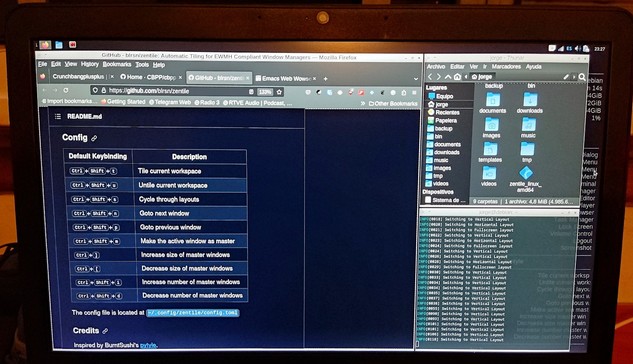
On my Lenovo G50-30 the CPU usage is 4% and RAM 550-650Mb when idle

It is really fast (using Openbox), very customizable and a perfect pick overall for simplicity, efficiency and minimalism.

https://crunchbangplusplus.org

#linux #lowend #laptop #desktop #debian #Debian12 #debianfork #oldhardware

CrunchBangplusplus | Debian Based Minimal Linux Distro

A wallpapers based on Crunchbang++

#crunchbangplusplus #crunchbang
#linux
#wallpapers

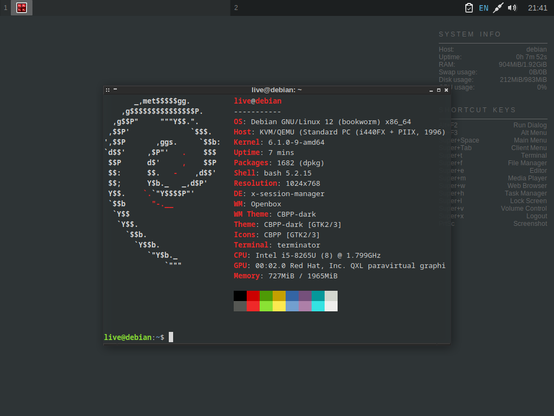
CrunchBang PlusPlus (#!++) was developed in response to Newborough's announcement of the end of CrunchBang. It is currently based on the Debian Bookworm (release 12) distribution.

A good minimal distro 🏆

https://www.crunchbangplusplus.org/

#linux #debian #crunchbangplusplus #GNU #minimal #distro

CrunchBangplusplus | Debian Based Minimal Linux Distro

AFAIK the only project that attempts forward-backward compatibility with the parent distro is CrunchBang++ run by @computermouth .

There's a list of packages it uses. You can add their repo and turn an installation of Debian into CB++.

This really needs to be the norm.

#debian #DebianBookworm #crunchbangplusplus

Gerade wieder Offenen Computerraum im #Offenburger #TiP gehabt. Relativ großer Andrang. Und ein altes Notebook mit #crunchbangplusplus "ausgeliefert". Ansonsten, gebetsmühlenartig, #gnulinux promotet...