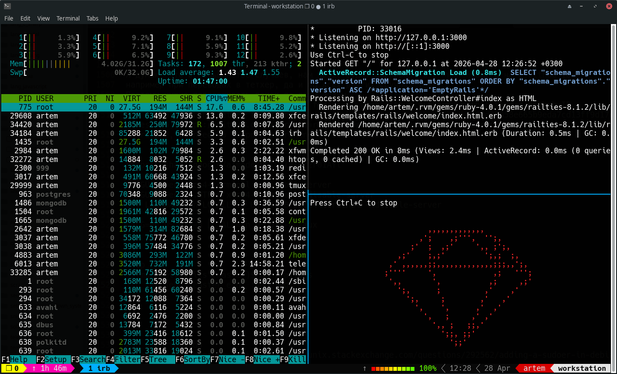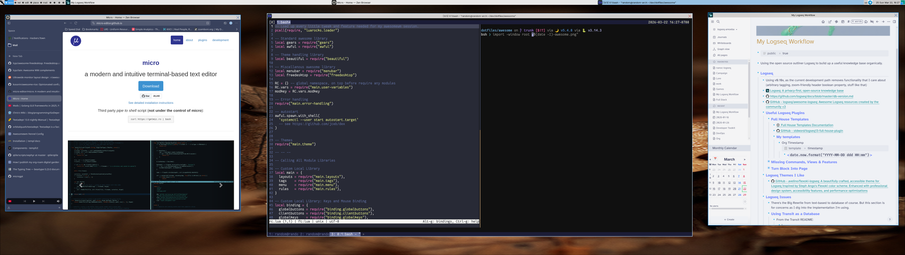


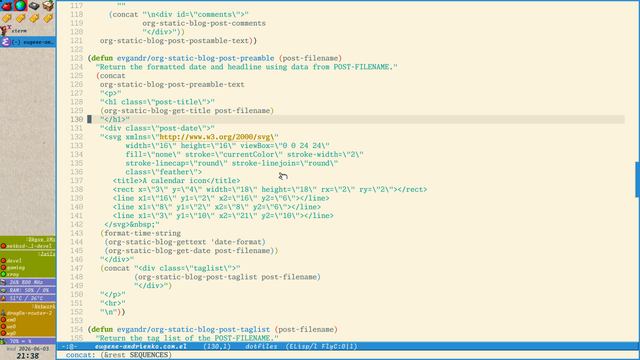
Nice, with a great help of https://www.programmingfonts.org/ (URL was found in the lost toot of one fedizen), I finally found the ideal font which I was searching a lot — a monospace Serif font, which looks like font from a book! 

A Monaspace Xenon font and a Monaspace Radon font (the last is hand-writing like monospace font). Luckily, the support of Cyrillic symbols was added in the latest version of font, literally few weeks ago.

Finally, my desktop is closer to the mine ideal 
#FreeBSD #AwesomeWM #Emacs #unixporn #fonts

I've been an #fvwm user for a long time (early 2000's) and I've always appreciated it being more configurable than any other window manager out there.

But lately, there's been a few excellent scriptable window managers popping up that have it beat. After many random attempts, I've finally switched the main desktop to #awesomewm

The biggest challenge has been how to make it not look so darn flat. I like my #cde / #motif / #4dwm / whatever style borders, so getting that implemented in awesomewm took me an embarrassingly long time, but the fact that I was able to do it, is certainly a testament to it's customizability.

Video of what it looks like:

https://toobnix.org/w/a2fuZ7zcdWfESMvfbigN3U

#gopher post with details: gopher://gopher.linkerror.com/0/phlog/2026/20260520

git repo: https://linkerror.com/git/jns/awesomewm_config/src/branch/main/

motif/cde/4dwm/whatever borders in aweseomewm

PeerTube

A few months of evenings and the first trailer is out!

somewm-one (rc.lua + themes) and somewm-shell (Quickshell desktop shell), both running on SomeWM, a full port of AwesomeWM to Wayland on wlroots 0.19. Sliding tags, multi-monitor, portrait,
SceneFX. Daily driver.

Preview, not a stable release yet, but the direction is clear.

šŸ“ŗ https://youtu.be/QCiAMZFddSc
🧵 raven2cz/somewm-one
🐚 raven2cz/somewm-shell
šŸ™ trip-zip/somewm (upstream)

#wayland #linux #awesomewm #ricing

SomeWM: a Lua framework for building your Wayland desktop.

YouTube

I've never used tiling window managers like i3 (https://i3wm.org/) or awesome (https://awesomewm.org/) on my workstations. Perhaps I'm wrong, and I should definitely give them a try and always use them in the future. But for several years now, I've been using a different compromise: instead of tiling the entire screen, I tile the space only in the terminal using tmux and this config (https://github.com/gpakosz/.tmux).

#tmux #terminal #xfwm #Tiling #WindowManagers #i3wm #awesomewm

I have been playing around with awesome em for Linux and it is pretty good. main issue is I keep breaking my config and having to hunt down a problem because I can't leave things well enough alone.
Thank God I backed that shit up.
#awesomewm #Linux

Between dependencies being archived and me basically not trusting code I can't look at, I vendored all the dependencies I could. But hey at least I got the #AwesomeWM config I was using a couple years ago.

Now we eat.

Had to spend some time getting #awesomewm to work on Fedora 43. Figured I'd write down the fix until the maintainers can get it patched.

https://blog.melnib.one/2026/02/17/awesomewm-on-fedora-43/

AwesomeWM on Fedora 43 Ā· Elric rambles

I made a second attempt to migrate from #AwesomeWM to #Hyprland. It was not very straightforward, mostly because of the #x11 -> #wayland switch with an #NVIDIA #GPU.
I’m actually enjoying it, and I’m not even using waybar.

Introducing #Yashiki: A new tiling window manager for macOS.

If you miss #River or #AwesomeWM on your Mac, this is for you.

It features tag-based workspace management and an external layout engine (plugin system), heavily inspired by the River philosophy.
I built this over the weekend because I needed something closer to my Linux workflow.

https://typester.dev/blog/2026/01/18/yashiki-window-manager

#macOS #WindowManager #RiverWM #AwesomeWM #Rustlang #TilingWM

Introducing Yashiki: A macOS window manager with the river/awesome philosophy

typester.dev

@lymenzies It is AwesomeWM (https://awesomewm.org/) — it is configurable with Lua and has some batteries included. My configuration: https://codeberg.org/evgandr/dotfiles/src/branch/master/utils/awesome/.config/awesome

#AwesomeWM #dotfiles

home

The awesomewm.org website

awesome window manager