The Power of the Whisper: How WSPR and WSJT-X are Redefining Long-Distance Radio
1,250 words, 7 minutes read time.
Amateur radio operators and technology enthusiasts are currently utilizing the Weak Signal Propagation Reporter, commonly known as WSPR, and the WSJT-X software suite to achieve global communication using minimal power. Developed by Nobel laureate Joe Taylor, K1JT, this digital protocol allows stations to send and receive signals that are often completely buried in background noise, making it possible to map atmospheric conditions and radio propagation in real-time. This technology serves as a critical entry point for men looking to understand the mechanics of the ionosphere and the efficiency of modern digital signal processing. By leveraging advanced mathematical algorithms, WSPR proves that high-power amplifiers and massive antenna towers are no longer the only way to reach across the ocean, offering a technical challenge that rewards precision and patience over brute force.
The core of this system lies in the software known as WSJT-X. This program implements several digital protocols designed specifically for making reliable communication under extreme conditions where traditional voice or Morse code signals would fail. While WSPR is not a conversational mode, it acts as a global beacon system. A station transmits a brief packet containing its callsign, location grid square, and power level. Thousands of other stations around the world, running the same software, listen for these signals and automatically report any successful decodes to a central internet database called WSPRnet. This creates a living, breathing map of how radio waves are traveling across the planet at any given second, providing invaluable data for anyone interested in the science of communication.
Understanding the physics behind this process is what separates a casual observer from a true radio technician. The Earth’s ionosphere, a layer of the atmosphere ionized by solar radiation, acts as a mirror for certain radio frequencies. Depending on the time of day, solar flare activity, and the season, these signals can skip off the sky and land thousands of miles away. In the past, confirming these paths required luck and high-power transmissions. Joe Taylor once noted that the goal of these modes is to utilize the information-theoretic limits of the channel. This means squeezing every bit of data through the smallest amount of bandwidth possible, allowing a station running only one watt of power to be heard in Antarctica from a backyard in Michigan.
For the man standing on the threshold of earning his amateur radio license, WSPR is the ultimate proof of concept. It removes the intimidation factor of “talking” to strangers and replaces it with a pure engineering objective: How far can my signal go with the least amount of effort? Setting up a WSPR station requires a computer, a transceiver, and a simple wire antenna. The software handles the heavy lifting of Forward Error Correction and narrow-band filtering. This process teaches the fundamentals of station grounding, signal-to-noise ratios, and frequency stability—skills that are mandatory for passing the licensing exam and, more importantly, for operating a professional-grade station.
The hardware requirements are surprisingly modest, which appeals to the practical, DIY-oriented mind. Many enthusiasts use a Raspberry Pi or an older laptop dedicated to the task. The interface between the radio and the computer is the critical link, ensuring that the audio generated by the software is cleanly injected into the radio’s transmitter. If the audio levels are too high, the signal becomes distorted, “splattering” across the band and becoming unreadable. This level of technical discipline is exactly what is required in high-stakes fields like aviation or telecommunications. Mastering the “clean” signal is a badge of honor in the ham radio community, signifying a man who knows his equipment inside and out.
As we look at the data generated by WSPR, we see more than just dots on a map; we see the pulse of the sun. Because radio propagation is tied directly to solar activity, WSPR users are often the first to notice a solar storm or a sudden ionospheric disturbance. When the sun emits a massive burst of energy, the higher frequency bands might “open up,” allowing for incredible distances to be covered on low power. Conversely, a solar blackout can shut down communication entirely. Being able to read these signs and adjust one’s strategy accordingly is a core component of the hobby. It turns a simple radio into a scientific instrument used for environmental monitoring.
The community surrounding WSJT-X is one of rigorous peer review and constant improvement. The software is open-source, meaning the code is available for anyone to inspect and refine. This transparency has led to a rapid evolution of the protocols. While WSPR is for propagation reporting, other modes within the suite like FT8 or FST4 are used for rapid-fire contacts. However, WSPR remains the gold standard for testing antennas. If a man builds a new wire antenna in his yard, he doesn’t have to wait for someone to answer his call to know if it works. He can run WSPR for an hour, check the online map, and see exactly where his signal landed. It provides immediate, objective feedback that is essential for any technical project.
The future of this technology points toward even more robust communication in the face of increasing electronic noise. As our cities become more crowded with Wi-Fi, power lines, and electronics, the “noise floor” of the radio spectrum is rising. Traditional modes are struggling to compete. Digital modes like those found in WSJT-X are the solution, using digital signal processing to “dig” signals out of the static. This represents the next frontier of amateur radio—the transition from analog heritage to digital mastery. For those looking to get involved, the barrier to entry has never been lower, and the potential for discovery has never been higher.
In the broader context of emergency preparedness and global infrastructure, the lessons learned from WSPR are invaluable. In a scenario where satellites or internet backbones fail, the ability to bounce low-power signals off the atmosphere remains one of the only viable long-distance communication methods. A man who understands how to deploy a WSPR-capable station is a man who can provide data and connectivity when everything else goes dark. This sense of utility and self-reliance is a driving force for many who pursue their license. It is not just about a hobby; it is about mastering a fundamental force of nature to ensure that the lines of communication stay open, no matter the circumstances.
Call to Action
If this story caught your attention, don’t just scroll past. Join the community—men sharing skills, stories, and experiences. Subscribe for more posts like this, drop a comment about your projects or lessons learned, or reach out and tell me what you’re building or experimenting with. Let’s grow together.
D. Bryan King
Sources
- WSJT-X Main Page: physics.princeton.edu/pulsar/k1jt/wsjtx.html
- WSPRnet Official Site: wsprnet.org/drupal/
- ARRL – What is WSPR?: arrl.org/wspr
- K1JT’s WSPR Implementation Guide: physics.princeton.edu/pulsar/k1jt/WSPR_Instructions.pdf
- WSPR on Raspberry Pi – GitHub: github.com/JamesP6000/WsprryPi
- Make Magazine – Ham Radio for Beginners: makezine.com/projects/ham-radio-for-beginners/
- Introduction to Digital Modes – OnAllBands: onallbands.com/digital-modes-101-wspr/
- DX Engineering – WSPR Equipment: dxengineering.com/search/product-line/wsjt-x-interfaces
- Radio Society of Great Britain – WSPR Intro: rsgb.org/main/get-started-in-ham-radio/digital-modes/wspr/
- Ham Radio School – Digital Mode Basics: hamradioschool.com/digital-modes-introduction/
- The History of WSJT-X – Princeton University: princeton.edu/news/2017/10/18/nobel-prize-winner-taylor-channels-passion-radio
- WSPR Rocks – Real-time Database: wspr.rocks
- Antenna Theory for Digital Modes: antenna-theory.com
- HF Propagation Basics – NOAA: swpc.noaa.gov/phenomena/hf-radio-propagation
- Digital Radio Mondiale and WSPR – IEEE: ieee.org/publications/wspr-technical-overview
Disclaimer:
The views and opinions expressed in this post are solely those of the author. The information provided is based on personal research, experience, and understanding of the subject matter at the time of writing. Readers should consult relevant experts or authorities for specific guidance related to their unique situations.
#amateurRadioCommunity #amateurRadioForBeginners #amateurRadioLicense #antennaTesting #AtmosphericScience #AtomicClock #Balun #bandwidth #CATControl #dataModes #Decibel #digitalModes #digitalSignalProcessing #dipoleAntenna #DIYRadio #DXing #ElectronicEngineering #Elmers #EmergencyCommunication #ExtraClass #forwardErrorCorrection #frequencyHopping #FrequencyStability #FT8 #GeneralClass #GlobalRadioMap #GPSTime #GridDownRadio #GridSquares #Grounding #hamRadio #hamRadioExamPrep #hamRadioGear #HamRadioMentoring #hamRadioProjects #hamRadioSkills #hamRadioSoftware #hfAntenna #HFRadio #HighFrequency #impedanceMatching #ionosphere #JoeTaylorK1JT #LongDistanceRadio #LowPowerRadio #MagneticLoopAntenna #MaidenheadLocator #NarrowbandCommunication #NetworkTimeProtocol #NoiseFloor #OpenSourceRadio #PCToRadioInterface #QRP #RadioAstronomy #RadioBenchmarking #radioCommunication #radioFrequency #RadioInterfacing #RadioNetworking #radioPropagation #RadioScience #radioSignals #radioSpectrum #radioTechnician #radioTroubleshooting #RadioWavePhysics #RaspberryPiRadio #RealTimeTracking #RFInterference #RigControl #SDR #shortwaveRadio #SignalDecoding #SignalReporting #SignalToNoiseRatio #softwareDefinedRadio #solarActivity #solarCycle #SolarFlareImpacts #SoundcardPacket #SpaceWeather #StandingWaveRatio #SurvivalCommunication #SWR #TechHobbiesForMen #TechnicalSelfReliance #technicianClass #telecommunications #timeSync #TransceiverSetup #Unun #verticalAntenna #VOXControl #WeakSignalPropagationReporter #wireAntenna #wirelessTechnology #wsjtX #wsjtXTutorial #WSPR #WSPRTutorial #WSPRnet Andrew Armstrong

 Bryan King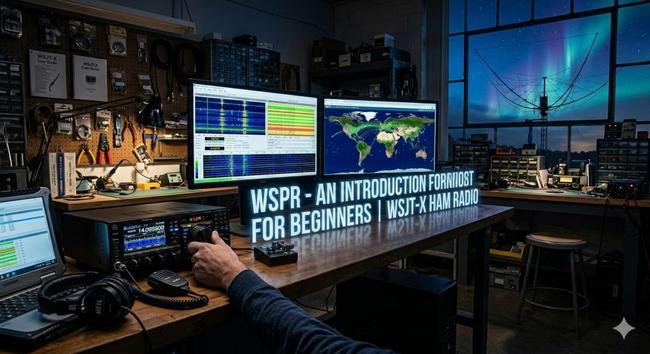
 Hacker News
 LavX News
 Dendrobatus Azureus
 はぐれ社会福祉士2号
 N-gated Hacker News
 Justin Brodley
 The Cloud Pod