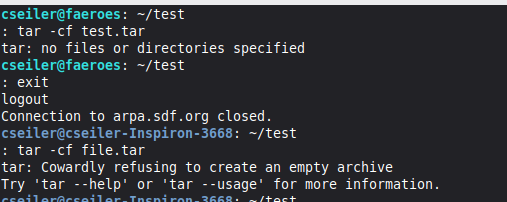
Hmm. I see this has been fixed.

#tar #whereHaveIBeen

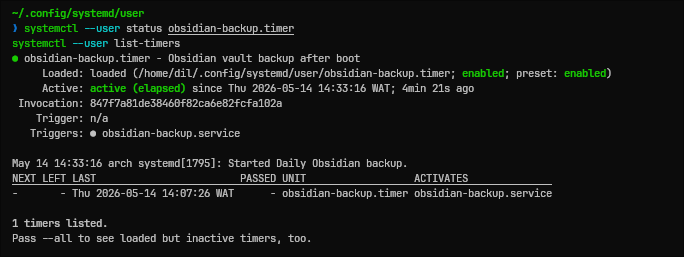
Nearly overwrote my obsidian vault today. So to solve that from ever being a problem -- I wrote a bash script to create an encrypted tarball of my vault, and included a systemd process to trigger it on boot.
#linux #systemd #bash #obsidian #tar #backup #security

👉Cosa sarebbe meglio per voi?

#ASRoma #RomaLazio #SerieA #DerbyDellaCapitale #TAR

Stampa Rassegnata 337 27Apr-3Mag – Radio Wombat

🌗 macOS 建立的 tar 壓縮檔在 Linux 上解壓縮時出現錯誤的解決方案
➤ 告別跨系統打包的雜訊,建立乾淨的部署套件
https://aruljohn.com/blog/macos-created-tar-files-linux-errors/
當你在 macOS 上使用預設的 `bsdtar` 建立 `tar.gz` 壓縮檔並傳輸至 Linux 伺服器解壓縮時,系統常會產生包含 `._` 前綴的冗餘檔案,並伴隨關於 `LIBARCHIVE` 的錯誤或警告訊息。這是因為 macOS 預設會將檔案系統的延伸屬性(xattr)及元數據寫入壓縮檔中,而這些屬性在 Linux 的標準 `tar` 工具下無法辨識。本文詳細介紹了三種解決方案:透過參數禁用屬性寫入,或是安裝 GNU 版本的 `tar` 以取代預設工具,從根本解決跨平臺部署時的檔案相容性問題。
+ 這困擾我很久了!每次部署都要手動刪除那些 `._` 檔案,原來加上 `--no-xattrs` 就能解決,省下不少麻煩。
+ 改用 GNU tar 是最穩健
#macOS #Linux #tar #系統管理 #技術教學
Tar Files Created on macOS Display Errors When Extracting on Linux

tar.gz files seem to include extra files starting with ._. When these are extracted on Linux, a bunch of errors are displayed.

Ich gestehe: Wenn ich per SSH im Server rumfuhrwerke und mit einem fast 25 GB großen tar-file hantiere, das ich auf zig jeweils 500 MB große Chunks gesplittet hatte, habe ich doch einen klitzekleinen Köddel in der Hose. 😅

Aber wenn dann alles klappt und sich die Webseite inklusive Datenbank anstandslos wiederherstellen lässt, freut sich der Mensch.
🙂

#linux #server #ssh #tar #wordpress #backup
Mounting tar archives as a filesystem in WebAssembly

How to use a file index to mount a tar.gz archive directly into the Emscripten virtual filesystem without extracting it

ʕ•ᴥ•ʔ Notes from Jeroen

Another chapter in my Linux snuppets series #4: Stop filling up your disk with temporary zip files. Here is how to stream a directory directly from one server to another using tar and SSH in a single pipeline.
https://schulz.dk/2026/04/23/linux-snippets-4-the-zero-storage-network-clone/

#linux #tar #cli #terminal #tip #schulz.dk @blog #techtip