 Arda Kılıçdağı
The evening mechanical keyboard build project, done 🤓
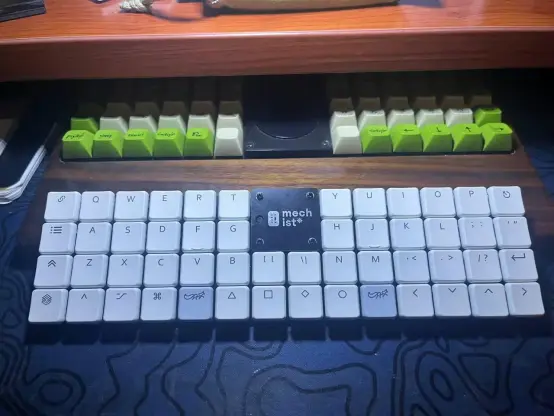
I'm just itching to do something about my #Olkb #planck v3 #ortholinear #mechkeyboard not being used. Really tempted to try the #cherrymx2a Blossom with featherlight linear touch at 35cN only, or the tactile + silent MX2A Honey.
I'll need to de-solder the old switches (no hot swap) which is a deterrent...
Repost:
Cherry unveils next-generation keyboard switches with inductive sensing technology — claims no mechanical wear and 50% power reduction | Tom's Hardware
https://www.tomshardware.com/peripherals/mechanical-keyboards/cherry-unveils-next-generation-keyboard-switches-with-inductive-sensing-technology-claims-no-mechanical-wear-and-50-percent-power-reduction
Je note donc que je devais configurer QMK avec config.qmk.fm, télécharger le fichier JSON, ajouter les règles udev conformément au message d’erreur QMK/dfu-util, puis me rendre dans mon répertoire QMK (cloné depuis GitHub) et lancer qmk flash ~/Téléchargements/patati.json.
Sans oublier de mettre mon clavier en mode boot.
(1/2)
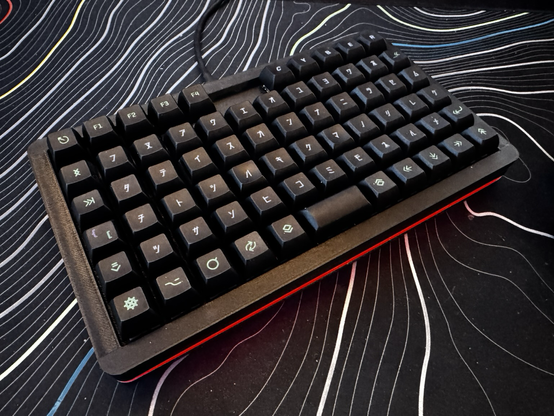
Finished building my new hardwired split mechanical keyboard this weekend! #3dprinted based on my own design, spray painted and powered by a pair of Raspberry Pi Pico W’s. Of course, it’s running my fave #keyboard firmware #KMK! Sadly #CircuitPython doesn’t yet support BLE on the PicoW so it’s not wireless yet, but I’m just counting down the days!
(more details in the image alt text!)
#olkb #splitkeyboard #ergokeyboard #mechanicalkeyboard #pipico #picow #raspberrypi #handwiredkeyboard
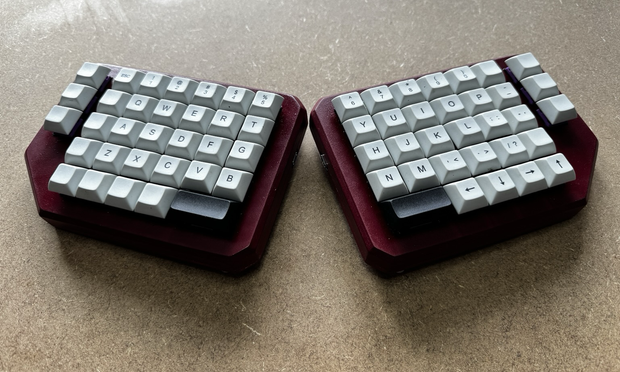
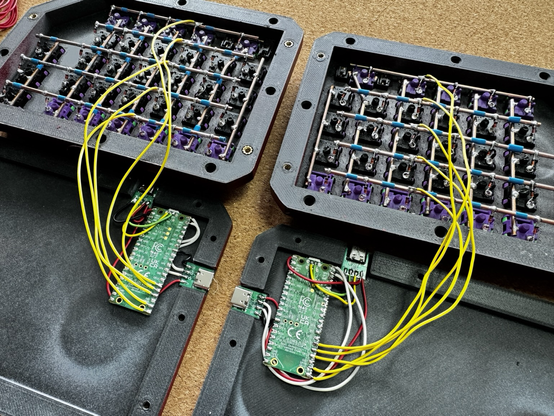
Finished my new keyboard! it’s an evolution of my old keyboard with some function keys and media keys moved to the top right so I stop pressing mute instead of ctrl! It is a little taller than I like but the design I layered so I think I can shave off at least 5mm without too much hassle (probably more!)
#3dprinted #3dprinting #olkb #handwired #handwiredkeyboard #ortholinear #ortholinearkeyboard #joescotto #circuitpython #kmk #mechanicalkeyboard #mechanicalkeyboards #polymaker #prusament
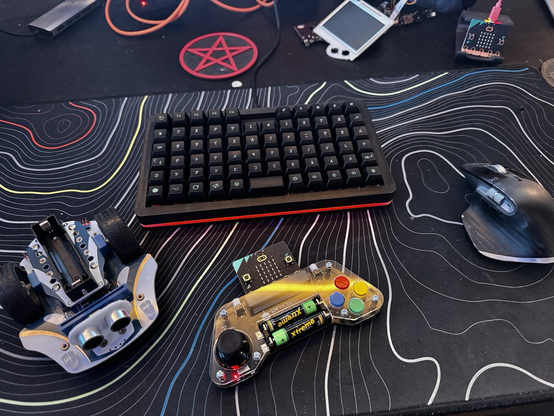
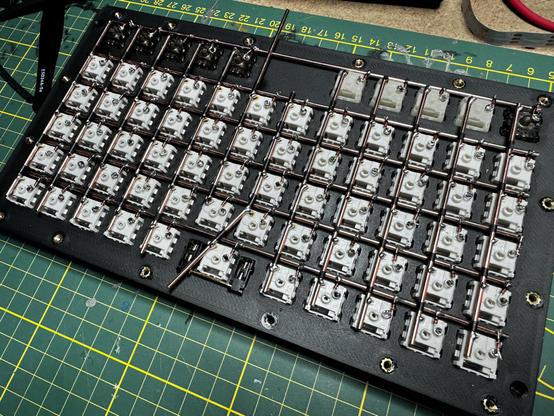
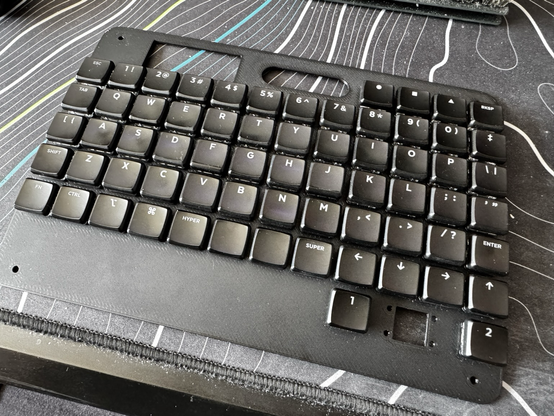
Woof! That was a hell of a session! Just need to trim off a little bit of rod in the middle columns and then I can start soldering up the microcontroller. Unfortunately it’s a little too late to turn on the Dremel! Absolutely in love with using copper rods instead of wire though, it’s sooo pretty!
#keyboard #mechanicalkeyboard #keyboards #mkb #mechkb #mechkeyboard #electronics #diy #maker #ortho #ortholinear #olkb
#introduction
Всем привет!
Я новенький на этом сервере. Раньше вы могли знать меня как @zetroot .
Вкратце о себе: зарабатываю деньги разработкой бэкенда на #dotnet, трачу деньги на ремонт гаража, уазика, велосипеда. Еще яростный фанат ортолинейных сплит клавиатур #olkb
По выходным уже много лет работаю спасателем-добровольцем.
Частых постов не ждите.
Выкладываю мемасы, фотографии и свои частные мнения о происходящем со мной и вокруг меня.
#уаз #гараж #ремонт #BikeTooter
#LorshMigration
Help please: GU_OFF ?
I'm using an unmodified Planck dropshipped keyboard. It is mostly as represented here https://raw.githubusercontent.com/qmk/qmk_firmware/refs/heads/master/keyboards/planck/keymaps/default/keymap.c with the exception that the lowest-left key is 'shift' and not 'brite', although it would be nice if it were related to my keyboard backlight. See also https://config.qmk.fm/#/planck/rev7/LAYOUT_ortho_4x12, which seems to match except that both my spacebar buttons are, for now, really just space.
My toddler mashed some buttons for ten minutes before we realized where he was, and ever since then my GUI key is disabled. I have verified that it is, evidently, the GU_OFF command that was run, as it is strictly the GUI key that is disabled and even when I swap GUI and ALT (Meta) it remains the GUI key (even after it changes position) that simply does nothing. I have never installed my own firmware and mostly have just utilized the Dvorak layer. I really need my GUI key back. I've verified that it is the keyboard and not the system by using the keyboard on another, my Windows gaming box, and still there is no GUI key (there used to be, as it brought up the Windows start menu, which I used sometimes).
Any idea what could have disabled my GUI (Windows, Super) key on my Planck, and how I can get it back short of flashing the keyboard (I can't get to Flashing, but that's another post)?
 Naty
Naty
 Babys in a thundercloud 🏳⚧️
  Andy Warburton ❌❌❌
 Z̜êtRôöT
 (webdev Tory)
 rihards paskausks