Spoke – Discover, Build, Interact Today

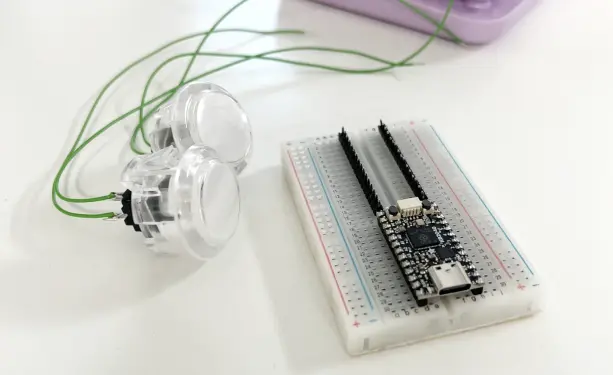
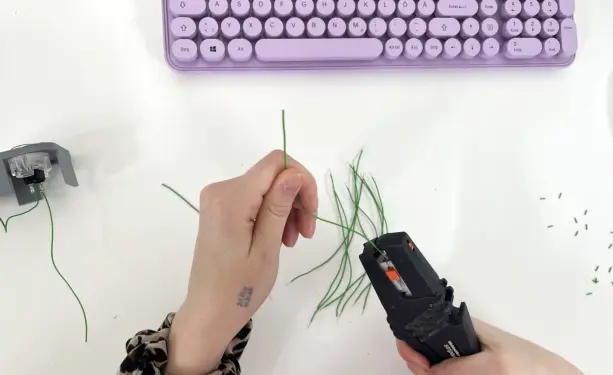
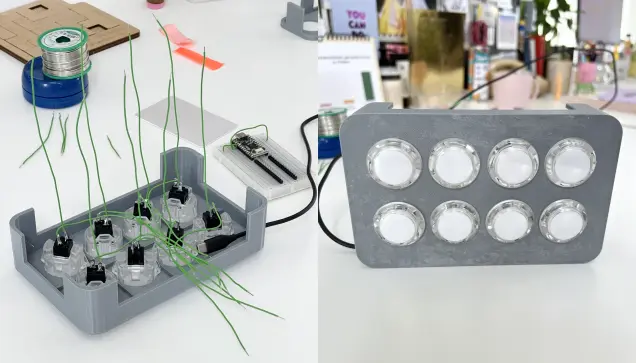
Spoke는 USB-MIDI, 키보드/마우스, 시리얼 장치 등으로 작동하는 터치 기반 컨트롤러를 쉽게 제작할 수 있는 오픈소스 하드웨어입니다. 27개의 입력과 커스터마이징 가능한 LED를 갖추었으며, 음악가, 교육자, 메이커 등 다양한 사용자가 맞춤형 인터랙티브 프로젝트를 구현할 수 있습니다. 별도의 소프트웨어 없이 웹 도구를 통해 간편하게 설정 가능하며, 다양한 전도성 재료를 활용해 터치 센서를 만들 수 있습니다. CircuitPython 펌웨어로 사용자 맞춤 코딩도 지원합니다.

https://www.spokeboard.com

#opensourcehardware #midicontroller #capacitivetouch #circuitpython #interactivecontroller

SPOKE | Discover, Build, Interact Today

Create interactive projects with SPOKE's touch-based controllers, ideal for musicians, educators, and Makers. Easy to use, customizable, and compatible with various conductive materials.

SPOKE
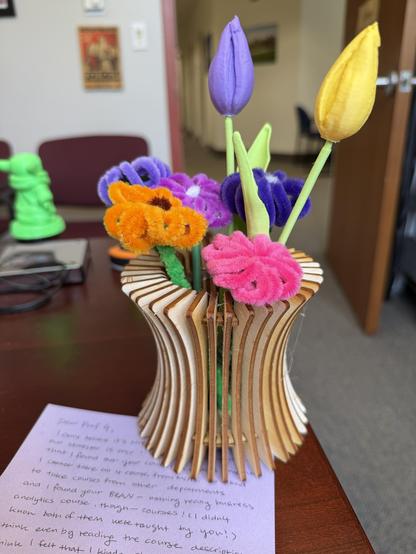
This was so kind. An exchange student who took both my #CircuitPython & my #SwiftUI apps courses made this for me. The flowers are 3D printed & the vase was laser cut. Lovely.
Need to use your laptop #keyboard on your phone? This #CircuitPython project forwards laptop keystrokes via a #microcontroller over BLE HID, turning your computer into a wireless keyboard. Check it out: https://github.com/urfdvw/keyboard-forward
GitHub - urfdvw/keyboard-forward: Forward your computer's keyboard using a BLE microcontroller as a HID bridge.

Forward your computer's keyboard using a BLE microcontroller as a HID bridge. - urfdvw/keyboard-forward

GitHub
#CircuitPython 10.3.0-alpha.1 released! https://blog.adafruit.com/2026/04/30/circuitpython-10-3-0-alpha-1-released/
Highlights of this release:
- Improve SD card USB presentation on macOS.
- Prefer 'foo.py' over 'foo/' package when importing, like CPython.
- Pin fixes.
- Enable gifio and storage in Zephyr port.

How to Re-initialize a Stuck #ESP32 (in #CircuitPython) -- something I needed when working on my particulate air quality #sensor but I'm sure I'll need it for many other projects:

https://shallowsky.com/blog/hardware/esp32-reconnect.html

#hardware #maker

How to Re-initialize a Stuck ESP32 (in CircuitPython) (Shallow Thoughts)

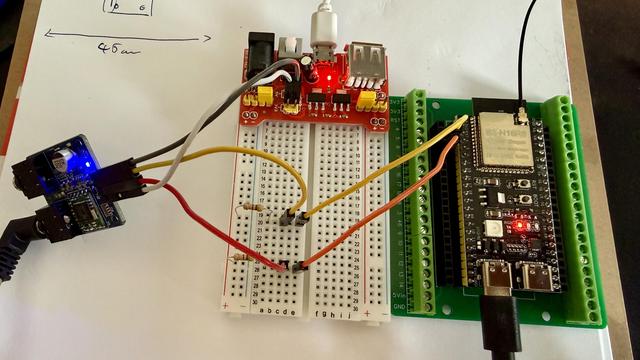
I am trying to get this TEA 5767 to work. This ESP32S3 does not have a onboard I2C so I read that I have to use 4.7kOhm resistors to create a pull-up.

The device is connected to 3.3v and the pins SCL,SDA are connected to 3.3V and the pins 4 and 5 on the board.

I use busio.I2C and can get a connection and lock on the I2C.

i2c.scan() does not find the 0x60 address but sometimes I get "'0x8', '0x9', '0xa', '0xb'"

[SOLVED]
#askfedi #esp32 #circuitpython

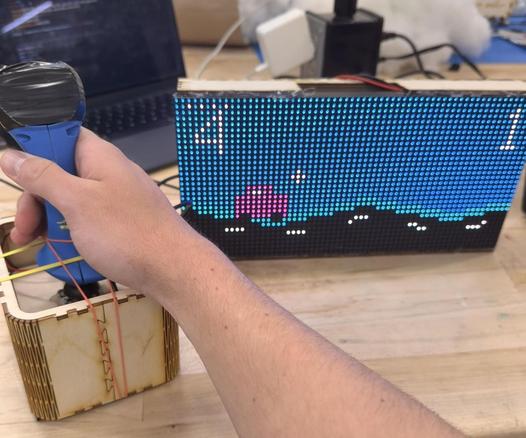
The top feature project on Autodesk Instructables today is by my Physical Computing students Noah Priest & Vinith Ayapilla! An accessible driving game they created for children with disabilities in the Campus School at Boston College. Built in #CircuitPython. Students present their accessible tech work today. Congrats Nick & Vin!
https://www.instructables.com/Accessible-Driving-Game-With-Haptic-Feedback-Sound
Accessible Driving Game With Haptic Feedback + Sounds

Accessible Driving Game With Haptic Feedback + Sounds: This project is a wireless joystick-controlled LED matrix driving game designed for use with the Boston College Campus School. The Campus School at Boston College serves students ages 3 to 22 with extensive support needs, including complex medical n…

Instructables
SerialPlotster! I miss the #Arduino serial plotter when doing #CircuitPython / #MicroPython, but it's too greedy with the serial port. I wanted a tiny stand-alone data plotter app, so I built one (w/claude's help). It's pretty flexible on data input and fast to launch https://github.com/todbot/SerialPlotster
GitHub - todbot/SerialPlotster: Serial data plotter for use with devices like Arduino & CircuitPython

Serial data plotter for use with devices like Arduino & CircuitPython - todbot/SerialPlotster

GitHub
Klingon Fun for the Fruit Jam

Adafruit Playground

Had a bit more fun with #esp32 and #circuitpython - I really love how quick you can iterate and protoype with circuitpython!

Added a PIR motion sensor and a SR04 sonar sensor to the setup.

The sonar sensor was really easy, the PIR sensor needed a bit of tinkering to understand what dial does what.

Both works well.

Now to set an alarm when either of them goes off to wake the device up from light sleep. Let's see which one works best for that scenario.

But this is so much fun!