3DPrintCostCalculator
Filament-only pricing looks fine until you scale it.
At 100 prints, small ignored costs become a real gap: electricity, wear, failure risk, and time all add up.
Are you pricing each job properly, or slowly undercharging yourself?
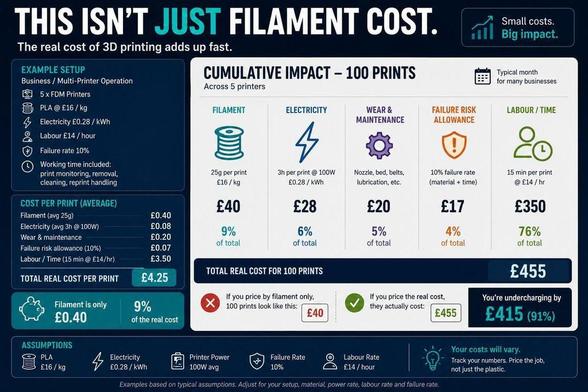
Filament-only pricing looks fine until you scale it.
At 100 prints, small ignored costs become a real gap: electricity, wear, failure risk, and time all add up.
Are you pricing each job properly, or slowly undercharging yourself?
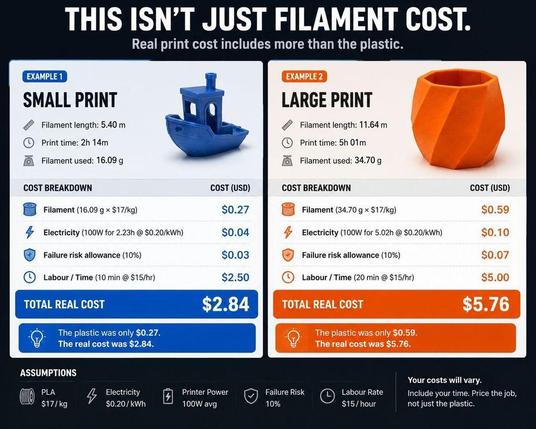
The plastic is only the start.
A print that uses €0.69 of filament can still be a €6.90 job once you include electricity, failure risk, and time.
Are you pricing the full job, or just the material?
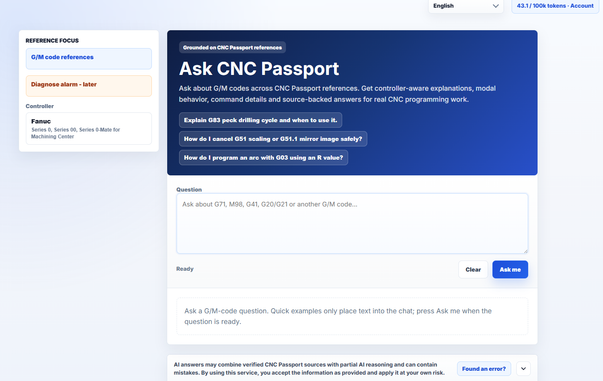
A CNC AI answer should be traceable.
Ask CNC Passport now starts with G/M-code questions: prepared references first, AI answer second, visible source block after that.
Useful for checking commands like G41, G71, M98 or G20/G21.
https://cncpassport.com/blog/en/ask-cnc-passport-ai-answers-gm-codes-real-cnc-sources/
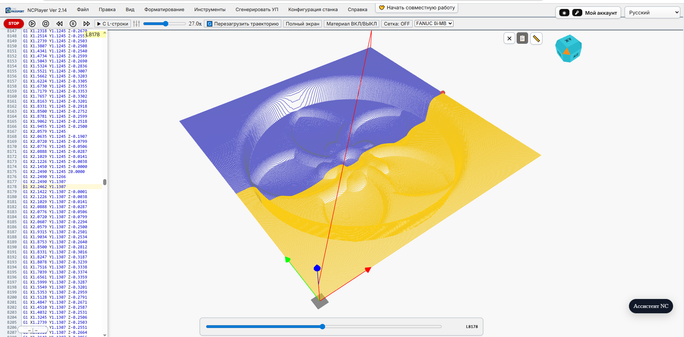
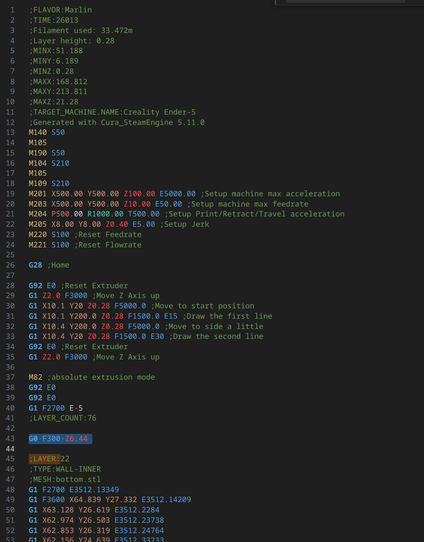
NCPlayer now includes Timeline Mode: a way to inspect a CNC program as movements over time.
It helps connect G-code lines, toolpath and execution order, especially around rapid/cutting transitions and mode changes.
https://cncpassport.com/blog/en/timeline-mode-in-ncplayer-viewing-a-cnc-program-over-time/
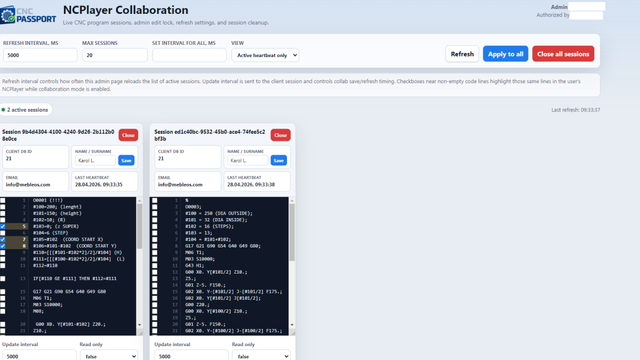
NCPlayer collaboration mode helps CNC teams review the same G-code in one shared context instead of exchanging screenshots and file versions.
Useful for pre-run checks, remote operator support, training, and postprocessor troubleshooting.
https://cncpassport.com/blog/en/collaboration-mode-in-ncplayer/
https://youtu.be/Dou2JUmogvU?si=FBxvr_Zs-6Qw48hv
#gcode #goddesscode
#WestcoastEnchanted
#Zen_and_KushLLC
#MilesMDavisProductions
#Released2018
#kingdomofkush
#goddesses #healers #medicinewomen #mothers
#powerplay #forgiveness
#astralprojectionthroughfrequency #takealeapwithme
#vibeitout #heavenonearth

3D-печать на стероидах: как я научил Creality K1C считать затраты филамента
Чуть больше года назад я купил себе Creality K1C. В целом принтер меня устраивал, но со временем обнаружились кое-какие неудобства и недочёты, и мне захотелось допилить аппарат под себя. В статье расскажу, как я заменил дефолтный примитивный интерфейс и лагающий лаунчер, а самое главное — настроил подсчёт филамента, чтобы мониторить остатки и обеспечивать бесперебойную печать. Читать про автоматизацию филамента
https://habr.com/ru/companies/flant/articles/1003508/
#fdm #3dпринтер #филамент #cfs #gcode #3dпечать #creality #creality_3d_printers
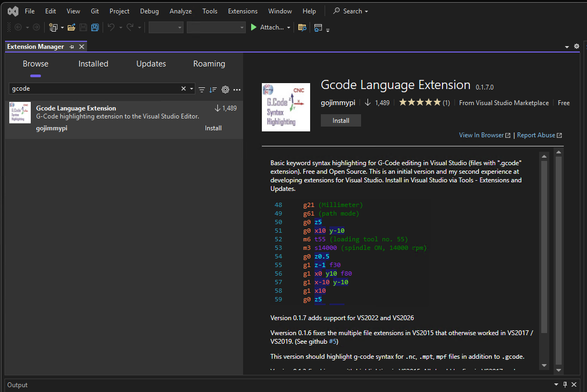
G-Code Syntax Highlighter for
@VisualStudio
v0.1.7.0
If you want to hand-craft #GCode in Visual Studio, I've updated my extension to work with VS2022 and VS2026!
Click: Extensions - Manage Extensions - Browse
Useful for #CNC #cncprogramming #3DPrinting #makers
 Anton Laufer (cncpassport.com)
 utheolpeskeycoyote
 Habr
Habr
 Daniele Verducci 🧉
 gojimmypi
 Matthias Dittgen