 Eniko Fox
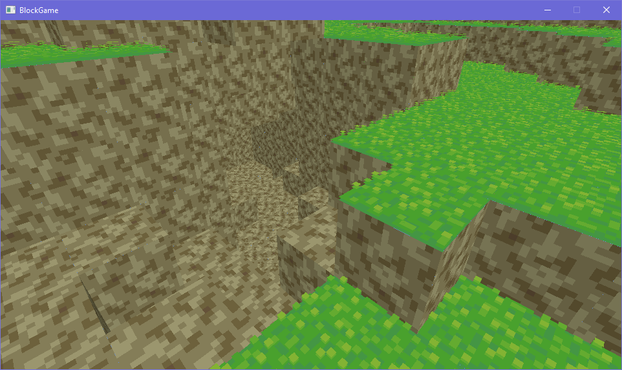
quick generating caves test
if i kind of artfully place the camera to cut out the cornflower blue void surrounding this tiny chunk of terrain on all sides its almost starting to look like a real game :D
trying to add a faux edge bevel through normals and actual lighting equations is proving extremely challenging and i'm starting to give serious thought to manually baking the lighting into the textures
after endless futzing about and tweaking i think i have something that may just be workable for this faux bevel effect i want
(note that there's a "bevel" between adjacent blocks cause i haven't made the effect dependent on the block's neighbors yet)
I dunno I'm just not feeling the actual lighting model. Its not like minecraft exactly has realistic lighting anyway: blocks are lit from two opposite sides!
But the problem with baked lighting is if you have non symmetrical blocks you have to make 4 versions of each face to get all the lighting. Not that that's super onerous
Also if I made something like a lectern that would be a lot of work to do manually for each orientation
On the other hand when I made isometric games I'd have to make two of everything to get the lighting right and I didn't mind that so much so maybe I'm overthinking it
ok i figured out a reasonable way to fudge the normals so i won't have to manually bake lighting. basically what i do is set the normals of the edges so that they point towards where the adjacent faces are pointing (90 degree bend) and then i lerp from the face's lighting factor to the neighbor's lighting factor
that gives me the result on the left. i tried just having regular, actual normals, but it creates artifacts like on the right (its accurate that it shades it like that but it looks bad)
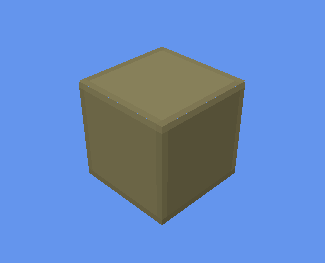
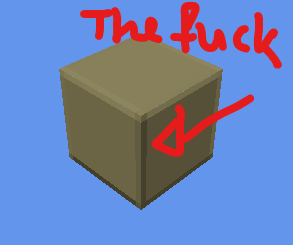
i was worried the corners would look too sharp without modification but honestly the smooth gradient does a great job without blunting the corners
took all day but i've optimized the vertex format for blocks *and* implemented auto-bevelled terrain. shown without textures to make the bevelling clearer
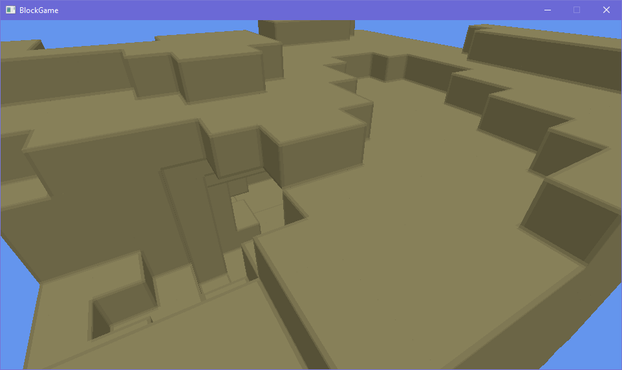
doing a side by side with my style guide i think i'm getting there. i'll probably wanna do some fancier color grading on the lighting though, and i want outlines, but the soft rounded feel of the terrain is definitely there now even though its still all cubes
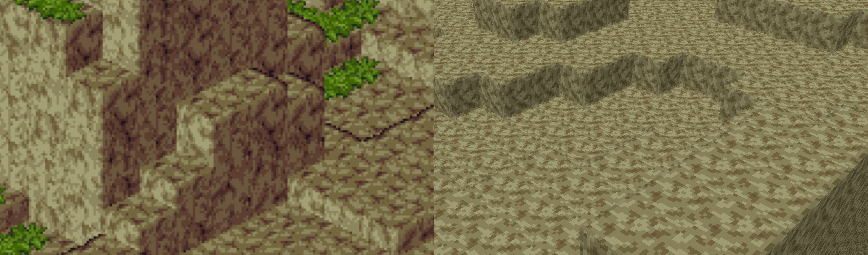
i've brought back the grass, which is actually an obj model
see i made an engine before and appropriated it for this project. it could load obj models (with normal maps) so at first the blocks in my world were actually loaded from obj models
that's why i had to redo a buncha stuff to add the bevelling, since i had to generate the faces myself
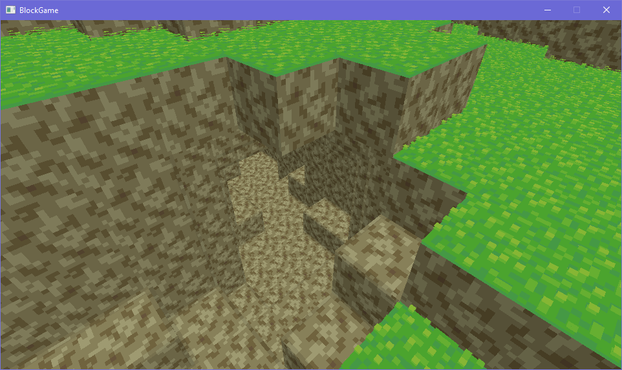
I should probably start linking up chunks before I do much else so I don't wind up having to deal with a ton of "this block's neighbor is in another chunk" situations later
had a silly idea for block outlines using the bevel system. i take the dot product of the vector from the camera to the world position with the normal to determine if the bevel normal is pointing away from the camera, then add an outline based on that. there's some outlines where they don't belong but i can get easily rid of those
... i don't hate it? 🤔
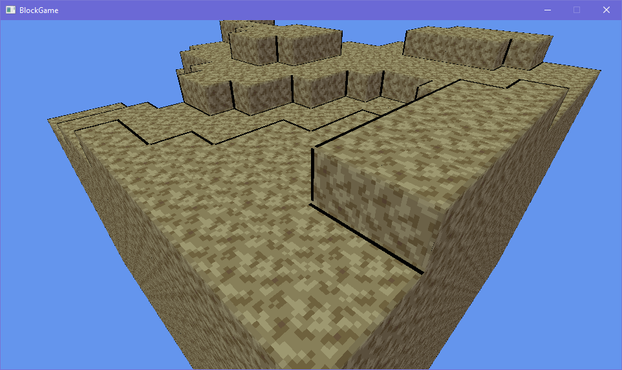
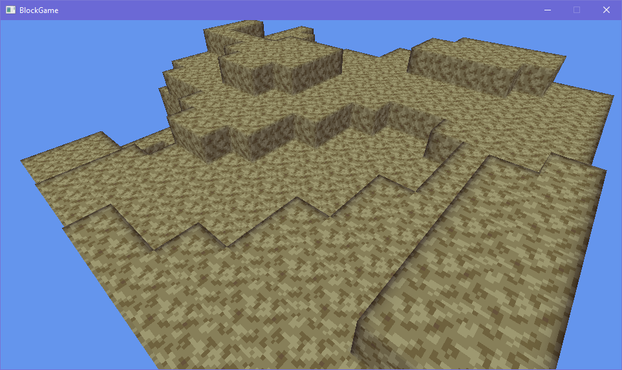
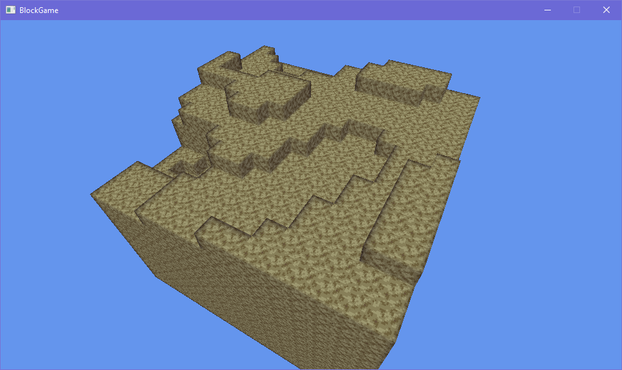
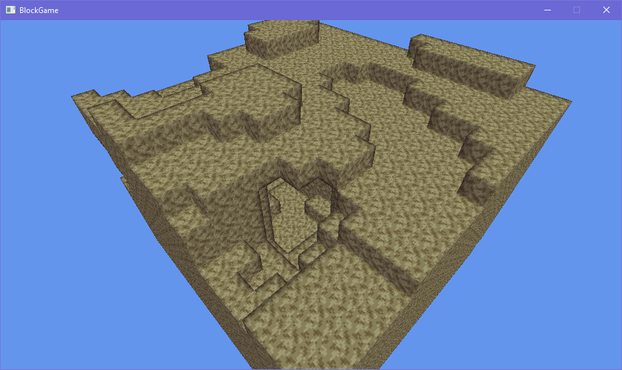
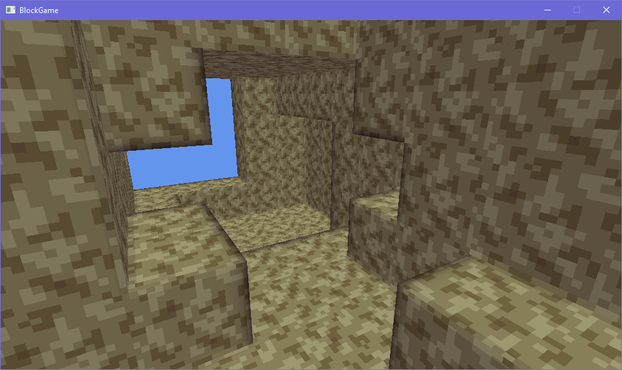
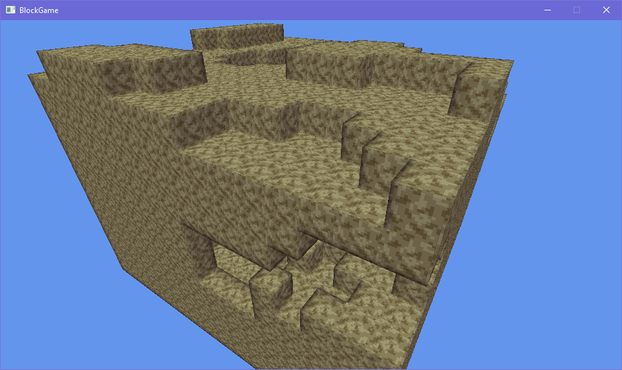
lol the outlining has more than doubled the code in my fragment shader
texturing, lighting, and bevelling: 12 lines of code
just doing outlines: 19 lines of code
Not to pat myself on the back too hard but it's really nice how good this is turning out, like, aesthetically. It's not exactly trivial to make graphics look good when you only have a single 16x16 texture >_>
On the other hand I guess it would be fair to say these graphics are looking a little...... muddy
Eh? Eh? Eh? :D
i'm commander shepherd and this is my favorite spot on the citadel
(seriously i cannot get enough of looking at this particular subsection of a screenshot i took of the outlines in my voxel engine)

debating what i wanna do with grass in my engine. atm i have a block shader, and a model shader. i feel like i could efficiently implement shell textured grass by making a shell texturing shader, but i also don't want to balloon the number of different shaders i need to render all my terrain 🤔
i could just use the model shader, but it becomes a pain in the ass to implement shell textured terrain then
i could try and combine it with the block shader but they both do really different things
hmm if i want to add bits to the shell texturing so it doesn't look bad viewed side-on i kinda have to go the model route
though i figured out i can get away with only 6 variations to get all the edge transitions 🤔 that could be doable if a bit annoying
i'm overthinking the grass thing so i've made the textures required to make the shells for a 16-tile transition and i'll just generate the model for each of those 16 and implement them in the engine and move on so i don't wind up blocked by choice paralysis
if i want i can always just change it later

here it is compared to my style guide image. how did i do, chat?
i probably wanna pull the grass away from the edge a bit more because it obscures the outlines, but i'm pretty happy with this overall
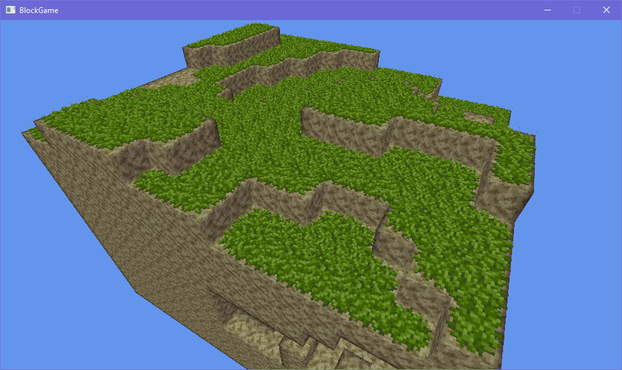
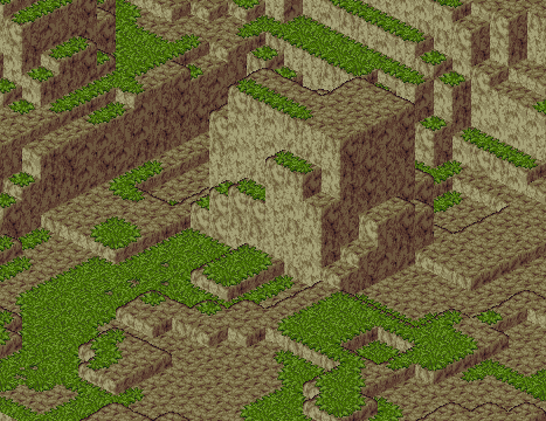
At the moment the wild grass is actually a block on top of the dirt (like carpets in minecraft) but I'm thinking maybe I should change it so that the grass is part of the dirt block that sticks out above it as it were. That way things can occupy the same block as the grass without deleting it, like shrubs, flowers, or other non-opaque blocks
here's another close up i really enjoyed of the terrain in my block game
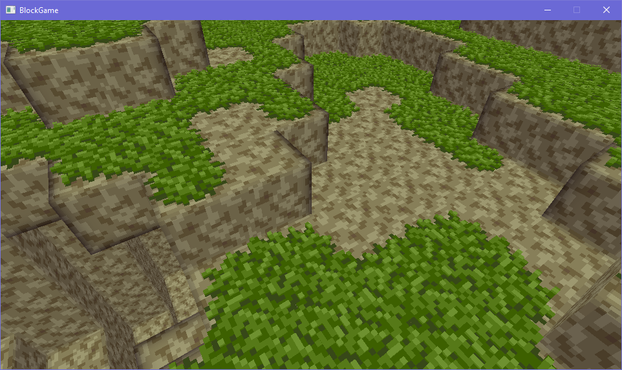
i've got columns of chunks working, but they're not really connected at the moment so i gotta fix that next
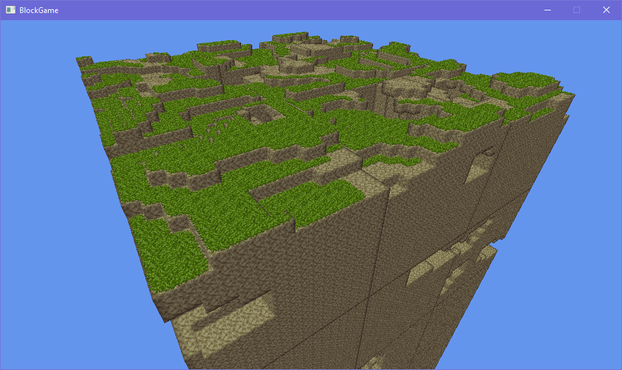
chunks connect properly now! with bonus shot of the sprawling cave systems beneath the surface
i made a staged chunk generation system where chunks can request their neighbors be generated but only up to a certain stage, which keeps the generation from going infinitely in all directions, because the requested stage must always be lower than the chunk's current stage of generation
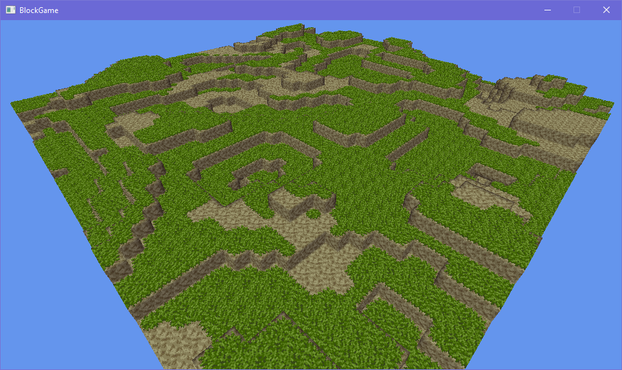
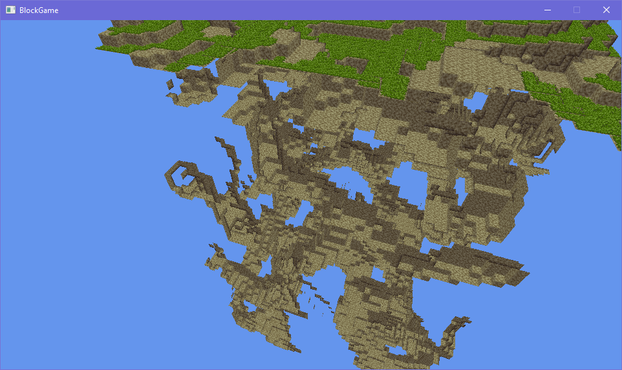
you can see through the sides of chunks now because the chunks (correctly!) note that their underground sides faces are obscured. it's just that they're obscured by chunks you can't see because they haven't fully been generated yet
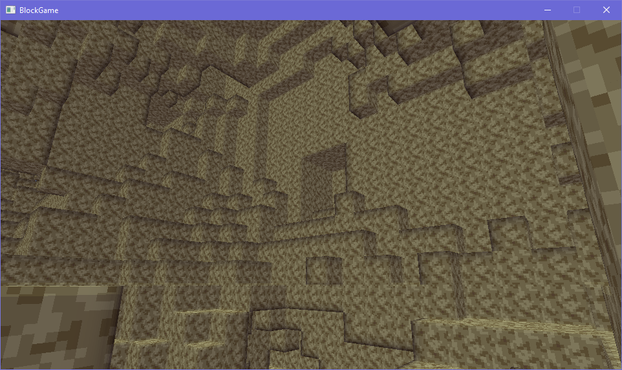
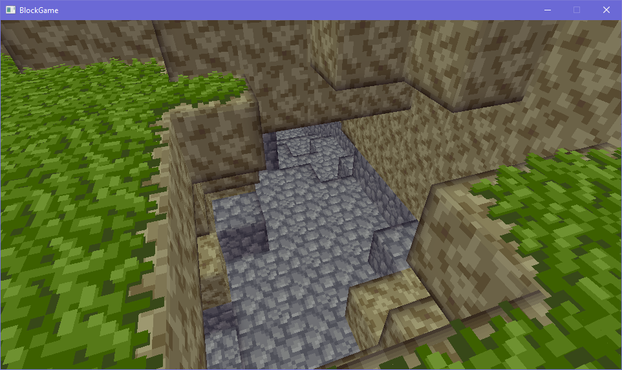
can i just say its interesting what happens to a block game aesthetic when you're not afraid of following oldschool pixel art techniques like minecraft seems to be
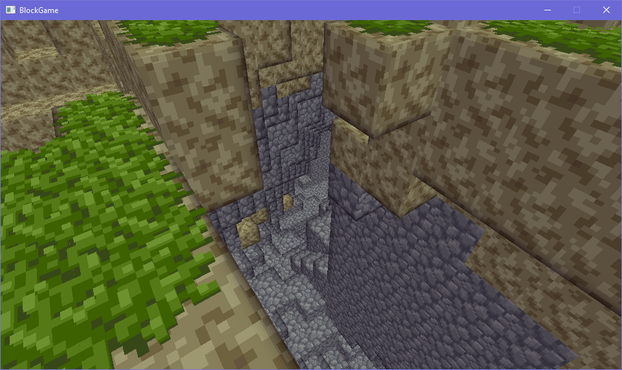
i can finally hop around this world and IT'S SO GOOD 😭
it's such a massive difference to jump around the world and bump into walls now compared to being a disembodied camera clipping through the terrain
i uh, may or may not have spent several hours today just exploring and jumping around caves in my block game
anyway look at this cool cave i found!
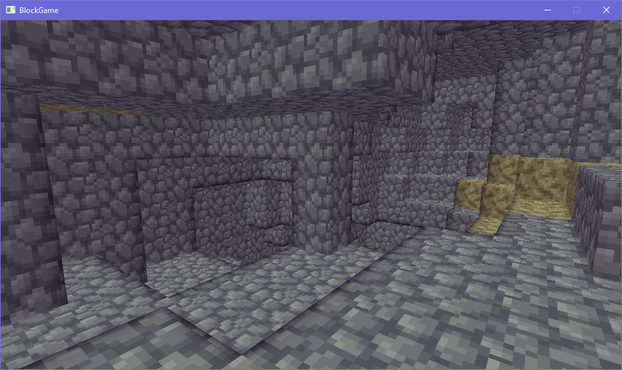
i added placing and removing blocks, so i did what one does in such a situation and built a stone starter house
immediately stuck on implementing lighting because i can't decide whether to store lighting values per block, per face, or per vertex per face
It is pitch black. You are likely to be eaten by a grue
(grass temporarily removed for convenience while working on lighting)
ok, got some basic lighting going on, now to refine it
(surface flattened temporarily for convenience)
i mean, this *is* a bit better than standard minecraft, but... idk. i don't think it's enough better?
may have to try an entirely different approach and fall back to this if i can't work anything out
bonus cave shot with lighting
 Jonathan Gerlach
@eniko You mentioned earlier that you're using "staging" to build this. I would like to understand if this is LMS or some other custom methodology. If you don't want to share that's (ofc) fine too. Thanks for sharing these. I'm really enjoying them.
@JonathanGerlach can you point out where i mentioned staging? also i'm not sure what LMS is
@eniko I picked that up from this post. https://mastodon.gamedev.place/@eniko/115181739309375413 I had assumed you were doing the technique described in this paper, or something similar. https://dl.acm.org/doi/10.1145/2184319.2184345
Sorry for the confusion!

Eniko Fox (@[email protected])
Attached: 2 images chunks connect properly now! with bonus shot of the sprawling cave systems beneath the surface i made a staged chunk generation system where chunks can request their neighbors be generated but only up to a certain stage, which keeps the generation from going infinitely in all directions, because the requested stage must always be lower than the chunk's current stage of generation #GameDev #IndieDev #ProcGen
@JonathanGerlach ah i see! yeah what i meant by that is that chunks generate in multiple stages, i.e. they don't do everything all in one big step
 estelle
@eniko is... this the doom engine fast circle approximation
*edit* to add context: https://doomwiki.org/wiki/Approximate_distance

Approximate distance
Approximate distance is an important concept in the Doom engine and is used in nearly all calculations in the game simulation which require the distance between two points. Because Doom was written to run on early 386 and 486 processors which often lacked a floating-point unit entirely, and its use was slow even when present, the game was written to exclusively use fixed point math. This has an important impact on how distance can be measured.
@estelle lol no, this happens because the light propagates block by block so the further you get out the worse the error gets for blocks that aren't on cardinal or diagonal directions
@eniko oh, that sounds pretty neat, too, and would probably deal well with occlusion
i was about to say something dumb about convolution because my brain keeps going there
 dmi 💽
dmi 💽 @eniko ohhhhhhhh this is starting to look really appealing! now i’m getting excited to see where you go with it further
 Emilia
@eniko this is so cool! What are you making it with? 
@dfxluna I'm making a custom engine using FNA
 that's really cool! I hadn't heard of FNA until now
 mort
mort Jen - mangledPixel
@eniko Block Game goth phase
 alina cyborg mouse
@eniko are you planning to have a minimum light level in caves? it thinks having at least a minimum of visibility even where no light could reach is a possible improvement depending on the gameplay ideas
@0 technically minecraft has a minimum light level, its just very bloody dark >_>
 Efi (nap pet) 🦊💤
 _NetNomad
@eniko >LIGHT LANTERN
 BogusMeatFactory
@eniko We need more grues in games! Keep ip the awesome work! Love reading the updates!
 🌈 Andrew ☄️
@eniko per block and vertex would be much more complex due to leaking light through corners and from the other side of a wall
@bnut i mean it's pretty easy to deal with those cases in a grid of cubes
@eniko I’m not sure how you would without more data.
block: a lit room will glow from the outside unless you have per face data
vertex: if one face can see a light but not the adjacent one then the vertex is only lit from some angles, you don’t just need per vertex you need per normal per vertex
@bnut oh, so there's two steps here
1. a block knows its light level
2. when the geometry is sent to the gpu, blocks are uploaded as faces with two triangles each, and those faces are lit based on the block light level of the adjacent block
minecraft further smooths this out by having vertices take an average of the block level lighting for the 8 adjacent blocks
@eniko ah ok, so each block has a light level and the face’s light level is, for example, the minimum of it and the adjacent one? Seems like a nice simple starting point, and you can add more complex lighting later.
Although your probably need adjacent chunk info for that to work which may ended up loading a bunch of info to the GPU you don’t otherwise need for rendering
@eniko sorry I just realised you did originally say “per vertex per face” so I was wrong on the vertex one
 Fenreliania, Many Gamedevs
@eniko per offset voxel grid. So per block, except it's aligned with the corner.
 Oblomov
 Cat 🐈🥗 (D.Burch)
@eniko I like your block game!!
 The Seven Voyages Of Steve
@eniko minor thing but I’m impressed that your stones texture looks way less tiled than it obviously has to be. Doesn’t draw the eye at all. Nice work
@sinbad Thank you! Aseprite tiled mode really makes it easy to identify and eliminate annoying repeating patterns
 fabiosantoscode
 Loohoosaher
 KateYagi
@eniko
I like the sorta purple-ish stone.
I like the sorta purple-ish stone.
 四
四@eniko Starter house? I dig into the nearest hill to avoid monsters and start looking for ore (and forget to figure out a food source). :)
 katy ✨
@eniko all i can think of is block game + blobun and kitsune tails :3
 fluidtoons
@eniko cool!! Using XNA you said?
@fluidtoons yep! using the FNA reimplementation
@eniko oh cool, thanks!
 sarah tonin
@eniko fancy gave
@SRAZKVT be a shame if someone were to obliterate it by digging out an enclosure?