 Eniko Fox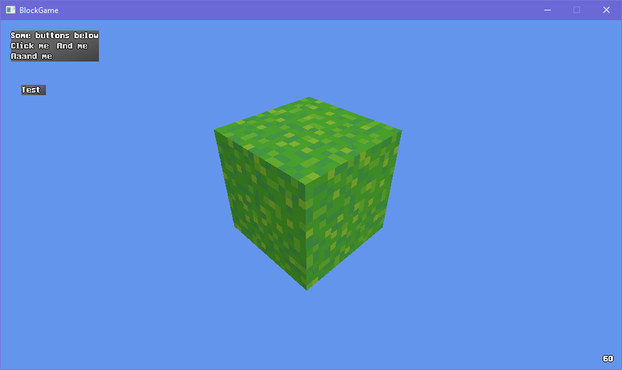
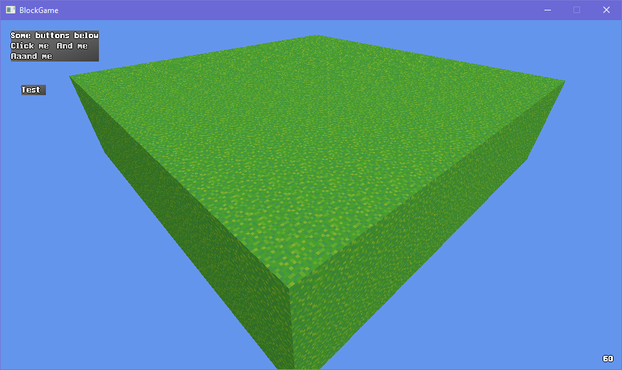
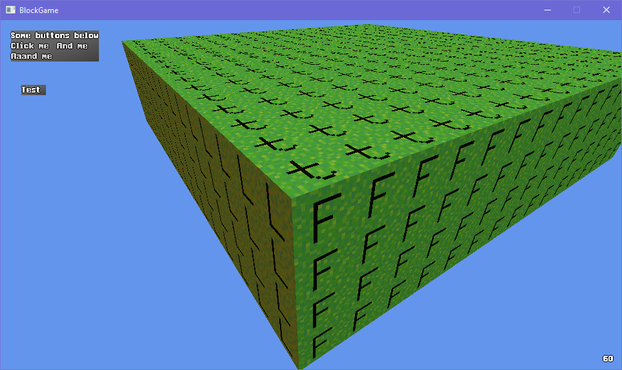
I dont know why but I couldn't stop having -Z be forward so in the end I had to flip the Z axis for any translation and I probably fucked something up somewhere but I couldn't figure it out and i ran out of patience 🙃
Ok I guess I was assuming XNA and DirectX used the same handedness but apparently XNA is right handed even though DirectX is left handed and I'd like to take this opportunity to ask *what the fuck*
So if I want +Z to be forward I have to flip the axis in the renderer? That's obnoxious. But better than -Z being forward in world space since that would confuse the shit out of players
ok one more before i head to bed just to show that it can do more interesting things than just large rectangles made up of smaller cubes
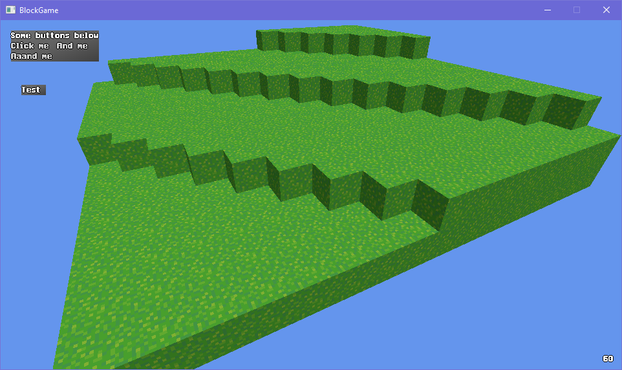
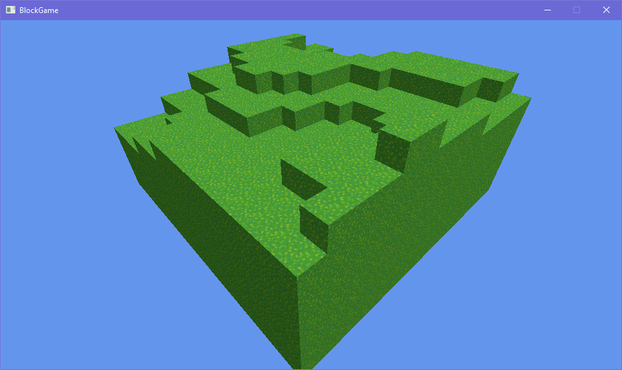
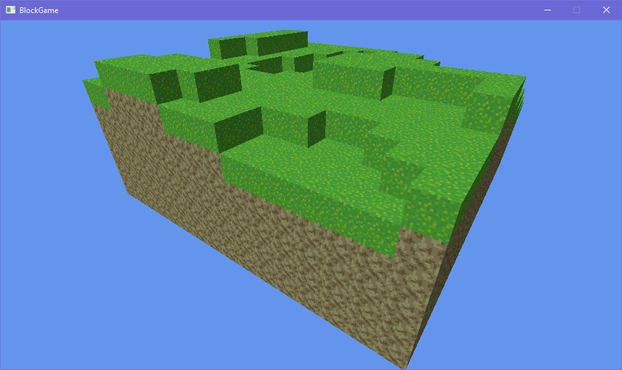
so @Farbs said something about beveling the edges in my block game and that got me thinking and looking at some old 2D terrain art i did
i'm thinking i may stray from minecraft's aesthetics a bit and use this as a sort of style guide
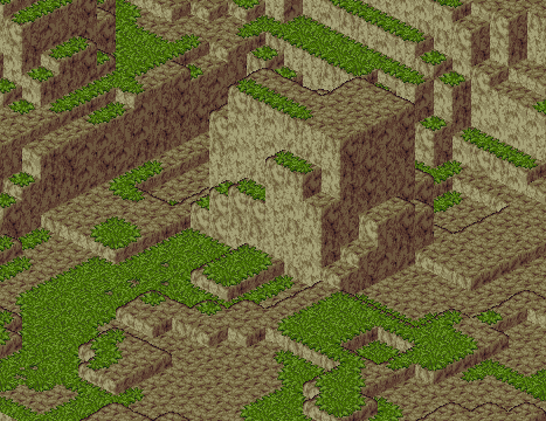
okay so this may seem a little unorthodox but bear with me here
what if
shell texturing in block game
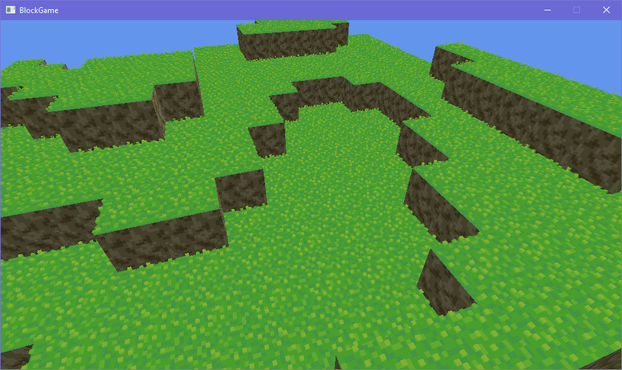
Can't decide if using shell texturing is a great idea or a stupid idea
i feel like i could soften the terrain significantly through no more than normals along the edges of blocks so i made this mockup in photoshop and i think this could actually work?
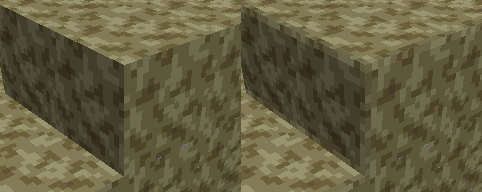
corners would still look kinda pointy but ¯\_(ツ)_/¯
if i kind of artfully place the camera to cut out the cornflower blue void surrounding this tiny chunk of terrain on all sides its almost starting to look like a real game :D
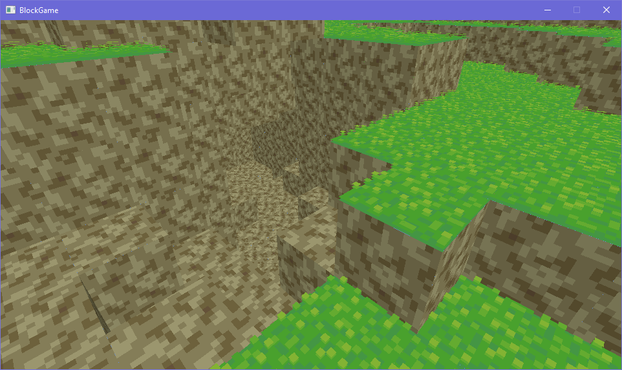
trying to add a faux edge bevel through normals and actual lighting equations is proving extremely challenging and i'm starting to give serious thought to manually baking the lighting into the textures
after endless futzing about and tweaking i think i have something that may just be workable for this faux bevel effect i want
(note that there's a "bevel" between adjacent blocks cause i haven't made the effect dependent on the block's neighbors yet)
I dunno I'm just not feeling the actual lighting model. Its not like minecraft exactly has realistic lighting anyway: blocks are lit from two opposite sides!
But the problem with baked lighting is if you have non symmetrical blocks you have to make 4 versions of each face to get all the lighting. Not that that's super onerous
Also if I made something like a lectern that would be a lot of work to do manually for each orientation
On the other hand when I made isometric games I'd have to make two of everything to get the lighting right and I didn't mind that so much so maybe I'm overthinking it
ok i figured out a reasonable way to fudge the normals so i won't have to manually bake lighting. basically what i do is set the normals of the edges so that they point towards where the adjacent faces are pointing (90 degree bend) and then i lerp from the face's lighting factor to the neighbor's lighting factor
that gives me the result on the left. i tried just having regular, actual normals, but it creates artifacts like on the right (its accurate that it shades it like that but it looks bad)
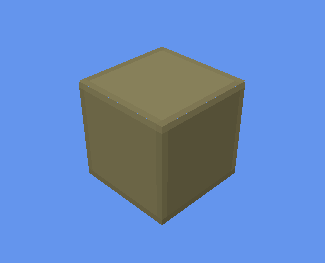
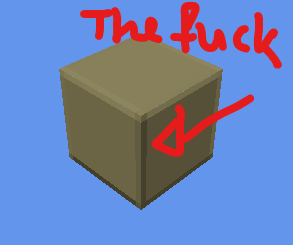
i was worried the corners would look too sharp without modification but honestly the smooth gradient does a great job without blunting the corners
took all day but i've optimized the vertex format for blocks *and* implemented auto-bevelled terrain. shown without textures to make the bevelling clearer
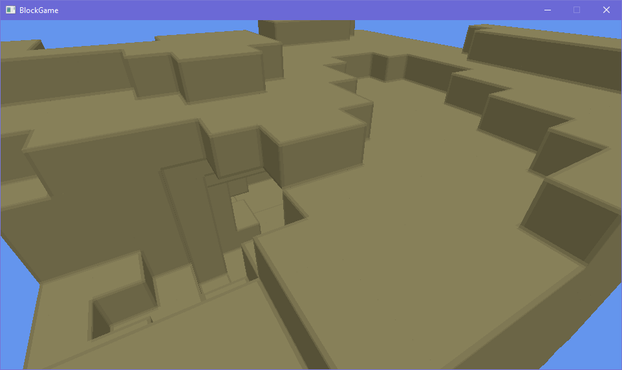
doing a side by side with my style guide i think i'm getting there. i'll probably wanna do some fancier color grading on the lighting though, and i want outlines, but the soft rounded feel of the terrain is definitely there now even though its still all cubes
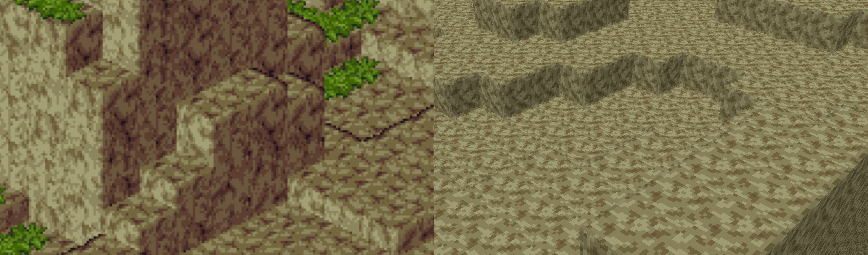
i've brought back the grass, which is actually an obj model
see i made an engine before and appropriated it for this project. it could load obj models (with normal maps) so at first the blocks in my world were actually loaded from obj models
that's why i had to redo a buncha stuff to add the bevelling, since i had to generate the faces myself
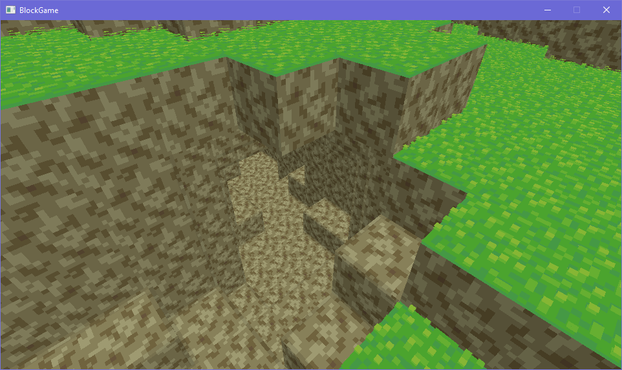
I should probably start linking up chunks before I do much else so I don't wind up having to deal with a ton of "this block's neighbor is in another chunk" situations later
had a silly idea for block outlines using the bevel system. i take the dot product of the vector from the camera to the world position with the normal to determine if the bevel normal is pointing away from the camera, then add an outline based on that. there's some outlines where they don't belong but i can get easily rid of those
... i don't hate it? 🤔
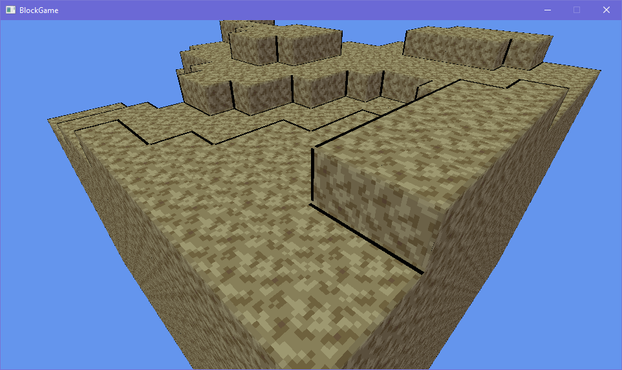
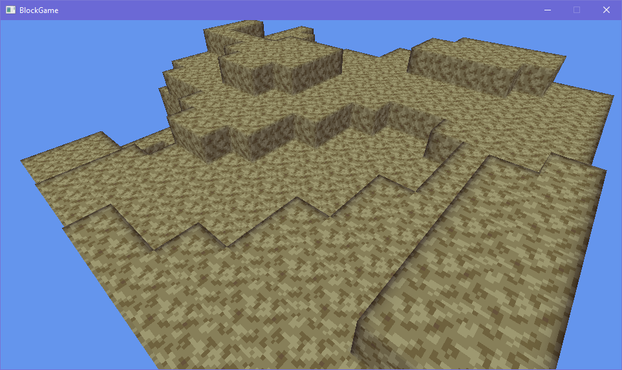
lol the outlining has more than doubled the code in my fragment shader
texturing, lighting, and bevelling: 12 lines of code
just doing outlines: 19 lines of code
Not to pat myself on the back too hard but it's really nice how good this is turning out, like, aesthetically. It's not exactly trivial to make graphics look good when you only have a single 16x16 texture >_>
On the other hand I guess it would be fair to say these graphics are looking a little...... muddy
Eh? Eh? Eh? :D
i'm commander shepherd and this is my favorite spot on the citadel
(seriously i cannot get enough of looking at this particular subsection of a screenshot i took of the outlines in my voxel engine)

debating what i wanna do with grass in my engine. atm i have a block shader, and a model shader. i feel like i could efficiently implement shell textured grass by making a shell texturing shader, but i also don't want to balloon the number of different shaders i need to render all my terrain 🤔
i could just use the model shader, but it becomes a pain in the ass to implement shell textured terrain then
i could try and combine it with the block shader but they both do really different things
hmm if i want to add bits to the shell texturing so it doesn't look bad viewed side-on i kinda have to go the model route
though i figured out i can get away with only 6 variations to get all the edge transitions 🤔 that could be doable if a bit annoying
i'm overthinking the grass thing so i've made the textures required to make the shells for a 16-tile transition and i'll just generate the model for each of those 16 and implement them in the engine and move on so i don't wind up blocked by choice paralysis
if i want i can always just change it later

 Dana
Dana@eniko ooh. Are those short vertical X-billboards on the top?
 Farbs
Farbs@eniko Maybe you could inset or extrude each texel by height map in a geometry shader? Then you could also dial it back over distance.
Caveat:
I dunno if this is possible, still haven't gotten around to ever writing a geometry shader.
Also overlapping insets and extrusions would be a problem.
@Farbs i'm not sure i even have access to geometry shaders with FNA :D
 ruby0x1
 Nikita Lisitsa
@eniko @ruby0x1 @Farbs Because they can change geometry type and count on the fly, GPUs have to do a ton of silicon gymnastics to supports them, and performance can differ a ton on different hardware.
Afaik the modern advice is to either somehow fit your needs to the standard pipeline (vertex+fragment), or make a specialized compute shader, - in both cases it would usually be faster then a geometry shader.
@lisyarus @eniko @Farbs yea there's an older post here that had some of it http://www.joshbarczak.com/blog/?p=667
but modern platforms don't even all support geometry shaders (notably metal), they're a relic of a weird time and typically avoided. with mesh shaders being the modern replacement, and compute being able to do it (with indirect rendering) you wouldn't reach for geo shaders
 aria.DNE [deliriac]
 Josh Simmons
@eniko Having 3 shaders still doesn't sound like a lot tbh? Especially if you know you want a specific effect and it doesn't fit well within existing shaders.
Maybe you'll find more usages for this shader later as well!
 mort
mort@eniko Render it out from a bunch of different angles protected back into a flat texture and then just snap between them 😈
Or...
Draw a specific, unique value into the alpha channel for grass so a post effect can find it later and do something entirely bizarre involving adjacent-ish pixels.
@eniko Dangerous stuff! I've been doing this with my map generator for a few days by now, without actually accomplishing anything 😅
@lisyarus I would've gotten more done but I've mostly been stuck cleaning for a family visit tomorrow 😩
@eniko I really wanna see how this style looks and feels with more varied terrain and a big many-chunk world and such, it looks like it could have a really unique look
@mort well next I wanna add grass and then when I have that imma add more chunks and different blocks
 LordMortis
@eniko looks neat!
 Jono
Jono@eniko Nice outline shader, definitely helps a lot with the depth perception
 boggo
boggo@eniko It's very cool, it's wild how much heavy lifting the normal softening thing does too.
 🏳️⚧️ PrincessAquos 👑🐈⬛🌊
@eniko The edge shading is beautiful! Really makes everything pop and feel defined. It makes the depth very readable while also looking pretty
 Efi (nap pet) 🦊💤
@eniko do the lines fade in and out depending on the angle?
@eniko cool, it might look better with a curve interpolation, but it's really nice even on my phone
 MrL314 💚 (#SMKDX)
@eniko when I first got my new render system for “3D-ish Super Mario Kart” for my future videos, I legit just stared at it for about 30 minutes and just kept it as a background while working for like a week lol
 Emily Love 🏳️⚧️
@eniko The dark bevel is giving cartoon outline in the best way.
 0x0961h
@eniko Oh this is really neat looking voxel thing!
 Tiota Sram
@eniko I also got stuck on this step making a voxel game to the point that one I had terrain generation up with little islands and shorelines, I immediately implemented a flapping mechanic + buoyancy and spent way too much time just flappin' around pretending to be a seagull.
@tiotasram flapping mechanics sound like great fun

 Why Not Zoidberg? 🦑
@eniko it's very voxely.
(Seriously: I totally get satisfaction with your own work)
@WhyNotZoidberg i don't get to feel like this very often anymore >_>
 Cassandrich
@eniko I really like the edge aesthetic you've got on these.
@dalias thank you 😊 i'm very proud of that one
 Frank Hightower 🐁
@eniko OMG IT LOOKS SIX TIMES MORE AWESOME NOW
 KarakSindru (He/Him)
@eniko it looks great!
 Stygian Abyss Pie Factory
@psilocervine t...try the veal?
 四
四@eniko The blocks need to touch grass :)
 Wortex17
@eniko *very strained, profoundly deep sigh
 Katie 🏳️🌈🏳️⚧️
@eniko Are you making a MUD? :0
@eniko Oh wait I hadn't seen the rest of the thread
Block Game by Eniko is good too!
@347Online oh lol XD
 orva
orva@eniko That adds a nice subtle (ish) cell shading vibe, I dig it.
 SlippiHUD
@eniko
I love the outlines, makes the terrain visually clear. That's very nice.
I love the outlines, makes the terrain visually clear. That's very nice.