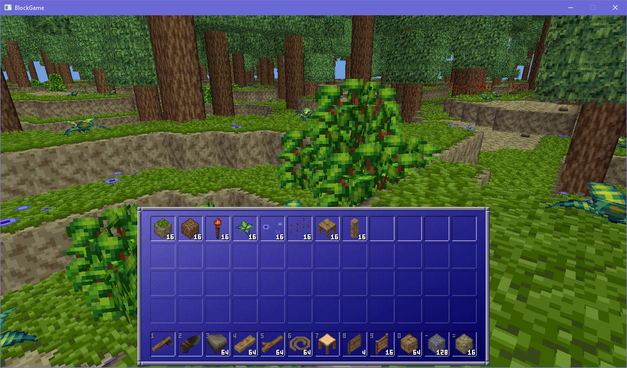
i took a hiatus from posting under #EniBlockGame for the holidays but we're back with a new dev thread!

during my break i added order independent transparency, reflective materials, occlusion culling, and jazzed up the skybox and you can read about all of that on itch: https://itch.io/blog/1326227/block-game-update-2-fences-transparency-reflective-materials-and-450-fps

#GameDev #IndieDev #ProcGen #PixelArt

Block Game Update #2: fences, transparency, reflective materials, and 450 FPS

Welcome back to the Block Game Update! When we last left off we'd just implemented doors. After that I decided to tackle fences and fence gates. I also went on a side quest to make the stone blocks a...

itch.io

made it so blocks can have custom collision and targeting boxes and have multiple of each. having done that, fences no longer behave like a full block and they're 1.5 blocks tall so they can't be jumped over

#EniBlockGame #GameDev #IndieDev

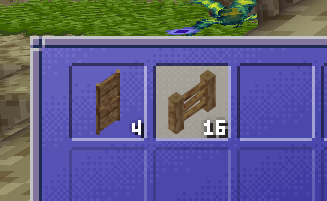
finally got the motivation together to fix the item icons for doors and fences (before the doors only showed the bottom tile, and fences were just a single unconnected post)

#EniBlockGame #GameDev #IndieDev #PixelArt

for no particular reason i decided to put all the items you can currently obtain in block game into my inventory and wow, it's quite a lot already!

#EniBlockGame #GameDev #IndieDev

need to start specifying custom collision boxes for blocks and i'm sitting here wondering whether i want to embed that information in the 3d models using object groups (which aren't rendered,) or if i wanna do it via feeding coords into the json blocks spec

#EniBlockGame

my first iteration was actually tap E to open, and then if you hold it and walk through to the other side it closes it behind you

it worked but it was a little clunky. then i realized i had a spare button (alt) that was unused for doors and i could just use that instead and its way nicer, simpler, and more versatile

#EniBlockGame

it's never too early to add quality of life features, so today i added a hold open/closed feature to doors in block game

if you press and hold the alt button (F by default) on a door it will toggle its state until you release the button or get too far away

very convenient for auto closing doors behind you! no pressure plates required

and if the door is already open holding F will keep it closed until you let go of the button

#EniBlockGame #GameDev #IndieDev

the fun part of fence gates is that what's going on is that the posts flanking the gate come from the gate block itself, not the fence blocks

gates connect to fence blocks, and when they do they superimpose a post onto the fence block, outside its own block space

so the posts on the sides of the gate belong to the gate block, not the actual fence block

kind of a little hack, but it works really well

#EniBlockGame

added fence gates to block game. they really tie the front yard together, but they also manage to pull double duty as basic windows which is nice

#EniBlockGame #GameDev #IndieDev

figuring out how to implement fence gates in block game has taken a lot more brain power than you'd think it would given i already have doors implemented

#EniBlockGame