А тут вона какая история с мастодоном для #macos classic: он на моей машине ставится, запускается, но не работает, ибо для работы ему нужна прокси, вроде #webOne, которая будет брать на себя работу с сертификатами и #https, ибо само оно не работает

Но зачем после установки было комп перегружать?

#macstodon

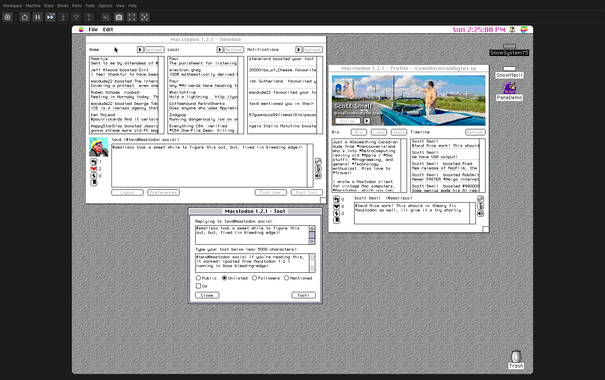
#Macstodon now runs in the latest bleeding-edge build of the Snow emulator! And if you use Snow's built-in HTTPS stripping, then you don't have to configure WebOne or another proxy, just install Macstodon and start using it 😎

Thanks @twvd for the FPU fixes and all the other hard work you put into Snow! This is the kick-in-the-pants I need to get the next version of Macstodon out the door 🙂

#RetroComputing #RetroProgramming #VintageMac #68K #PowerPC #Apple #Mac #MacOS #ClassicMac

EDIT: I got it wrong - Snow is actually implementing HTTPS stripping in a similar manner to WebOne, but it was failing with Macstodon due to a different bug. That has since been fixed, and the next version of Snow should allow you to run Macstodon without having to set up WebOne or any other HTTPS proxy manually.

The next release of Macstodon will have improved documentation / instructions for how to run with Snow.

Original post follows:
----------

Unfortunately Snow's transparent HTTPS stripping won't work with #Macstodon. This isn't any fault of Snow - most HTTPS proxies have a problem here, and it's for a combination of two reasons:

1. MacPython 1.5.2 doesn't understand the HTTPS protocol at all, and will reject URLS that start with "https://“. You have to use "http://"
2. When making a plain HTTP request to a Mastodon server, it will use a header redirect to try and send you back to the HTTPS URL.

This is why I tell folks to use WebOne, and to configure it in a particular way - it will detect the header redirect to the HTTPS version of the site, intercept it, follow the redirect, and send the site content back through the proxy to the client. This is configured through the “ForceHTTPS” option of the WebOne config file - it causes the HTTPS version of the site to be returned even when accessing the site through plain HTTP. https://mastodon.social/@twvd/115918411042460056 https://mastodon.social/@twvd/115918411042460056

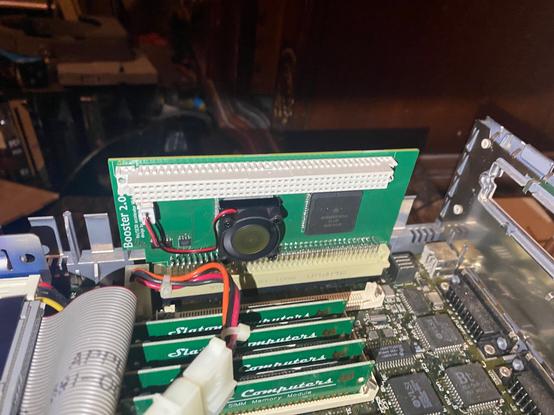
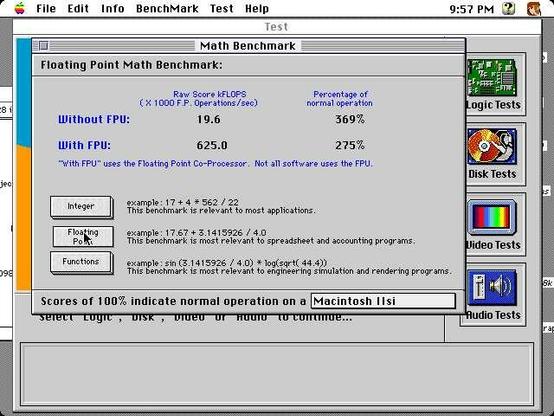
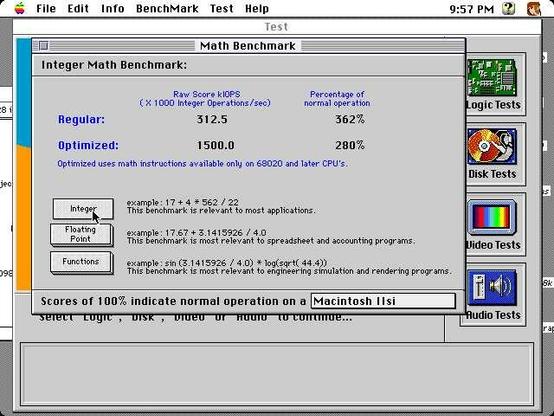
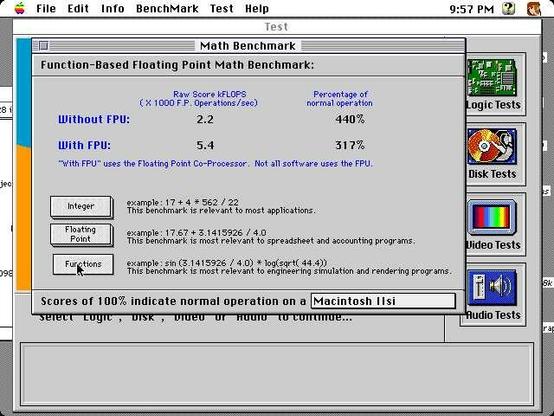
Testing ZigZagJoe's IIsi Booster 2.0 accelerator- Here are some screenshots of the gains. #Macstodon is loading up toots like a boss now 😃 #Mac #VintageMac #68k

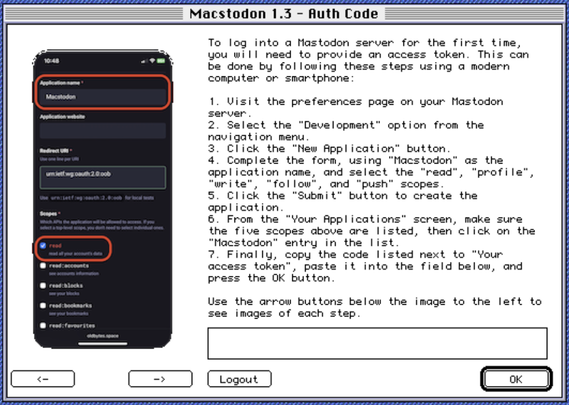
Rewrote the #Macstodon auth system today…it's been a long time coming.

Previously, it would self-register the app with your instance, generate an OAuth URL, launch your web browser with that URL, and then pop a dialog for you to paste the access token into, after you authenticated in your browser (running in your emulated or real vintage Mac).

That broke with Mastodon 4.3. Whatever CSRF shenanigans the Mastodon web app does no longer works on any vintage Mac browser, so trying to authenticate just results in a HTTP 422 "Security Verification Failed" error.

So the auth system has been vastly simplified. All it does now is pop the dialog for you to paste the access token into - but the dialog also contains instructions (and screenshots) on how to manually register the app with your instance and generate an access token using a modern computer or smartphone.

Anyway, here's a sneak peek.

#RetroProgramming

Updated the #Macstodon roadmap today.

It's been a long time since I've touched it, but things slowed down a little bit at my day job this week and I'm getting the itch to do some retro programming again.

I need to tackle the longstanding Mastodon 4.3+ auth issue and I think I'm just going to build a wizard-type interface with screenshots that show you what you need to click (on a modern machine) in order to create an auth token manually.

Also it would be nice to support the new quote posts feature. And polls. And maybe even attachments.

I gave up on the REALBasic/FutureBasic rewrite - it was too difficult to do that and still maintain System 7 & 68K support (and also because someone else is working on a Mac Mastodon client in REALBasic for later OS versions).

I do still want to rewrite it in Micropython but that’ll be a LONG way away and is dependent on Micropython getting all of MacPython's features.

Anyway, hopefully I'll have more to share in a few days/weeks.

#RetroComputing #RetroProgramming #VintageMac #68K #PowerPC #Apple #Mac #MacOS #ClassicMac https://oldbytes.space/@smallsco/109436160115100325

Scott Small 🇨🇦 (@[email protected])

This post contains my rough roadmap for #Macstodon: (no promises on ANY of it though, depends on how long I keep interest without burning out or getting bored, and what's technically possible with MacPython) Note: Development is very slow at the moment because I am doing a lot of coding at my day job and don't want to also do it in my free time. 1.3/1.4 - “fix” login/authentication for Mastodon 4.3+ servers (likely using a "wizard" with screenshots showing what you need to do on a modern computer or phone) - text-to-speech for alt text in images/attachments - support for viewing/creating quote posts - support for viewing/creating/voting in polls - MAYBE support for creating posts with image attachments? 2.0 - look into porting the whole thing from MacPython to MicroPython? - MAYBE multiple account support? - MAYBE bluesky support? #RetroComputing #RetroProgramming #VintageMac #68K #PowerPC #Apple #Mac #MacOS #ClassicMac

OldBytes Space - Mastodon

For those not following #m68kMicroPython development, a lot has been happening rather quickly in the last couple of weeks!

There's enough support for the Toolbox now that I've been able to re-create the #Macstodon splash/loading screen with it - see below.

Big thanks to @stylus for all his hard work developing the port and making this possible!

#RetroComputing #RetroProgramming #VintageMac #Apple #Mac #MacOS #ClassicMac #68k #Python #MicroPython https://oldbytes.space/@smallsco/114889267494614758

Oooooh gonna have to check this out!!!

#Macstodon for System 6 is now a real possibility.

(and even if not, just having a Mac 68k Python that's built on Python 3 rather than Python 1.5 opens up a lot of possibilities…) https://social.afront.org/@stylus/114745494736982809

Stylus (@[email protected])

Attached: 1 video Micropython on m68k mac? why not! It's reached the point of sorta working. #umac #micropython #retro68 #macintosh #retrocomputing

A Social Front Organization

It's time for a #MARCHintosh retrospective!

Firstly: I've attached a photo of the remaining gifts to the drop box that have come in since the 15th!

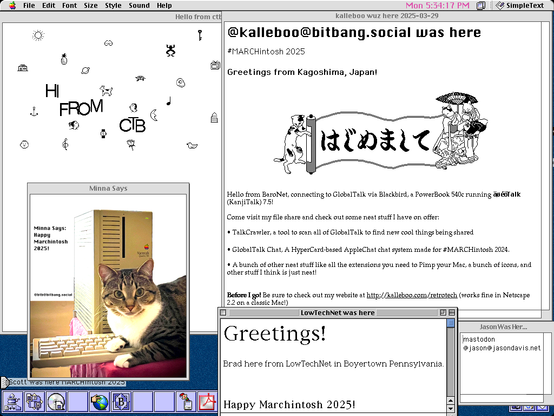
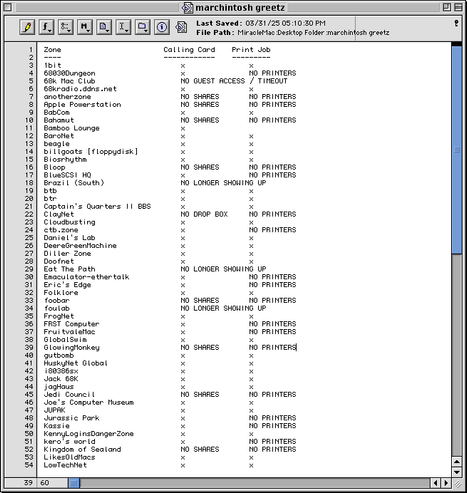
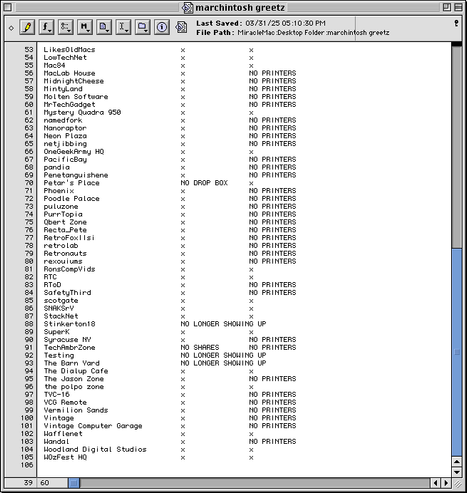
Secondly: I've completed a final pass-over of the servers on #GlobalTalk, left my calling card, and a print job for anyone who hasn't had one yet (as long as they have open file shares/printers). Results of that are attached as well.

Finally, the retrospective itself:

It's been an absolutely CRAZY month:
- On Day 1, my SE came home from the workshop with a fully-serviced floppy drive and '030 accelerator...
- ...which I didn't even end up playing with at all, because on Day 2 I bought a Power Mac 6500 for an absolute steal (and I STILL have to explore the other external HD that came with it)
- GlobalTalk completely dominated the month just like it did last year. I rebuilt my QEMU VM for running AIR a couple nights before the start of the month and it's been absolutely rock solid stable ever since.
- I made great progress on my project for the month, archiving my collection of Mac floppies from the early 90's. I'm only about 40% done, so this will continue into April as "bonus content" 😁
- No updates on #Macstodon - but I did verify that it works perfectly fine on Mastodon 4.3 if you manually authenticate by copying the URL to a modern machine, and copying the auth token back to your Mac.

Lastly I want to give thanks to everyone in the #VintageMac #RetroComputing community for making this such a fun event every year! I love seeing all the greetings showing up in my drop box, and to my printer (which is now off for the year - but the PDF printer is available year round!) But I especially want to thank the following folks:
- @kalleboo for TalkCrawler and for putting together an amazing GlobalTalk scavenger hunt!
- @europlus for his hard work on the AIR Administrator's Manual Addendum and VM images for QEMU!
- @scj for the GlobalTalk updater app!
- @theirongiant for 68K Radio, which has been my background music while working on my vintage Macs this month!
- @polpo for creating the ImageScribbler card which made it possible to send print jobs to so many more people this year!
- @dmark for maintaining netatalk, making it possible to share files over AppleTalk directly from my NAS instead of having to keep an old Mac running all the time!
- @DrJosh9000 for jrouter, which I'm looking forward to trying again now that the month is over and I can start messing around with my setup - it's had a lot of bugfixes and updates!
- @_the_cloud and @jimluther , for sharing great knowledge from their time at Apple with the community (and for helping me troubleshoot some crashes)!
- @RonsCompVids , @MuseumJoe , and @mac84tv for putting together the annual MARCHintosh event!

Until next year!

I can't believe I'm saying this, but I was able to log into my account on good old mac os 9. What's the point of this? The same as the first humans did when they ate everything in a row to see if it was poisoned or not. Or when they told their girlfriend, “Look what I can do.” Thank you so much for your help, @smallsco

#RetroTech #macos #macstodon