New #blog on #BurgeonLab ✍️

➡️ https://burgeonlab.com/blog/free-private-offline-spell-check-proofreader-languagetool/

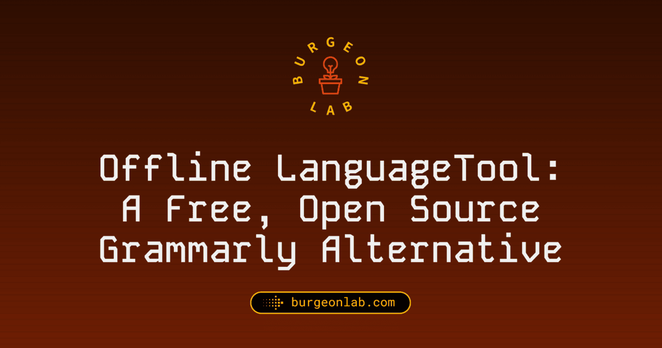
I don't know why I haven't writen about my #LanguageTool setup before; it's one of my favourite open source softwares. If you want to get a free and private & offline #spelling #grammar checker and proof reading app, this is your guide (for macOS, should be similar on Linux).

If you have any feedback/questions, let me know!

#blogging #blogs #guides #newpost #blogpost #smolweb #techblog #techguides #foss #openSource #privacy #selfhosting

Offline LanguageTool: Free Open Source Grammarly Alternative

Learn how to set up LanguageTool's offline server mode on macOS, to get an unlimited Basic tier for a free, fully offline, private grammar & spell checker.

Burgeon Lab

First #blog of 2026 on #BurgeonLab

➡️ https://burgeonlab.com/blog/hugo-on-android-with-termux/

Been only publishing weeknotes lately; but the wait is over, new tech guide is out! 👩🏻‍💻 It's about how I am using #termux on #android with #hugo.

This is #6 of #100DaysToOffload. See my progress: https://burgeonlab.com/tags/100daystooffload/

#blogging #blogs #newpost #blogpost #smolweb #guides #techblog #techguides #webdev #cli #terminalemulator #indieweb

How I Blog with Hugo on Android with Termux (CLI Emulator)

Learn how to blog with Hugo locally on Android with Termux. Fix Hugo's image processing error and use Termux Git (not Git client) for syncing with remote repo.

Burgeon Lab
🎉 Behold! A thrilling tale of coders quaking in their boots at the mere mention of "git rebase"😱. Fear not, dear reader, because in this extensive guide, we're assured that the very worst outcome is... wait for it... deleting your work! 🤔💥 Because nothing spells confidence like a digital facepalm.
https://www.brethorsting.com/blog/2026/01/git-rebase-for-the-terrified/ #gitrebase #codingadventures #digitalfacepalm #programmerhumor #techguides #HackerNews #ngated
Git Rebase for the Terrified | Aaron Brethorst

Personal website for Aaron Brethorst - Seattleite, technology leader, photographer, transit enthusiast, erstwhile non-runner.

New #blog on #BurgeonLab ✍️

➡️ https://burgeonlab.com/blog/find-orphan-pages-using-python/

Created a #python script to help find pages that are not linked to, from my own site (no internal links, aka orphan pages).

It was a fun little experiment. Happy it works.

#blogging #blogs #scripts #seo #orphanpages #newpost #blogpost #smolweb #guides #techblog #techguides #webdev #hugo #hugossg

How to Find Orphan Pages on Static Sites: Python Checker

Learn more about finding and handling orphan pages in your Hugo site using a simple Python script.

Burgeon Lab

New #blog on #BurgeonLab ✍️

➡️ https://burgeonlab.com/blog/add-appreciation-buttons-to-hugo-with-iine

Discovered a new #SmallWeb tool called iine, that is privacy-first, super lightweight, with zero tracking. Also has a noscript version! Created by Óscar (https://github.com/welpo/).

Wrote a quick guide on using it on my Hugo blog.

https://iine.to

#blogging #blogs #guides #newpost #blogpost #smolweb #techblog #techguides #webdev #foss #hugo #hugossg

How to Add Bear Blog Upvote/Like Button to Hugo with iine

Add a privacy‑first appreciation button to your Hugo site: iine features, install steps, and partial template code. Improving small web interactivity.

Burgeon Lab
Ah yes, because what the world really needed was yet another guide on deploying the digital equivalent of Fort Knox using #FreeBSD, #ZFS, and #jails. 🤓🔒 Who knew that achieving "zero-downtime upgrades" required a degree in engineering and the patience of a saint? 🙄
https://conradresearch.com/articles/immutable-software-deploy-zfs-jails #zero-downtime #upgrades #techguides #cybersecurity #HackerNews #ngated
Immutable Software Deploys Using ZFS Jails on FreeBSD

An article demonstrating immutable software deployments using ZFS snapshots and FreeBSD jails, with Caddy as a health‑checked reverse proxy for zero‑downtime upgrades.

Conrad Research

https://social.emucafe.org/naferrell/firefox-privacy-focused-direct-results-psa-10-28-25/

I covered how to disable Firefox’s new AI “features” in my previous post. While browsing my feeds, I came across a new AlternativeTo post on another enabled-by-default addition to Firefox titled Firefox tests privacy-focused direct results in the address bar with possible sponsorships. This new “feature” was already disabled in my config (thank you Arkenfox!), but AlternativeTo helpfully included a note about how to disable it for people with a more vanilla configuration:

Users can disable the feature in Firefox’s Search settings or by setting browser.urlbar.quicksuggest.online.enabled to “false” in about:config.

While AlternativeTo is mainly for software discovery, I must opine that their short news updates are good quality.

#ads #alternativeto #firefox #techGuides #webBrowsers

[Note] Firefox “Privacy-Focused Direct Results” PSA

I share an informative post from AlternativeTo on disabling possible sponsored results in the Firefox address bar.

The Emu Café Social

https://social.emucafe.org/naferrell/resource-disabling-ai-features-in-firefox-10-27-25/

I came across a guide on Flamed Fury to disabling new AI “features” in Firefox. I run Firefox with Arkenfox and a separate overrides file. I had not noticed any AI features with my set-up, but Flamed Fury inspired me to check my settings. It turned out the main AI toggle, browser.ml.enable, was enabled, as were the other ones he noted. This could be on account of the fact that Firefox is on version 144 but Arkenfox is still on 140 (assuming the AI toggles will be disabled in the next release). In the interim, I followed Flamed Fury’s guide to disabling the AI toggles, but I implemented them from my user-overrides.js file and then ran the Arkenfox updater scripts. See how they look (with one additional) in my overrides:

user_pref("browser.ml.enabled", false);user_pref("browser.ml.chat.shortcuts.custom", false);user_pref("browser.ml.chat.sidebar", false);user_pref("browser.ml.checkForMemory", false);user_pref("browser.ml.chat.shortcuts", false);user_pref("browser.ml.chat.page", false);user_pref("browser.ml.chat.page.footerBadge", false);user_pref("browser.ml.chat.page.menuBadge", false);user_pref("browser.ml.chat.menu", false);user_pref("browser.ml.linkPreview.enabled", false);user_pref("browser.ml.extensions.ml.enabled", false);user_pref("browser.ml.pageAssist.enabled", false);user_pref("browser.tabs.groups.smart,enabled", false);user_pref("browser.tabs.groups.smart.userEnable", false); If you want to maintain a clean Firefox, I recommend taking a look at Arkenfox, albeit it is important to read the docs before using it. Regarding the AI features, while I appreciate that Firefox does make it possible to disable unwanted additions to the browser, it would have been nice if they had at least made the AI stuff opt-in instead of opt-out.

#ai #firefox #techGuides #webBrowsers

[Note] Resource: Disabling AI Features in Firefox

Linking to a resource for disabling new AI features in Firefox and demonstrating how to implement them through a user overrides file with Arkenfox.

The Emu Café Social
Oh, joy! Another riveting guide on how to achieve the impossible feat of running complex development tasks on your smartphone instead of, you know, a COMPUTER 🚀📱. Because who wouldn't want to fry brain cells figuring out #Termux on a tiny screen instead of using a mouse and keyboard? 🙃🔧
https://blog.gavide.dev/blog/esp32-and-termux #smartphoneprogramming #mobiledevelopment #techguides #productivity #challenges #HackerNews #ngated
ESP32 and Termux

Documenting my journey in trying to use my ESP32 on my phone through Termux

Gavide's Blog