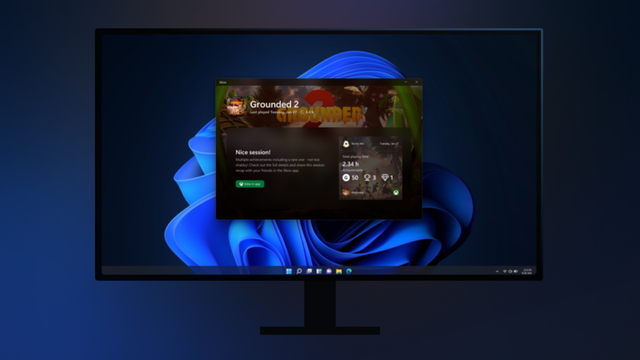
Xbox PC App: Postgame Recaps starten im Preview für Insider
Microsoft erweitert die Xbox PC App um ein neues Feature für Xbox Insiders im „PC Gaming Preview“-Ring: sogenannte Postgame Recaps.
https://xboxdev.com/xbox-pc-app-postgame-recaps-starten-im-preview-fuer-insider/
#InsideXbox #Achievements #GameBar #Microsoft #PCGamingPreview #PostgameRecaps #SystemTray #UserFeedback #WindowsGaming #XboxInsider #XboxPCApp
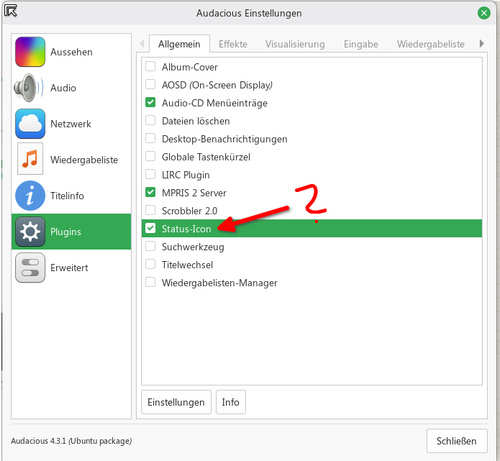
Linux Fu: Yet Another Shell Script Trick

I’m going to go ahead and admit it: I really have too many tray icons. You know the ones. They sit on your taskbar, perhaps doing something in the background or, at least, giving you fingerti…

Hackaday
Nach vernichtendem #Feedback seiner Nutzer hat #Microsoft eine Anpassung der #Taskleiste unter #Windows11 jetzt wohl gestoppt. Demnach wird es keine reduzierte Informationsanzeige im #SystemTray geben. https://winfuture.de/news,152346.html?utm_source=Mastodon&utm_medium=ManualStatus&utm_campaign=SocialMedia
Windows: Microsoft beugt sich Feedback-Sturm - keine neue Taskleiste

Microsoft stoppt die geplante Vereinfachung der Windows 11-Taskleiste nach deutlicher Kritik von Testern. Anstatt jedoch einen Kompromiss zu finden, stampft man die Änderung dem Anschein nach lieber komplett ein.

WinFuture.de

Ein neuer Artikel in meinem #Blog:

Das Tool #KDocker bietet eine universelle Lösung, um beliebige Anwendungen in die Benachrichtigungsleiste (System Tray) zu platzieren, unabhängig davon, ob die Anwendung diese Funktionalität selbst unterstützt, und ermöglicht so eine platzsparende und aufgeräumte Anordnung häufig verwendeter Anwendungen.

https://testorakel.de/posts/2501-eine-aufgeraeumte-taskleiste-mit-kdocker/

#Linux #SystemTray #Taskleiste #X11 #OpenSource #FOSS #GitHub

Eine aufgeräumte Taskleiste

Das Tool KDocker bietet eine universelle Lösung, um beliebige Anwendungen in die Benachrichtigungsleiste (System Tray) zu platzieren, unabhängig davon, ob die Anwendung diese Funktionalität selbst unterstützt, und ermöglicht so eine platzsparende und aufgeräumte Anordnung häufig verwendeter Anwendungen.

Testorakel.de

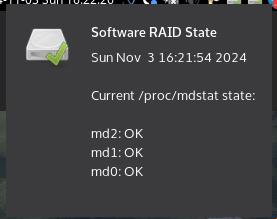
As it's the 1st Sunday of the month and #mdadm's periodic checks runs, here's a short plug for all those who want the #SoftwareRAID state in their #LinuxDesktop monitored without installing a fully fledged #monitoring system like Icinga or Xymon:

I wrote a small helper for the #systemtray showing an icon with green, yellow or red state indicators and doing notifications in case of change.

https://github.com/xtaran/systray-mdstat
https://packages.debian.org/systray-mdstat

#systray #systraymdstat #procmdstat #linux #workstation

GitHub - xtaran/systray-mdstat: System tray icon indicating the state of local Linux Software (MD) RAIDs

System tray icon indicating the state of local Linux Software (MD) RAIDs - xtaran/systray-mdstat

GitHub

Interesting, the way to redirect #audio for clips played on a display attached via #HDMI has subtly changed. Now it’s through #ProAudio, rather something labelled as HDMI on the #audio in the #KDE #SystemTray. Lucky I spotted that before I need to use it.

#GNU #Linux #Fedora

Hopefully, @itsfoss will get this right and actually investigate the when full #SystemTray support will land in #Thunderbird on Linux, unlike those pesky news outlets I was sorting out today to get even a shred of info about the milestone. Neither of them did mention that it's in the works for point release and rising, not yet solved after 24 years for the end user.

You first test, then it's a confirmed release, then it's a feature that all can use. Apparently, it is hard to retrace steps for copycat press that can't even bother to review a welcome screen, let alone settings of the app relevant to the most wanted feature. Please, It's FOSS, don't disappoint me.

The persistence of the name “system tray” (#systemtray ) for the notification area annoys me to no end.