Automatic Linux Backup Script Guide for SysAdmins

https://www.linuxteck.com/automatic-linux-backup-script/

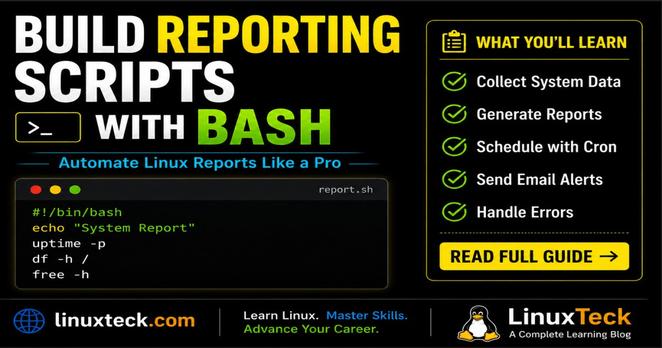
Practical Linux backup scripting using Bash, tar, rsync, cron jobs, SSH, logging, rotation, and email alerts.

#Linux #Bash #ShellScripting #DevOps #SysAdmin #LinuxAdmin #Automation

Linux Bash Script To Backup Files And Directories Automatically

Learn how to create a Linux Bash Script to backup files and directories automatically using tar, rsync, SSH, cron jobs, logging, rotation, and email alerts on Ubuntu, Rocky Linux, and AlmaLinux.

LinuxTeck
Interactive shell scripting makes Linux automation far more powerful ⚡
Learn how to build menus, password prompts, confirmations, and terminal-based interfaces using Bash, read, select, case & whiptail.
https://www.linuxteck.com/how-to-write-interactive-shell-scripts-in-linux/
#Linux #Bash #ShellScripting #Automation #Linuxteck
How To Write Interactive Shell Scripts In Linux: The Easy Step-by-Step Guide

Learn how to write interactive shell scripts in Linux using read, select, and whiptail. Includes real examples, input validation, TUI menus, and troubleshooting tips.

LinuxTeck

The Bash read command is what makes scripts interactive 🔧

Learn how to take user input, prompt users, and build smarter shell scripts 👇
https://www.linuxteck.com/bash-read-command-user-input-examples/

#Linux #Bash #DevOps #ShellScripting #OpenSource #LinuxTeck

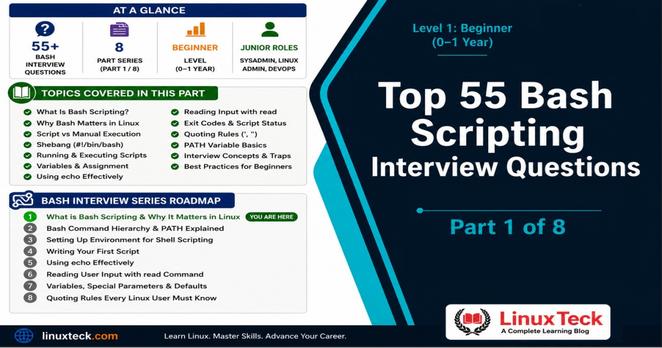
Bash Read Command To Get User Input - 6 Practical Examples

Learn how to use the bash read command to get user input with examples. Covers all flags, input validation, select menus, real DevOps scripts, and troubleshooting.

LinuxTeck

Echo in shell scripts is more powerful than most people think.

This guide covers real usage logging, debugging, variables, and automation 👇

https://www.linuxteck.com/learn-to-use-echo-in-shell-scripts/

#Linux #Bash #ShellScripting #DevOps #LinuxTeck

Learn To Use Echo In Shell Scripts The Right Way (2026)

Learn to use echo in shell scripts the right way. Covers bash echo flags, colored output, echo vs printf, distro differences, real DevOps examples, and troubleshooting for 2026.

LinuxTeck

This is old news to anyone with actual command-line skills, but it saved me today when doing a Blender render that kept crashing. I normally render from the command line because it means I can keep posting toots, er, I mean working productively for my employer in the foreground while it's rendering, and because it's usually faster (especially if you can run multiple instances).
Since I set up my scene to render an image sequence with overwriting turned off I can restart the render each time and pick up where it left off. But because command line, I can automate that process. In zsh (it will probably work on Bash or other shells I dunno) I do:
`blender -b '/path/to/my/project.blend' -a; while [[ $? != 0 ]]; do; echo "!!!! Oh bollocks !!!!"; blender -b '/path/to/my/project.blend' -a; done`
The guts of it is the `while` loop. This will loop as long as `$?` is not equal to 0. `$?` is a variable that holds the result of the previous operation, which is 0 if the previous operation succeeds. So if blender crashes it returns some non-zero return code, and the loop starts it up again.
For info on rendering from the command line: https://docs.blender.org/manual/en/latest/advanced/command_line/render.html
#blender #ShellScripting #CommandLine

---EDIT----
Check the replies for a more terse and elegant way to do this.
Also, here's a screenie of it in action, you can see it crashing and then starting again. This is on OSX so there's a dialog box that pops up, luckily the shell ignores the user's rsponse and continues anyway.
1/2

Test TCP Connectivity With Bash

Use bash to test connectivity over TCP.

Sketches From a Homelab

Wrote a #shell function without using ls inside of $( ), so my inner @mirabilos won't harass me. XD

#slightly easier wireguard command function wg { local dir file profile profiledir= parm=${1:-} statustext #Find profile dir for dir in {,/usr/local}/etc/wireguard; do if [[ -d $dir ]]; then profiledir=$dir break fi done #Find config file if [[ -n $profiledir ]]; then for file in $profiledir/*.conf; do if [[ -e $file ]]; then profile=${file//*\/} profile=${profile/.conf} break fi done fi [[ -n $profile ]] || profile=proton statustext="wireguard profile $profile" case ${parm,,} in up|on) doas wg-quick up $profile;; down|off) doas wg-quick down $profile;; status) echo -en "$statustext _______\r" echo -en "$statustext " ifconfig |grep -q "^$profile:" && echo enabled || echo disabled;; *) warn "wg usage: wg up|down|status";; esac }

Hmm, seems ${foo,,} for lower case conversion is #bash-only. I wonder if I should use tr instead.

#Unix #UnixShell #ShellScript #ShellScripting

Zsh: select generated files with (om[1]) glob qualifiers - Adam Johnson
https://adamj.eu/tech/2026/01/27/zsh-om1-glob-qualifiers/

#zsh #shellscripting

Zsh: select generated files with (om[1]) glob qualifiers - Adam Johnson

I’ve recently been using memray, a memory profiler for Python, to optimize the startup memory usage (and time) for a client. It’s a fantastic tool, but its flexibility hampers getting instant feedback. It takes three commands to profile a program, generate a flame graph from the profile, and open the flame graph in the browser:

@heinelo das kann ich gut nachvollziehen, allerdings würde ich auch ins Feld führen, daß #macos im Kern auch ein linuixes System ist und von daher so genutzt werden kann.
In der graphischen Industrie sind #adobe Produkte einfach nicht weg zu denken. Deswegen verwende ich meine #mac Rechner eher wie #opensource Plattformen. Installationen werden mit #shellscripting erledigt und Programme mit #homebrew installiert.
Ich verwende keine AppleIDs, eigene Clouds, Aressbücher, Kalender und einen eigenen Mailserver bei Kunden und bei mir selbst.
So finde ich ist ein #macos ein unabhängiges System, welches auch keinem #killswitch ausgesetzt sein wird, denn sollte sich Apple dazu entscheiden keine Updates mehr zu liefern – was ich nicht glaube – dann installiere ich mir auf den Geräten #Linux, was ich eh schon mit meinen alten #apple Rechnern gemacht habe.

Some really neat tricks here in this Shell Tricks blog post by https://burningboard.net/@Larvitz -- thanks Larvitz!

I knew of most of them, but am glad to have now learned of:

1. "fc" to edit the previous command in your editor of choice
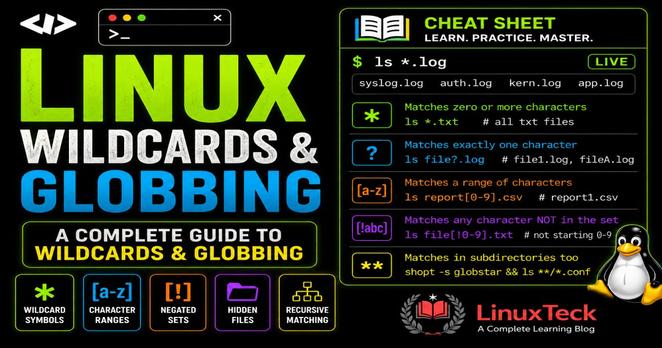
2. "**" (globstar) for recursive searching instead of needing to use find (or ls -R)
3. That "esc-." is repeatable to go back further than just the previous command's last arg. I use that all the time, but never thought to hit it more than once!

https://blog.hofstede.it/shell-tricks-that-actually-make-life-easier-and-save-your-sanity/

#shell #ShellTricks #shellscripting

Larvitz :fedora: :redhat: (@[email protected])

4.42K Posts, 437 Following, 1.21K Followers · IT Consultant from Germany | Nerd | Linux Advocate | Instance Admin of burningboard.net | Interested in Linux, Open Source, Elektronics, Retro Gaming, Photography, Smart Home and Emulation. Ancient Domains of Mystery (ADOM) is the greatest video game of all time for me ! #fedi22 #photography #linux #ansible #retrogaming #fedora #redhat #technology #opensource #adom #devops #cloud #kubernetes #freeipa #smarthome #cloud #vegan

Burningboard.net 🇩🇪 🇪🇺 🇬🇧 🇺🇳