 Aptivi
How to install .NET 10.0 on Ubuntu proot-distro with Termux on Android phones and tablets.
#Android #Termux #dotnet #csharp #programming #TechNews #TechUpdates #Linux #Ubuntu #proot #proot_distro #Phones #Tablets
How to install .NET 10.0 on Ubuntu proot-distro with Termux on Android phones and tablets.
#Android #Termux #dotnet #csharp #programming #TechNews #TechUpdates #Linux #Ubuntu #proot #proot_distro #Phones #Tablets
Installing .NET 10.0 on Ubuntu proot-distro with Termux on Android
.NET 10.0 is a new version of the modern .NET framework that brings several improvements across different areas of the software development kit, including runtime improvements (JIT inlining improvements, method devirtualization, and so on), new APIs in .NET libraries (new JSON deserialization options, post-quantum cryptography support, and so on), and many more improvements.
Normally, any .NET applications that are built for a specific platform can be run normally, such as Android applications made with MAUI. However, what if you’ve planned to run a CLI .NET application on Android? Or an application for computers? Termux can provide you with a solution.
Recent improvements to Termux involved changing how proot-distro downloads the distribution containers so that it utilizes Docker Hub to download the necessary assets and configure them to be usable. Follow the below steps to install .NET 10.0 with Ubuntu proot-distro.
pkg upgrade.
pkg install proot-distro.proot-distro install ubuntu:26.04.
proot-distro login ubuntu.apt update.
apt dist-upgrade to upgrade all packages.apt install dotnet-sdk-10.0.apt install dotnet-runtime-10.0.mkdir test), and change the current directory to it (cd test)dotnet new console --use-program-main.dotnet run.However, as of now, you may be running into an issue where the building stage of any application may fail with error messages that are similar to this:
GC heap initialization failed with error 0x8007000E Failed to create CoreCLR, HRESULT: 0x8007000E In this case, you’ll have to add an environment variable that changes the GC heap hard limit value to an acceptable value so that you can build and run applications on Android devices. In order to do this temporarily, append the environment variable before the command, such as this:
$ DOTNET_GCHeapHardLimit=1C0000000 dotnet build If this works, you can add a line that exports this environment variable to your ~/.profile like this:
$ echo "DOTNET_GCHeapHardLimit=1C0000000" >> ~/.profile $ . ~/.profile Once done, exit and re-enter your proot environment, and you should be able to build and run .NET applications.
#NET #2604 #2604LTS #Android #C #csharp #dotnet #news #oneUi #Proot #ProotDistro #Samsung #smartphone #Tech #Technology #Termux #Ubuntu #Ubuntu2604 #Ubuntu2604LTS #Ubuntu2604LTSResolute #Ubuntu2604LTSResoluteRaccoon #Ubuntu2604Resolute #Ubuntu2604ResoluteRaccoon #ubuntuProot #update
Termux’s proot-distro now uses Docker to install Linux distributions
Earlier versions of proot-distro on Termux used a hard-coded list of Linux distributions and their versions, which prevented flexibility and choice, especially if you wanted to install an older version of a Linux distribution. A new version of proot-distro was developed to solve this problem by using Docker containers as a way to download the base proot distribution.
With the help of Docker containers, you can now select a containerized Linux distribution, and you can specify the version you wish to use. The base image that gets downloaded usually contains the base files only, but you can use your distribution however you want, such as installing extra packages. You can get a list of operating systems whose Docker containers you can install here.
Explore operating systemsFor example, let’s install two Docker containers: Debian 13, and Busybox (MUSL).
The Docker container for Debian 13 Trixie is debian:13, which means that the Debian container image will be downloaded with version 13 as the tag. Assuming that you have installed all updates to both Termux, its plugins, and all packages (using pkg upgrade), you can use the below command to install the Debian 13 proot distribution:
[Tue 26/06/16 21:07 +03][pts/0][aarch64/linux-android/5.10.236-android12-9-32140295-abX700XXSBEZE1][5.9.1] <u0_a360@localhost:~> zsh 7756 % proot-distro install debian:13 [*] Installing 'debian:13' as 'debian'... [*] Authenticating with registry (anonymous)... [*] Fetching manifest for 'debian:13'... [*] Fetching aarch64 manifest... [*] ed660e1af0f5: Downloading layer 1/1 (47.4 MiB)... [*] ed660e1af0f5: Applying layer 1/1... [*] Updating '/etc/resolv.conf'... [*] Updating '/etc/hosts'... [*] Registering Android-specific UIDs and GIDs... [*] Finished installation. Start shell: proot-distro login debian After that, you can log in to the Debian proot distribution and verify that everything works there.
[Tue 26/06/16 21:08 +03][pts/0][aarch64/linux-android/5.10.236-android12-9-32140295-abX700XXSBEZE1][5.9.1] <u0_a360@localhost:~> zsh 7757 % proot-distro login debian root@localhost:~# apt update Get:1 http://deb.debian.org/debian trixie InRelease [140 kB] Get:2 http://deb.debian.org/debian trixie-updates InRelease [47.3 kB] Get:3 http://deb.debian.org/debian-security trixie-security InRelease [43.4 kB] Get:4 http://deb.debian.org/debian trixie/main arm64 Packages [9608 kB] Get:5 http://deb.debian.org/debian trixie-updates/main arm64 Packages [5404 B] Get:6 http://deb.debian.org/debian-security trixie-security/main arm64 Packages [217 kB] Fetched 10.1 MB in 4min 50s (34.7 kB/s) All packages are up to date. root@localhost:~# uname -a Linux localhost 6.17.0-PRoot-Distro #1 SMP PREEMPT_DYNAMIC Fri, 10 Oct 2025 00:00:00 +0000 aarch64 GNU/Linux root@localhost:~# cat /etc/os-release PRETTY_NAME="Debian GNU/Linux 13 (trixie)" NAME="Debian GNU/Linux" VERSION_ID="13" VERSION="13 (trixie)" VERSION_CODENAME=trixie DEBIAN_VERSION_FULL=13.5 ID=debian HOME_URL="https://www.debian.org/" SUPPORT_URL="https://www.debian.org/support" BUG_REPORT_URL="https://bugs.debian.org/" root@localhost:~# As you can see in the /etc/os-release file, this is a Debian 13 Docker containers running through proot on our Samsung Galaxy Tab S8 running One UI 8.0.
Now, let’s try out the most minimal option, which is the BusyBox (MUSL) Docker container we can identify as busybox:musl.
[Tue 26/06/16 22:00 +03][pts/0][aarch64/linux-android/5.10.236-android12-9-32140295-abX700XXSBEZE1][5.9.1] <u0_a360@localhost:~> zsh 7759 % proot-distro install busybox:musl [*] Installing 'busybox:musl' as 'busybox'... [*] Authenticating with registry (anonymous)... [*] Fetching manifest for 'busybox:musl'... [*] Fetching aarch64 manifest... [*] 7187f1aa5c1c: Downloading layer 1/1 (894.1 KiB)... [*] 7187f1aa5c1c: Applying layer 1/1... [*] Updating '/etc/resolv.conf'... [*] Updating '/etc/hosts'... [*] Registering Android-specific UIDs and GIDs... [*] Finished installation. Start shell: proot-distro login busybox Now, let’s verify that BusyBox works and that we have a complete set of built-in BusyBox commands:
[Tue 26/06/16 22:01 +03][pts/0][aarch64/linux-android/5.10.236-android12-9-32140295-abX700XXSBEZE1][5.9.1] <u0_a360@localhost:~> zsh 7760 % proot-distro login busybox ~ # uname -a Linux localhost 6.17.0-PRoot-Distro #1 SMP PREEMPT_DYNAMIC Fri, 10 Oct 2025 00:00:00 +0000 aarch64 GNU/Linux ~ # help Built-in commands: ------------------ . : [ [[ alias bg break cd command continue echo eval exec exit export false fg getopts hash help history jobs kill let local printf pwd read readonly return set shift source test times trap true type ulimit umask unalias unset wait ~ # exit
#Android #Linux #news #Proot #ProotDistro #smartphone #Tech #Technology #Termux #update
RE: https://mastodon.social/@benroyce/116723326858408998
Onko #eliitinsome saanut #prööt minkälaisia tuloksia?
Как я запустил AI-ассистента на старом Xiaomi 11T, который пылился в ящике
Убирался в комнате, наткнулся на старый Xiaomi 11T в ящике — 8 ГБ ОЗУ, Dimensity 1200, лежит без дела. Решил превратить его в персональный AI-сервер: поднял OpenClaw через Termux, подключил бесплатную модель через OpenRouter и теперь у меня в Telegram отвечает свой AI-ассистент. Бесплатно. Четыре способа установки, борьба с Android за живучесть процесса и подробный раздел про безопасность.
https://habr.com/ru/articles/1019164/
#openclaw #android #termux #proot #aiassistant #selfhosted #xiaomi #ai #ml #ubuntu
Sticker comm for https://furaffinity.net/user/theonelump
#furryart #boblogik #theonelump #tiger #protogen #proot #stickers #telegram #discord

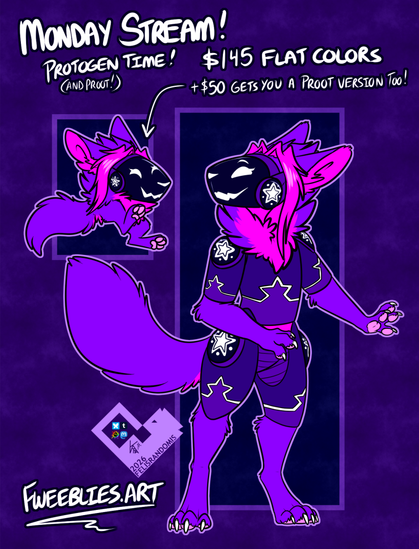
Turned myself into a protogen for a stream promo~

We're live!
Proto/Proot time! Turning y'all into Protogens and Proots~
(if y'all could keep the tab open and mute the TAB not the stream to help me with the partner push numbers, I'd be very grateful <3)

 Aptivi
 𝔹𝕒𝕓𝕪𝕝𝕠𝕟_𝕍
 Jaakko Niemi
 Habr
Habr
 🍂:・*Fweeblies*:・🍂