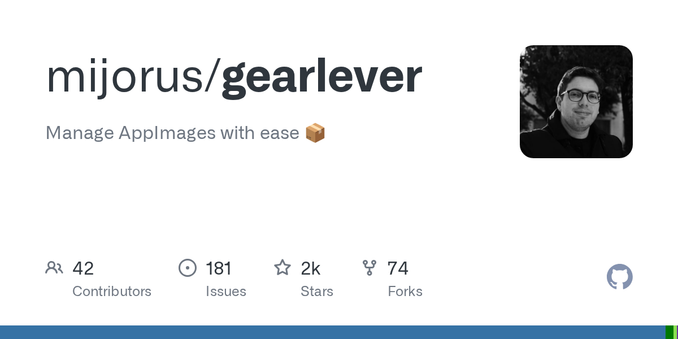
So, WinBoat (https://www.winboat.app/) AppImage genommen und mit Gear Lever (https://github.com/mijorus/gearlever) Updates managen lassen. FreeRDP3-Client ergänzt, alles andere sonst schon da.
Home Folder -Integration mal gelassen - hinterher geht das alles zu OneDrive :D
Kaffee machen und ne Stunde warten jetzt.
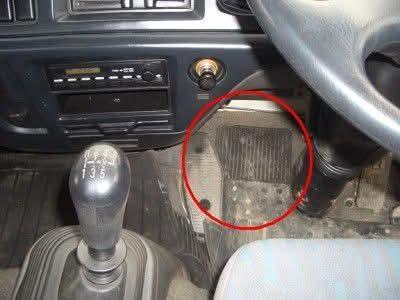
Unogona kufungidzira, mota ine #gearlever in fact #manualtransmission, asi haina #clutchpedal🤷!
Rangarira, #HapaUjanjaTu #learneverything 👇
www.5021.tips/ujanja/ec
☝️👆
#howitsmade #howitworks #howtorepair #sensor #controlsystems #sensors #ecu #actuators #diy #repairtips #5021tips #techtips #autotips #cartips #cartipsandtricks #autorepairtips #magari #cars
A story from yesterday:
Me: 💡 That article was interesting, let's install GearLever!
Mint: 👍 Okay, 740 MB will be downloaded and 2.7GB will be installed.
Me: 🤔 Too much space for such a simple app. Let's cancel.
Mint: 🤷♂️ No cancel button. 👍 Installation complete.
Me: 🤦♂️ Remove it!
Mint: 👍 Removed. 40MB reclaimed.
Me: 😨 Hey, where did the other 2.66 GB go?
Mint: 😅 I don't know what you are talking about.
Meta banned Distrowatch.
Distrowatch did an inception.
Blogs run with story meta bans Linux communities for reasons™.
Editors only use two posts by Distrowatch, from their own forums~ comments no less as source.
Anyway Comrades, fact check media before sharing eh?
Shout-out to EposVox for putting this into better words than I:
https://www.youtube.com/watch?v=RbvmtnWe2cw
I myself 🎮 on #Bazzite #Linux with my #AMD 7900XTX.
If one needs assistance, check out:
https://docs.bazzite.gg/Advanced/Auto-Mounting_Secondary_Drives/
https://docs.bazzite.gg/Installing_and_Managing_Software/
One can use the Yafti/Portal on a first run, or anytime for GUI application assistance as well. Ujust commands are not the only way.
#Distrobox is really underrated!
Ironically the #GearLever #Flatpak makes using #appimage completely painless as well.
I have to learn how to use Podman/Quadlet stuffs.... It is a learning journey of rabbithole fun for me.
@Sobieck
Checkout: #GearLever to easily manage/update/integrate #AppImage apps into your system:
https://flathub.org/apps/it.mijorus.gearlever
ProtonUp-Qt is great to easily use GE-Proton Versions (Think experimental, with extra steps/goodness):
https://flathub.org/apps/net.davidotek.pupgui2
https://github.com/GloriousEggroll/proton-ge-custom#overview
https://github.com/GloriousEggroll/proton-ge-custom/releases
For Valheim, I use the R2Modman AppImage to use Thunderstore Mods:
https://github.com/ebkr/r2modmanPlus/releases/download/v3.1.55/r2modman-3.1.55.AppImage
https://thunderstore.io/c/valheim/
>>>>> For How-2-setup BepInEx:
https://thunderstore.io/c/valheim/p/denikson/BepInExPack_Valheim/
0194af93-a622-406f-91d8-e7ef06f29b4b
is my "code" for the plugins I use.
https://thunderstore.io/c/valheim/p/Azumatt/AzuExtendedPlayerInventory/
is what I use for extended inventory myself.
While Valheim will play native, I couldn't get mods to work until I set it to play through proton.
I also copy/paste my r2modman plugin folder to my Valheim plugin folder :(
r2MODMAN_DATA_FOLDER_HERE/r2ModmanPlugins/Valheim/profiles/Default/BepInEx/plugins/
>>>>>>
/home/USER_NAME_HERE.steam/steam/steamapps/common/Valheim/BepInEx/plugins/
Until someone can help me figure out otherwise t.t
Benefit of doing it this way.....I don't need to edit my launch properties at all anywhere...I just use:
mangohud %command% -console
https://github.com/flightlessmango/MangoHud
To enable MangoHud stats and enable console for devcommands & debugmode
@debacle @adbenitez @uexo @DiWoWo @contrapunctus
I totally understand. No soft force from my side. No need to explain from your side. 😃
For example, I use #siduction among other distros (pure Debian Sid). There, appimage and flatpak sometimes come handy for my usecase. In particular, they integrate quite well in #KDE.
#GearLever (https://github.com/mijorus/gearlever), which I installed via flatpak helps me to manage the appimages.