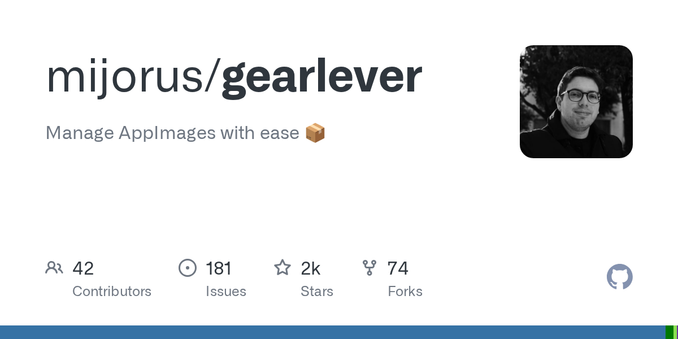
So, WinBoat (https://www.winboat.app/) AppImage genommen und mit Gear Lever (https://github.com/mijorus/gearlever) Updates managen lassen. FreeRDP3-Client ergรคnzt, alles andere sonst schon da.
Home Folder -Integration mal gelassen - hinterher geht das alles zu OneDrive :D
Kaffee machen und ne Stunde warten jetzt.
Unogona kufungidzira, mota ine #gearlever in fact #manualtransmission, asi haina #clutchpedal๐คท!
Rangarira, #HapaUjanjaTu #learneverything ๐
www.5021.tips/ujanja/ec
โ๏ธ๐
#howitsmade #howitworks #howtorepair #sensor #controlsystems #sensors #ecu #actuators #diy #repairtips #5021tips #techtips #autotips #cartips #cartipsandtricks #autorepairtips #magari #cars
A story from yesterday:
Me: ๐ก That article was interesting, let's install GearLever!
Mint: ๐ Okay, 740 MB will be downloaded and 2.7GB will be installed.
Me: ๐ค Too much space for such a simple app. Let's cancel.
Mint: ๐คทโโ๏ธ No cancel button. ๐ Installation complete.
Me: ๐คฆโโ๏ธ Remove it!
Mint: ๐ Removed. 40MB reclaimed.
Me: ๐จ Hey, where did the other 2.66 GB go?
Mint: ๐ I don't know what you are talking about.
Meta banned Distrowatch.
Distrowatch did an inception.
Blogs run with story meta bans Linux communities for reasonsโข.
Editors only use two posts by Distrowatch, from their own forums~ comments no less as source.
Anyway Comrades, fact check media before sharing eh?
Shout-out to EposVox for putting this into better words than I:
https://www.youtube.com/watch?v=RbvmtnWe2cw
I myself ๐ฎ on #Bazzite #Linux with my #AMD 7900XTX.
If one needs assistance, check out:
https://docs.bazzite.gg/Advanced/Auto-Mounting_Secondary_Drives/
https://docs.bazzite.gg/Installing_and_Managing_Software/
One can use the Yafti/Portal on a first run, or anytime for GUI application assistance as well. Ujust commands are not the only way.
#Distrobox is really underrated!
Ironically the #GearLever #Flatpak makes using #appimage completely painless as well.
I have to learn how to use Podman/Quadlet stuffs.... It is a learning journey of rabbithole fun for me.
@Sobieck
Checkout: #GearLever to easily manage/update/integrate #AppImage apps into your system:
https://flathub.org/apps/it.mijorus.gearlever
ProtonUp-Qt is great to easily use GE-Proton Versions (Think experimental, with extra steps/goodness):
https://flathub.org/apps/net.davidotek.pupgui2
https://github.com/GloriousEggroll/proton-ge-custom#overview
https://github.com/GloriousEggroll/proton-ge-custom/releases
For Valheim, I use the R2Modman AppImage to use Thunderstore Mods:
https://github.com/ebkr/r2modmanPlus/releases/download/v3.1.55/r2modman-3.1.55.AppImage
https://thunderstore.io/c/valheim/
>>>>> For How-2-setup BepInEx:
https://thunderstore.io/c/valheim/p/denikson/BepInExPack_Valheim/
0194af93-a622-406f-91d8-e7ef06f29b4b
is my "code" for the plugins I use.
https://thunderstore.io/c/valheim/p/Azumatt/AzuExtendedPlayerInventory/
is what I use for extended inventory myself.
While Valheim will play native, I couldn't get mods to work until I set it to play through proton.
I also copy/paste my r2modman plugin folder to my Valheim plugin folder :(
r2MODMAN_DATA_FOLDER_HERE/r2ModmanPlugins/Valheim/profiles/Default/BepInEx/plugins/
>>>>>>
/home/USER_NAME_HERE.steam/steam/steamapps/common/Valheim/BepInEx/plugins/
Until someone can help me figure out otherwise t.t
Benefit of doing it this way.....I don't need to edit my launch properties at all anywhere...I just use:
mangohud %command% -console
https://github.com/flightlessmango/MangoHud
To enable MangoHud stats and enable console for devcommands & debugmode
@debacle @adbenitez @uexo @DiWoWo @contrapunctus
I totally understand. No soft force from my side. No need to explain from your side. ๐
For example, I use #siduction among other distros (pure Debian Sid). There, appimage and flatpak sometimes come handy for my usecase. In particular, they integrate quite well in #KDE.
#GearLever (https://github.com/mijorus/gearlever), which I installed via flatpak helps me to manage the appimages.