 WuotanStudios ©️
Gore mode for the orcs gets an update soon.
More Info on Itch:
https://wuotanstudios.itch.io/kgt
More Info on Steam:
https://store.steampowered.com/app/4275930/KGT_Kevin_Got_Teleported/
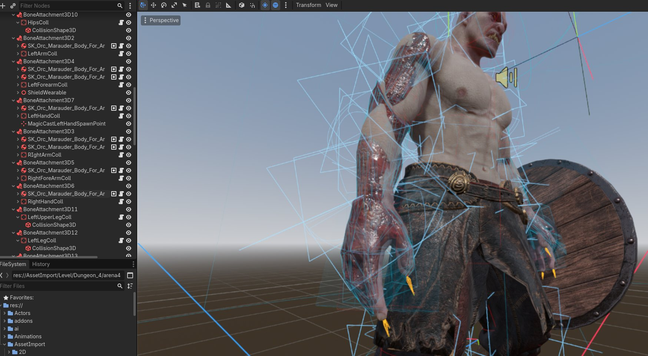
Gore mode for the orcs gets an update soon.
More Info on Itch:
https://wuotanstudios.itch.io/kgt
More Info on Steam:
https://store.steampowered.com/app/4275930/KGT_Kevin_Got_Teleported/
So I was thinking, maybe something with dice for my next project?
I'm using Roslyn source generators for certain QOL upgrades for working with #godot in C#.
Right now I use it to basically do compile-time dependency injection for components within an Actor. Minimizes the amount of wire-up I need to do in the Scene Designer.
Well, I just realized what my next Roslyn mini-project might be: Generate code that makes UIDs accessible in code via static types and properties, thereby making them compiler-enforced.
So I was surprised and disappointed to learn that in #Godot you can't stack up shaders on a single component that would run in sequence for a combined effect. I think I understand why. But it's disappointing.
It seems to mean that for visual effects that operate on how, e.g. a Sprite2D is rendered, they can't be composed from components. It seems you have to build a monolithic shader with parameters and if-checks for each effect you may want to combine.
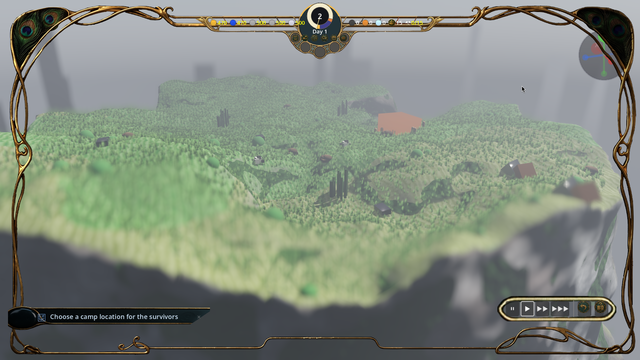
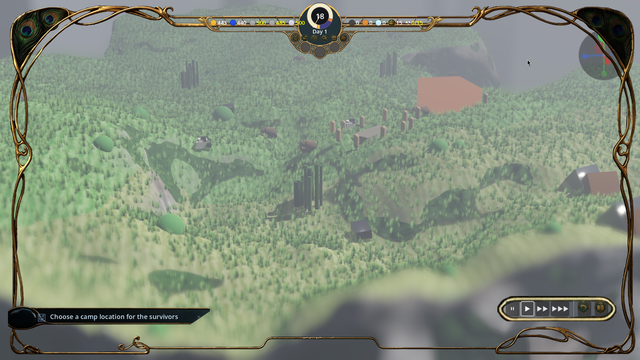
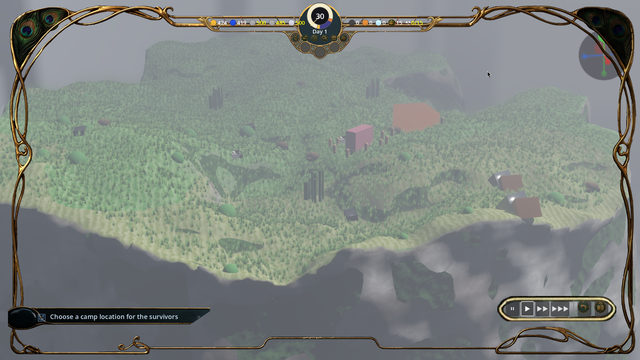
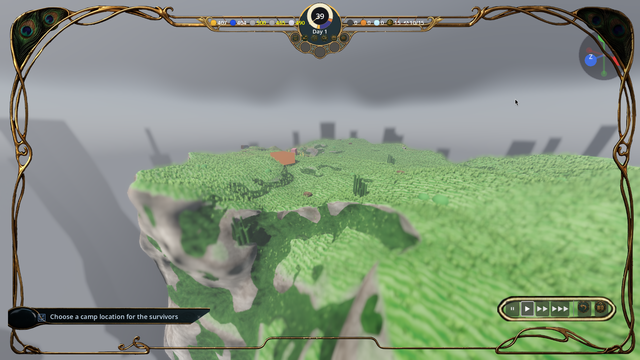
After months or weeks - I'm not actually sure because this problem broke my mind a little - I have a rudimentary docking system enabled in my space sim. Oh. Yeah. This is a major milestone on the way to making the game feature-complete before I can start working on actual story.
Join us today for our Godot Meetup @ c-base!
Thursday, 11 Jun 2026, 19:00-21:00
c-base e.V.
Rungestraße 20, Mitte, 10179 Berlin
https://www.meetup.com/godot-user-group-berlin/events/314911445/
Help with my first ever Shader in Godot
Preamble: I’ve been trying to write my first shader and have been stuck for several days now. I chose this shader because I thought it would be an easy first, but I’ve been down a few rabbit holes and I’m no longer sure what is the best approach. I did my best to organize what I’ve tried and the problems/questions I have with each approach. Sorry if this is a long one… ___ I’m building a 2D platformer game and have made some really simple blank white tiles with black/gray borders to start off with and test my game. 32x32 px tiles, viewable [here](https://imgur.com/a/Y9pPH3c [https://imgur.com/a/Y9pPH3c]. I wanted to build a shader on my TileMapLayer so that on the bottom and left sides they have a bit more grey. My thinking is for any white pixel, if there is a black pixel 1 or 2 pixels left or below the current one, make COLOR be grey. ___ Attempt 1: My first approach was following this post: https://forum.godotengine.org/t/how-to-check-color-of-adjacent-pixels-in-fragment-shader/27296/2 [https://forum.godotengine.org/t/how-to-check-color-of-adjacent-pixels-in-fragment-shader/27296/2] I got pretty close with this code: shader_type canvas_item; const vec4 BLACK = vec4(0, 0, 0, 1); const vec4 WHITE = vec4(1, 1, 1, 1); const vec2 LEFT_ONE = vec2(-1, 0); const vec2 LEFT_TWO = vec2(-2, 0); const vec2 DOWN_ONE = vec2(0, 1); const vec2 DOWN_TWO = vec2(0, 2); void fragment() { vec2 pixel_size = 1.0 / vec2(textureSize(TEXTURE, 0)); if (texture(TEXTURE, UV).rgba == WHITE) { if (texture(TEXTURE, UV + LEFT_ONE * pixel_size).rgba == BLACK || texture(TEXTURE, UV + LEFT_TWO * pixel_size).rgba == BLACK || texture(TEXTURE, UV + DOWN_ONE * pixel_size).rgba == BLACK || texture(TEXTURE, UV + DOWN_TWO * pixel_size).rgba == BLACK) { COLOR = vec4(0.0, 1.0, 0.0, 1.0); // currently green for debugging } } } but the issue is that TEXTURE isn’t my TileMapLayer, it’s the tileset image itself (as in, the one linked above). This led to some weird issues, ex: https://imgur.com/a/WNlGpJe [https://imgur.com/a/WNlGpJe]. My first question: This approach could work, if only I could just have the texture of the TileMapLayer itself. Is there any way that’s possible? ___ Attempt 2: It was suggested in the Godot Discord for me to try a Screen-Reading Shader. No matter what I try here, my screen_texture is always from before my TileMapLayer is drawn. This means I can’t detect the colors of pixels on the TileMapLayer since screen_texture doesn’t have it yet. I can verify it with this code: shader_type canvas_item; const vec4 WHITE = vec4(1, 1, 1, 1); uniform sampler2D screen_texture : hint_screen_texture, repeat_disable, filter_nearest; void fragment() { if (COLOR.rgba == WHITE) { // This is done to leave my borders alone and only draw on the white. This works. COLOR = texture(screen_texture, SCREEN_UV); } } This makes all the white pixels effectively transparent. If screen_texture had my TileMapLayer, I’d expect the pixels to remain white. I’ve tried various attempts at converting my above code to use screen_texture and SCREEN_UV but I figure if I cannot get screen_texture to see the TileMapLayer, none of that code will work. 2a: I’ve read online about BackBorderCopy, but I’ve been unable to get any good results with one. I’ve tried it as a parent, child, and before/after sibling of my TileMapLayer, with Rect mode and Viewport mode, and while it does make some things happen, it never makes it so screen_texture gets my TileMapLayer’s pixels. Questions: Is BackBorderCopy what I need? Am I using it wrong? I think it needs to be a parent of my TileMapLayer, but I’ve had no luck no matter what. It seems to give the same results . 2b: I’ve tried adding my TileMapLayer as a child of a CanvasGroup, and putting the shader on the CanvasGroup. Somehow this has the same issue where it doesn’t have the pixels from the TileMapLayer, but with an added bonus of making everything a big white square. Is there any validity in this approach? 2c: I’ve tried putting my TileMapLayer in a SubViewport and adding a Sprite2D with a ViewportTexture and putting the shader on the Sprite2D. Maybe this will work, I don’t know, but I have way too many issues trying to line things up so that my tiles all show on screen and also are in the same place that they are supposed to be that I gave up.] This approach seems too heavy-handed. If anyone thinks it will work I’d be happy to elaborate on how I had problems making things fit.
 Walter Martin
 Chris Ammerman
 Flamti_Gamedev
 Shane Kitt
 Tuxic
Tuxic Godot UserGroup Berlin

 Splendid Failures
 spacemanspiffy