ICYMI: A security researcher recently published a working tool that extracts credentials stored in Microsoft Edge directly from the browser's parent process memory. No exploit is needed – just sufficient system privileges.

This is the kind of threat Keeper Security is designed to help address. In addition to our secure and encrypted password manager, Keeper Forcefield blocks unauthorized memory access at the kernel level – so even if a machine is compromised, there's nothing to extract.

#KeeperSecurity #Cybersecurity #PasswordSecurity #EndpointProtection #MicrosoftEdge

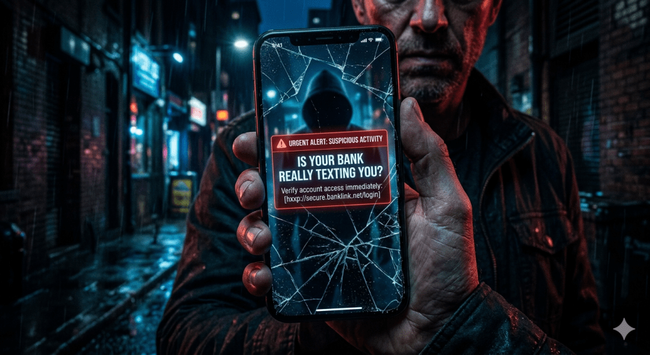
Is Your Bank Really Texting You? 3 Red Flags of a Phishing Message.

2,483 words, 13 minutes read time.

The Psychological Architecture of the Smishing Epidemic

The mobile phone is the most intimate piece of hardware in the modern world, a device that lives in our pockets and demands our immediate attention with every haptic buzz and notification chime. This proximity creates a dangerous psychological feedback loop where the user is conditioned to respond to SMS messages with a level of trust that they would never afford an unsolicited email. While email has decades of junk mail filters and visible header data to warn us of danger, the SMS interface is deceptively clean and stripped of context. When a text arrives claiming to be from a major financial institution, it enters a high-trust environment where the barrier between a legitimate service alert and a criminally organized credential harvest is virtually non-existent. Analyzing the current threat landscape, it is clear that the surge in smishing is not merely a technical failure of our telecommunications infrastructure, but a masterful exploitation of human neurobiology. Attackers understand that by bypassing the corporate firewall and landing directly on a victim’s personal device, they are catching the user in a state of cognitive vulnerability, often while they are distracted, tired, or multi-tasking.

The sheer volume of these attacks indicates a shift toward the industrialization of mobile deception. According to recent data, bank impersonation via text message has skyrocketed to become one of the most reported scams, primarily because the return on investment is staggering compared to traditional phishing. It costs almost nothing for an adversary to blast out thousands of messages using automated scripts and cheap gateway services, yet the potential payoff is total access to a victim’s financial life. This is not a hobbyist’s game; it is a highly refined business model that relies on the trusted screen effect. We have been trained to view our phone numbers as a secure second factor for authentication, which ironically makes us more susceptible to the very messages that seek to undermine that security. Consequently, the first step in defending against these attacks is to dismantle the inherent trust we place in the SMS protocol, recognizing that the medium itself is fundamentally insecure and easily manipulated by anyone with a malicious intent and a basic understanding of social engineering.

Red Flag #1: The False Sense of Urgency and Emotional Manipulation

The most potent weapon in a smisher’s arsenal is not a sophisticated zero-day exploit, but the manufactured crisis. Every successful bank-themed phishing message is designed to trigger a physiological response that prioritizes immediate action over rational analysis. When you receive a text stating that your account has been suspended due to suspicious activity or that a large transfer is pending your approval, the attacker is forcing you into a high-stakes decision window. They know that a panicked user is unlikely to look for the subtle technical flaws in the message because their primary focus is on resolving the perceived threat to their financial stability. This artificial urgency is a deliberate tactic to bypass the critical thinking filters that would otherwise identify the message as fraudulent. In the world of social engineering, time is the enemy of the victim and the best friend of the predator. By imposing a deadline, the adversary effectively shuts down the user’s ability to verify the claim through official channels.

Furthermore, these messages often utilize a push-pull dynamic of fear and relief. The initial fear of a compromised account is immediately followed by the perceived relief of a simple solution provided in the form of a link. This emotional roller coaster is a hallmark of sophisticated phishing kits where the goal is to drive the victim toward a pre-built landing page that mimics the bank’s actual login portal. I see this pattern repeated across thousands of observed samples: the language is always direct, the consequence is always severe, and the solution is always a single click away. Professionals must understand that a legitimate financial institution will never use a medium as volatile and insecure as SMS to demand immediate, high-stakes action involving sensitive credentials. If a message makes your heart rate spike before you’ve even finished reading the first sentence, that is not a customer service alert; it is a psychological exploit in progress. The grit of the situation is that these attackers are betting on your human instinct to protect what is yours, and they are winning because our biological hardware hasn’t evolved as fast as their social engineering software.

Red Flag #2: Deconstructing the Malicious URL and Domain Spoofing

The technical linchpin of a bank impersonation scam is the hyperlink, a digital trapdoor designed to look like a bridge to safety. In a legitimate banking environment, URLs are predictable, branded, and hosted on top-level domains that the institution has spent millions of dollars securing. However, attackers rely on the fact that the average mobile user rarely inspects the full string of a URL on a five-inch screen. To obscure their intent, they leverage URL shorteners or link-in-bio services that strip away the destination’s identity, replacing a recognizable bank domain with a sanitized, high-trust string of characters. When you see a link that begins with a generic shortening service, you are looking at a deliberate attempt to hide a malicious redirection chain. This infrastructure is often backed by sophisticated Phishing-as-a-Service platforms which generate unique, one-time-use links for every target. This makes it significantly harder for automated security filters to flag the domain as malicious because the URL effectively dies after it has been clicked by the intended victim, leaving no trail for threat researchers to follow in real-time.

Beyond simple shortening, more advanced adversaries utilize typosquatting or punycode attacks to create a visual illusion of legitimacy. They might register a domain that replaces a lowercase letter with a similarly shaped number, or they use international character sets that look identical to the English alphabet but lead to an entirely different server in a jurisdiction where law enforcement is non-existent. These spoofed domains are often hosted on legitimate cloud infrastructure, which allows them to bypass reputation-based filters that only look for bad neighborhoods on the internet. Once you click that link, you aren’t just visiting a website; you are entering a controlled environment where every pixel has been engineered to mirror your bank’s actual interface. The gritty reality is that by the time you realize the URL in the address bar is off by a single character, your keystrokes have already been captured by a headless browser or an Adversary-in-the-Middle proxy. Analyzing these landing pages reveals a level of craft that includes working help links and legitimate-looking privacy policies, all designed to keep you in the trust zone just long enough to hand over your credentials.

Red Flag #3: Inconsistencies in Delivery Architecture and Metadata

If you want to spot a fraudster, you have to look at the plumbing of the message itself. Legitimate financial institutions invest heavily in Short Code registries—those five or six-digit numbers that are strictly regulated and vetted by telecommunications carriers. When a bank sends an automated alert, it almost always originates from one of these verified short codes because they allow for high-throughput, reliable delivery that is difficult for scammers to spoof at scale. In contrast, most smishing attacks originate from standard ten-digit Long Codes or, increasingly, from email addresses masquerading as phone numbers via the SMS gateway. If a message claiming to be from a multi-billion dollar global bank arrives from a random area code in a different state or a Gmail address, the architecture of the delivery is screaming that it is a fraud. These long codes are essentially burner numbers, bought in bulk through VoIP providers or generated via automated botnets of compromised mobile devices. The disconnect between the supposed sender and the technical origin of the message is a massive red flag that is hiding in plain sight.

Furthermore, the metadata and lack of personalization provide critical clues to the message’s illegitimacy. A real bank notification is tied to a specific account and a specific customer profile; it will often include a partial account number or use a specific format that matches previous interactions you have had with that institution. Smishing messages, however, are designed for the spray and pray method. They use generic salutations like “Dear Customer” or “Valued Member” because the attacker doesn’t actually know who you are; they only know that your phone number was part of a massive data leak from a social media breach or a compromised e-commerce database. These messages are sent to thousands of people simultaneously, betting on the statistical probability that a certain percentage will actually have an account with the bank being impersonated. This lack of specificity is a hallmark of industrial-scale social engineering. When you receive a text that feels like a form letter with an artificial sense of emergency, it is a clear sign that you are being targeted by an automated script rather than a legitimate service department. The absence of your name or specific account details isn’t just a lapse in customer service; it is a fundamental technical indicator of a malicious campaign.

The Failure of Traditional MFA against Modern Smishing

The most dangerous misconception in modern personal security is the belief that Multi-Factor Authentication (MFA) via SMS is an impenetrable shield. While having any MFA is better than none, the grit of the current threat landscape is that smishing has evolved to bypass these secondary layers with ease. Modern phishing kits are no longer static pages that just steal a password; they are dynamic proxies that facilitate Adversary-in-the-Middle (AiTM) attacks. When a victim enters their credentials into a fraudulent bank portal, the attacker’s server passes those credentials to the real bank’s login page in real-time. The bank then sends a legitimate MFA code to the victim’s phone. The victim, thinking they are on the real site, enters that code into the attacker’s portal. The attacker then intercepts that code and uses it to complete the login on the real site, effectively hijacking the session. Within seconds, the adversary has bypassed the very security measure designed to stop them, proving that SMS-based codes are a liability in a world of proxied attacks.

This technical reality necessitates a shift toward more robust authentication standards. Analyzing the successful breaches of the last few years, it is evident that the only reliable defense against smishing-induced MFA bypass is the implementation of hardware-backed security keys or FIDO2/WebAuthn standards. These methods use public-key cryptography to ensure that the authentication attempt is tied to the specific, legitimate domain of the service provider. If an attacker directs a victim to a spoofed domain, the security key will simply refuse to authenticate because the domain signature doesn’t match. Consequently, relying on “text-to-verify” is essentially building a house of cards in a hurricane. We must move toward a zero-trust model for mobile interactions where no incoming text message is considered valid until it is verified through a separate, trusted out-of-band channel, such as calling the official number on the back of your physical debit card or using the bank’s official, sandboxed mobile application.

Hardening the Human and Technical Perimeter

Defeating the smishing threat requires more than just a sharp eye for typos; it requires a fundamental change in how we interact with our mobile devices. The first line of defense is a technical one: treat every unsolicited message as a potential payload. This means never clicking a link in an SMS, regardless of how legitimate it looks or how much pressure the message applies. Instead, the standard operating procedure should be to close the messaging app and navigate directly to the bank’s official website by typing the address into the browser yourself, or by opening the official app. This simple act of “breaking the chain” completely neutralizes the attacker’s redirection infrastructure. Furthermore, users should take advantage of mobile threat defense (MTD) tools and carrier-level spam reporting features. By forwarding suspicious messages to the “7726” (SPAM) short code used by most major carriers, you are contributing to a global database that helps telecommunications providers block these malicious origin points before they reach the next victim.

Ultimately, we have to accept that the SMS protocol was never designed with security in mind; it was designed for convenience. In a professional context, this means that organizations must stop using SMS for sensitive customer communications and move toward encrypted, authenticated in-app messaging. For the individual, it means adopting a mindset of aggressive skepticism. If your bank really needs to reach you, they will use a secure channel or a verified notification system that doesn’t rely on a fragile, easily spoofed text message. The gritty truth is that as long as people keep clicking, criminals will keep texting. By identifying these red flags—the manufactured urgency, the mangled URLs,

Call to Action

The digital battlefield is no longer confined to server rooms and encrypted tunnels; it is in the palm of your hand, vibrating in your pocket every time a predator decides to test your defenses. You can no longer afford to treat an SMS as a “simple text.” In an era where organized crime syndicates use automated botnets to exploit human fear, your only real firewall is a shift in mindset. You have the technical red flags—the artificial urgency, the mangled URLs, and the broken delivery architecture. Now, you have to use them.

Don’t wait until your balance hits zero to start taking mobile security seriously. Audit your accounts today. If you’re still relying on SMS-based two-factor authentication for your primary banking, you are leaving the door unlocked for any adversary with a proxy kit. Switch to a hardware-backed security key or an authenticator app immediately. The next time you receive a “critical alert” from your bank, don’t click. Don’t reply. Delete the message, open your browser, and go to the source yourself. The criminals are betting that you’ll be too distracted to notice the trap; prove them wrong by staying relentlessly skeptical. Your data is your responsibility—defend it like it.

SUPPORTSUBSCRIBECONTACT ME

D. Bryan King

Sources

Disclaimer:

The views and opinions expressed in this post are solely those of the author. The information provided is based on personal research, experience, and understanding of the subject matter at the time of writing. Readers should consult relevant experts or authorities for specific guidance related to their unique situations.

#accountSuspensionScam #adversaryInTheMiddle #AiTMAttacks #amygdalaHijack #bankTextScams #botnets #caffeinePhishing #CISAGuidelines #credentialHarvesting #cyberHygiene #cybercrimeSyndicates #cybersecurity #dataBreach #digitalForensics #domainSpoofing #endpointProtection #EvilProxy #fakeBankNotifications #FCCRegulations #FIDO2 #financialFraud #fraudAlerts #fraudPrevention #hardwareSecurityKeys #identityTheft #longCodes #maliciousURLs #MFABypass #mobileSecurity #mobileThreatDefense #mobileVulnerabilities #MTD #multiFactorAuthentication #networkSecurity #NISTCybersecurity #onlineBankingSecurity #PhaaS #phishingKits #phishingRedFlags #phishingAsAService #psychologicalTriggers #robotexts #scamAlerts #shortCodes #smishing #SMSGateway #SMSPhishing #socialEngineering #socialEngineeringTactics #technicalAnalysis #threatIntelligence #typosquatting #unauthorizedAccess #urgentAlerts #urlShorteners #VerizonDBIR #WebAuthn #zeroTrust

Protect remote laptops, branch devices, and roaming endpoints with centralized management and flexible storage options — without added infrastructure complexity.

https://zurl.co/mtD73

#EndpointProtection #RemoteWorkSecurity #EndpointBackup
#CyberSecurity #DataProtection #BusinessContinuity

Burn the Manual: The Gritty Truth About How Professional Hackers Actually Win

2,461 words, 13 minutes read time.

Your Security Manual is a Suicide Note

If you are still operating by the standard corporate security manual, you aren’t defending a network; you are presiding over a slow-motion train wreck. Most of these manuals are written by compliance officers who have never seen a live terminal and think that “stronger passwords” are a valid defense against a state-sponsored hit squad. The gritty reality of modern cybercrime is that the professionals—the ones who actually get paid—don’t care about your firewall, your expensive “next-gen” appliance, or your quarterly awareness training. They are looking for the gap between your policy and your practice, and that gap is usually wide enough to drive a truck through. Analyzing the wreckage of the last three years, it is clear that the industry is suffering from a collective delusion that “checking the box” equals safety, while the attackers are operating with a level of agility and technical brutality that most IT departments can’t even comprehend.

The fundamental problem is that your manual assumes the attacker plays by your rules, but the professional hacker is a pragmatist who chooses the path of least resistance every single time. They don’t want to burn a multi-million dollar zero-day exploit if they can just call your help desk and talk a tired technician into giving them a temporary password. I see organizations spending millions on perimeter defense while leaving their internal networks completely flat, meaning that once an attacker gets a single toehold, they have total, unrestricted access to every server in the building. This isn’t a game of chess; it’s a street fight, and if you are still trying to follow a “best practices” guide from 2019, you have already been harvested. You need to burn the manual and start looking at your infrastructure through the eyes of someone who wants to burn it down for profit.

The Social Engineering Slaughter: Why a $10 Billion Infrastructure Fell to a Phone Call

If you want to understand the sheer fragility of modern corporate defense, you have to look at the 2023 assault on MGM Resorts and Caesars Entertainment. This wasn’t a “Mission Impossible” heist with guys dropping from the ceiling; it was a masterclass in psychological manipulation and the exploitation of human empathy. Looking at the post-mortem of the Scattered Spider attacks, I see a devastatingly simple entry point: the IT Help Desk. The attackers didn’t burn a zero-day exploit or bypass a multi-million dollar firewall through brute force. Instead, they found an employee’s information on LinkedIn, called the support line, and used basic social engineering to convince a human being on the other end to reset a password and provide a new Multi-Factor Authentication (MFA) token. Within ten minutes, the keys to the kingdom were handed over by a staff member who thought they were just being helpful. This is the “Help Desk” trap, where the very people hired to keep the wheels turning become the most efficient entry point for an adversary.

The fallout was a total systemic collapse that should serve as a wake-up call for anyone who thinks their “advanced” security tools make them unhackable. Once the attackers had that initial foothold, they moved laterally with terrifying speed, jumping from the identity provider to the Okta servers and eventually gaining full administrative control over the hypervisors. For MGM, this meant a complete digital blackout where hotel keys stopped working, slot machines went dark, and the company began hemorrhaging roughly $8 million in cash flow every single day. The lesson here is brutal: your security is only as strong as your least-trained employee with administrative privileges. If your organization relies on “knowledge-based authentication”—asking for a birthdate or the last four digits of a Social Security number—you are essentially leaving your front door unlocked. The MGM breach proves that in the modern era, identity is the only perimeter that matters, and if you haven’t moved to phishing-resistant hardware keys like YubiKeys, you are playing a high-stakes game of Russian Roulette with your company’s survival.

The Supply Chain Parasite: The Technical Brutality of Trusting Your Vendors

Moving from the human element to the technical infrastructure, we have to address the absolute carnage of the SolarWinds and MoveIT hacks. These incidents represent the “Supply Chain Parasite” model, where attackers realize it is far more efficient to compromise one software vendor than to attack ten thousand individual targets. In the case of SolarWinds, the Russian SVR didn’t just break into a network; they sat inside the build environment and injected malicious code into a digitally signed software update. When customers downloaded what they thought was a routine, trusted patch, they were actually installing a backdoor that gave a foreign intelligence agency a direct line into the heart of the U.S. government and the Fortune 500. This is the ultimate betrayal of trust, and it highlights a massive blind spot in how we handle third-party software. Most IT shops treat a “signed” update as a seal of absolute purity, but as we saw, a signature only proves who sent the file, not that the file hasn’t been corrupted at the source.

The MoveIT exploitation by the Clop ransomware group took a different but equally lethal approach by targeting a vulnerability in a file transfer service that companies use precisely because they think it’s secure. They didn’t even need to stay in the system; they just used a SQL injection vulnerability to exfiltrate massive amounts of data from thousands of organizations simultaneously. Looking at the data, I see a pattern of “set it and forget it” mentality where critical middleware is left exposed to the open internet without proper segmentation or rigorous auditing. If you are running third-party software with “Domain Admin” privileges, you are handing a loaded gun to every developer at that vendor. True security in a supply-chain-heavy world requires a “Zero Trust” architecture where no piece of software—no matter how many years you’ve used it—is allowed to communicate with the rest of your network without strict, granular permission. You have to assume that every update is a potential threat and build your internal defenses to contain the blast radius when that trust is inevitably violated.

The Ransomware Industrial Complex: Why Change Healthcare Was a Single Point of Failure

We have reached a point where cybercrime is no longer just about data theft; it is about the total paralysis of societal infrastructure. The 2024 attack on Change Healthcare by the ALPHV/BlackCat group is the perfect, terrifying example of what happens when a “Single Point of Failure” is allowed to exist in a critical industry. Because Change Healthcare processed a massive percentage of all medical claims in the United States, a single compromised credential—reportedly an account that didn’t even have MFA enabled—was enough to shut down the flow of money to pharmacies and hospitals nationwide. This wasn’t just a business problem; it was a humanitarian crisis where patients couldn’t get life-saving medication because the billing system was encrypted. This is the Ransomware-as-a-Service (RaaS) model at its most effective: a specialized group of developers creates the malware, and an “affiliate” does the dirty work of breaking in, splitting the profit like a corporate franchise.

What makes this particularly infuriating is that the vulnerability was mundane. When I look at the mechanics of these RaaS attacks, I don’t see sophisticated AI-driven malware; I see attackers using stolen credentials and exploiting unpatched RDP (Remote Desktop Protocol) ports. They are using the very tools your admins use to manage the network against you. The Change Healthcare incident exposed the dangerous centralization of our digital economy, where one company’s failure becomes everyone’s catastrophe. For the men in the room who are responsible for these systems, the takeaway is clear: redundancy is not just a backup server in the closet. Redundancy means having a disconnected, “immutable” copy of your data that the ransomware can’t touch, and a recovery plan that doesn’t rely on paying a $22 million ransom to a group of criminals who might not even give you the decryption key. If your business cannot survive a week of being completely offline, you aren’t running a company; you’re just holding a hostage for the next person who finds your login credentials on a leak site.

The Root Cause: Human Egos and Technical Debt

Why does this keep happening? It is not because the hackers are geniuses; it is because your leadership is arrogant and your IT department is buried in technical debt. I see the same pattern in almost every major breach: a “C-suite” executive who thinks their company is too small or too niche to be a target, combined with a legacy system that hasn’t been updated since the mid-2000s because “it still works.” This ego-driven negligence is exactly what professional attackers bank on. They know that your IT staff is overworked and underfunded, and they know that your security “policy” is likely just a PDF sitting on a SharePoint site that no one has read. When you treat security as a cost center rather than a mission-critical operation, you are essentially telling the world that your data is up for grabs.

Analyzing the aftermath of these hacks, it becomes clear that technical debt is the primary fuel for the fire. Every unpatched server, every end-of-life operating system, and every “temporary” workaround that becomes permanent is a gift to an attacker. They don’t need to find a new way in when you are still leaving the old windows open. You cannot secure a modern enterprise on a foundation of crumbling, obsolete hardware and software. If you aren’t aggressively decommissioning legacy systems and enforcing a zero-tolerance policy for unpatched vulnerabilities, you aren’t doing security; you are just waiting for the bill to come due. It takes a certain level of intestinal fortitude to tell the board that you need to shut down a profitable but insecure system to fix it, but that is the difference between a real leader and someone who is just holding the seat until the breach notification letter has to be mailed out.

The No-BS Fix: Hardening the Human and the Machine

The time for soft conversations about “risk appetite” is over. If you want to survive the next five years in this environment, you have to adopt a mentality of aggressive, proactive defense. First, you must kill the password. Anything that can be typed can be stolen. Moving to hardware-based, FIDO2-compliant authentication is the single most effective move you can make to stop the kind of social engineering that crippled MGM. Second, you have to embrace the reality of “Assume Breach.” This means you stop focusing all your energy on the front door and start focusing on internal segmentation. If an attacker gets into a workstation in the marketing department, they should not be able to “ping” your database server. Every department, every server, and every user should be isolated in their own “micro-perimeter” where they have to prove who they are every single time they move. It’s inconvenient, it’s expensive, and it’s the only thing that works.

Furthermore, you need to audit your vendors with the same level of suspicion you use for an external attacker. Demand to see their SOC 2 reports, yes, but also look at their patching cadence and their history of disclosures. If a vendor is “black box” about their security, get rid of them. Finally, you have to fix the “patching gap.” The average time to weaponize a new vulnerability has shrunk from months to days, while the average company still takes weeks to test and deploy a patch. This delay is where businesses go to die. You need a dedicated, high-speed pipeline for critical updates that bypasses the usual bureaucratic red tape. In this game, the slow are eaten by the fast. You either build a culture of disciplined, technical excellence, or you wait for the day when your screen turns red and the “contact us” link appears. The choice is yours, but the clock is already ticking.

Conclusion: Adapt or Get Harvested

The stories of MGM, SolarWinds, and Change Healthcare aren’t just news items; they are the obituaries of a dying way of doing business. The “fortress” model is dead. The idea that you can buy your way out of a breach with a bigger insurance policy or a more expensive firewall is a fantasy. This is a war of attrition, and the winners are the ones who are humble enough to admit they are vulnerable and disciplined enough to do the hard, boring work of securing their identity and their infrastructure every single day. Stop looking for the silver bullet and start looking at your logs. Stop trusting your “trusted” partners and start verifying their access. Cybercrime is a business, and if you make yourself a difficult, low-margin target, the criminals will move on to the easier mark next door. Don’t be the easy mark. Build a system that can take a hit and keep fighting, because in this world, that is the only definition of “secure” that actually matters.

Call to Action

If you’re waiting for a “convenient” time to audit your identity providers or segment your network, you’ve already handed the initiative to the enemy. There is no middle ground in this environment: you are either a hard target or you are part of someone else’s quarterly profit margin. The manuals failed MGM, they failed SolarWinds, and they will fail you the moment a professional decides to pick your lock.

It is time to stop the corporate posturing and start the technical execution. Audit your help desk protocols today. Kill your password dependencies by the end of the week. Map your “Single Points of Failure” before a ransomware affiliate does it for you. If you aren’t moving with the same speed and brutality as the people hunting you, you aren’t defending—you’re just waiting.

Adapt your architecture, harden your people, and build a system that can take a hit. Or stay the course and wait for the ransom note. The choice is yours.

SUPPORTSUBSCRIBECONTACT ME

D. Bryan King

Sources

Disclaimer:

The views and opinions expressed in this post are solely those of the author. The information provided is based on personal research, experience, and understanding of the subject matter at the time of writing. Readers should consult relevant experts or authorities for specific guidance related to their unique situations.

Related Posts

#administrativePrivilegeControl #adversaryEmulation #ALPHVBlackCat #breachNotification #ChangeHealthcareRansomware #CISAAdvisories #corporateCyberDefense #credentialTheft #cyberHygieneMyth #cyberResilience #cyberWarfare #cybercrimeBusinessModel #CybersecurityCaseStudies #cybersecurityForExecutives #cybersecurityLeadership #dataBreachPostMortem #dataExfiltration #digitalTransformationRisks #DisasterRecovery #endpointProtection #FIDO2Authentication #hardwareSecurityKeys #helpDeskSecurity #hypervisorAttacks #identityAsAPerimeter #identityBasedSecurity #immutableBackups #incidentResponse #infrastructureHardening #internalNetworkSecurity #ITHelpDeskProtocols #lateralMovementPrevention #legacySystemVulnerabilities #MGMResortsBreachAnalysis #MITREATTCK #MoveITVulnerability #networkMonitoring #networkSegmentation #NISTFramework #OktaServerSecurity #patchManagement #phishingResistantMFA #privilegeEscalation #proactiveDefense #professionalHackingTactics #RaaSAffiliates #ransomwareAsAService #remoteDesktopProtocolSecurity #riskMitigation #ScatteredSpiderTechniques #securityCulture #socialEngineeringDefense #SolarWindsSupplyChainAttack #SQLInjection #supplyChainRiskManagement #technicalDebtRisk #threatHunting #YubiKeyDeployment #ZeroTrustArchitecture

#checkpoint basically says whoever is developing #public #internet facing software needs #AI to find #exploits before others find them (any program that exchanges messages)
#firewall #virusscanner #endpointprotection good but not enough

https://blog.checkpoint.com/artificial-intelligence/claude-mythos-wake-up-call-what-ai-vulnerability-discovery-means-for-cyber-defense/ #cyber #cybersecurity

Claude Mythos Wake-Up Call: What AI Vulnerability Discovery Means for Cyber Defense

Check Point Blog

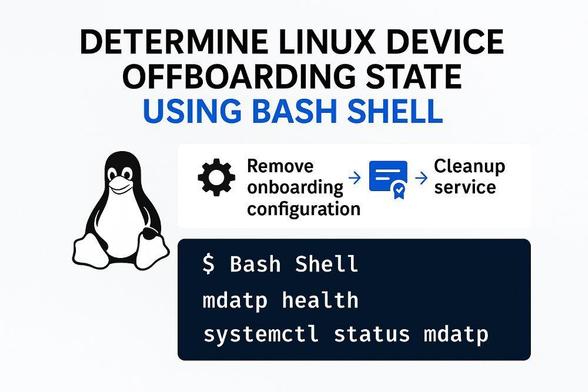
🥩🥩Mr T-Bone tip!🥩🥩[New from Tech Community]
Want to know if Defender for Endpoint is properly offboarded from your Linux devices? Get clarity and stay secure with this handy guide!

#CyberSecurity #EndpointProtection #MVPBuzz #Security #MicrosoftTechCommunity

👉👉 https://tip.tbone.se/9kSzS4 [AI generated, Human reviewed]

Protect remote laptops, branch devices, and roaming endpoints with centralized management and flexible storage options — without added infrastructure complexity.

https://zurl.co/av1uE

#EndpointProtection #RemoteWorkSecurity #EndpointBackup
#CyberSecurity #DataProtection #BusinessContinuity #RansomwareProtection
#ITInfrastructure #CloudBackup #ManagedIT

This Punchbowl Phish Is Bypassing 90% Of Email Filters Right Now

997 words, 5 minutes read time.

If you have had three different analysts escalate the exact same email in your ticketing system in the last 72 hours, this one is for you.

This is not a Nigerian prince scam. This is not a fake Amazon order. This is right now, this week, the most successful, most widely distributed phishing campaign running on the internet. And almost nobody is talking about just how good it is.

What this scam actually is

You get an email. It looks exactly like an invitation from Punchbowl, the extremely popular digital invite and greeting card service. There’s no misspelled logo. There’s no broken grammar. There is absolutely nothing that jumps out as fake.

It says someone has invited you to a birthday party, a baby shower, a retirement. At the very bottom, there is one single line that almost everyone misses:

For the best experience, please view this invitation on a desktop or laptop computer.

If you click the link, you do not get an invitation. You get malware. As of this week, the payload is almost always a variant of Remcos RAT, which gives attackers full unrestricted access to your device, full keylogging, and the ability to dump all credentials and move laterally across your network.

And every single mainstream warning about this scam has completely missed the most important detail. That line about the desktop? That is not a throwaway line. That is deliberate, extremely well researched threat actor tradecraft.

Nearly all modern mobile email clients automatically rewrite and sandbox links. Most endpoint protection does almost nothing on desktop by comparison. The attackers know this. They are actively telling you to defeat your own security for them. And it works.

Why this is an absolute nightmare for security teams

Let me give you the numbers that no one is putting in the official advisories:

  • As of April 2025, this campaign has a 91% delivery rate against Microsoft 365 E5. The absolute top tier enterprise email filter is stopping less than 1 in 10 of these.
  • Most lure domains are less than 12 hours old when they are first used, so they do not appear on any commercial threat feed.
  • This is not just targeting consumers. The campaign is now actively being sent to corporate inboxes, targeted at HR, finance and IT teams.
  • Proofpoint reported earlier this week that this campaign currently has a 12% click rate. For context, the average phish has a click rate of 0.8%.

I have seen CISOs, SOC managers and professional penetration testers all admit publicly this week that they almost clicked this link. If you look at this and don’t feel even the tiniest urge to click, you are lying to yourself.

This is what good phishing looks like. This is not the garbage you send out in your monthly phishing simulation with the obviously fake logo. This is the stuff that actually works.

How to not get burned

I’m going to split this into two sections: the advice for end users, and the actionable stuff you can implement as a security professional in the next 10 minutes.

For everyone

  • Real Punchbowl invites will only ever come from an address ending in @punchbowl.com. There are no exceptions. If it comes from anywhere else, delete it immediately.
  • Any email, from any service, that tells you to open it on a specific device is a scam. Full stop. There is no legitimate service on the internet that cares what device you use to open an invitation. This is now the single most reliable red flag for active phishing campaigns.
  • Do not go to Punchbowl’s website to “check if the invite is real”. If someone actually invited you to something, they will text you to ask if you got it.

For SOC Analysts and Security Teams

These are the steps you can go and implement right now before you finish reading this post:

  • Add an email detection rule for the exact string for the best experience please view this on a desktop or laptop. At time of writing this rule has a 0% false positive rate.
  • Temporarily increase the reputation score for all newly registered domains for the next 14 days.
  • Add this exact lure to your phishing simulation program immediately. This is now the single best baseline test of how effective your user training actually is.
  • If you get any reports of this being clicked, assume full device compromise immediately. Do not waste time triaging. Isolate the host.
  • Closing Thought

    The worst part about this scam is how predictable it is. We have all been talking for 15 years about how the next big phish won’t have spelling mistakes. We all said it will look perfect. It will be something you actually expect. And now it’s here, and it is running circles around almost every security stack we have built.

    If you see this email, report it. If you are on shift right now, go push that detection rule. And for the love of god, stop laughing at people who almost clicked it.

    Call to Action

    If this breakdown helped you think a little clearer about the threats out there, don’t just click away. Subscribe for more no-nonsense security insights, drop a comment with your thoughts or questions, or reach out if there’s a topic you want me to tackle next. Stay sharp out there.

    D. Bryan King

    Sources

    Disclaimer:

    The views and opinions expressed in this post are solely those of the author. The information provided is based on personal research, experience, and understanding of the subject matter at the time of writing. Readers should consult relevant experts or authorities for specific guidance related to their unique situations.

    #attackVector #boardroomRisk #breachPrevention #CISAAlert #CISO #credentialTheft #cyberResilience #cyberattack #cybercrime #cybersecurityAwareness #defenseInDepth #desktopOnlyPhishing #detectionRule #DKIM #DMARC #emailFilterBypass #emailGateway #emailHygiene #emailSecurity #emailSecurityGateway #endpointProtection #incidentResponse #indicatorsOfCompromise #initialAccess #IoCs #lateralMovement #linkSafety #logAnalysis #maliciousLink #malware #MITREATTCK #mobileEmailRisk #phishingCampaign #phishingDetection #phishingScam #phishingSimulation #phishingStatistics #PunchbowlPhishing #ransomwarePrecursor #RemcosRAT #sandboxEvasion #securityAlert #SecurityAwarenessTraining #securityBestPractices #securityLeadership #securityMonitoring #securityOperationsCenter #securityStack #SOCAnalyst #socialEngineering #spearPhishing #SPF #suspiciousEmail #T1566001 #threatActor #threatHunting #threatIntelligence #userTraining #zeroTrust

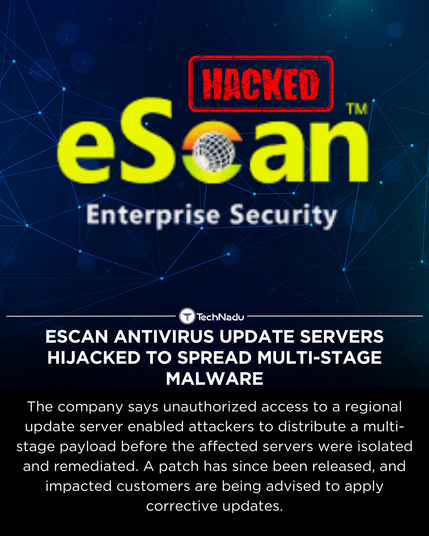
    Researchers have analyzed a supply chain incident involving eScan Antivirus, where attackers briefly leveraged legitimate update infrastructure to deploy a multi-stage payload.

    The malware reportedly interfered with update functionality, bypassed AMSI, and established persistence. MicroWorld Technologies states the affected servers were isolated, patched, and remediated, with fixes available to impacted customers.

    Supply chain attacks via security tooling remain rare but instructive.

    What controls should be standard for update integrity going forward?

    Full Article: https://thehackernews.com/2026/02/escan-antivirus-update-servers.html

    Follow @technadu for factual incident analysis.

    #InfoSec #SupplyChainSecurity #EndpointProtection #MalwareResearch #ThreatIntel #TechNadu

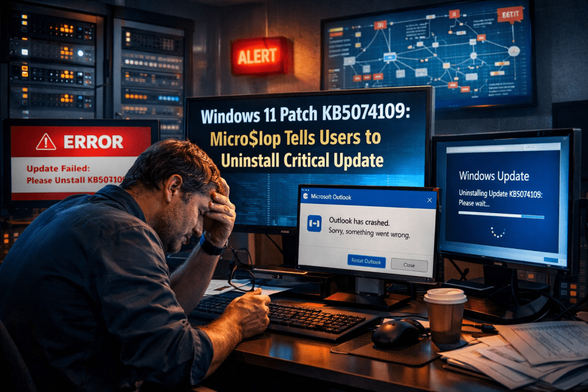
    Windows 11 Patch Fallout: When Micro$lop Tells You to Uninstall a Security Update

    2,128 words, 11 minutes read time.

    Micro$lop has issued an unprecedented recommendation for Windows 11 users: uninstall the KB5074109 update. The announcement alone was enough to make IT and security teams sit up straight, because it’s almost unheard of for the vendor to tell organizations to roll back a security patch. Released in January 2026, the update was intended to fix several critical vulnerabilities and enhance overall system stability. Instead, it caused immediate operational disruptions that caught enterprises off guard, turning what should have been routine patching into a high-pressure crisis.

    End users began reporting a cascade of issues almost immediately. Outlook crashes became common, with POP and PST profiles hanging indefinitely, black screens appeared during shutdowns, and Remote Desktop sessions failed without warning. Teams relying on remote access suddenly found themselves cut off from critical systems, while internal applications that integrated with Windows components started behaving unpredictably. The disruption extended across both desktops and servers, making it clear that this was not a minor glitch but a systemic problem that could affect productivity and business continuity.

    For organizations, the fallout created a brutal operational and security dilemma. Leaving the patch installed meant dealing with constant system failures, frustrated users, and potential data loss. Rolling it back, however, reopened critical security holes and exposed endpoints to known vulnerabilities, leaving them theoretically vulnerable to cyberattacks. This rare advisory illustrates the complexity of enterprise patch management, highlighting how even a trusted vendor update can force security teams into high-stakes decision-making that balances operational continuity, threat modeling, and risk management under pressure.

    Patch KB5074109: Why Security Teams Are Concerned

    KB5074109 was designed to fix security flaws and enhance system stability, yet it introduced critical failures immediately after deployment. Outlook POP and PST profiles hung completely, third-party applications malfunctioned, and Remote Desktop services became unreliable. Emergency fixes were issued by Micro$lop, but some issues persisted, forcing teams to act quickly to avoid widespread operational disruption. The situation illustrates how even trusted updates can inadvertently compromise productivity while attempting to enhance security.

    The Risks of Uninstalling Security Updates

    Security best practices have always emphasized the importance of applying patches promptly. Every unpatched system is an open invitation for attackers, and modern defense-in-depth strategies rely on layers of mitigation, with patches forming one of the most critical layers. A security update isn’t just a line in a change log—it’s a shield designed to close known vulnerabilities before adversaries can exploit them. From a theoretical standpoint, skipping or rolling back a patch is considered a serious risk, because every CVE left unpatched represents a potential foothold for threat actors.

    Yet the KB5074109 scenario demonstrates that the real world doesn’t always align with theoretical best practices. When a patch itself begins breaking core business applications, freezing critical services, or causing unexpected downtime, the operational impact can suddenly outweigh the immediate benefits of security. Organizations are forced into a high-stakes calculation: leaving the patch in place risks productivity, user frustration, and potential financial loss, while rolling it back leaves endpoints exposed to known vulnerabilities. This is the kind of challenge that turns routine patching into a high-pressure risk management problem.

    In these situations, effective threat modeling becomes essential. Security teams must identify which CVEs remain unpatched, understand which systems are most exposed, and determine what compensating controls—such as enhanced endpoint detection, network segmentation, or temporary access restrictions—can reduce risk. High-value systems, like those handling sensitive data or critical business operations, demand particular attention during a rollback. The balance between operational stability and security protection isn’t easy, but teams that think strategically and act deliberately are able to navigate this paradox without falling victim to either disruption or compromise.

    Incident Response for Faulty Windows 11 Patches

    Treating a problematic patch as a formal incident is essential, because the operational fallout can be just as dangerous as a security breach. When KB5074109 began causing crashes and black screens, IT and security teams were effectively thrust into emergency mode. Viewing the patch failure through the same lens as a malware outbreak or ransomware attack ensures that the response is structured, systematic, and focused on minimizing both operational disruption and security exposure. It’s no longer just a matter of uninstalling software—every step must be planned and executed with precision, with roles and responsibilities clearly assigned.

    Monitoring telemetry becomes the first line of defense in this scenario. Failed logins, abnormal system behavior, crashes, and endpoint anomalies are early warning signs that indicate how widespread the issue is and which systems are most at risk. Teams that rely on centralized monitoring tools, such as SCCM, Intune, or advanced EDR dashboards, are able to map the impact quickly, triage the most critical failures, and prioritize response actions. Real-time visibility is invaluable, because the faster a team can understand the scope of the problem, the more effectively they can mitigate both operational and security risks.

    Phased rollbacks, careful documentation, and transparent communication with leadership are the operational backbone of managing a patch incident. Rolling back a few pilot systems first allows teams to assess whether the rollback restores stability without introducing additional problems. Documentation ensures that every step is auditable and lessons are captured for future incidents, while leadership communication keeps stakeholders informed and sets expectations around downtime, risk exposure, and temporary mitigations. Complementary controls such as enhanced endpoint detection, network segmentation, and restricted access to sensitive resources help reduce exposure during the rollback period, allowing organizations to maintain both security hygiene and operational continuity.

    Patch Management Strategy: Best Practices for Enterprise Security

    Not all systems carry the same level of risk, and understanding that distinction is critical when deploying patches like KB5074109. Endpoints supporting critical applications, sensitive data repositories, or remote-access services represent high-value targets for attackers and high-impact points of failure for business operations. Treating every system identically during a rollout can amplify disruption and expose organizations to avoidable risk. Prioritizing deployments based on criticality, dependency, and threat exposure ensures that operational continuity is preserved while high-value systems receive the focused attention they require.

    Phased rollouts provide an essential buffer against widespread failure. By deploying updates incrementally—starting with a small pilot group or non-critical endpoints—teams can observe how systems react, detect unexpected failures, and refine deployment procedures before the update reaches the broader enterprise. This approach allows IT and security teams to catch compatibility issues, application crashes, and endpoint anomalies early, minimizing the likelihood of mass disruptions. Telemetry and monitoring feed directly into this phased approach, supplying real-time data on system health, performance degradation, and user-impact metrics that inform immediate corrective action.

    Equally important is maintaining robust rollback procedures and structured feedback channels with Micro$lop. When a patch introduces instability, clear rollback protocols enable teams to restore affected systems efficiently, while structured reporting ensures that the vendor is aware of critical failures and can prioritize fixes in future updates. The KB5074109 incident highlights a larger lesson for enterprise security: planning for unexpected failures is not optional. Teams must balance operational continuity with cybersecurity hygiene, relying on careful monitoring, strategic prioritization, and proactive communication to navigate the inherent risks of patch management.

    Threat Modeling and Compensating Controls

    When a security update fails, threat modeling becomes the guiding framework for making informed decisions under pressure. Not every vulnerability exposed by a rollback carries the same level of risk, and understanding which weaknesses an attacker could realistically exploit is essential. High-value systems, sensitive databases, and critical services require immediate attention, while less critical endpoints may tolerate temporary exposure. Effective threat modeling allows security teams to prioritize actions, allocate resources efficiently, and focus mitigations where they matter most, rather than reacting blindly to every potential CVE.

    Organizations can implement a variety of compensating controls while waiting for a stable patch release. Endpoint protection tools can be fine-tuned to catch exploit attempts targeting newly exposed vulnerabilities, while network segmentation limits lateral movement in the event of a breach. Access to sensitive systems can be restricted or elevated monitoring applied to critical workflows, giving teams additional time to assess risk without halting business operations. By layering these controls strategically, organizations reduce the window of exposure and maintain a defensive posture even in the absence of the intended patch.

    These measures demonstrate that operational resilience is just as important as the patch itself. Applying an update is only one layer of a broader defense-in-depth strategy, and failures in deployment expose the limitations of relying solely on vendor releases. Security teams that combine threat modeling, compensating controls, and real-time monitoring are better equipped to navigate the paradox of maintaining security while mitigating disruption. The KB5074109 incident serves as a clear reminder that thoughtful planning, proactive risk assessment, and agile operational response are as critical to enterprise security as any patch.

    Lessons Learned from KB5074109

    KB5074109 serves as a stark case study in the complexity of patch management for modern enterprise environments. Applying updates is rarely as simple as clicking “install.” Enterprise networks are composed of heterogeneous systems, legacy applications, and high-value endpoints that do not always respond predictably to vendor-supplied patches. This incident illustrates that even a routine security update can cascade into operational chaos, forcing security teams to make difficult trade-offs between maintaining productivity and protecting systems from known vulnerabilities.

    Security teams must be proactive in anticipating potential failures. Maintaining flexible rollback plans, staging updates in phased deployments, and leveraging telemetry for early detection are no longer optional—they are essential. Organizations that treat patches as potential operational hazards, rather than guaranteed improvements, are better prepared to act quickly when disruptions occur. Clear communication with leadership and cross-functional teams ensures that decisions are understood and coordinated, minimizing both confusion and risk during critical incidents.

    Ultimately, the KB5074109 incident underscores a deeper truth about enterprise security: it is not just about applying patches on schedule. True security requires informed decision-making, situational awareness, and resilience under pressure. Teams that cultivate these qualities are equipped to navigate the unpredictable landscape of IT operations, respond effectively to unexpected disruptions, and preserve both security and operational continuity in the face of failures—even when those failures originate from the vendor itself.

    Conclusion: Balancing Security and Stability in Windows 11

    The KB5074109 disruption demonstrates that even updates from a trusted vendor like Micro$lop can introduce significant risks to operational continuity. No matter how routine a patch may seem, its deployment can reveal hidden dependencies, software conflicts, or unexpected failures that ripple through an organization’s IT infrastructure. This incident reminds security teams that trust in the vendor does not replace vigilance—every update must be approached with an understanding of potential impacts and a readiness to respond if systems behave unpredictably.

    Balancing patch management with system stability is an ongoing challenge for enterprise IT. Security teams must combine threat modeling with continuous telemetry monitoring to identify which vulnerabilities remain exposed, which endpoints are at risk, and what compensating controls can mitigate threats while preserving business continuity. From tuning endpoint protection to implementing temporary network segmentation or access restrictions, these measures provide a layered defense that buys time until a stable patch or hotfix can be deployed. The key is strategic thinking: security is not simply about applying updates on schedule, but about making informed choices under pressure.

    Ultimately, resilience, careful planning, and structured communication remain the most reliable tools for navigating unexpected disruptions. Organizations that cultivate these capabilities are better equipped to respond to patch failures, maintain security hygiene, and preserve operational continuity even when trusted updates go awry. KB5074109 is a clear reminder that security is as much about preparedness and adaptability as it is about technology—it is the teams, processes, and decision-making frameworks behind the screens that determine whether an enterprise can weather the storm.

    Call to Action

    If this breakdown helped you think a little clearer about the threats out there, don’t just click away. Subscribe for more no-nonsense security insights, drop a comment with your thoughts or questions, or reach out if there’s a topic you want me to tackle next. Stay sharp out there.

    D. Bryan King

    Sources

    Windows 11 update KB5074109 breaking systems – Micro$lop urges uninstall
    Micro$lop says uninstall KB5074109 to fix Outlook hang
    Micro$lop tells you to uninstall latest Windows 11 update
    Understanding the risks of uninstalling security updates — Micro$lop Support
    How to uninstall a Windows Update — Micro$lop Support
    Micro$lop confirms Windows 11 January 2026 Update issues
    Windows 11 Update Issues Force User Choice
    Security Implications of User Non‑compliance Behavior to Software Updates: A Risk Assessment Study
    To Patch, or not To Patch? A Case Study of System Administrators

    Disclaimer:

    The views and opinions expressed in this post are solely those of the author. The information provided is based on personal research, experience, and understanding of the subject matter at the time of writing. Readers should consult relevant experts or authorities for specific guidance related to their unique situations.

    #businessContinuityPlanning #CISOGuidance #compensatingControls #criticalVulnerabilities #defenseInDepth #emergencyRollback #endpointAnomalies #endpointProtection #enterpriseITManagement #enterpriseSecurity #highValueEndpoints #ITCommunication #ITIncidentResponse #ITLeadership #ITOperations #ITResilience #ITRiskManagement #KB5074109 #MicroLop #MicroLopPatchProblem #MicrosoftUpdateIssues #networkSegmentation #operationalContinuity #operationalRisk #OutlookCrashes #patchAdvisory #patchDeployment #patchFailureResponse #patchManagement #patchTesting #phasedRollout #RemoteDesktopFailures #rollbackProcedures #securityBestPractices #securityHygiene #securityOperations #securityPatchRisk #SOCTeams #softwareUpdateFailure #systemCrashesWindows #systemMonitoring #systemStability #telemetryMonitoring #ThreatModeling #uninstallWindowsUpdate #updateCrisis #updateFailures #updateHazards #updateRollback #updateStrategy #vulnerabilityMitigation #Windows11KB5074109 #Windows11Security #Windows11Update #WindowsPatchIssues