 Kancept
 Demokritus Jorik
A screenshot of my daily drive desktop.
as screenshotted on May 7 2026.
elementary OS 8.1
Built on Ubuntu 24.04.4 LTS
Linux 6.17.0-23-generic
#elementaryos #ubuntu #linux #foss #desktop #tech #programming #python

Spent a few hours tonight just trying to get the scaling to NOT be 125%. All the settings for #niri were set correctly to defaults at scaling factor of 1.
Looks like this is the same issue I have in Gnome where it picks up my resolution and automatically scales me up to 125%. Difference here is Gnome surfaces that setting in displays and you can quickly fix it. It is not surfaced as a setting anywhere to see in the cachy/niri settings.
I had to do the following and apparently I need to script this to do this every reboot as it’s not persistent. Shout out to a random forum post for the tidbit.
gsettings set org.gnome.desktop.interface scaling-factor 1
gsettings set org.gnome.desktop.interface text-scaling-factor 1.1
wlr-randr --output eDP-1 --scale 1
So far I’m not actually hitting anything CachyOS specific and just getting used to Niri. I do like Niri so far. I need to tweak some settings (like getting to the app launcher via Super). I’m not sure if I like how many options there are so far though.
I’m not a UI ricer and enjoy the simplicity and sane defaults of #elementaryos and #gnome but I do have those on my main systems to fall back to while I play with this.
A screenshot of my daily drive desktop.
as screenshotted on May 7 2026.
elementary OS 8.1
Built on Ubuntu 24.04.4 LTS
Linux 6.17.0-23-generic
#elementaryos #ubuntu #linux #foss #desktop #tech #programming #python
Frustration level: High. 🐧
Currently on Ubuntu 26.04—it's solid and I've tamed the Snaps, but my heart is set on @elementary
The dealbreaker? Google Calendar sync. My schedule is packed and I need seamless integration. I tried Gnome’s calendar tools on elementary, but the bugs make it feel clunky.
Why is the "perfect" desktop always one sync issue away? Is anyone else struggling with this or found a reliable fix? 😅
#MeTacheles Tonspur: 3 #Linux-#Distributionen für den Alltag – so einfach war der Umstieg noch nie
Die fünfte Ausgabe des Digital #IndependenceDay #DiDay dreht sich um Linux, täglich, produktiv und mit Spaß. Drei #Distributionen, die den #Umstieg aus Windows oder macOS wirklich möglich machen: Pop_OS für Einsteiger, #ElementaryOS für alle, die es schön wollen – und CachyOS für alle, die Gaming auf Linux ernst nehmen.
✅ Welche 3 Linux-Distributionen Sascha täglich einsetzt – und warum gerade diese
✅ Warum #PopOS und
#LinuxMint ideal für den Umstieg aus #Windows oder #macOS sind
✅ Warum #CachyOS die beste Wahl für #Gaming-PCs unter Linux ist – inklusive #Steam
✅ Was der einzige echte Nachteil von Linux beim Gaming noch immer ist: #AntiCheat-Tools
✅ Warum CachyOS in 3 Sekunden bootet – und sich Windows daneben wie Blei anfühlt
✅ Wie ihr mit einem alten Laptop oder Rechner einfach und risikolos startet
Webseite der Episode: https://share.transistor.fm/s/8a73743f
Mediendatei: https://media.transistor.fm/8a73743f/768da7e7.mp3
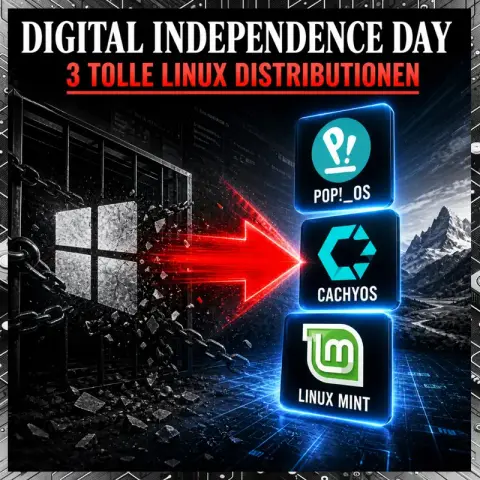
3 Linux-Distributionen für den Alltag – Digital Independence Day Folge 5Die fünfte Ausgabe des Digital Independence Day dreht sich um Linux – und zwar so, wie Sascha es wirklich einsetzt: täglich, produktiv und mit Spaß. Drei Distributionen, die den Umstieg aus Windows oder macOS wirklich möglich...
Frustration: I can't make up my mind about whether to continue using #nixOS with Pantheon, or switching back to #elementaryOS
I have a large ansible playbook for configuring my elementary OS install, but even though it's declarative it doesn't roll changes back the way nix does, and it's just not as bullet proof. But elementary OS has better compatibility, and some issues that occur in Pantheon on Nix does not in elementary...
eyeQ icon theme version 3.0 is out!
What's new?
XFCE is now supported
Budgie is now supported
Circle versions are now available
Games: (Steam) Galactic Civilization 4,
Games: (Steam) Star Wars Outlaw,
Games: FreeOrion,
Added: Refine, solseek, ColorMyDesktop,
Added: xemu, input-remapper, GrayJay,
Added: Obsidian, Laser, Orca Slicer,
Added: PavControl,
Changed: Calendar icons,
Get it freely at: https://www.gnome-look.org/p/2355005
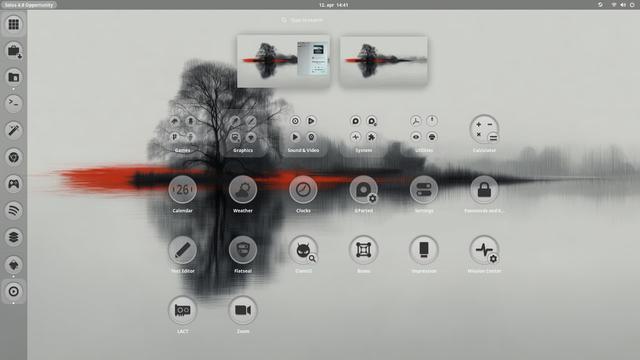
Having a "reflective" afternoon.
On the topic of free operating systems, I have been playing with these lately, and recommend if it suits usage (alpha order).
- Alpine Linux (my daily driver)
- Chimera Linux
- Elementary Linux
- FreeBSD
- OpenBSD
- Solus Linux
Not "mainstream" suggestions per se, and that's kinda the point. Caveats re: glibc/musl, nvidia support, etc. apply.
If I had to have nvidia support for my primary workstation I'd probably go with Solus (KDE), or at least try it, in spite of systemd.
I'm starting to scratch the surface on
- CachyOS
for my son's gaming rig. Pretty much what it says on the tin. I like it. Arch could use a bit of polish. We'll see how it goes on real hardware.
Others that I haven't run much beyond playing with the iso, but am intrigued by, mostly by intended use case tbh:
- Mint
- Zorin
I used to run these for years and years and years but don't nowadays:
- Arch
- Gentoo
Excellent, but the time intensity ...
~20 years ago I used to run Gentoo in a government research agency data centre. Even came up with an "ansible-like" set of deployment scripts/framework and whatnot in /bin/bash+openssh to manage them (pre-dates Ansible).
Fun times... the time... the time.
Gentoo was bracketed by RHEL in the past and CentOS as the successor. CentOS was fine but gave up a lot of performance way back then. Shifting priorities, server hardware was still following Moore's, and all that.
I flirted with Ubuntu a bit over the years. Could never really get into it back when it was decent. I won't touch it now.
Today, I think I'm done with Debian. Too static for my tastes - stuff gets too stale. Sure, there's Testing/Sid but there's also other options at that point.
Now that I'm a sysadmin just for myself I can embrace using whatever I want. Ha.
I'm all about community projects nowadays.
Corporate software will eventually disappoint you so it pays to just not go there in the first place.
Deep thoughts.
#Linux #RunBSD #HomeLab #SelfHosted #SelfHosting #AlpineLinux #ChimeraLinux #Elementary #ElementaryOS #FreeBSD
#OpenBSD #SolusLinux #Solus #LinuxMint #ZorinLinux #Gentoo #ArchLinux #CachyOS
eyeQ icon theme v.2.0 for Gnome and Pantheon is out!
Get it freely at: https://www.gnome-look.org/p/2355005
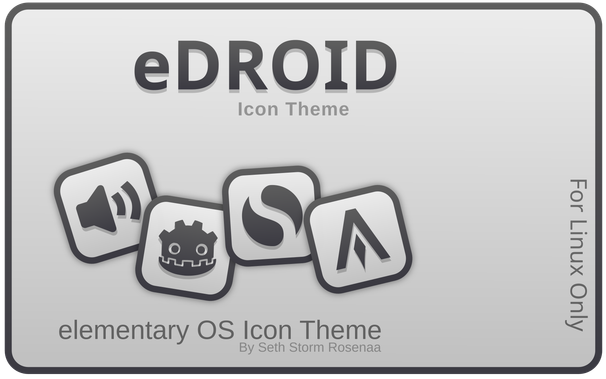
eDroid version 2.4 has been released. Get it here: https://www.gnome-look.org/p/2260309/
eQuest has also been released, version 1.2. Get it here: https://www.gnome-look.org/p/2353469/
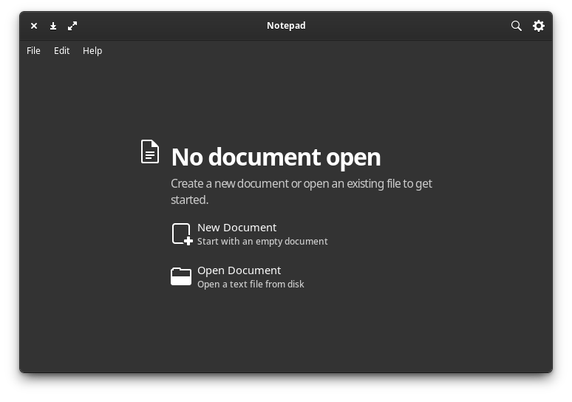
This is what I meant:
Elementary Notepad.
It is a simple text editor, it isn't overloaded with options, nor the concept of projects. Just a simple file.
I'll soon have a running version. Hope the #elementaryos #linux #pantheon #vala gods see this and give me some feedback.
 Giorgetto
 c-th
c-th 
 Rasmus Lindegaard
 Storm
Storm Root Moose
 Roger Weißenbrunner