91 Followers
102 Following
1,070 Posts
I'm a #blind guy. I love running and playing in #TTRPG, #Python (programming, snakes, and comedy group), #cats, #dogs, and vegetating out to a good book, movie, or TV show. Thanks to a wonderfully supportive girlfriend, the breaking of bad habits, and the adoption of good habits, life is good!

News from #Microsoft:

More logical navigation through Word documents for screen readers

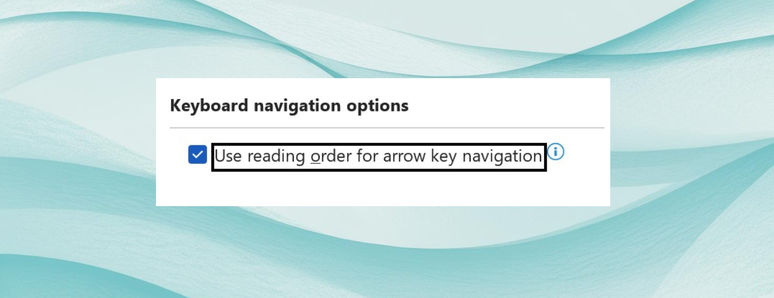
There is a new setting (now in Office 365) which "allows you to use the up and down arrow keys to move through all the content in your document based on the logical reading order." - this will be a big improvement for situations including:
- Multi-column pages
- Text wrapped around images
- multi-page view
Read more at: https://techcommunity.microsoft.com/blog/microsoft365insiderblog/more-logical-navigation-through-word-documents-for-screen-readers/4471937

#News #NVDA #ScreenReader #Accessibility #Keyboard

More logical navigation through Word documents for screen readers

With this new setting, you can confidently use the up and down arrow keys to more intuitively navigate columns of text, tables, text wrapped around an image,...

TECHCOMMUNITY.MICROSOFT.COM
Sysadmins/techs, if you or a user is having trouble logging into Gmail via classic Outlook, close the app and remove the credentials from Windows Credential Manager. You should then be prompted to sign in the next time you open Outlook, after which it should work as expected.
Spent hours troubleshooting this issue for a client today, and this did the trick. Shoutout to Google Workspace support for the pointer. https://support.microsoft.com/en-us/office/users-get-errors-0x800ccc0e-0x800ccc0f-synchronizing-gmail-and-yahoo-accounts-in-classic-outlook-e5a7b684-7c5c-4848-ab2d-d48291451f67
Users get errors 0x800CCC0E & 0x800CCC0F synchronizing Gmail and Yahoo accounts in classic Outlook - Microsoft Support

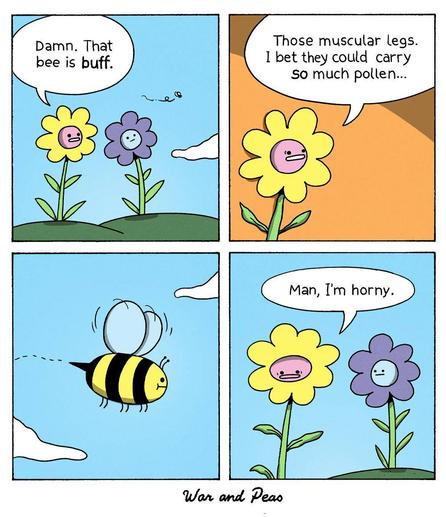
Ok, I'm on a crusade to own my own data and media, so I'm now #selfhosting my own fediverse server! Please boost this so I can get other servers mapped and start talking out to everyone again 🙃 Here's a lovely comic from @warandpeas as a thank you
Tell the Federal Government Not to Change the Title II Accessibility Regulations – Law Office of Lainey Feingold https://www.lflegal.com/2026/03/title-ii-action-needed/
Tell the Federal Government Not to Change the Title II Accessibility Regulations

The deadline for state and local government entities with a population of 50,000 or more to meet web and mobile accessibility requirements is April 24 of this year. A recent government notice indicates that the Department of Justice may try to change either this deadline or other aspects of the rul

Law Office of Lainey Feingold
So, please boost this for reach but I need some good banking apps that do good check scanning for blind/low vision users that use Voiceover or Talkback primarily. I'm looking for good verbal prompts for alignment, or front/back notifications or even if it tells you if it is upside down or not. This should apply to phone based apps only and only ones that do this well. Please give me the name and accessibility features of the check scanning bits please. This is work adjacent for me. Thanks!
ok I need the court of Mastodon to weigh in on a crucial issue. I'm having a discussion with someone and I need input... So When you are cooking a pizza at home, take and bake, frozen, etc it doesn't matter but Do you cook it ....
On a pan or pizza stone in the oven, and are blind
41.8%
on pan/stone in oven and can see.
29.1%
put directly on oven rack and are blind
9.1%
directly on oven rack and can see.
20%
Poll ended at .

Made a new thing. ZeroClock - time tracker with invoicing. Runs off a single SQLite file on your machine. No accounts, no cloud, nothing phoning home. Nobody else sees your data.

Completely free, not "free tier" free. Portable, CC0 public domain, WCAG 2.2 AAA accessible from the ground up. No VC money, no subscription, no catch.

Whether you freelance or just want to know where your hours go, give it a look.

https://apps.lashman.live/zeroclock/

#OpenSource #CC0 #FOSS #GetFediHired #A11y

ZeroClock - Local-first time tracker for freelancers

Portable, WCAG 2.2 AAA accessible time tracker and invoicing for Windows freelancers. No cloud, no account, no telemetry. CC0 public domain.

Anyone who is about to complete, or already has completed, an age-verification or identity-verification process online should read this short article.

Especially if it's on LinkedIn or Discord.

"I Verified My LinkedIn Identity. Here's What I Actually Handed Over." by @thelocalstack
https://thelocalstack.eu/posts/linkedin-identity-verification-privacy/

#Privacy #LinkedIn #Discord #AgeVerification #IdentityVerification #MassSurveillance

To inspect a web element with JAWS, you can use the following keyboard shortcuts:

To display basic information about the current HTML element (such as text, graphics, or form controls), press: Shift+JAWSKey+F1 (for most users, this is Shift+Insert+F1).

To display advanced information, including the entire HTML hierarchy starting from the current element, press: Control+Shift+JAWSKey+F1 (for most users, this is Control+Shift+Insert+F1).

If you’re looking to make your knowledge of the world more well rounded, the Oxford University Press’ Very Short Introduction series is a great place to start. The books are written by experts, usually 120-160 pages long (3-5 hours in audio) and generally at roughly a first year university subject level. They have books on an astounding range of subjects. I’m trying to read as many of them as possible, I’ve finished 25 so far

https://global.oup.com/academic/content/series/v/very-short-introductions-vsi/

#books

Very Short Introductions - Oxford University Press

Oxford's Very Short Introductions series offers concise and original introductions to a wide range of subjects - from Public Health to Buddhist Ethic