I made these pie menus a while ago and have been using them to make structuring my node trees more efficient. This extension makes it possible to colorize multiple nodes at once quickly:
Get it for free on Gumroad:
https://lumpengnom.gumroad.com/l/NodeColorToolsPie
#blender #blender3d #3d #extensions #addon #blenderaddons #node #organize

Blender Addon - Node Color Tools Pie
Elevate your workflow with the Pie Menus of Node Color Tools Pie, the essential add-on for managing node colors in Blender. Designed for clarity and speed, this tool allows you to color multiple nodes at once, making it easier to navigate complex node trees.Works with Blender 4.2 and above. Install like any Blender Extension. Key Features: Quick Color Application: Use Quick Color Pie Menu for preset colors, random color assignment, color removal, or copying colors across nodes, all with directional selection for fast results. Customizable Colors: In Precise Color Pie Menu, set and save five unique colors, tailored to your preferences. Also includes options for random, copy, and color removal. Sidebar Backup: All functions are available in a sidebar menu for those who prefer a traditional setup. Customizable Hotkeys: Boost your efficiency even further with customizable hotkeys available in the add-on preferences. Perfect for organizing and visualizing large node networks, Node Color Tools brings order to your workspace with effortless color control.Two Dynamic Pie Menus:Quick Color Pie Menu Set All Selected Nodes to Specific Colors: Choose from a selection of hard-coded colors for a fast and consistent look. Random Color Assignment: Instantly apply random colors to your selected nodes for a fun and dynamic layout. Remove Color: Clean up your node tree by easily removing color from selected nodes. Copy Color from Active Node: Quickly replicate the color of the active node to other selected nodes with directional selection for speed and efficiency. Precise Color Pie Menu Customizable Color Options: Customize the color for each pie menu option, allowing for more personalized control over your node organization. Random, Copy, and Remove Functions: Includes all the essential functions from the first pie menu, ensuring flexibility in your workflow. Sidebar Menu for Backup:For those who prefer a more traditional interface, a comprehensive sidebar menu contains all functions except for hard-coded colors. This serves as a reliable backup for users who may not favor pie menus.Why Choose Node Color Tools? Streamlined Workflow: Save time and enhance your productivity by managing node colors in bulk. Enhanced Organization: Easily distinguish between different sections of your node trees, leading to a clearer and more manageable workspace. User-Friendly Design: With intuitive pie menus and a backup sidebar, adapting to your preferred workflow has never been easier. Transform the way you work with nodes in Blender! Download Node Color Tools today and take control of your node colors like never before.
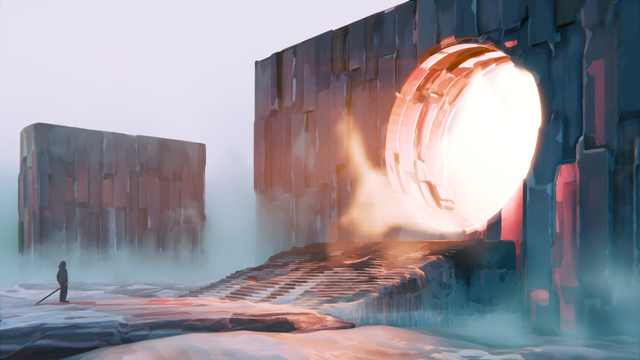
I rencently finished a personal project which I had tons of fun with. The goal was to do everything in Blender from modelling to compositing and color correction and make heavy use of geonodes and procedural shaders.
More images and an animated clip at
https://www.artstation.com/johannes_kollmer
#3D #B3D #Blender #artwork #3DModeling #digital #DigitalArt #art #arts #artist #artists #Blender3D #FediArt #MastoArt #ArtistsOnMastodon
My Blender Addon - Wireframe Color Tools is now also available on the official experimantal Extensions website at blender.org:
https://extensions.blender.org/add-ons/wireframe-color-tools/
Blender Extensions
Blender Extensions is a web based service developed by Blender Institute that allows people to share open source add-ons for Blender.
I wrote the free Wire Frame Color tool addon for Blender a couple of years ago and still use it for allmost every project.
I decided to move it over to gumroad for easier access.
Feel free do download it there and give me feedback.
#Blender #Addon #3D
https://lumpengnom.gumroad.com/l/WireframeColorTools

Wireframe Color Tools addon for Blender
Hi guys, this addon for Blender makes it ultra easy to turn the garbled mess of complex viewports into a clear and efficient experience.Don't you just hate it when your switch to wireframe mode and everything turns into a murky soup of black strings? No more of that! With the Wireframe Color Tools you take back control of your viewport and turn working with large scenes into a breeze.FeaturesSet Color: Set the Object Color of multiple objects at onceSet Color Range: Sets your objects to a range of colors of your choiceRandom Color: Sets your selected objects to a random object colorGet from Material: Sets your selected objects to the color of the objects materials viewport colorInstallationInstall like any addon. Download the zipfile and without unzipping it go to:Preferences -> Add-ons -> InstallThen select the zip file you just downloaded and don't forget to check the checkbox next to the addons title to activate it.InstallationViewport ShadingTo see the effect of Wireframe Color Tools you need to check the following settings in wireframe mode and/or solid mode:Wireframe modeSolid modeSet Color: Set the Object Color of multiple objects at onceSet ColorSet Color Range: Sets your objects to a range of colors of your choiceThis is useful for making all objects of a category the same color tone while still being able to differentiate between individual objects.For example if you have a lot of plants in your scene you can give them all a range of green tones.Set Color RangeRandom Color: Sets your selected objects to a random object colorRandom ColorGet from Material: Sets your selected objects to the color of the objects materials viewport colorYou can set the viewport display of your materials in the materials proprties. This is not the Base color of the Material. The viewport display color can be found under:Properties Panel -> Material Properties -> Viewport Display -> ColorThe "Get from Material" Button takes this color and matches the objects viewport color to it.

 Blender 🔶
 Simon Thommes
 Blender