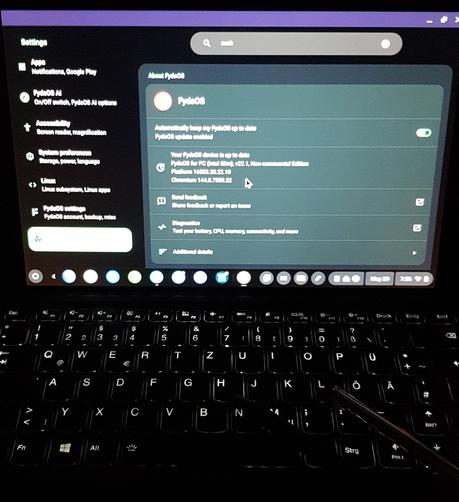
#FydeOS, a fork of #ChromiumOS, which is #ChromeOS without all that Google stuff; it seems to run quite well on my old Lenovo IdeaPad Miix (i5-7200U, 2C/4T, 4GB RAM).

๐Ÿ‘‰ It's certainly snappier than #Windows 10, and it boots in almost no time!
๐Ÿ‘‰ It can run #Android (11) apps!
๐Ÿ‘‰ Pleasant-enough #tablet UI/UX - touch-optimised UI on a tablet is exactly right!
๐Ÿ‘‰ #Nextcloud and #KeePass work just fine.

๐Ÿ›€ we'll see how it fares in its intended application - #Jellyfin bath tub entertainment centre..
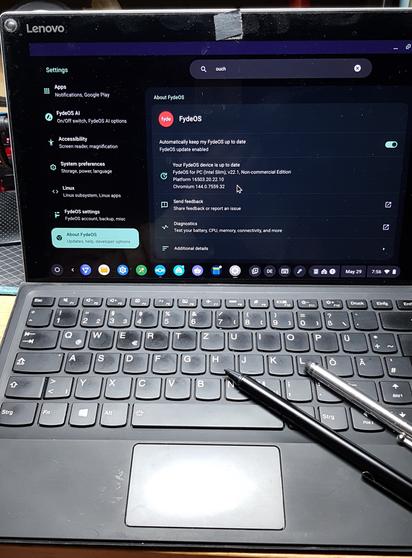
๐Ÿงต 2/n yes, technically #FydeOS can run #Android apps.

However, the #LLM / #AI, that told me about FydeOS, misrepresented the technical details!

Android on FydeOS IS a VM - like the #Linux subsystem(s) on #Windows!
Android apps are NOT running natively on FydeOS, they are virtualised!

This is fine, no complaints for now. The clipboard "just works". That's why i'm not complaining about nextcloud or keepass.

๐Ÿงต 3/n yeah, nah, don't use the #Jellyfin #Android app on #FydeOS!

On my tablet, i couldn't fullscreen - not even a fullscreen UI toggle button!

Running Jellyfin in the browser seems to be just fine, though. I've been able to switch to fullscreen mode.

๐Ÿงต 4/n of course, you have to jump through a few hoops, to install #Fdroid on #FydeOS. Once, you have F-Droid running, the options are greatly expanded.

You can install the #Aurora app store, in order to gain access to non-FOSS apps (gPlay without login?).

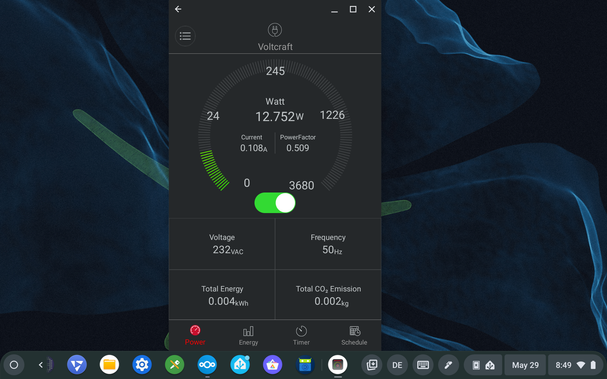
I did that; that's how i'm running the #Voltcraft #SEM6000 Bluetooth smart plug app.

It's all a bit quirky, though. It seems to help, when you just close and re-start the app, sometimes multiple times.

๐Ÿงต 5/n #Bluetooth passthrough works on #FydeOS.

I can use the #Voltcraft #SEM6000 #Android app.

๐Ÿงต 6/n #FydeOS

i DID struggle, and ultimately FAIL, to share a screenshot with #Nextcloud or #KDEconnect, though.

As far as i can tell, there's NO convenient way to share files!

AFAIK, that's because the Android apps are virtualised, and the "Share this" functionality is unable to cross Hypervisor-Guest boundaries - if those APIs even exist.

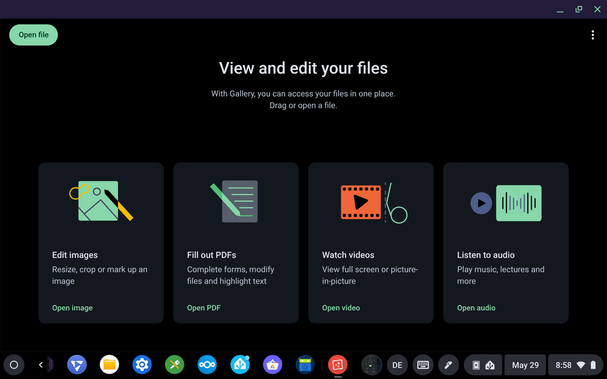
Also, the FydeOS gallery app is BULLSHIT! Where are my screenshots? No, i did NOT expect some kind of wizard! Gallery means "pictures"!

๐Ÿงต 7/n i've tried #NewPipe, but i couldn't log in to my YouTube account, despite the LLM/AI insisting that option exists.

AFAIK, you're supposed to export your subscriptions and import them into NewPipe - in NewPipe, you seem to be not actually subscribing, you're just maintaining a list of surveilled channels.

I'm not using NewPipe, but vanilla YouTube in the browser. The UX on #FydeOS is much snappier than the same use case in #Firefox on #Windows.

๐Ÿงต 8/n running #FydeOS on that tablet is certainly a better experience than #LinuxMint or #Ubuntu #Gnome #Linux.

I don't regret nuking #Windows, and paving it over with FydeOS.

In particular, in touch-only/tablet mode, FydeOS actually enables me to operate my #KeePass password manager!

Neither Mint, nor Gnome managed that! (those seem to have X vs Wayland issues, that translate to inoperable KeePass apps)

AFAIK, FydeOS even encrypts my user data - not reliably confirmed/tested, though.

๐Ÿงต 9/n #FydeOS DOES NOT properly support #password managers!

Copied passwords seem to remain stored in the clipboard, indefinitely. Those passwords DO NOT get erased from the clipboard, automatically!

Edit: the text/plain password is visible!

User interaction is required, in order to delete the text/plain passwords from the clipboard - feasible via on-screen-keyboard, clipboard tab.

#security #InfoSec #BugReport

๐Ÿงต 10/n #FydeOS fails to recognise the keyboard, upon wake-up.

When i flip up the keyboard, the magnetic sensors trigger some kind of stand-by/hibernate mode. Then, when i unfold the keyboard and press the power button, the OS wakes up, but fails to recognise the presence of the keyboard.

Cumbersome manual fix: undock the tablet from the keyboard, and re-dock it. That usually fixes this issue.

Certainly an inconvenient quirk!

edit: let's make this another #BugReport

๐Ÿงต 11/n the #Nextcloud @nextcloud #Android app, running on #FydeOS, DOES NOT auto-upload/-download screenshots, or photos, or anything!

I reckon, that's because it's virtualised/sandboxed.

Android apps don't seem to be able to access the FydeOS filesystem - not even the share function works!

Edit: i can't "share" files with the nextcloud app, in order to upload them to the instance.

๐Ÿงต 12/n auto-rotate doesn't work, #BugReport!

Nope, the landscape/portrait mode DOES NOT adjust automatically! #FydeOS on #Lenovo #IdeaPad Miix (510-12IKB).

I CAN adjust manually, but it takes 1 tap for each 90ยฐ rotation - inconvenient!