 sidasa
 tylerhall
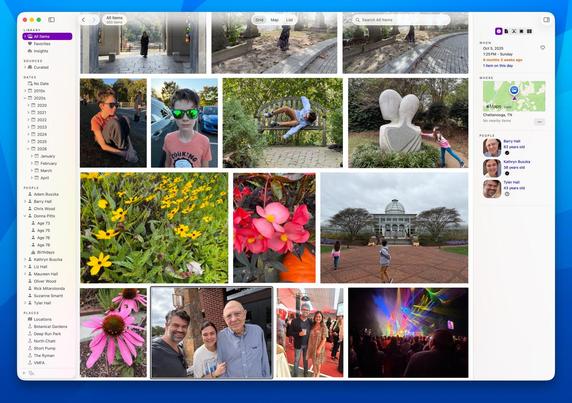
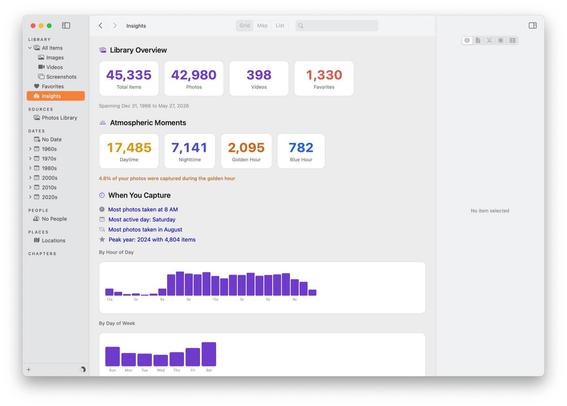
Iris for macOS is available. It's the native photo and video library I always wanted. I hope you like it, too. https://irisphotos.app
@tylerhall if you can do that, and stretch goal, make the metadata inspector side pane a tear-off, you'd win a huuuuuuge quantity of the Aperture-missers.
Live view of the filesystem, so I could arbitrarily add a folder where the originals for all of my cameras have their images stored, and then when I add files in Finder, they're automatically in Iris, is a particular hole in Mac image workflows right now.
Details here if you're interested:
https://www.mattgodden.com/2025/12/24/refining-image-ingestion/
https://www.mattgodden.com/2023/11/23/solve-for-a/
@tylerhall The website mentions that the Mac App Store includes family sharing... but I'd rather purchase direct from you so you get more of the full price...
Does the direct-purchase app also allow sharing the app with family members? Or is it limited to a single computer?
@tylerhall This looks really nifty, and I'm looking forward to giving it a try.
One question and one thought:
Question (which I think I've picked up the answer too, but want to be sure): Does it play nicely with Apple Photos if you keep using Photos? That is, if I keep adding photos to Photos (ugh, I hate modern naming conventions), will Iris pick them up (immediately, soon, or on next launch)? If I add photos to Iris, will Photos pick them up? Mainly, I have enough photos that I value Apple's "keep screen res on-device, download the high-res when requested" approach, so might want to continue using Photos on the backend even if I move to Iris as my primary front end. Plus, it's nice having iPhone photos just magically appear in my library without having to manually move them in.
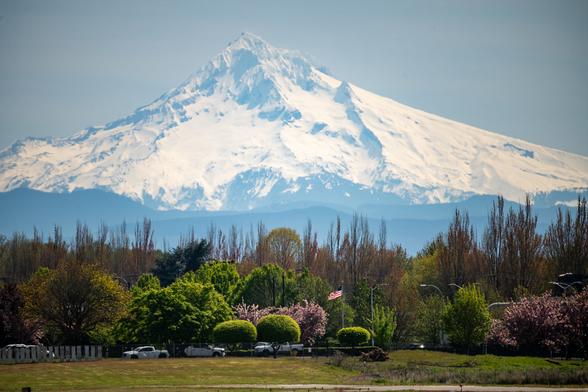
Thought: Triggered by the bit in the blog post about the Explore Mode's “b/c a photo can’t be in more than one at a time” — maybe they can? Not really _in_ more than one place at a time, but with landscape photos, I often tag mine with both where I was when I shot it and what I'm looking towards, like this shot of Mt. Hood (in Oregon) shot from Fort Vancouver (in Washington): https://www.flickr.com/photos/djwudi/55220297880/in/dateposted-public/ Not sure that helps or hurts the thought process for that mode, but it popped into my head.
@djwudi It’s best to think of Iris as a “read-only lens” on top of a “source” of photos/videos.
A source could be Apple Photos, or a folder on your Mac, or an external drive, or even a NAS. And you can connect as many sources as you want.
Iris scans your files, indexes them, makes thumbnails, and keeps a database of cached metadata. It never writes back to your files or Apple Photos.
As you add new photos to your sources, Iris will (not instantly) find them, index the new ones, and make them visible in Iris.
If you disconnect a source (unplug a hard drive, etc) Iris will keep working just fine. You can search and browse as usual - although you’ll see Iris’s thumbnails instead of the full-res originals.
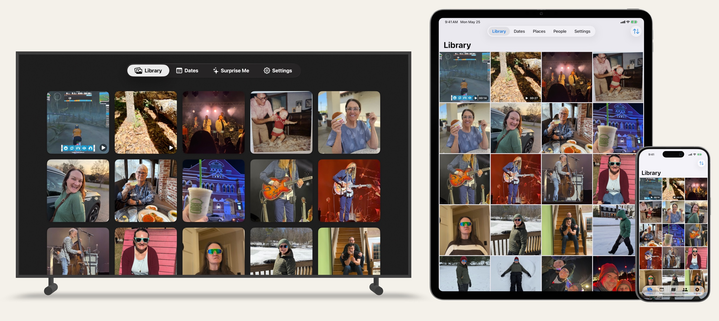
Iris includes a built-in web server and API that let's you view and search your library through your web browser - and also from Apple TV and iOS companion apps.
The tvOS app is live in the App Store now. iOS coming very soon.
And for you Tailscale nerds, that means remotely viewing your library is easy, too.
@tylerhall Lovely, this looks and sounds really nice! Is it oblivious of raw files though? (If so, it might be an option to load the raw file’s jpeg previews in order to avoid having to deal with the myriad of different raw file types.)
EDIT: Sorry, it does read RAW but apparently no Fuji for example?
Hi, I shoot RAW only and my previous camera was producing DNG files. I just bought a fuji X-T4 that produce RAF files. This file don't show thumbnails in the finder. (Mac OS Monterey 12.4). I know I can import to LR and will see the files but it's would be easier to see the pictures in finder...
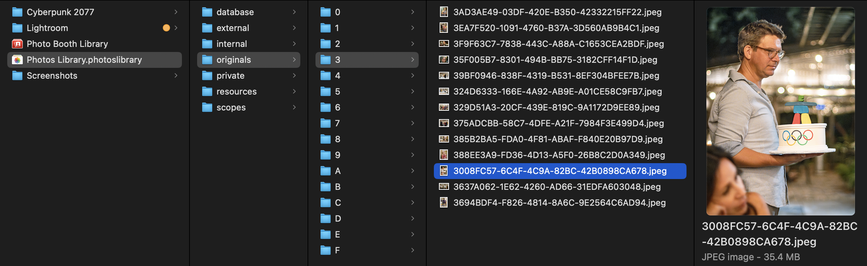
@bbech @tylerhall Technically anything can work with your Photos library b/c the "Photos Library.photoslibrary" data is actually a folder, and inside is an "originals" folder with unedited source media!
It's nice that Apple is only hiding the "guts" of your Photos data, and you can get to it via "Show Package Contents" — and point other apps like Iris Photos to read/scan that folder.
However, doing this sort-of-thing with an app that doesn't "read-only" is risky!
 Matt Godden
 NerdRelaxo
 kcǃ
kcǃ Secundus
 Michael Hanscom
 matt sephton
 thaddeus:~$
 Alex Kretzschmar
 WTL
WTL Roger
Roger Karin Dalziel
 Andy
Andy Jonathan Gerlach
 basile
 Marvin R
 Ali Alm
 plainmindapp
 Josh S
 Alexander Rutz
 Mark Derricutt (talios)
 Thomas Blätte
 Brian Gerfort🇺🇦
 Todd Vaziri
 Ryan Carver
 Joshua Graves
 bbech
bbech
 Eric Peacock