
Iris for macOS is available. It's the native photo and video library I always wanted. I hope you like it, too. https://irisphotos.app
@tylerhall Lovely, this looks and sounds really nice! Is it oblivious of raw files though? (If so, it might be an option to load the raw file’s jpeg previews in order to avoid having to deal with the myriad of different raw file types.)

EDIT: Sorry, it does read RAW but apparently no Fuji for example?

@animaux Iris uses macOS's native frameworks to read RAW files. I'm limited to what they support. If there's an image that you think should be supported and isn't, I'm happy to take a look if you feel comfortable emailing it to me.
@tylerhall Thanks for getting back. Yes, looks like Fujis RAFs are not supported by macOS itself. You are probably bombarded by feature requests now, but ;) What I was instantly missing was keyboard navigation through the grid via arrow keys and also page-wise and start/end-keys. Also the Keywords are still very »interesting«. Apart from all that, very nice, what an effort to make this, I’m totally impressed!
@tylerhall OK, the issue is apparently Fuji RAFs with compression. No simple way around it I guess —> https://www.dpreview.com/forums/threads/fuji-x-t4-raf-files-view-in-finder.4658002/
Fuji X-T4 RAF files view in finder ?

Hi, I shoot RAW only and my previous camera was producing DNG files. I just bought a fuji X-T4 that produce RAF files. This file don't show thumbnails in the finder. (Mac OS Monterey 12.4). I know I can import to LR and will see the files but it's would be easier to see the pictures in finder...

DPReview Forums
@animaux @tylerhall Between this and PhotoCuller I think I might be in workflow heaven. PC uses apples lib with fallback to a thirdparty library and handles RAFs fine. Must go install this and try it out!
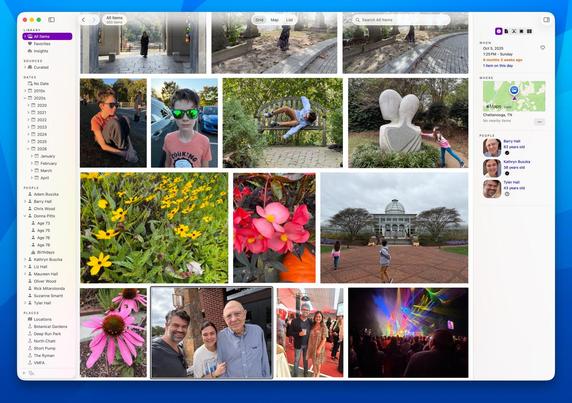
@animaux Moving around the grid with arrow keys isn’t working? Or is it not behaving as you’d expect?
@tylerhall I don’t know if @animaux experiences the same, but for me left/right arrow keys don’t work at the start/end of a row. If I press the left arrow key on the beginning of a row, the focus jumps to the side bar. If I press „right“ at the end of a row, nothing happens (though this might be intended). I’d prefer if the selection jumps to the previous/next photo on the line above/below. (I‘m still on Sequoia)
@tblaette @tylerhall I didn’t work at all, but trying again now it does. I’d second the expected jump to next row on row end, or previous row on start. At the moment it jumps to the sidebar. Also the Page- and Start-/End keys would be nice to have. (Sequioa too)