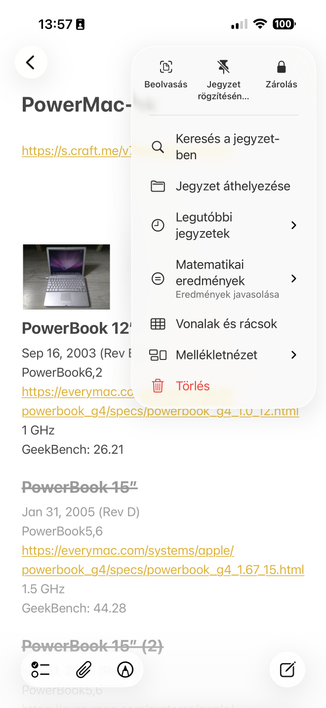
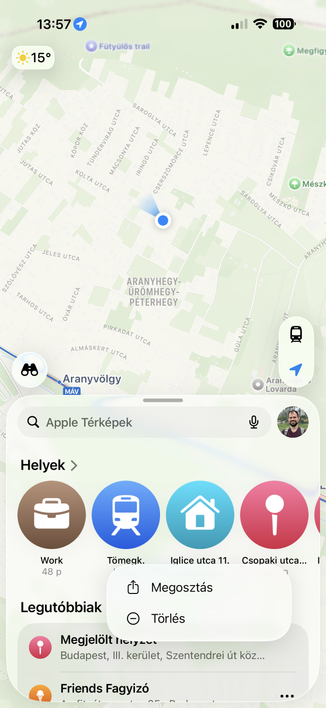
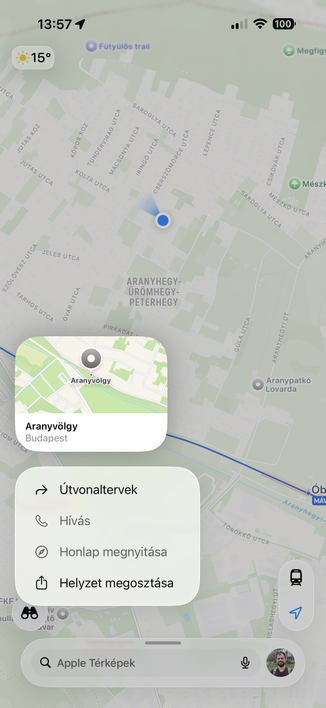
If the original Mac had used icons in menus from the start, nobody in their right mind would be calling for their removal today.

That's how you know that argument doesn't reflect reality. All major platforms now have icons in menus; you can't wind back the clock on that one, you're just obstinately refusing to follow the system standards and user expectation.

So much ink and many podcast hours have been wasted discussing the wrong parts of the issues with Liquid Glass on the Mac

@stroughtonsmith I would. It’s not a question of “are we used to it or not”. It’s about principles: do icons help you find stuff faster? Do they help understand the meaning of the action? For most of the menu items, no. The original Mac didn’t have icons not because they couldn’t do it, but because it was impossible to do in a good and meaningful way. Still is. It’s not about computers capabilities, it’s about how human perception works. Humans are still the same
@nikitonsky are you calling for them to be removed from iOS?
@stroughtonsmith @nikitonsky And the menu bar on iPadOS has several deficiencies compared to the Mac’s (e.g. its position on screen).

@stroughtonsmith @nikitonsky

1. What does iOS have to do with it?

2. What @nikitonsky said applies to iOS as well

3. On top of that Apple keeps hiding meaningful information behind meanigless inconsitent icons across apps and utilities

@dmitriid @nikitonsky iOS is Apple's bigger, more-successful OS, and is also (on iPad) used with keyboard and mouse, which has had menu icons for several years. The point is where are all the calls to remove its menu icons?

It's all well and good saying now that you would have campaigned against icons in menus had they been here since the start, but nobody has brought up that claim against Apple's other OSes, and they've been here for years. I just don't believe it ex post facto

@stroughtonsmith @nikitonsky

iPad has for years been basically a one-window device on with a small screen, used mostly for consumption, with very limited mouse and keyboard support added as an afterthought.

Since iPad has fewer users of actual complex and desktop software, there were no calls for that. Oh, don't forget that for years, again, iPad was viewed as basically abandoned with many complaints that Apple doesn't do anything to do iPad OS a better system.

@stroughtonsmith @nikitonsky

"Other Apple OSes" are iOS which doesn't have menus, iPad OS which has been the bastard child with little non-consumption use, tvOS which is basically abandonware and doesn't have menus.

And MacOS which... you somehow assume MUST absolutely become iOS because?

@dmitriid @nikitonsky everything you longpress on spawns a menu on iOS; for years macOS was also viewed as basically abandoned (or, as pundits said at the time, 'mature') until they started investing in it again 2019 onwards. I don't know what bearing that has on icons in menus, though, on either platform. If you're venting for the sake of venting, that's fine, but you're not going to convince me
@stroughtonsmith @dmitriid @nikitonsky by "investing", do you mean ruining it with the Big Sur redesign? The one that merged the title bars and toolbars so nothing fits? The one that removed button borders in those toolbars by default? The one that made the layout of an NSAlert comically bad for no good reason? Honestly, it would've been much better off if they didn't make that "investment".

@stroughtonsmith @nikitonsky

Ah yes. Everything that I longpress spawns a 4-item menu that is a) equivalent to menus on MacOS and b) must serve as a model for MacOS because reasons.

@grishka has already answered about "investment"

@stroughtonsmith @nikitonsky @grishka

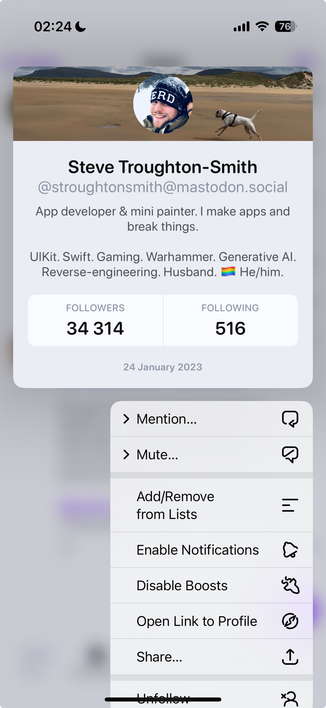
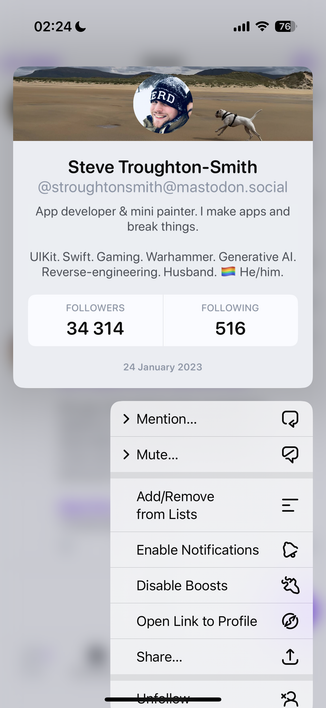
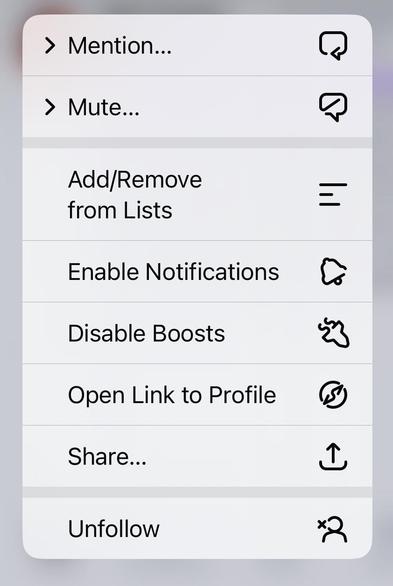
Here's a menu that pops up in Ivory when I long press a user name.

Which part of this menu can serve as an example for MacOS?

- Not fitting the screen?
- Icons on the right?
- Multiple nested expandable groups?
- Icons that make no sense ("open link to profile") but have to be there just because?

@stroughtonsmith @nikitonsky @grishka

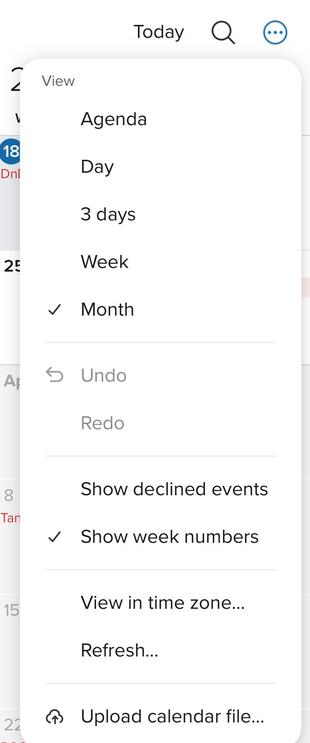
Compare. Standard iOS longpress menus in Ivory vs. desktop-like custom menus in Fastmail.

Somehow desktop-like menus have no problems with clarity, grouping, icons etc.

@dmitriid @stroughtonsmith @grishka nested menus open another popup on top? ew
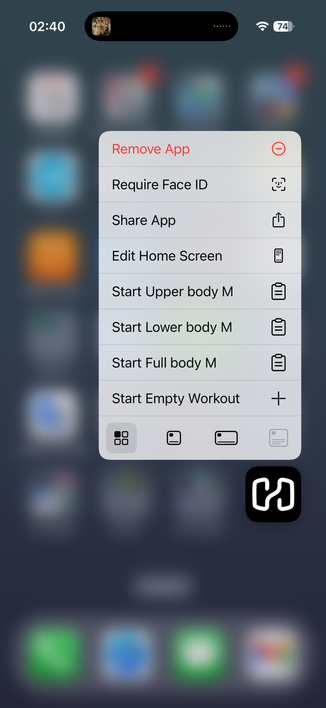
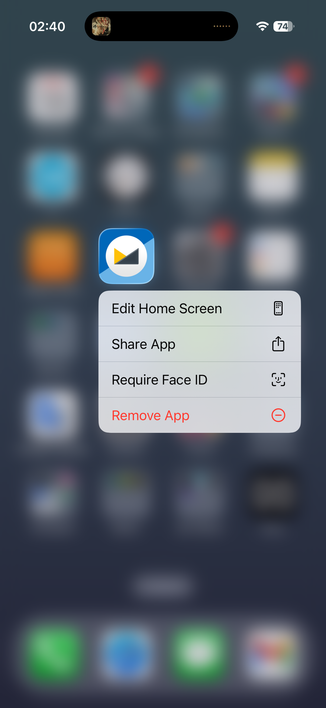
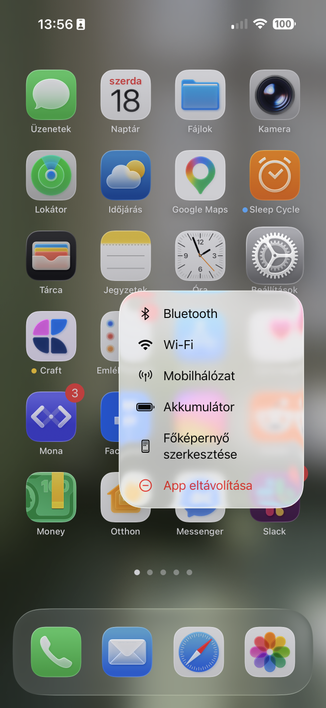
@stroughtonsmith maybe if I used iOS more (which I barely do) and then used menus there more (which I almost never do) I would care about it. Where do you even see a menu on iOS? When deleting an app from a home screen?
@nikitonsky there are pull-downs everywhere in iOS, and longpress context menus everywhere else 😅 Save for not using any native apps, I don't know how you could avoid them

@stroughtonsmith @nikitonsky

They are not everywhere. All apps on iOS are designed to avoid menus as much as possible.

You discover any long presses and those by accident and usually dismiss them.

I think the only menu-like object anyone encounters with any frequency is the text options (select, paste, lookup).

Oh. When you want to edit the home screen you are now presented with a menu first because apps can populate it. The order of the menu depends on icon position lol.

@stroughtonsmith @nikitonsky

I've been an iPhone user since iPhone 3GS I think. I've never once concsiously used any of the long press menus anywhere. Except by pure accident.

Oh. I remember one I actually use regularly. The annoying finicky "copy image" in Safari.

@dmitriid @stroughtonsmith @nikitonsky sorry buddy, but then I have to tell you that you are doing something seriously wrong.

@gklka @stroughtonsmith @nikitonsky

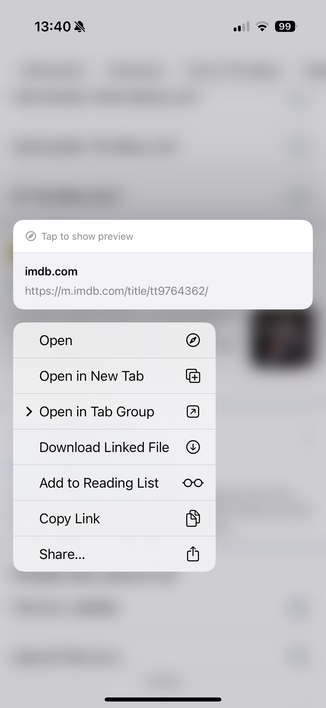
I could challenge to list all the multitude of popup/context/long press menus you constantly use in the apps you use on a daily basis.

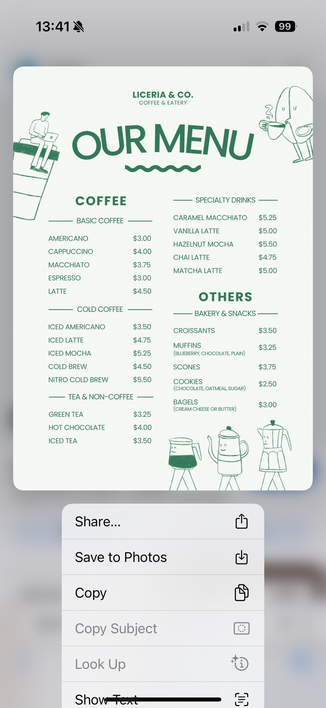
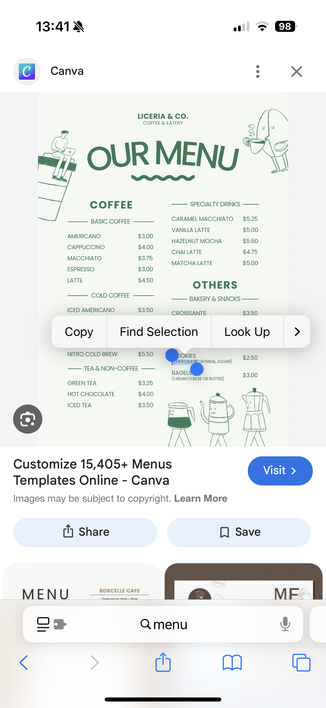
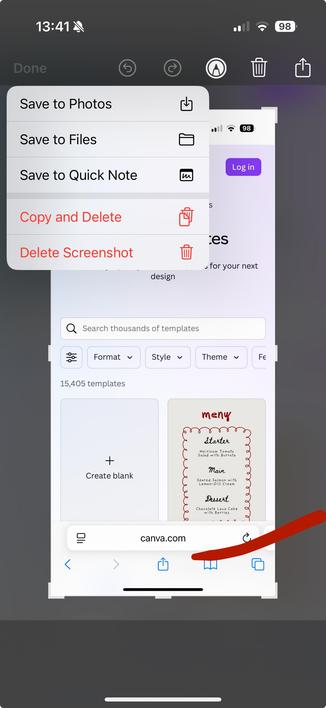
I did find four I use regularly. Two in Safari, one text selection, one screenshot tool.

This returns back to the question of why these short one-off random menus are now assumed to be *the* model for MacOS menus?

@gklka @stroughtonsmith @nikitonsky

There are a few more that I sometimes randomly run into (I don't use Messages that much), but look at how amazing this menu is and what happens when I click "More...".

Truly something to bring wholesale to MacOS

@gklka @stroughtonsmith @nikitonsky

And here's what happens when you say "well, iOS is the more popular system, we need consistency whereby we just blindly copy iOS interaction patterns": "Why macOS Ventura Share menu is bad" https://lapcatsoftware.com/articles/VenturaShare.html

Why macOS Ventura Share menu is bad

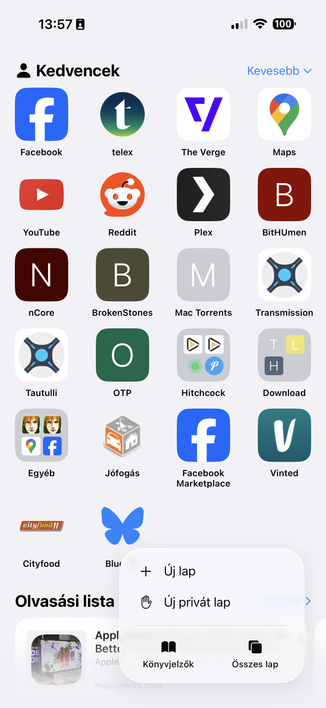
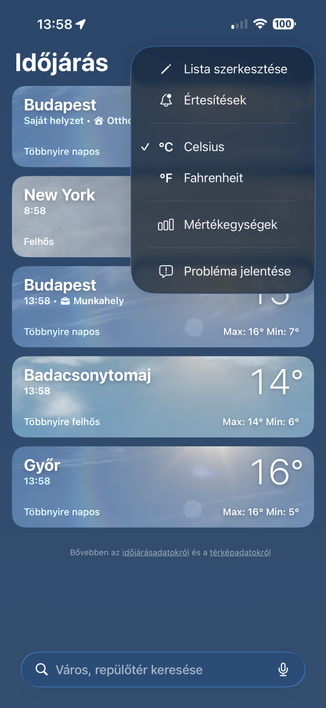
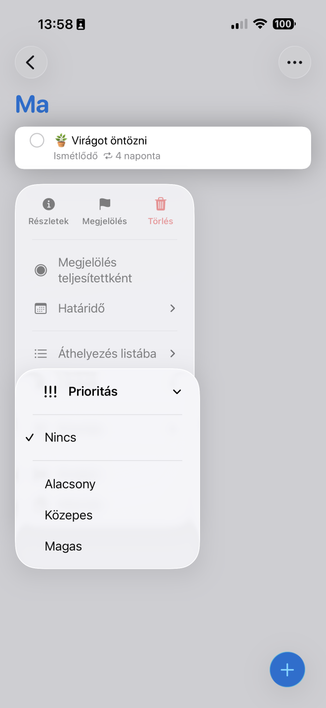
@dmitriid @gklka you're not even on iOS 26, no wonder your arguments have no bearing on what we're talking about 🤦‍♂️ Menus are everywhere now, the new shared design language leans on them heavily, and they have the same design on both iOS and Mac

@stroughtonsmith @gklka

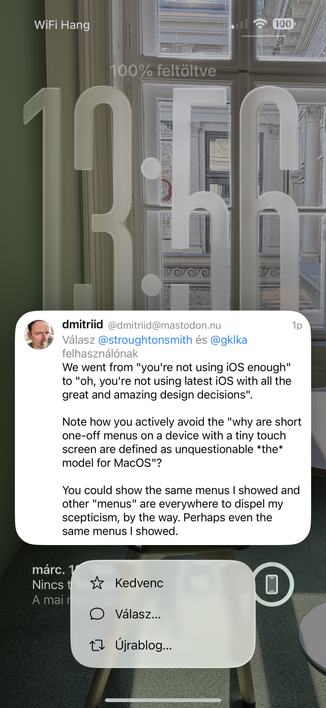
We went from "you're not using iOS enough" to "oh, you're not using latest iOS with all the great and amazing design decisions".

Note how you actively avoid the "why are short one-off menus on a device with a tiny touch screen are defined as unquestionable *the* model for MacOS"?

You could show the same menus I showed and other "menus" are everywhere to dispel my scepticism, by the way. Perhaps even the same menus I showed.

@gklka @stroughtonsmith

Thank you for the screenshots!!

So.... It's all the same context menus that have always been there, just more oval, and more padding?

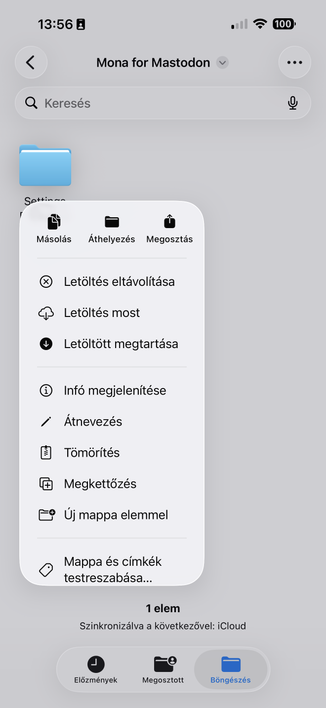
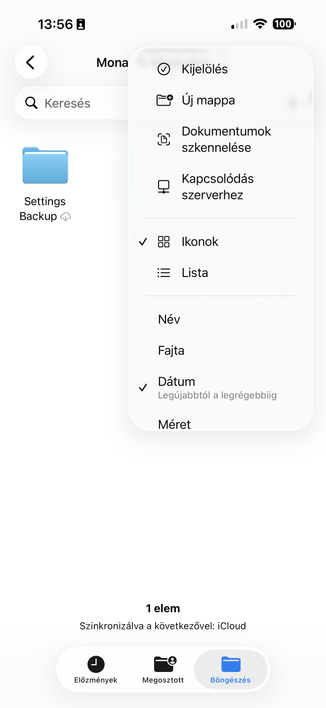
As I've seen all, or most, of them at one time or another. Cant't say I use them (I now remember I always curse the Files app and Files menu on the rare occasions I end up there)

@dmitriid @stroughtonsmith So eventually we came to the conclusion that you definitely don't use iOS without them. Great.

@stroughtonsmith @gklka

(I mean, they moved all icons to the left, made all menu items require icons, and made everything as oval as possible. Why is this assumed an undeiably unquestionably good thing, and anyone who challenges the assumption is met with undeserved hostility and "but iOS is so popular"? I mean, with so many failures of the redesign, *this* is the one area that received the utmost care, attention to detail and research?)

@dmitriid @stroughtonsmith I am not stating or challenging any of these things. All I stand for is that iOS currently has huge piles of context menus virtually everywhere, and it is not possible to use the OS without them.

@gklka @stroughtonsmith

I literally use iOS without the vast majority of them.

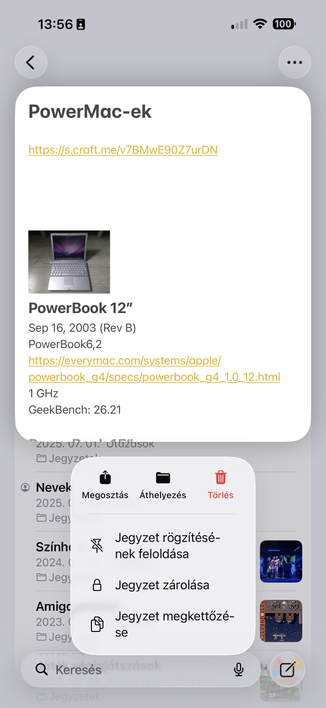
Honestly, I didn't even know you could long press Notes, for example. And Notes is my life :)

@dmitriid @stroughtonsmith I see. Then I wouldn't draw too much generic conclusions from your user habits.

@gklka @stroughtonsmith

But you do draw "impossible to use iOS without them" from your user habits, and I have to accept those unquestioningly while yours are just the truth.

@gklka @stroughtonsmith

I'd even wager that *most* iOS users don't use most of the iOS menus because they are inconsistent, non-discoverable, and break context and flow of the current app (since they are all popups).

Just because they exist in iOS doesn't mean they are either good or used. Many of those are just Apple's concessions to "we have no idea how to design ourselves out of this corner"

@dmitriid @gklka I have no interest in dispelling your skepticism, and you have completely misunderstood what my position is (which has nothing to do with iOS — I was throwing shade, and you inserted yourself). My position is stated in the original post: "If the original Mac had used icons in menus from the start, nobody in their right mind would be calling for their removal today"

I think saying you would, now, is performative. All other platforms have moved in this direction, nobody fought it

@dmitriid @gklka (and by 'all other platforms', I mean Windows, Android, and Apple's own other — and larger — platforms)

@stroughtonsmith @gklka

I mean.

Your premise is quite literally "whatever's on iOS must be used because it's a popular OS".

This is the premise. Any challenges to it are dismissed out of hand with surprising hostility and ad hominems.

@dmitriid @gklka you're clearly just here to cause trouble; I've stated twice what my premise is, I've been very accommodating to your hostility, and you've had many chances to back off, so I'm removing you permanently now

@dmitriid you are virtually never more than one screen away from a button or element that spawns a menu on iOS. 90% of the system's functionality is buried in menus. They're in the main toolbar of Messages, Photos, Files, Notes, Reminders, Phone, Mail, Safari, Music, and pretty much every system app. Same API as menus on macOS.

If you're genuinely not using iOS enough to notice the menus, I can't really help you; I don't know what your argument is, or why you think it needs to be in my replies

@stroughtonsmith

Most buttons invoke a share sheet-like functionality

a) which is distinctly different than context menus

b) which is a long huge messy single list of random things

Why is it in replies? You keep bringing iOS menus as *the* menus to look at when discussing MacOS menus. Your unshakable premise is that "iOS is more popular, so every single design decision made for the touch-optimised tiny screens is a must have on MacOS", and we collectively challenge that assumption.

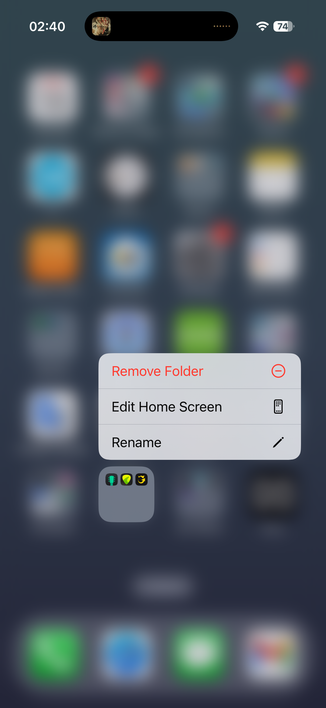
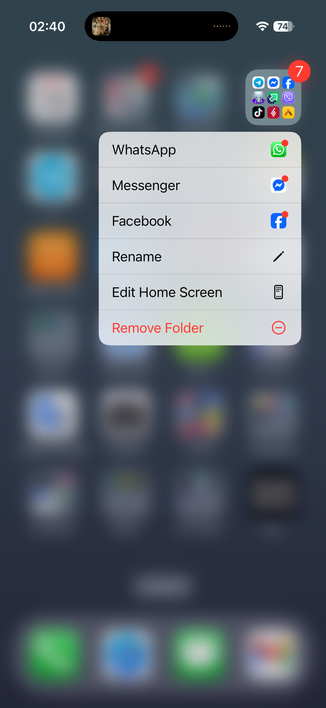
@dmitriid @stroughtonsmith long press on a folder shows menu with 3 random apps from that folder? Not even first 3? ew

@stroughtonsmith @nikitonsky maybe, just maybe, this whole "consistency across platforms" thing isn't a good goal to have, after all?

I mean, macOS and iOS couldn't be more different in how they're used. Why, then, should there be any similarities between them? To solve what, exactly? Why can't macOS and iOS have disparate designs because one is used with keyboards and mice with apps in windows, and the other with touchscreens with full-screen apps?

@grishka @nikitonsky except iOS is now used with keyboards and mice and with apps in windows. iPadOS is iOS.

But I disagree with the premise; I do want the same OS across my platforms, not just 'consistency'. I would like it to take the best of macOS and bring it to iOS, and the best of iOS and bring it to macOS. Apple's aiming for a lower common denominator than any of us want 😅

@stroughtonsmith @nikitonsky let's be honest: keyboard and mouse support in iPad OS is an afterthought. Very few people use it that way.

Look at it from my POV: I've been using Android phones since 2011 because I can't stand iOS (sideloading is not optional for me). I never had an iPhone as my main phone. I've never had an iPad at all. So for me, macOS is just getting worse for no reason at all. My biggest gripe is that my screen feels smaller with each successive redesign.

@stroughtonsmith @nikitonsky basically, in my ideal world, primarily-touch and primarily-desktop OSes should be developed by entirely separate teams unaware of each other's existence
@gruber @nikitonsky @stroughtonsmith Let’s not forget that *also* humans are *different*! Some are very happy about macOS menu icons *exactly* because of how their perception works. And they will say YES to those questions even in current state of implementation. Maybe that goes under the accessibility umbrella because of the small percentage of population, but this alone warrants the development.
@gruber @nikitonsky @stroughtonsmith On the other hand, people who feel that icons “are noise” can be considered being on the other end of the spectrum for this accessibility aspect. I’m sure the shitty quality of implementation exaggerates this cohort by a lot, but even after fixing inconsistencies, toning down the amount by reevaluating each case, improving the quality of the symbols — there will be people who do not find them useful and would prefer just clean classic text-only look.
@gruber @nikitonsky @stroughtonsmith Also there are menu items where icons are arguably universally helpful. Like ones related to spacial modifications (text justification, window positioning) or color (file tag color). I would guess that even people from the “classic” camp would still prefer to have those.
@gruber @nikitonsky @stroughtonsmith Seems like menu iconification system should have been designed to be able to adjust to the needs of the user. But Apple “had no time” for this, therefore we are wasting our time now trying to help.
@mrudokas @gruber @nikitonsky I'm in that camp; I much prefer menus with icons, they're easier to scan, and I feel legacy wall-of-text menus look dated and awful now. I would be furious if they took the menu icons away again just because of the podcast discourse. Is it really a case where they need to add a setting, though, or is it just a cheap outlet for other frustrations with the OS design?

@stroughtonsmith @gruber @nikitonsky I prefer having some icons, so I could not tell.

You need to clean the mess first and then do some UX research. We have no idea how many complain about “noise” purely because of shitty quality of implementation vs who really function better with text-only.

@mrudokas @gruber @stroughtonsmith No. I don’t buy that. There’s no human on Earth who looks at these and is like “I have no problem telling these apart”. Relativism is a bad criteria: if you say “anyone just might like anything” it’s impossible to make any decision at all
@nikitonsky @gruber @stroughtonsmith Ok, you showing the worst icon design example. Yes there are plenty of crap currently. But this is a separate issue from having or not icons in menus.
@mrudokas @gruber @stroughtonsmith I am glad you have moved from “Some [people] are very happy about macOS menu icons *exactly* because of how their perception works. And they will say YES to those questions even in current state of implementation.” to those people not being happy about implementation

@nikitonsky @gruber @stroughtonsmith I see no movement, Niki, sorry. Let me rephrase maybe: I’m sure for some people it is a big net positive despite significant amount of places where execution is lacking.

Why conflate UX principles that can be helpful (even if only for the part of user base) with execution problems?

@mrudokas @nikitonsky @gruber @stroughtonsmith

It's impossible come up with a visual metaphor for every action of every app and fit it into a tiny icon.

What does "open link to profile" icon even mean?

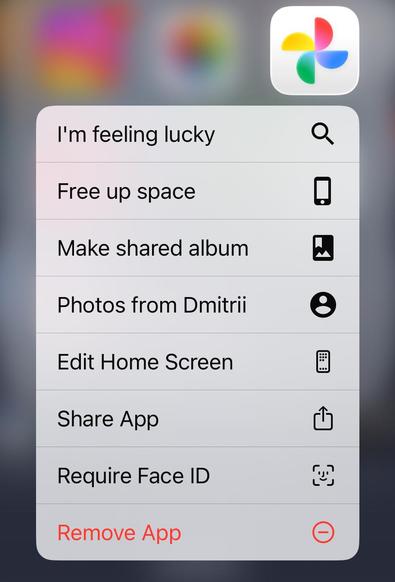
Why is "shared album" a wall poster (or a bookmarked landscape?) and "pictures from me" is an icon used for profile/account settings?

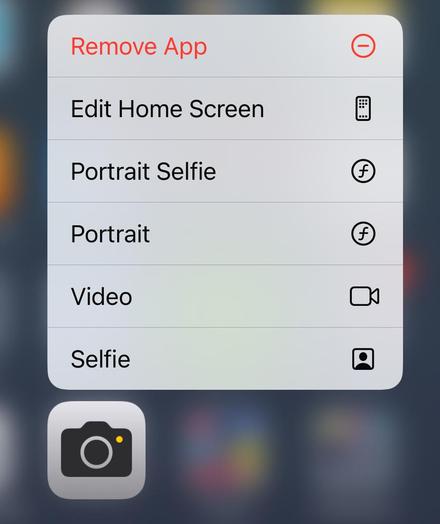
Yes, f is "take portrait" and "take selfie portrait".

And so on and so forth.

@dmitriid @nikitonsky @gruber @stroughtonsmith

Yes, not everything is representable. If there is no good visual metaphor, then don’t do it, otherwise you are just hurting usability, instead of helping. Seems simple. And yet here we are.

That is real noise indeed worth complaining about. But it also makes impossible to judge how much of the negative feedback comes from these nonsense cases and how much people would still perceive properly designed version with icons as “noisy”.

@mrudokas @nikitonsky @gruber @stroughtonsmith

Even in a "properly designed version" icons just become visual noise. You remove a powerful way to group and distinguish items, especially in longer menus.

When every icon is a strained visual metaphor of monochrome gray lines, they disappear in the noise

@dmitriid @nikitonsky @gruber @stroughtonsmith

When you place icons on most important actions and don’t litter them on everything, it is very helpful for grouping in long menus.

Yes size and monochromatic constraints have their challenges. But that’s what design is.

@mrudokas @dmitriid @gruber @stroughtonsmith you are assuming “properly designed version” is possible. Which I am not sure. What’s a good icon for “Portrait Selfie”? Or “Edit Home Screen”? There is none. It’s not a question of “just spend more time thinking and refining”. It’s a problem with no solution. Even with all the money in the world