 Alice Averlong🏳️⚧️
I have resumed the folly of 3d printing after a nearly year long hiatus
place your bets until how long it'll be until I'm ranting about how printers are a sin against man and god
I have resumed the folly of 3d printing after a nearly year long hiatus
place your bets until how long it'll be until I'm ranting about how printers are a sin against man and god
I'm printing a calibration cube because I don't know what state I left this printer in.
presumably in the standard state of "it kinda works but I don't trust it"
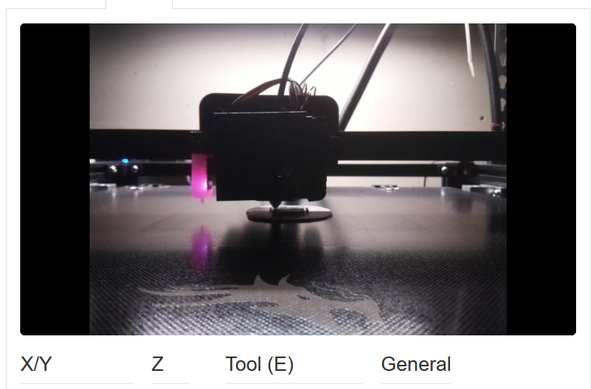
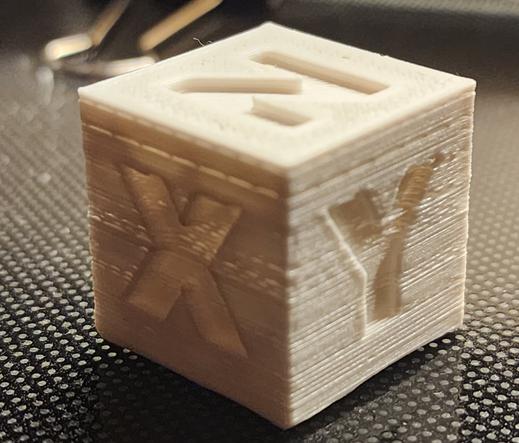
I've also got to switch to a different power supply for the pi that's running octoprint, and upgrade the pi to a new OS (which requires backing up and restoring existing octopi settings) because my python is EOL.
so it's working, but I'm still sighing a lot
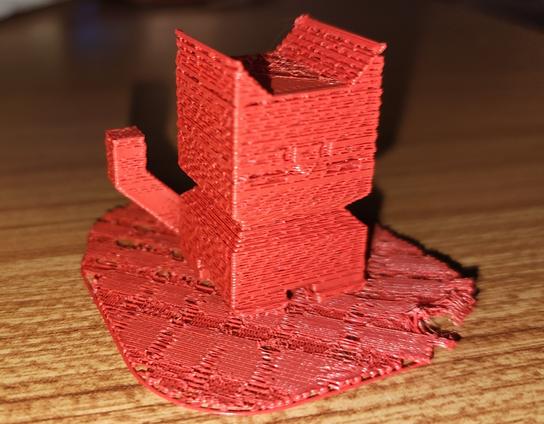
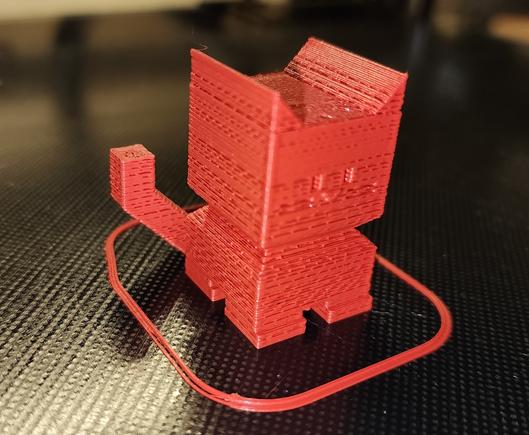
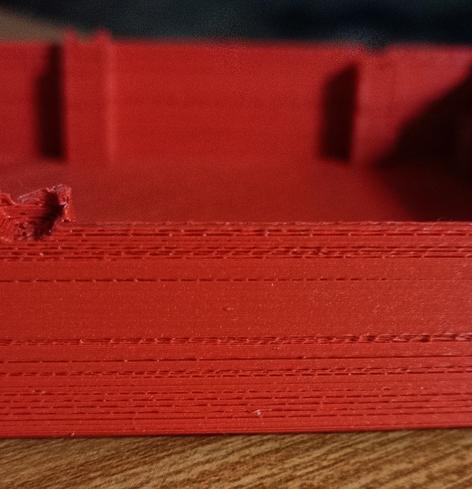
okay I printed a CE5P calicat after attempting to fix the z-offset issue. It still is horrible.
possibly this is mostly a temperature issue: I'm using the stock temperatures but I think I upgraded this to an all-metal hotend that needs to run higher?
reprinted with higher temp. it's better, but still bad.
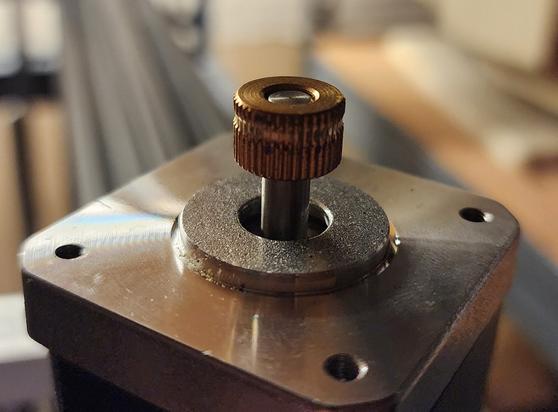
so probably there's another issue. I remember I did a lot of rebuilding of the hot end in the final days of using this before, so who knows what's clogged in there?
I printed on a raft because the z-offset is still fuckt
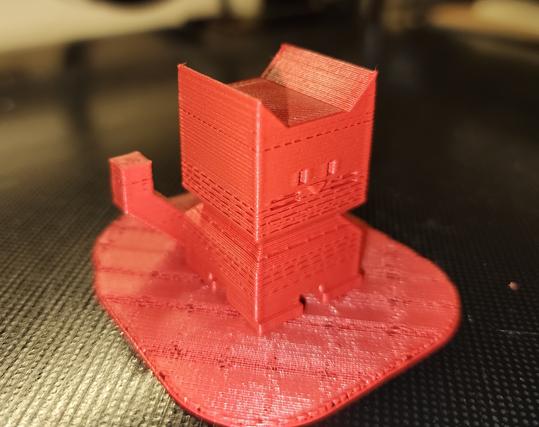
had to dig out my flir phone to take pictures for silly cellphone reasons.
Anyway, this is the 220°C 110% flow calicat. It looks way better, right?
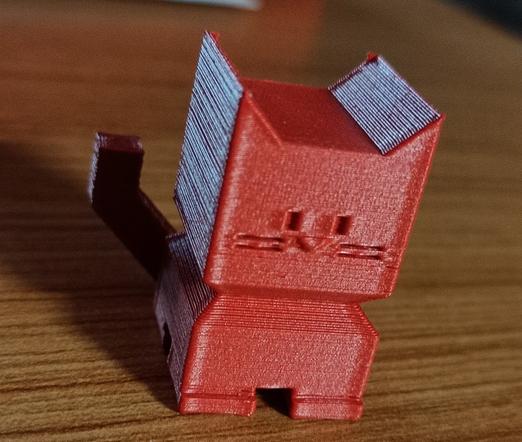
Thanks to everyone who has given suggestions for how to fix this. Unfortunately most of them require me standing up for longer than I can manage, so I've mainly just fiddled with settings (since I can do that from my bed).
but when I can, I'll be:
* calibrating the extruder
* trying to clear clogs in the hot-end
* calibrating the z-axis offset (which is a multistep nightmare in this setup)
installed a USB power blocker to try and fix the undervolting. it didn't work.
So I'm gonna have to find another power supply for that
okay I tried switching to a different USB power supply (5v 2A) with thicker usb cables: No difference, still undervolting.
I also cold-pulled the hot end a few times, to see if that'll help.
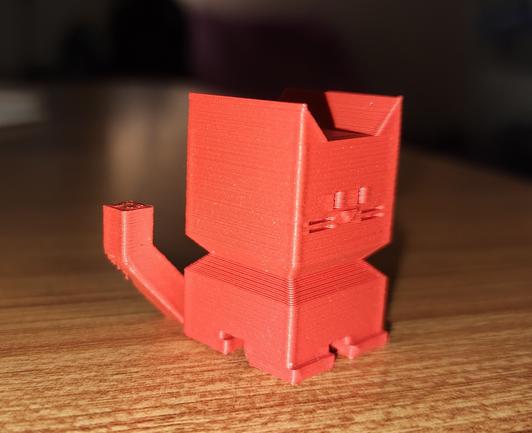
Seems pretty good.
My z-alignment is still fucked. I printed this on a raft because I knew it still was, but the raft was nearly impossible to remove. it was WELDED to the build plate.
and keep in mind that's me saying it as someone who has made it their livelong profession and hobby of touching computers as much as they can. I love a bunch of little places to change things. I love being able to fiddle with settings.
3d printing has too many settings
fiddled with my z-offset calibration. tried measuring the build plate: that was a mistake. The thing is bent as fuck.
but it does do a 4x4 grid for level so maybe it can compensate enough for that to not be a huge problem. Lets see, time for another 9 hour print!
Okay I thought I fixed the clog and turned up the print temp and did another Calicat. At the end of the print, the webcam showed nothing there. I watched the time-lapse, and yep. No filament at all came out.
So I've got something way more broken than just a low temperature
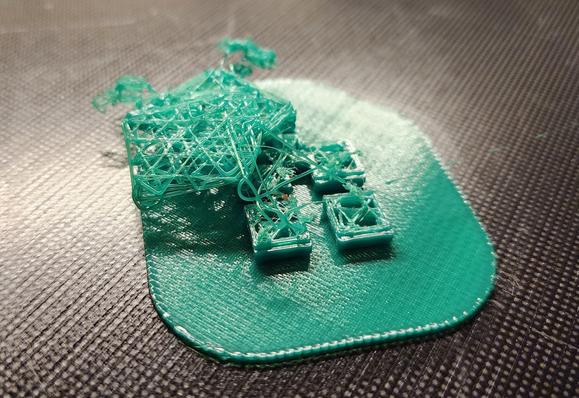
the Principle of What Changed, however, says it's the filament:
I printed like 10 CHEP cubes and CaliCats in the last couple weeks, zero spaghetti.
I switch to the green filament, everything I've printed is spaghetti.
Got some fresh filament, it printed a CaliCat just fine at 200°C.
I also swapped to a Pi4 for OctoPrint, so no more undervoltage errors.
Now lets see if we can do a loooong print
new filament failed. I went in there and the extruder was clicking, trying and failing to shove plastic through the hot end.
SO YEAH I KINDA HATE THIS THING
@foone sometimes what I find happens is that the "smallness" of the surface area leads to underextruding which then leads to poor layer adhesion and spaghetti
try cutting the speed by 30%
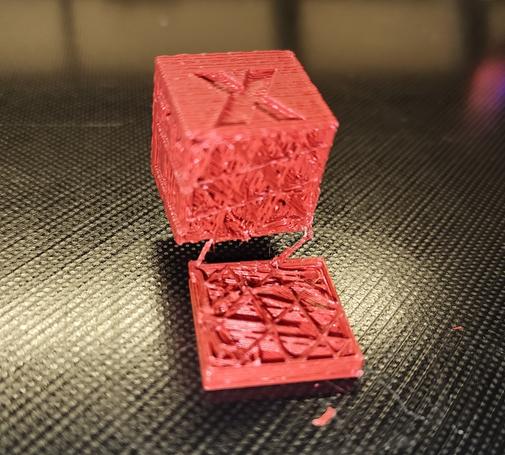
@foone That looks like it's randomly skipping move instructions to me. If a base with that shape is breaking loose from the bed, there is no shape that would stick, in which case the heated bed is probably not hot enough.
Could test by putting the whole gcode on local storage before starting the print, to eliminate the pi undervolting from consideration.
@log could be. it's also possible my usb between them is glitching, it's badly placed (near motors) and not the best cable. I'd have expected Octoprint to have reported some kind of communication errors, though?
putting it on local storage is a good idea, though. I needed to pull the SD for the pi anyway, so I can just grab both next I'm in there
@foone I went through the same issues as you've been having with an Ender 3 (similar Bowden tube printer) years ago when I first started.
The only thing I can maybe recommend is getting a cube-shaped photo tent to put the printer in, having the printer in a warm, constant temperature can help. Also extrusion multiplier calibration and first layer calibration can be deceptive, if you're way too high extrusion or way too low first layer it'll look fine for a bit then clog badly.
Outside of that it's just an extremely finicky mess to get a printer working consistently. I switched to a Prusa after my first year and never really looked back after that.
Edit: should note that even a Prusa is still a finicky mess but it at least is easier to calibrate
@foone PLA has pretty horrible shelf life even when unopened, and moisture just makes it worse - heating it will make it less likely to snap just on account of it becoming more flexible
(this is also one of the downsides of not using direct drive - with direct drive the filament gets put under a lot less stress. I reserve my old or bad spools for my old direct drive printer)
@foone I had this problem intermittently and got frustrated enough with it that I ran pair of wires from the 5V & GND rails of the ATX power supply I was using for the whole shebang to the +5V & GND pins of the Pi's expansion header. (Pins 2 & 6, IIRC)
Haven't had an undervoltage alert since, and no more questionable USB cables / USB plug connections
Blame a bad local substation and marginal PSUs. Bonus points for shaking a fist at the sky.
@foone Did you unplug something or turn off something like a camera? Or lessen the load?
I had one that would do that but only when the camera was plugged in. Also at some point I had to cover the power pin on the USB cable to that printer because it fed the control board over USB and wouldn't turn off.
 Kawaoneechan
 Ret
Ret Σ(i³) = (Σi)²
 garthy
 StarkRG
 nepi
nepi ★ Amy Star ★
 Geoff 🏴
 Log 🪵
Log 🪵 Kelsi🔭📷🌠
 Ozzelot
 B@1ty
B@1ty Plan A to Y
 C.
C. Sasha
Sasha Steve
Steve Dusty
Dusty 
 KodeIn
 K.C. Budd
 Hakan Bayındır
 Alex
Alex Penny
Penny Chris Abbey
 Fuzz-Ra
 Jim P.