I have resumed the folly of 3d printing after a nearly year long hiatus

place your bets until how long it'll be until I'm ranting about how printers are a sin against man and god

crashed my slicer

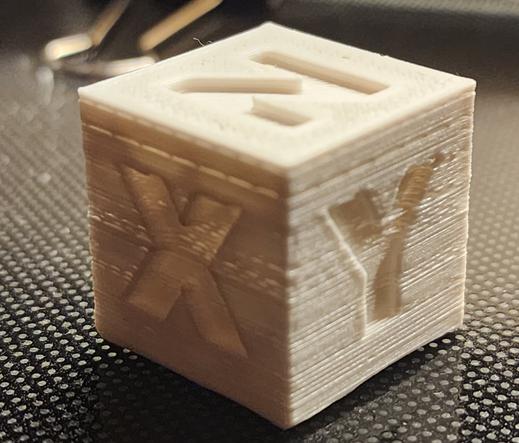
I'm printing a calibration cube because I don't know what state I left this printer in.

presumably in the standard state of "it kinda works but I don't trust it"
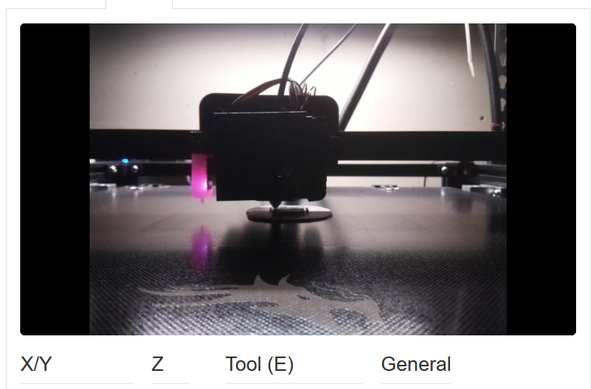
crashed my slicer again
and again
third attempt worked.
I probably should have updated octoprint before hitting go, and I probably should have done some manually leveling, but hey, it seems to be printing so far.
also the filament has been sitting in a garage, loaded into the printer, for a year.
it's probably really shit by now. as soon as the cube finishes I'm gonna need to swap to something, anything, else
there's a lot of work that can and should be done on this printer, but it's all gonna be limited by the fact I can't stand up for more than 5 minutes
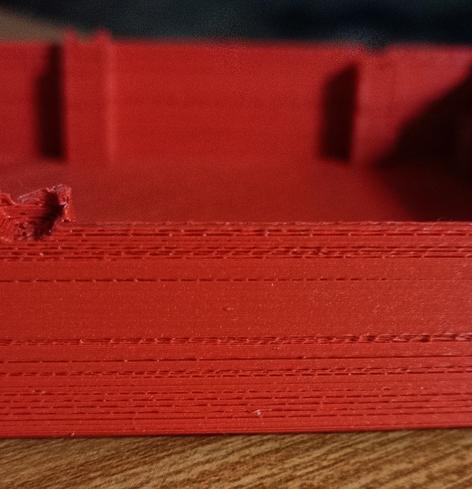
well, there's something going on with the z-axis, but it printed more or less.

I've also got to switch to a different power supply for the pi that's running octoprint, and upgrade the pi to a new OS (which requires backing up and restoring existing octopi settings) because my python is EOL.

so it's working, but I'm still sighing a lot

anyway I loaded new filament and I'm printing a chep cube again!
wow it's terrible

okay I printed a CE5P calicat after attempting to fix the z-offset issue. It still is horrible.

possibly this is mostly a temperature issue: I'm using the stock temperatures but I think I upgraded this to an all-metal hotend that needs to run higher?

include the photo, foone

reprinted with higher temp. it's better, but still bad.

so probably there's another issue. I remember I did a lot of rebuilding of the hot end in the final days of using this before, so who knows what's clogged in there?

I printed on a raft because the z-offset is still fuckt
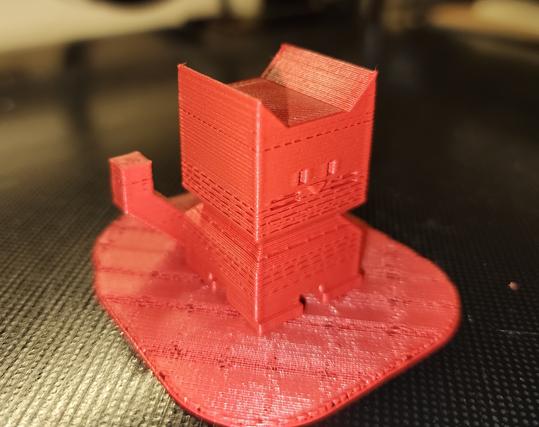
a higher temp (220°C) and 110% flow rate seems to be working well enough.

had to dig out my flir phone to take pictures for silly cellphone reasons.

Anyway, this is the 220°C 110% flow calicat. It looks way better, right?
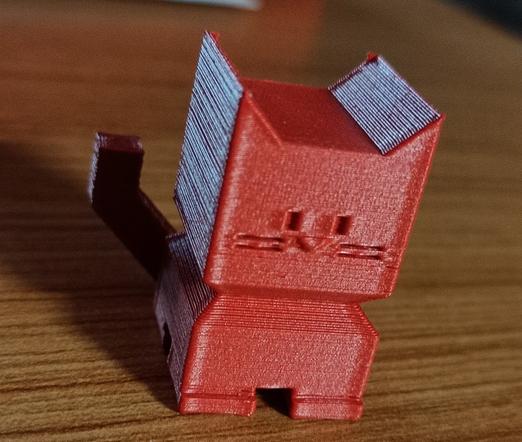
So I foolishly started a 9-hour print and yeah it's still shit.
also octoprint is yelling that my pi is undervolting. I'm specifically using a dedicated 5v 2.5A wall-wart, how is it STILL undervolting? ugh.
I need to throw away and replace every part of this setup and I don't have the time, money, energy, or space to do that

Thanks to everyone who has given suggestions for how to fix this. Unfortunately most of them require me standing up for longer than I can manage, so I've mainly just fiddled with settings (since I can do that from my bed).

but when I can, I'll be:
* calibrating the extruder
* trying to clear clogs in the hot-end
* calibrating the z-axis offset (which is a multistep nightmare in this setup)

I need to upgrade the octopi install so I might switch to a newer pi. I have one somewhere, it's just probably up in my office where I can't really get to it (stairs)

installed a USB power blocker to try and fix the undervolting. it didn't work.

So I'm gonna have to find another power supply for that

I'm gonna try cold pulling next because that's easier than getting to the extruder

okay I tried switching to a different USB power supply (5v 2A) with thicker usb cables: No difference, still undervolting.

I also cold-pulled the hot end a few times, to see if that'll help.
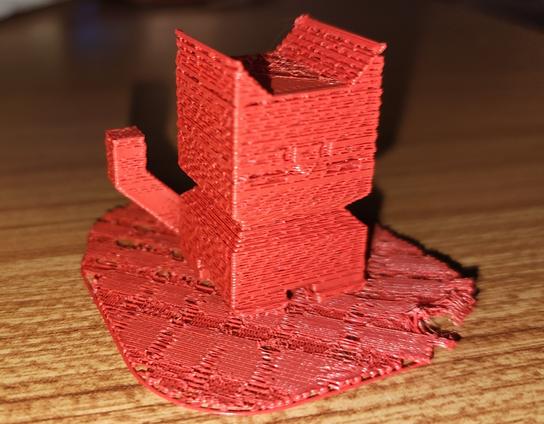
the extruder is still difficult to reach
printing another calicat to see if that changed anything
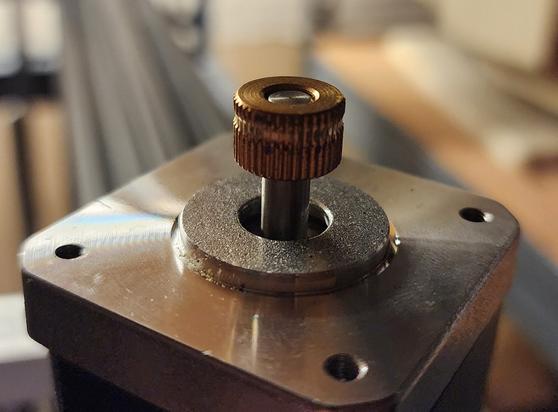
okay I think my extruder is fucked. damn it, that's the most annoying part of this printer to access.
well there's your problem!
new extruder motor has arrived. hopefully I'll be feeling well enough to install it sometime in the next decimillennium
new extruder (hardware & servo motor) installed, along with new bowden tube. lets see if this works
pi has stopped reporting undervoltage. I haven't touched anything with that setup since yesterday. the fuck?

Seems pretty good.

My z-alignment is still fucked. I printed this on a raft because I knew it still was, but the raft was nearly impossible to remove. it was WELDED to the build plate.
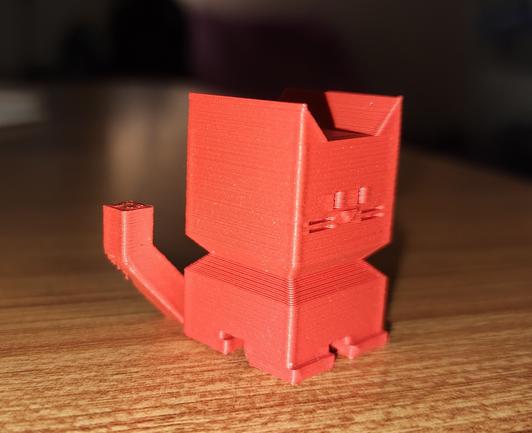
I'm not sure if I need to adjust my z-offset in the ender 5 plus's touchscreen or if that only applies to printing natively with the printer, and I need to change it in my slicer. or in octoprint! there's a lot of places! (there's too many fucking places!)

and keep in mind that's me saying it as someone who has made it their livelong profession and hobby of touching computers as much as they can. I love a bunch of little places to change things. I love being able to fiddle with settings.

3d printing has too many settings

fiddled with my z-offset calibration. tried measuring the build plate: that was a mistake. The thing is bent as fuck.

but it does do a 4x4 grid for level so maybe it can compensate enough for that to not be a huge problem. Lets see, time for another 9 hour print!

it failed. it did a couple layers and then clogged. I went in there and the hot end was just hovering over the beginning of the print, while the extruder clicked.
and the undervolting is back. while the octopi isn't even connected to the printer (because I accidentally left the USB disconnected)

Okay I thought I fixed the clog and turned up the print temp and did another Calicat. At the end of the print, the webcam showed nothing there. I watched the time-lapse, and yep. No filament at all came out.

So I've got something way more broken than just a low temperature
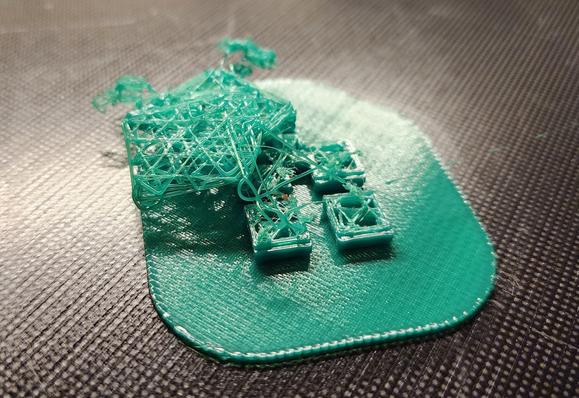
replaced the filament that had snapped off just inside the extruder. it's printing again
it made it like 3 hours into an 9-48 hour print and stopped extruding again. I bet it snapped off once more
This bowden tube does seem kinda crap, but I wonder if it's my filament? this has only been open a week, but maybe it was just brittle to begin with
swapped to a different brand of newer filament. lets see if this works any better
NOPE! spaghetti after about 40 minutes
3d printers yearn for the sea floor
here's what happened. Maybe this filament doesn't like the 220°C that I was running the other filament at, and I overheated it?

the Principle of What Changed, however, says it's the filament:
I printed like 10 CHEP cubes and CaliCats in the last couple weeks, zero spaghetti.

I switch to the green filament, everything I've printed is spaghetti.

maybe this filament is just bad or I'm outside its temperature range. I tried 220°C and 200°C, both spaghettied.

Got some fresh filament, it printed a CaliCat just fine at 200°C.
I also swapped to a Pi4 for OctoPrint, so no more undervoltage errors.

Now lets see if we can do a loooong print

so a brief list of issues I've had so far in the last 10 days of my exciting 3d printing adventures:
* slicer was crashing
* old filament
* pi undervolting
* extruder gear destroyed
* old filament again
* z axis is questionably calibrated
* build plate is bent
@foone Possibly a dryness issue?
@StarkRG I didn't think it'd be that, since the green was fresh out of a vacuum sealed bag (but I'm not sure how old it is)

@foone sometimes what I find happens is that the "smallness" of the surface area leads to underextruding which then leads to poor layer adhesion and spaghetti

try cutting the speed by 30%

@foone It's all offset by a similar degree - I've had something like that because of power/network interruptions, printer presumably keeps going on buffer but then picks up on "live" instructions that are seconds off.
I always print from physical media given the option, printing via network introduces whole layers of failure options.
@_thegeoff this is over USB (not networked), but the pi is saying it has undervolting problems, so it may have blipped there.
@foone Yeah, even over USB I've had issues because I'm asking a "proper" computer to also do things like running a game or just a bunch of web pages. I always load on to physical media and plug that into the printer now.

@foone That looks like it's randomly skipping move instructions to me. If a base with that shape is breaking loose from the bed, there is no shape that would stick, in which case the heated bed is probably not hot enough.

Could test by putting the whole gcode on local storage before starting the print, to eliminate the pi undervolting from consideration.

@foone I had a move failure problem a while ago on just the Y axis. The result had a shear-line horizontal discontinuity at a random layer. Solved that by removing dust and re-lubing Y track and belt. So maybe also check that the force required to move the bed or print head along all axes is reasonable along the whole axis. If it's sticky at any point, that could create a shear line at best, or spaghetti at worst.
@log good idea. I don't know if I have lube handy, I'd have to order some, but this machine has been sitting unused in a dusty garage (it's also the laundry room, so the air can be lintious) for over a year, so it's probably gunked up a bit.
the Z axis is a bit whiny-squeaky when it moves too.

@log could be. it's also possible my usb between them is glitching, it's badly placed (near motors) and not the best cable. I'd have expected Octoprint to have reported some kind of communication errors, though?

putting it on local storage is a good idea, though. I needed to pull the SD for the pi anyway, so I can just grab both next I'm in there

@foone oopsie i eated the print
@foone 3d printers still being printers
@foone
*stares at anet a8*
@foone ALL printers surely!

@foone I went through the same issues as you've been having with an Ender 3 (similar Bowden tube printer) years ago when I first started.

The only thing I can maybe recommend is getting a cube-shaped photo tent to put the printer in, having the printer in a warm, constant temperature can help. Also extrusion multiplier calibration and first layer calibration can be deceptive, if you're way too high extrusion or way too low first layer it'll look fine for a bit then clog badly.

Outside of that it's just an extremely finicky mess to get a printer working consistently. I switched to a Prusa after my first year and never really looked back after that.

Edit: should note that even a Prusa is still a finicky mess but it at least is easier to calibrate

@foone have you considered it might just be haunted?
@LewisWorkshop I just assume all electronics in my house are haunted unless proven otherwise

@foone

I'd bet on the filament. Sitting around open for a week is enough to embrittle any PLA I've used, and I live in an arid inland climate. I put it in the filament dryer for 6 hours if it's been more than a couple of days before using it again.

@foone I bought "medical grade" Bowden tubing awhile back because it was much cheaper per metre than sold by 3D print places, but it wasn't good enough. If the weather has been humid, a week could be enough to mean you need to dry the filament.
@foone fwiw ptfe is a consumable item as the filament does wear it down over time
@lilstevie this is a fresh tube, I just thing it might be a real cheap one

@foone PLA has pretty horrible shelf life even when unopened, and moisture just makes it worse - heating it will make it less likely to snap just on account of it becoming more flexible

(this is also one of the downsides of not using direct drive - with direct drive the filament gets put under a lot less stress. I reserve my old or bad spools for my old direct drive printer)

I also have lot of troubles with my 3d printer that has been unused for a while. I did a bunch of upgrades to fix that, but it still print like crap.
I'm also at the point I'm wondering if my filament is the main culprit since I've been using it from the start.
I really should buy a spool of known good filament (like from prusa or something).
@foone When I had that problem I had to tighten the nozzle against the thermal break (while hot) and clean out the through-hole with a needle.

@foone I had this problem intermittently and got frustrated enough with it that I ran pair of wires from the 5V & GND rails of the ATX power supply I was using for the whole shebang to the +5V & GND pins of the Pi's expansion header. (Pins 2 & 6, IIRC)

Haven't had an undervoltage alert since, and no more questionable USB cables / USB plug connections

@foone If your printer has a sensor of any kind (even if it's a clicky switch), a bed mesh should do wonders for all but the most atrociously bent beds.

@foone

> Lets see, time for another 9 hour print!

May the 3D printing gods be with you this time!

@foone when nerds say something has too many settings... it fucking does.

@alex02 exactly! I am an autistic programmer nerd here!
It's hard to get more "loves settings" than me!

AND YET...

@foone my original pi2 or pi3 and the power supply I used with it was fine until you pushed the cpu with any kind of taxing compute job longer than 30 seconds or so…. Then it complained of under voltage. A swapped to a new no name supply and it dropped that to 5 seconds or less… third try was an Apple brick that would only rarely complain if I really pushed it hard for prolonged periods.

@foone

Blame a bad local substation and marginal PSUs. Bonus points for shaking a fist at the sky.

@Fuzz_Ra as a californian I'm always willing to blame PG&E (delenda est). not only do they destroy cities, they also fuck up my 3d prints!

@foone Did you unplug something or turn off something like a camera? Or lessen the load?

I had one that would do that but only when the camera was plugged in. Also at some point I had to cover the power pin on the USB cable to that printer because it fed the control board over USB and wouldn't turn off.
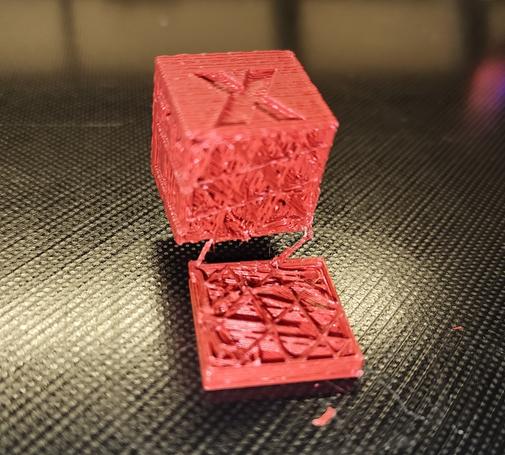
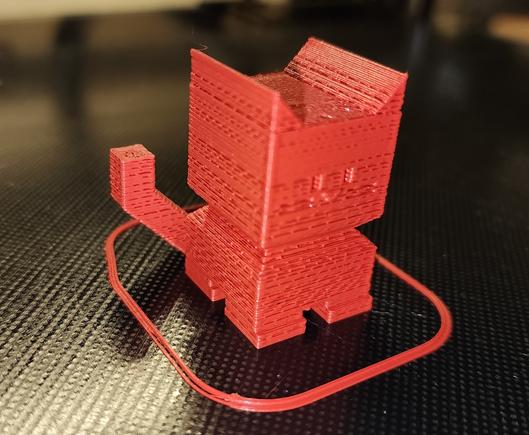
@foone “if you truly hate someone, buy them a 3D printer.”