I have resumed the folly of 3d printing after a nearly year long hiatus

place your bets until how long it'll be until I'm ranting about how printers are a sin against man and god

crashed my slicer

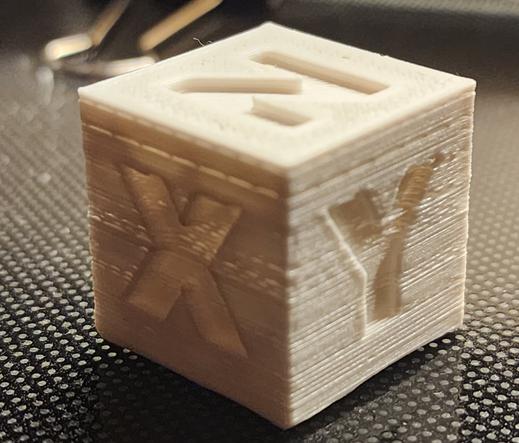
I'm printing a calibration cube because I don't know what state I left this printer in.

presumably in the standard state of "it kinda works but I don't trust it"
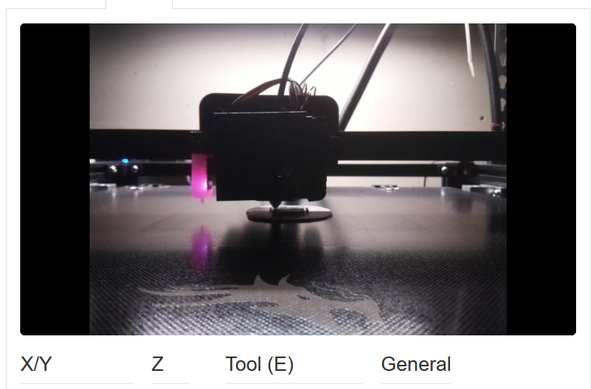
crashed my slicer again
and again
third attempt worked.
I probably should have updated octoprint before hitting go, and I probably should have done some manually leveling, but hey, it seems to be printing so far.
also the filament has been sitting in a garage, loaded into the printer, for a year.
it's probably really shit by now. as soon as the cube finishes I'm gonna need to swap to something, anything, else
there's a lot of work that can and should be done on this printer, but it's all gonna be limited by the fact I can't stand up for more than 5 minutes
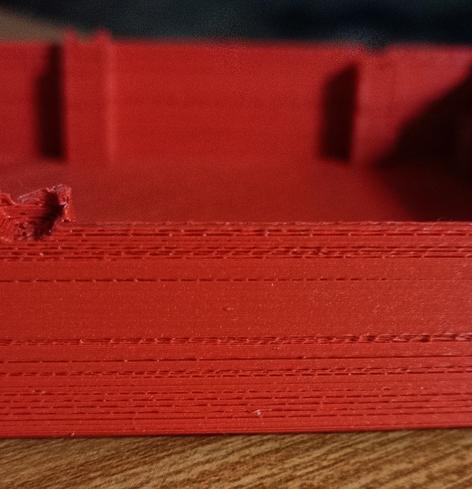
well, there's something going on with the z-axis, but it printed more or less.

I've also got to switch to a different power supply for the pi that's running octoprint, and upgrade the pi to a new OS (which requires backing up and restoring existing octopi settings) because my python is EOL.

so it's working, but I'm still sighing a lot

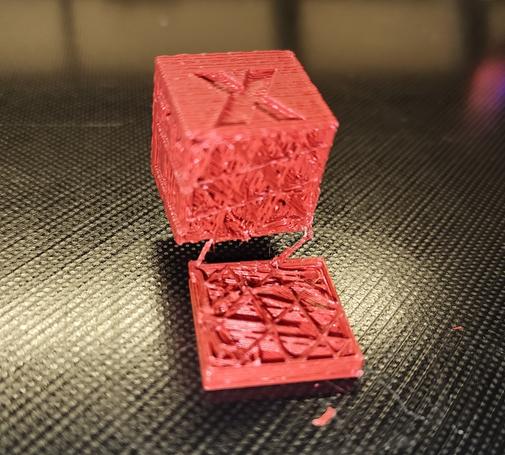
anyway I loaded new filament and I'm printing a chep cube again!
wow it's terrible

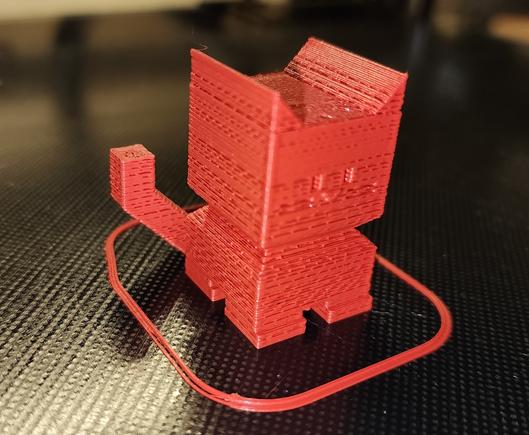
okay I printed a CE5P calicat after attempting to fix the z-offset issue. It still is horrible.

possibly this is mostly a temperature issue: I'm using the stock temperatures but I think I upgraded this to an all-metal hotend that needs to run higher?

include the photo, foone

reprinted with higher temp. it's better, but still bad.

so probably there's another issue. I remember I did a lot of rebuilding of the hot end in the final days of using this before, so who knows what's clogged in there?

I printed on a raft because the z-offset is still fuckt
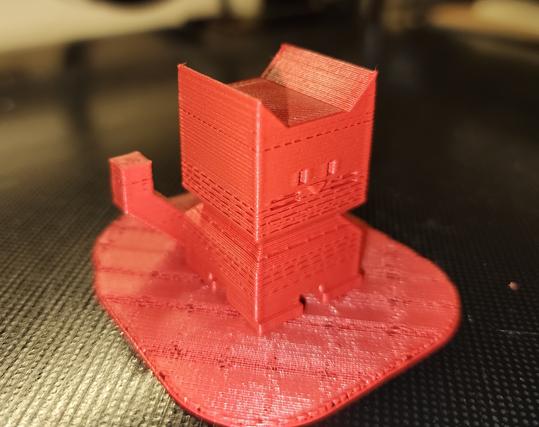
a higher temp (220°C) and 110% flow rate seems to be working well enough.

had to dig out my flir phone to take pictures for silly cellphone reasons.

Anyway, this is the 220°C 110% flow calicat. It looks way better, right?
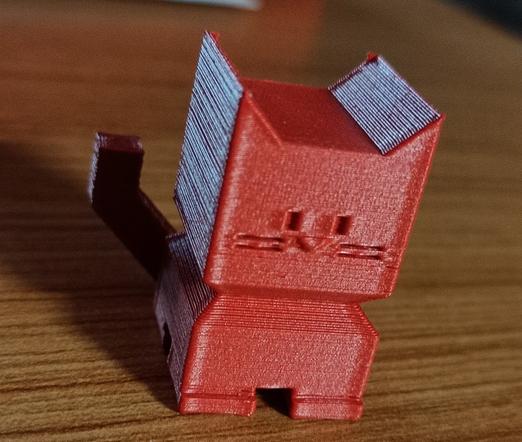
So I foolishly started a 9-hour print and yeah it's still shit.
also octoprint is yelling that my pi is undervolting. I'm specifically using a dedicated 5v 2.5A wall-wart, how is it STILL undervolting? ugh.
I need to throw away and replace every part of this setup and I don't have the time, money, energy, or space to do that

Thanks to everyone who has given suggestions for how to fix this. Unfortunately most of them require me standing up for longer than I can manage, so I've mainly just fiddled with settings (since I can do that from my bed).

but when I can, I'll be:
* calibrating the extruder
* trying to clear clogs in the hot-end
* calibrating the z-axis offset (which is a multistep nightmare in this setup)

I need to upgrade the octopi install so I might switch to a newer pi. I have one somewhere, it's just probably up in my office where I can't really get to it (stairs)

installed a USB power blocker to try and fix the undervolting. it didn't work.

So I'm gonna have to find another power supply for that

I'm gonna try cold pulling next because that's easier than getting to the extruder

okay I tried switching to a different USB power supply (5v 2A) with thicker usb cables: No difference, still undervolting.

I also cold-pulled the hot end a few times, to see if that'll help.
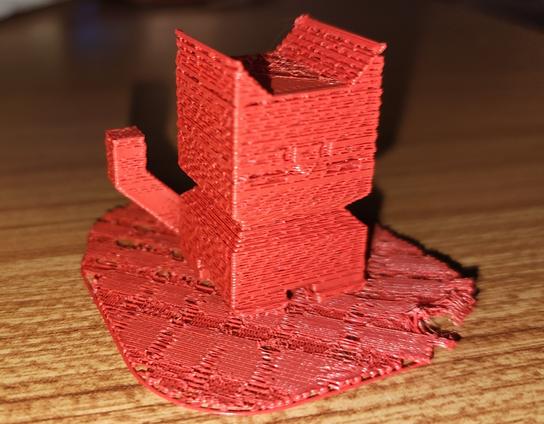
the extruder is still difficult to reach
printing another calicat to see if that changed anything
okay I think my extruder is fucked. damn it, that's the most annoying part of this printer to access.
well there's your problem!
new extruder motor has arrived. hopefully I'll be feeling well enough to install it sometime in the next decimillennium
new extruder (hardware & servo motor) installed, along with new bowden tube. lets see if this works
pi has stopped reporting undervoltage. I haven't touched anything with that setup since yesterday. the fuck?

Seems pretty good.

My z-alignment is still fucked. I printed this on a raft because I knew it still was, but the raft was nearly impossible to remove. it was WELDED to the build plate.
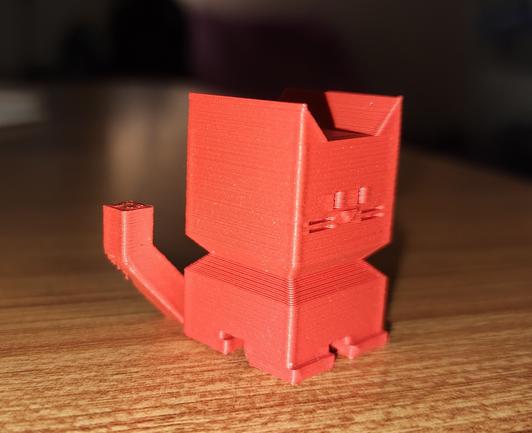
I'm not sure if I need to adjust my z-offset in the ender 5 plus's touchscreen or if that only applies to printing natively with the printer, and I need to change it in my slicer. or in octoprint! there's a lot of places! (there's too many fucking places!)

and keep in mind that's me saying it as someone who has made it their livelong profession and hobby of touching computers as much as they can. I love a bunch of little places to change things. I love being able to fiddle with settings.

3d printing has too many settings

fiddled with my z-offset calibration. tried measuring the build plate: that was a mistake. The thing is bent as fuck.

but it does do a 4x4 grid for level so maybe it can compensate enough for that to not be a huge problem. Lets see, time for another 9 hour print!

it failed. it did a couple layers and then clogged. I went in there and the hot end was just hovering over the beginning of the print, while the extruder clicked.
and the undervolting is back. while the octopi isn't even connected to the printer (because I accidentally left the USB disconnected)

Okay I thought I fixed the clog and turned up the print temp and did another Calicat. At the end of the print, the webcam showed nothing there. I watched the time-lapse, and yep. No filament at all came out.

So I've got something way more broken than just a low temperature

replaced the filament that had snapped off just inside the extruder. it's printing again
it made it like 3 hours into an 9-48 hour print and stopped extruding again. I bet it snapped off once more
This bowden tube does seem kinda crap, but I wonder if it's my filament? this has only been open a week, but maybe it was just brittle to begin with

@foone

I'd bet on the filament. Sitting around open for a week is enough to embrittle any PLA I've used, and I live in an arid inland climate. I put it in the filament dryer for 6 hours if it's been more than a couple of days before using it again.

@foone When I had that problem I had to tighten the nozzle against the thermal break (while hot) and clean out the through-hole with a needle.

@foone I had this problem intermittently and got frustrated enough with it that I ran pair of wires from the 5V & GND rails of the ATX power supply I was using for the whole shebang to the +5V & GND pins of the Pi's expansion header. (Pins 2 & 6, IIRC)

Haven't had an undervoltage alert since, and no more questionable USB cables / USB plug connections

@foone If your printer has a sensor of any kind (even if it's a clicky switch), a bed mesh should do wonders for all but the most atrociously bent beds.

@foone

> Lets see, time for another 9 hour print!

May the 3D printing gods be with you this time!

@foone when nerds say something has too many settings... it fucking does.

@alex02 exactly! I am an autistic programmer nerd here!
It's hard to get more "loves settings" than me!

AND YET...

@foone my original pi2 or pi3 and the power supply I used with it was fine until you pushed the cpu with any kind of taxing compute job longer than 30 seconds or so…. Then it complained of under voltage. A swapped to a new no name supply and it dropped that to 5 seconds or less… third try was an Apple brick that would only rarely complain if I really pushed it hard for prolonged periods.

@foone

Blame a bad local substation and marginal PSUs. Bonus points for shaking a fist at the sky.

@Fuzz_Ra as a californian I'm always willing to blame PG&E (delenda est). not only do they destroy cities, they also fuck up my 3d prints!

@foone Did you unplug something or turn off something like a camera? Or lessen the load?

I had one that would do that but only when the camera was plugged in. Also at some point I had to cover the power pin on the USB cable to that printer because it fed the control board over USB and wouldn't turn off.

@foone “if you truly hate someone, buy them a 3D printer.”
@foone Ouch. That's... not healthy.

@foone Yikes!

Is it one with a grub screw you can easily replace or is it glued on?

@jimp it's glued on!
@foone Ugh! Might still be possible to change with a gear puller but those are a PITA. Last time I hit one of those I ended up replacing the whole damn stepper motor with one that wasn't stupid.
@foone foone… you’re not supposed to extrude barbed wire!
@foone awww poor calicat

@foone

This is the worst print I've ever seen.

@futurebird @foone Yes, but It *did* finish, so it's got that going for it.
@StarkRG @futurebird that's the annoying state my printer has been stuck in for over a year.
it WILL print the thing you want, it'll just be really shitty and fragile

@foone @futurebird I feel your pain.

(for the record, these were two separate incidents, the print surface damage came after I got the replacement heatbreak)
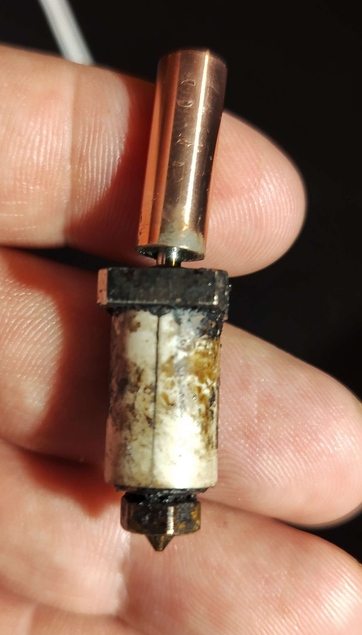
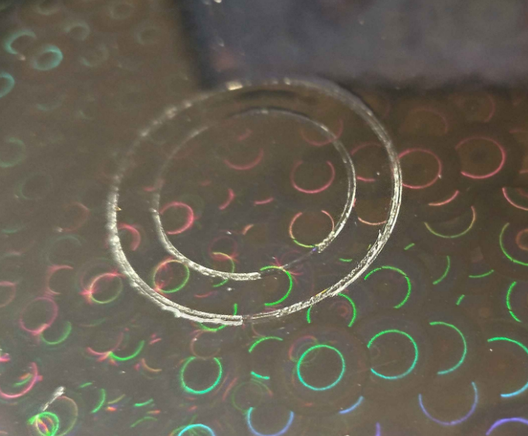
@futurebird @foone Oh, wow. You're in for an experience, then.
@foone damn, this is looking like what my printer was spitting out 2 years ago. I haven’t touched it since.
@foone the Ancients tell about mysterious "E steps" settings that may be tuned, but otherwise I’m out of ideas now. Do you have other filaments to check, by the way? There’s also a Reddit community called FixMyPrint, who may take pity on the poor feline.
@michelv I've got plenty of filaments but while most of it is sealed, it's pretty old. maybe I should pick up a new roll before I test again
@foone could also be a faulty PTFE tube. Is your printer using a Bowden setup (I assume it is since the extruder is hard to access?). I once fell deep into a rabbit hole, tweaking settings left and right because I thought the printer had started malfunctioning, until I realized it really was the tube that needed changing.
@michelv it does use a bowden tube, yeah. I definitely replaced it at some point, I think I replaced it with a better one? it seems to be in good condition, though
@foone then I would first try using another roll.

@foone
@michelv Also, if the extruder is just above the hot end on your print head, some printers have a small tube between the extruder And and hot end separate from the tube going to the extruder, which can also wear and caused this issue for me.

Either way, that tube wasn't accessible unless you removed the extruder, so equally annoying. Best of luck to you

@foone i would check if the hotend heatsink is properly being cooled. more specifically, damaged cooling fan can be problem. under-cooled hotend can cause fillament to expand before getting into meltzone, leading to high friction and jam. get SUNON or GDSTime brand 4010 size 24Volt fan.
i heared WINSINN and CAIZHU fans are good too but not sure.
regular PC fans like Delta and Noctua but you will need boost converter in most case.
but be aware of weak fans. they will get the print even worse.
@blue_on I specifically already replaced the fans on this printer, so they're quite fresh at the moment.
@foone then check out if the extruder is properly tensioned and enough current is supplied. are your extruder motor's steps skipping? you can check if it is making ticking noise. if so, you can adjust motor current with screen menu... if you have TMC stepper drivers. otherwise, you'll have to take its motherboard out and adjust onboard potentiometer. or, you can check if your gears are skipping. if so, you will see shredded filament if you take the filament out from the extruder.

@foone @blue_on Are the new fans keeping up well enough? I made the mistake once of putting a Noctua fan on my hotend because it was quieter but it didn't have enough static pressure to cool it properly so I kept getting heat creep (which can also present like you're seeing). Basically the top part of the hotend gets too hot so it melts up higher than it should and gets bound up, then pushes past it with more effort.

That was unfun to diagnose and maddening.

@foone That just looks wet to me. Try a new roll, or try drying that roll. Also ip the print temp a bit.
As for the pi, they expect 5.1 volts, but also it's never been a problem for me, we've ran Pis for years "undervolted"

@foone feed ratio might be wrong. Steps/mm. draw line on ingoing filament and do a 5mm extrusion.

:]

@foone
Have you tried printing slower?

I think I found that different filaments take a different amount of energy to heat up. So a speed that works for one filament might not work for another. Increasing the temp only ensures that it starts out ok, but doesn't ensure that it stays at temp. (I never did test this theory by monitoring the hot end temp as it printed.)

Have you tried slowing down the print speed?