 Alice Averlong🏳️⚧️
I have resumed the folly of 3d printing after a nearly year long hiatus
place your bets until how long it'll be until I'm ranting about how printers are a sin against man and god
I have resumed the folly of 3d printing after a nearly year long hiatus
place your bets until how long it'll be until I'm ranting about how printers are a sin against man and god
I'm printing a calibration cube because I don't know what state I left this printer in.
presumably in the standard state of "it kinda works but I don't trust it"
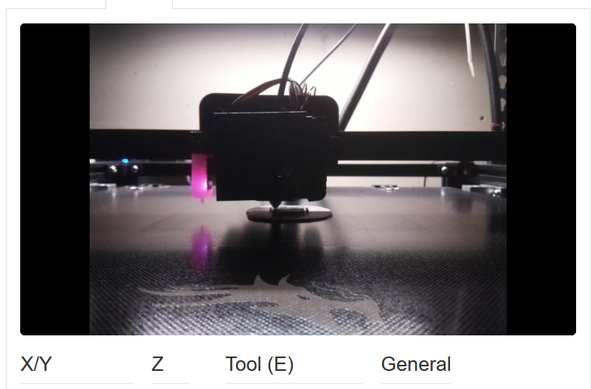
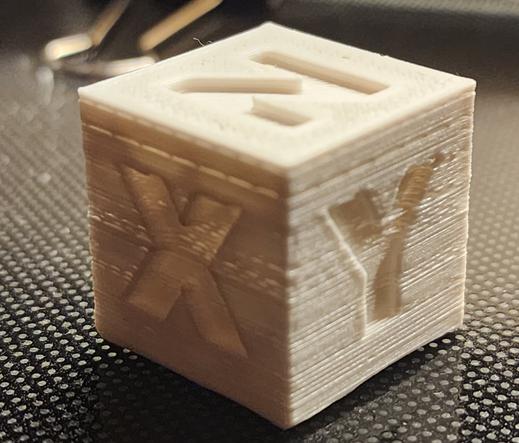
I've also got to switch to a different power supply for the pi that's running octoprint, and upgrade the pi to a new OS (which requires backing up and restoring existing octopi settings) because my python is EOL.
so it's working, but I'm still sighing a lot
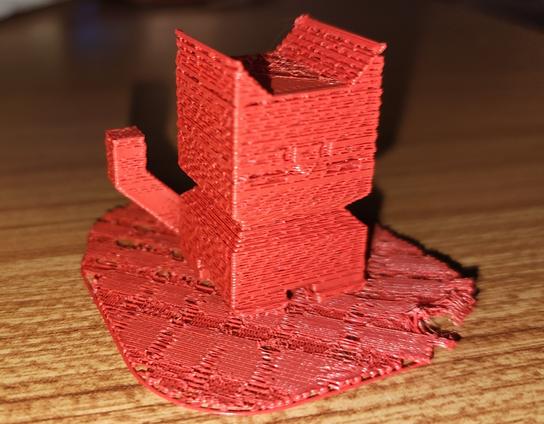
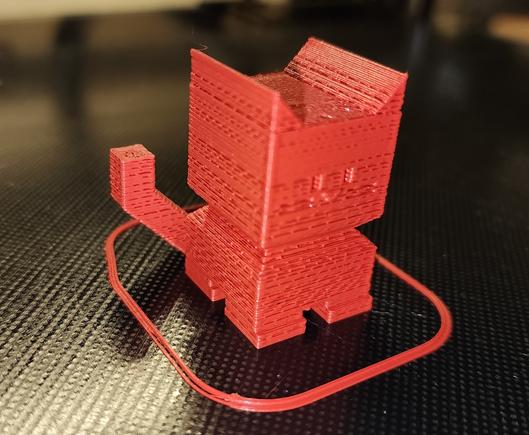
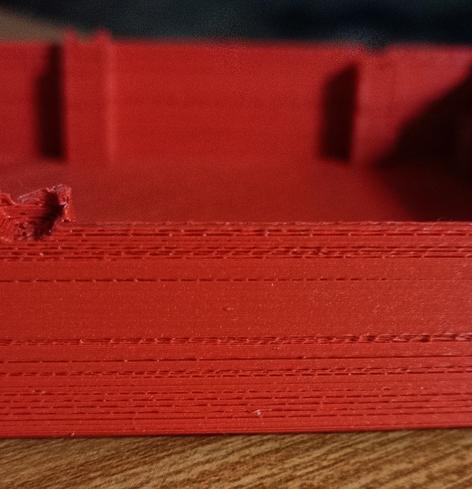
okay I printed a CE5P calicat after attempting to fix the z-offset issue. It still is horrible.
possibly this is mostly a temperature issue: I'm using the stock temperatures but I think I upgraded this to an all-metal hotend that needs to run higher?
reprinted with higher temp. it's better, but still bad.
so probably there's another issue. I remember I did a lot of rebuilding of the hot end in the final days of using this before, so who knows what's clogged in there?
I printed on a raft because the z-offset is still fuckt
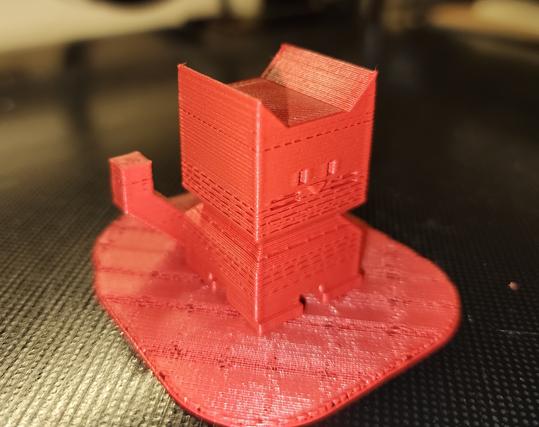
had to dig out my flir phone to take pictures for silly cellphone reasons.
Anyway, this is the 220°C 110% flow calicat. It looks way better, right?
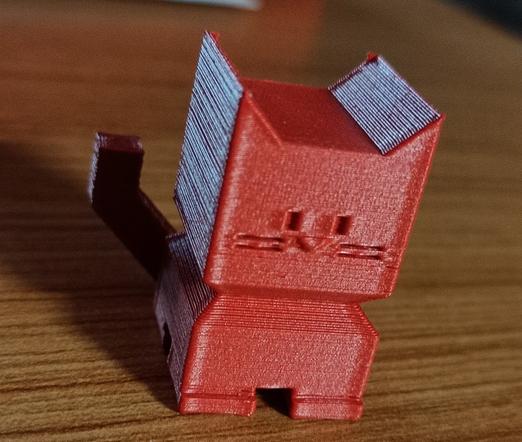
Thanks to everyone who has given suggestions for how to fix this. Unfortunately most of them require me standing up for longer than I can manage, so I've mainly just fiddled with settings (since I can do that from my bed).
but when I can, I'll be:
* calibrating the extruder
* trying to clear clogs in the hot-end
* calibrating the z-axis offset (which is a multistep nightmare in this setup)
installed a USB power blocker to try and fix the undervolting. it didn't work.
So I'm gonna have to find another power supply for that
okay I tried switching to a different USB power supply (5v 2A) with thicker usb cables: No difference, still undervolting.
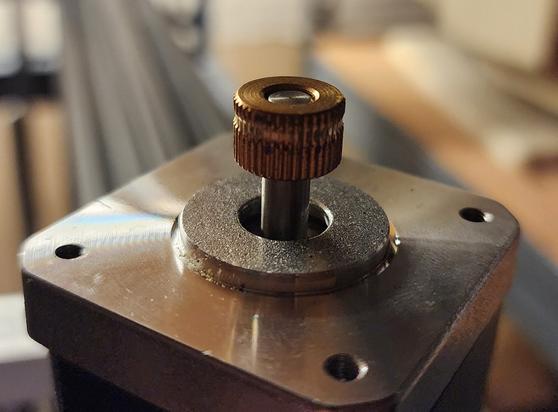
I also cold-pulled the hot end a few times, to see if that'll help.
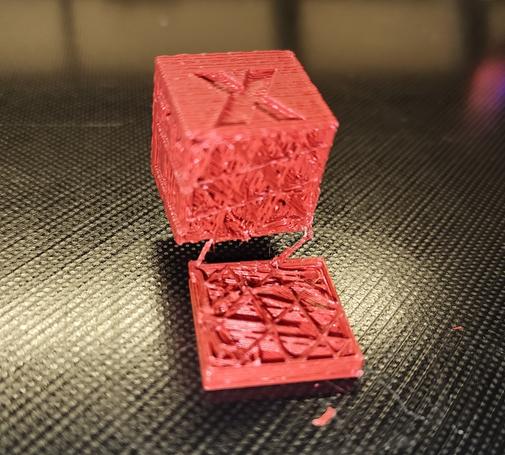
This is the worst print I've ever seen.
@foone @futurebird I feel your pain.
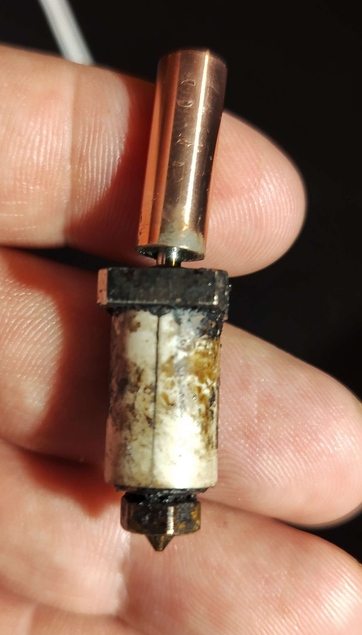
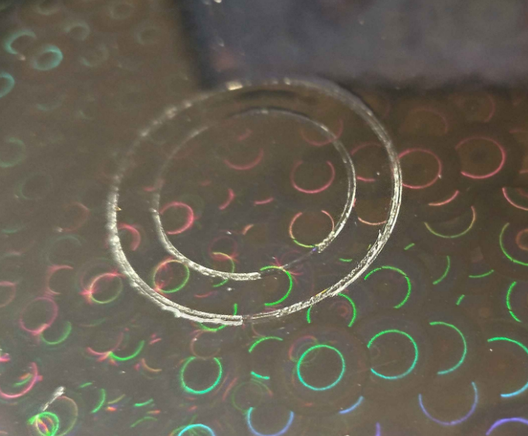
(for the record, these were two separate incidents, the print surface damage came after I got the replacement heatbreak)
@foone
@michelv Also, if the extruder is just above the hot end on your print head, some printers have a small tube between the extruder And and hot end separate from the tube going to the extruder, which can also wear and caused this issue for me.
Either way, that tube wasn't accessible unless you removed the extruder, so equally annoying. Best of luck to you
@foone @blue_on Are the new fans keeping up well enough? I made the mistake once of putting a Noctua fan on my hotend because it was quieter but it didn't have enough static pressure to cool it properly so I kept getting heat creep (which can also present like you're seeing). Basically the top part of the hotend gets too hot so it melts up higher than it should and gets bound up, then pushes past it with more effort.
That was unfun to diagnose and maddening.
@foone
Have you tried printing slower?
I think I found that different filaments take a different amount of energy to heat up. So a speed that works for one filament might not work for another. Increasing the temp only ensures that it starts out ok, but doesn't ensure that it stays at temp. (I never did test this theory by monitoring the hot end temp as it printed.)
Have you tried slowing down the print speed?

@foone a few random things that might help:
-gently tug the filament line to make sure that it takes as little force as possible to pull it off the spool
-check the extruder tension (haven't seen what kind your printer has but there should be some kind of idler gear)
-bump up the extrusion multiplier a few percent if none of that works
-If the Z level is too low it can create what looks like a clog so maybe try raising it higher than you'd think? I dunno, that depends a lot on how you have been calibrating it.
-Printing a flat 1-layer square to check how much it's squishing the filament is probably the best way to test Z axis calibration
Edit: also it's possible it's that the room is too cold or the filament is old. I've had prints like that because of those two factors
@sudo_EatPant It’s a border. Mostly I think it just gives the extruder more time to prime and get flowing before the real action starts. Otherwise the first few mm may not extruded well if it didn’t fully self-prime.
I love thinking of it as a summoning circle though! That’s great.
@foone You may need to dry that filament. A food dehydrator running for a few hours would probably do, but an oven that can be set at 120F (140F is a little high but would do) (not C!) for a couple of hours can work as well at least for PLA.
Alternatively you can print with filament that is still vacuum sealed.
Note that at 140F in an oven the spool itself if in plastic may start deforming. Make sure it's on a cookie sheet (or other metal flat surface) and flip it upside down every half hour.
@foone @jf_718 Unfortunately it's possible to get wet filament straight from the original vacuum sealed bags. They use water to cool it when making the filament, so it can retain moisture straight from the factory.
But this does seem more like something impeding the extrusion more than the filament itself since it seems to be somewhat consistent with both types.
Wouldn't hurt to do a cold pull/atomic pull to make sure there isn't a partial clog since it sat for a while.
 Hugo Mills
 calico liz
 myrmepropagandist
 StarkRG
 Proto Himbo European
 I love this, so I
 michel v
 rx13
rx13 

 Blue_ON
 Jim P.
 Scout Da Woof
 Rue Mohr
 John-Mark Gurney
 Hakan Bayındır
 Maddy has MOVED!
 Phil Nelson
 makkin thing
 tekhedd
 Plan A to Y
 accela
 Kranston
 Michael Cook
 Bits&Terminal Jeff
 dole
dole