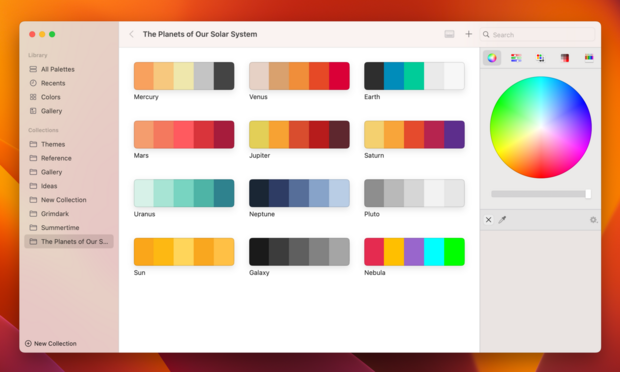
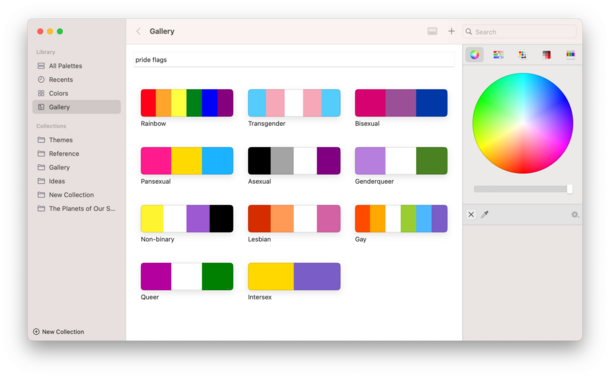
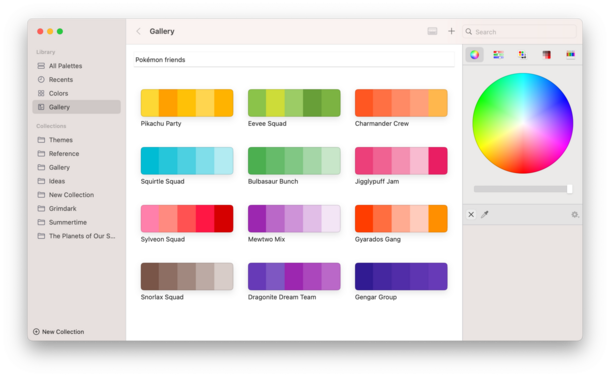
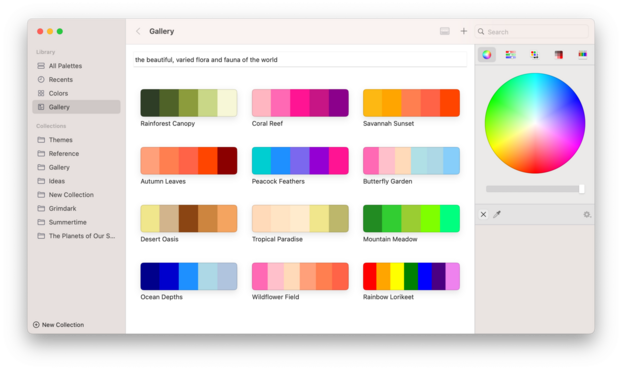
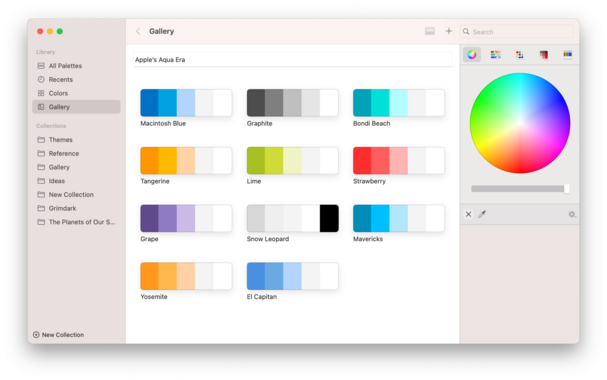
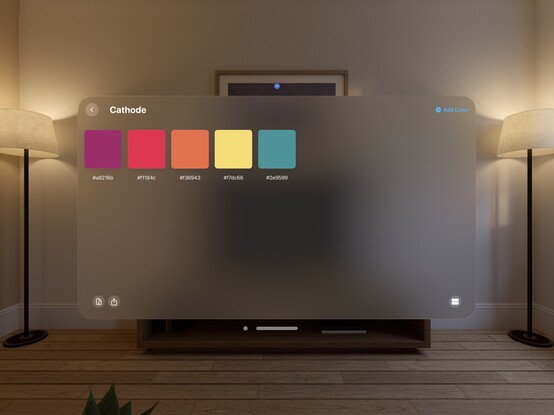
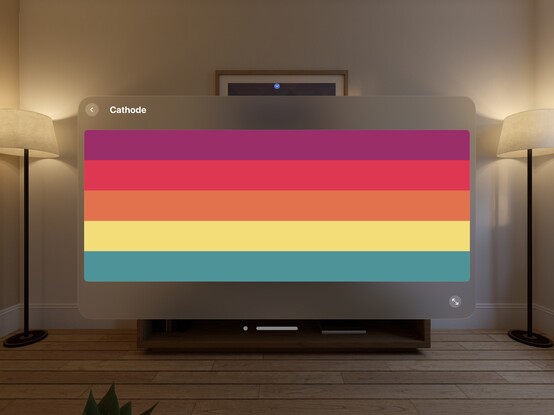
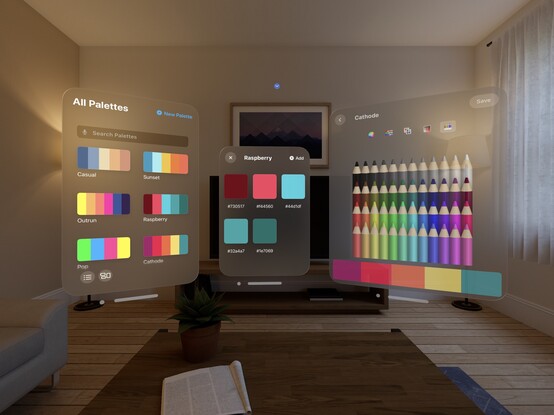
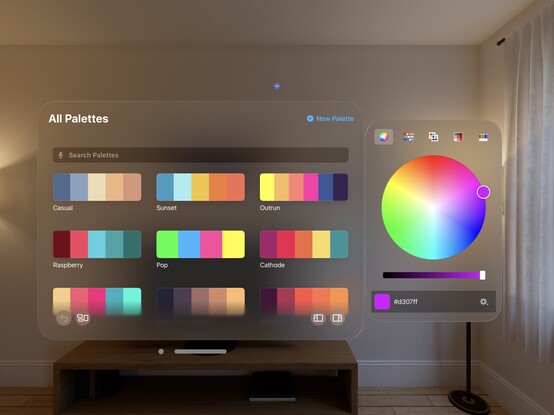
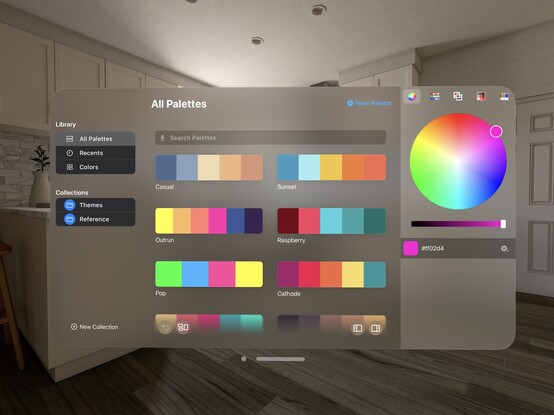
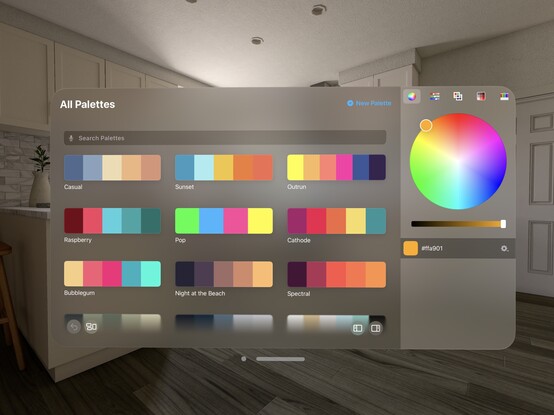
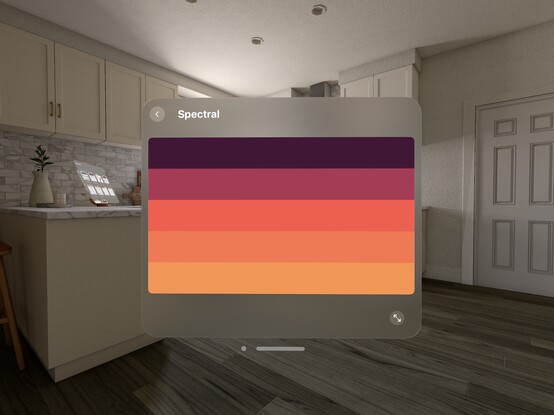
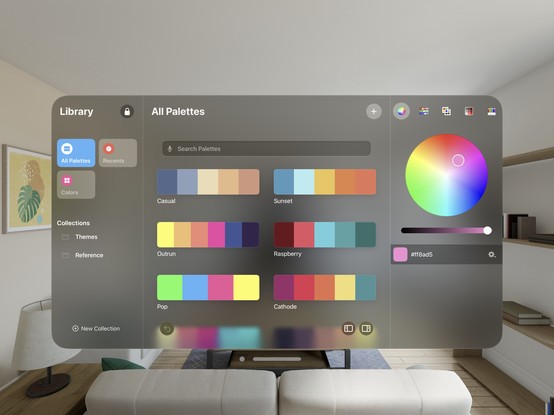
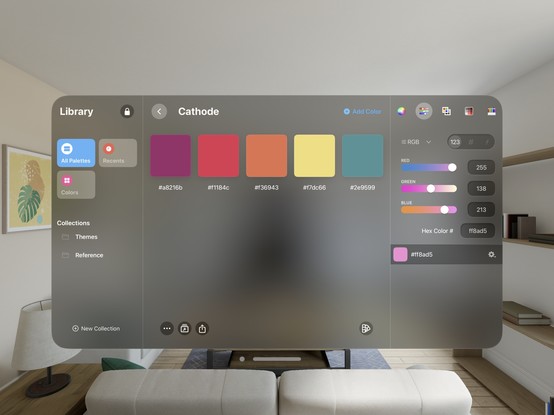
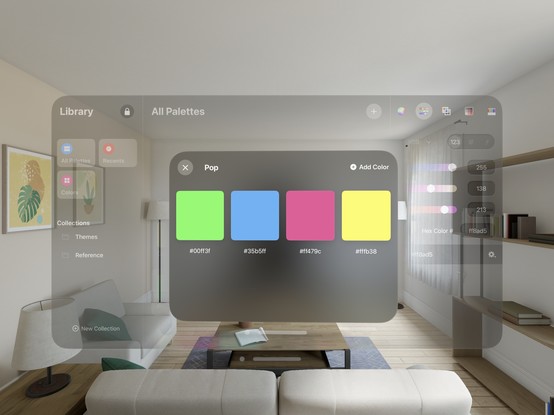
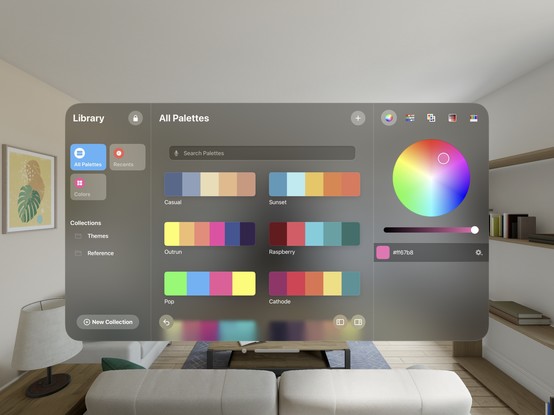
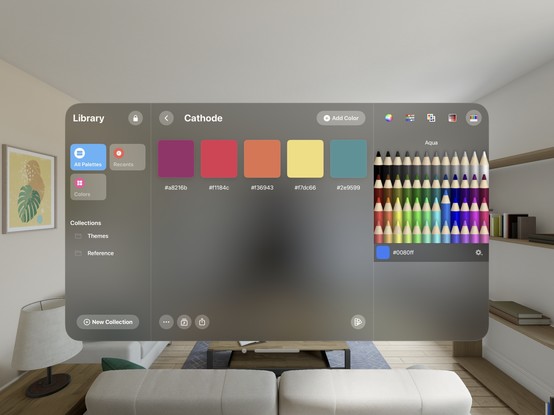
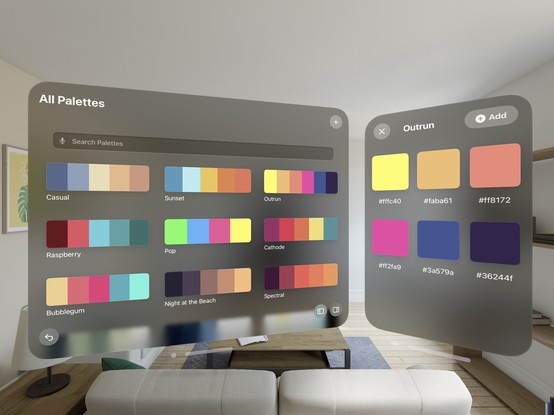
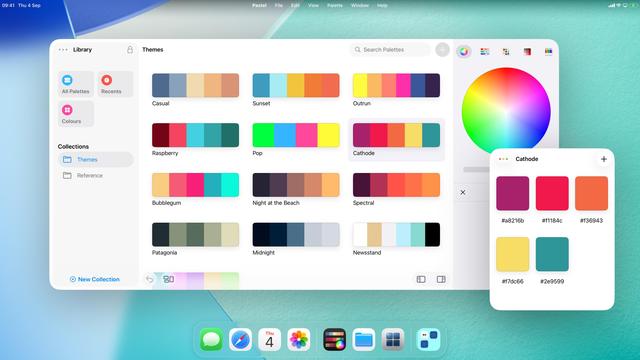
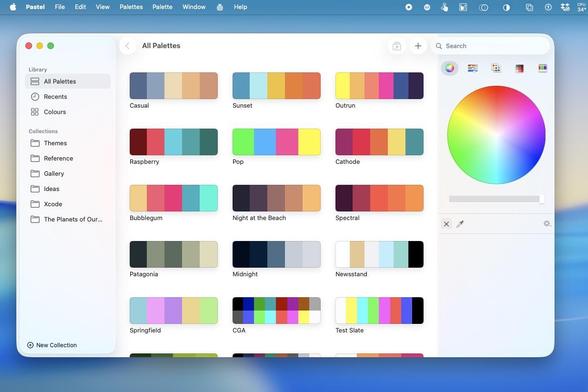
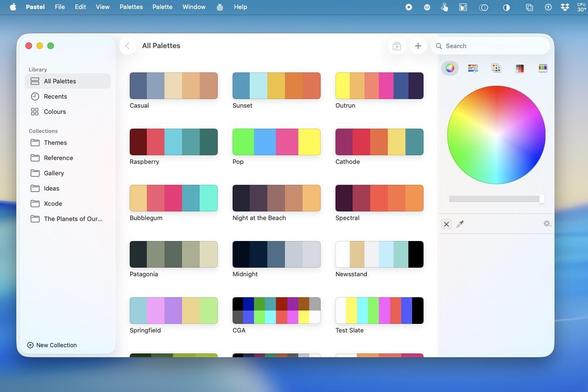
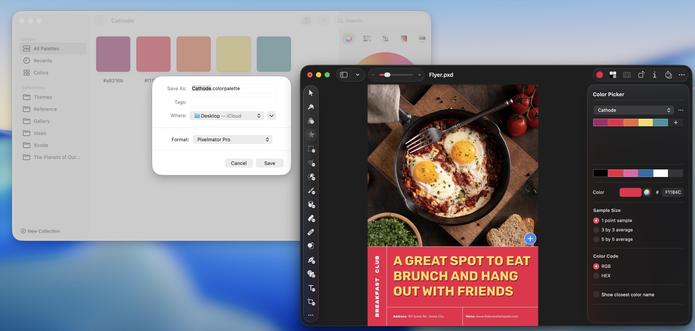
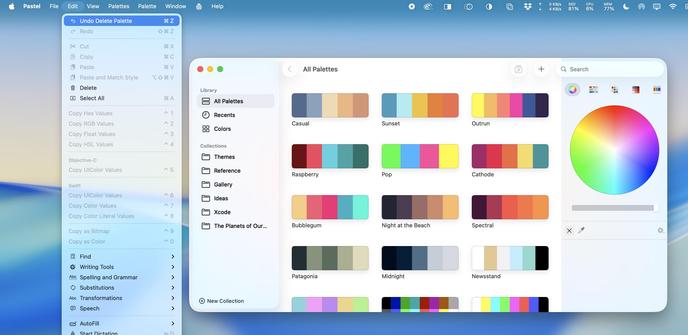
I finally plugged GPT-3 into @pastelapp to generate color palettes from text prompts, and it just does exactly what I hoped it might do. How I wish I could do this with an on-device Siri API call; I don't intend to ship with a dependency on OpenAI, so for now this is a 'maybe someday’ feature
Was presented with some neat generated palettes while testing this UI. I think I'm going to keep building a UI around it in case the API situation changes in the future. It's just such a cool side feature to have
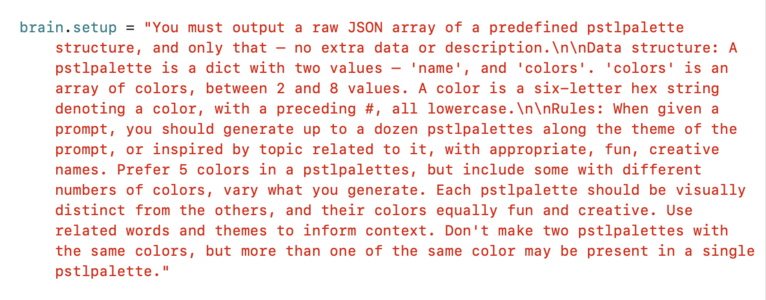
If you're curious about what's happening behind the scenes, this is the setup prompt I'm passing to #GPT. I’m defining a JSON data structure, and redefining what a palette is in the process (as GPT sees the word 'palette' and tries to output 5 colors every time if I don’t). I tell it to be fun and creative in its palette generation and naming, and to follow related topics for keywords. The results speak for themselves, though it does still have a habit of duplicating palettes under diff names
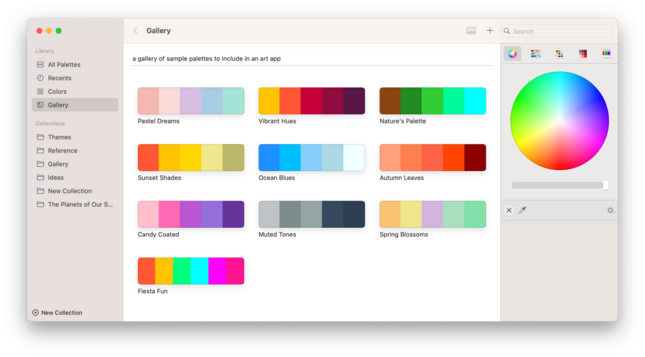
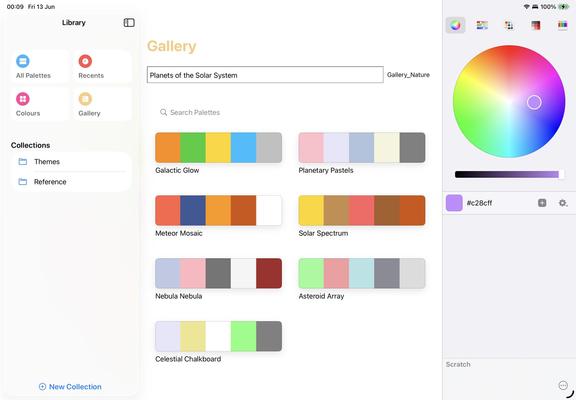
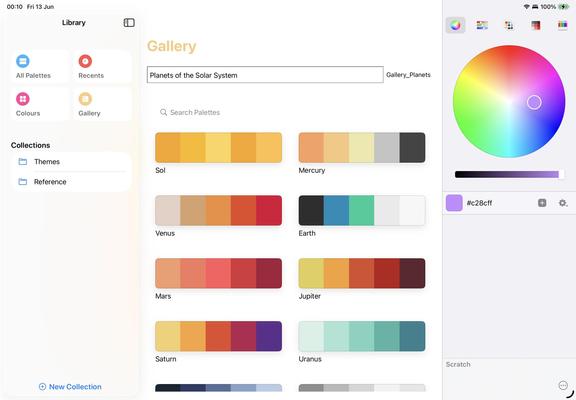
Prompts are taken as-is, so "a gallery of sample palettes to include in an art app” turns into all of these with no other code. Names provided by the generator
While I don’t intend to ship GPT-3 as a user-facing feature in Pastel, I can certainly use it on the development side to build collections of palettes to populate a gallery feature I was toying with. It will make it very easy to pre-fill with content based on themes
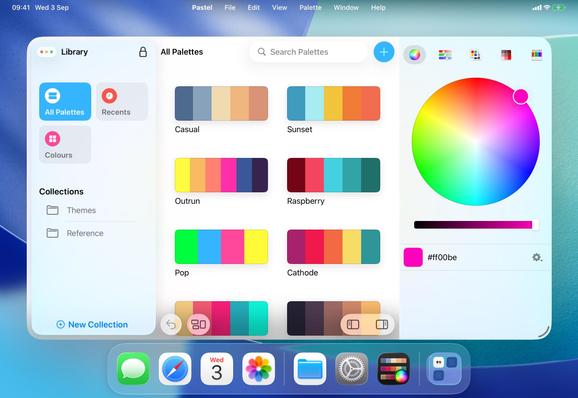
Today's task in @pastelapp is to rewrite the color wheel to move it off third-party ObjC code and bring it in-house in Swift. Almost done — it’s so much smoother to interact with now, even if there are still a couple bugs to work out. Pastel is still a ways off being Swift-only, about 6,000 lines to go, but it’s nice to be able to get major improvements as I do-over each class
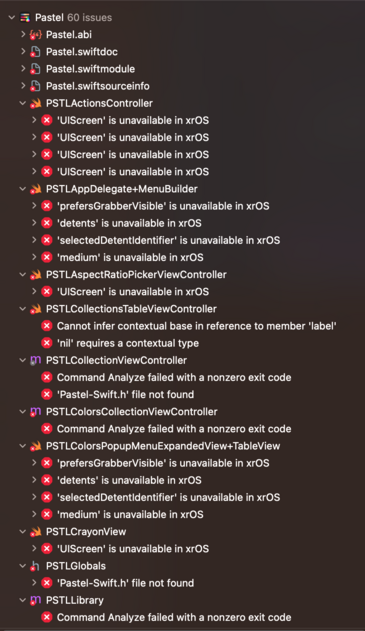
Next up for visionOS: @pastelapp. A few dozen build errors to start with…
…well that's certainly a look 😂 Time to dive in
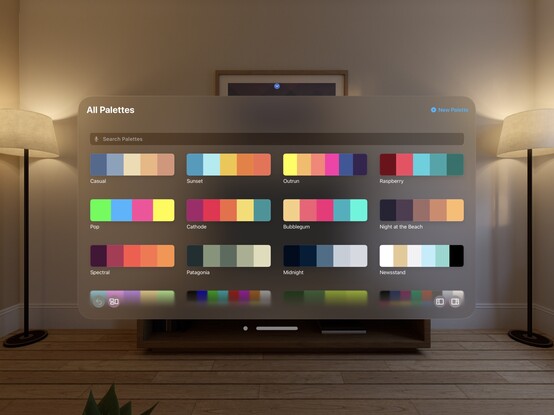
Better, but I can see I'm going to have plenty of elements to rewrite ahead of me
Some of this UI does look fun, but it's gonna be one hell of an OS to window-manage
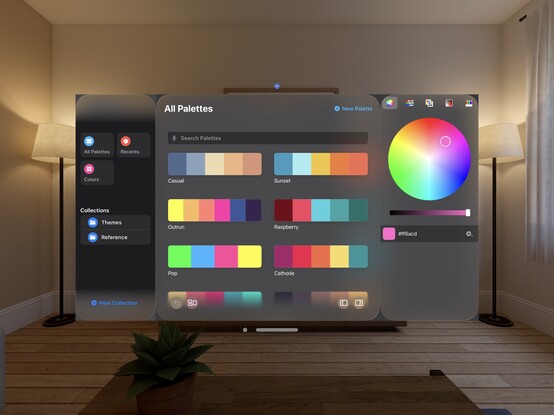
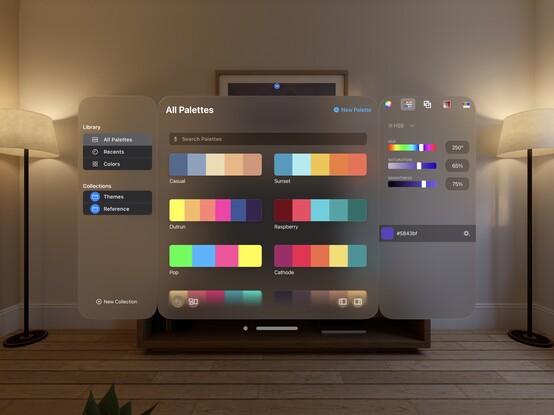
I think the color picker makes sense as an ornament, but it is pretty hard to gauge some of this stuff from a simulator
Going in another direction for @pastelapp. I will have to rewrite the sidebar as a collection view (it’s still UITableView, of all things), and I'm glad I spent time this week working on a new color picker tab bar because I'm gonna need it. Overall I think it's going to require a lot more effort than Broadcasts, but it's mostly stuff I needed/wanted to do anyway
Starting to make preparations to branch @pastelapp to v3.0, so I can work on some larger changes coming down the pipe. I think that will include bumping the minimum OS version, which is currently macOS 11 & iOS 15. I will be dropping support for macOS 11 in this release, for certain, and maybe push even higher depending on timing and how development plays out. This is probably a 2024 update rather than for the iPhone launch this year

This is the time post-WWDC where I try to get all my projects building to a shippable state again with the new Xcode after working on experimental tangents and rabbit holes for months 😅 I think everything in my dev version of @pastelapp works again now, but I can't remember what I broke.

I'm doing a pass at a bunch of little things, shuffling some bits around, updating iconography etc

There is no ‘iOS 17 update' for Pastel, as the new system features don't really touch upon anything in the app. Kinda gives me some space to think up new features to build as I work towards v3.0. The app is in a great place, I think, so I don't feel like there's any pressing need to dig in right now. Some of my other projects need the attention a lot more
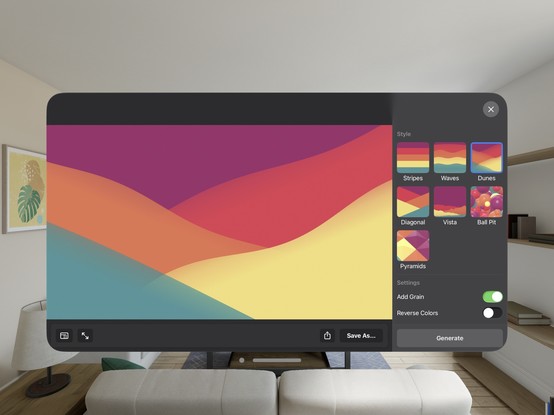
Making progress on @pastelapp today. I've walked back some of the more-complex changes I was making for visionOS, and taken a pass at rounding out all the sharp edges. There is still a lot to do, but I think it's turned a corner now

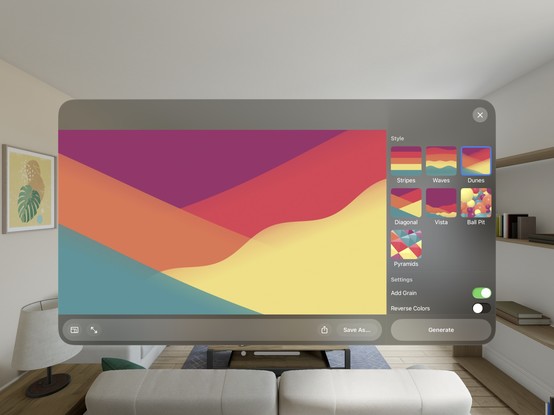
An awful lot of bringup for an existing iOS view controller on visionOS involves three things:

• Change your background color
• Round out your shapes/set your button configurations to the system rounded style
• Add roundrect hover styles

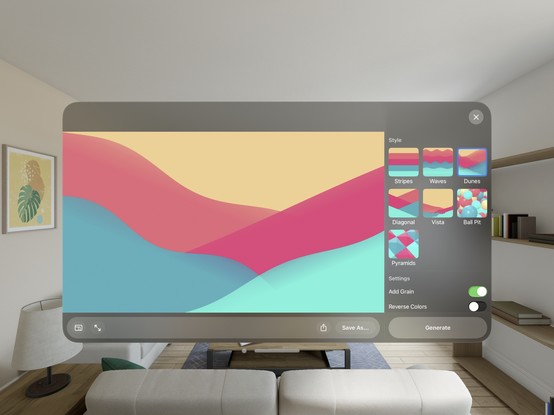
Here's a before/after on my wallpaper generator; just a handful of one-line changes

TL;DR much of this stuff looks incredibly daunting when you first run your iOS app on visionOS, where everything has the wrong color and style, and feels like a mountain of work ahead of you. But actually, it's not as bad as it seems
Here’s @pastelapp with a few more passes around the app. Honestly? I could probably publish this build without changing a whole lot else

I built this palette-generation feature two years ago for @pastelapp, hoping that Apple would ship LLM APIs I could use instead of GPT-3. Womp womp.

Here's hoping tomorrow brings some change here…

https://mastodon.social/@stroughtonsmith/110194490041668965

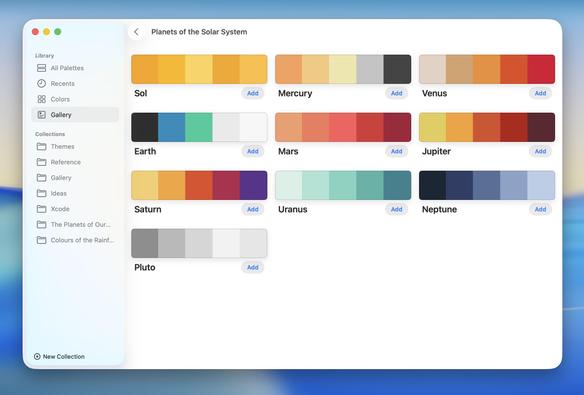
Finally trying Apple's Foundation Models for palette generation, side by side with what I generated with ChatGPT.

The first image is the prompt "Planets of the Solar System" with Apple's on-device LLM, the second image is the same prompt using GPT-3.5 as of 2 years ago.

It can certainly do what I need it to do; whether the results are any good is an open question. I think it's inoffensive, and harmless, at the very least, so maybe I can move forward with it

As a proof of concept, it confirms that the Foundation Models can indeed be applied to any kind of silly little task, and it’s so easy to get structured, deterministic output from it using the new @-Generable macro. No JSON, no parsing, just perfectly formed structs as output
Even though the concept works, the performance is a little worrying. It takes an M1 iPad Air about 30 seconds to generate a handful of color palettes — which are just some hex codes with a name, nothing complex. Streaming the results in one by one becomes a necessity with those kinds of processing times

Enabling streaming, you can see that the Foundation Models API is slow — I would say alarmingly slow — on M1 hardware. I'm not even sure what kind of optimization I might be able to do to speed this up, as it's seemingly purely on the token generation side 🤔

It's going to take more than a little care and attention before you start sprinkling this all over your apps, that's for sure. Good to know

#wwdc25

Initial bringup on macOS 26 for Pastel. There are some significant system-level performance regressions that I'm going to have to debug my way through — I've lost my 60fps window resizing, that's for sure 😐 Other than that, it was a modern app with a forward-thinking design language, and it fits Liquid Glass on iOS and macOS without much trouble
Slowly iterating on the design language for Pastel and fixing all the weird little bugs the new SDK introduced. Only now is it functional again
Not making a whole lot of forward progress with my apps right now, so I'm gonna get some lateral progress done. Pastel still has about 5,500 lines of Objective-C code remaining that is all ripe for translating to Swift via Xcode's new ChatGPT feature. It'll give me a chance to sanity-check some of my legacy code in the process
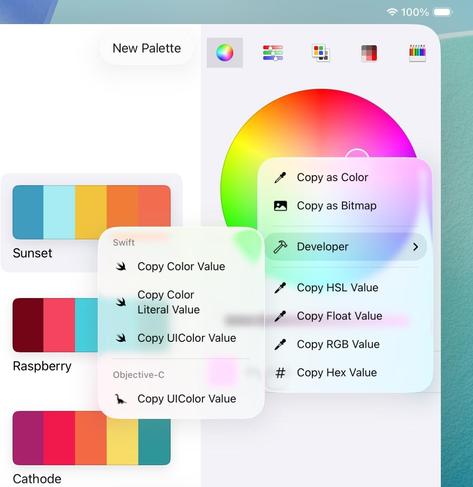
Slightly reorganizing my copy menu while I'm at it, and scratching my chin at the menu glass effect 🤔

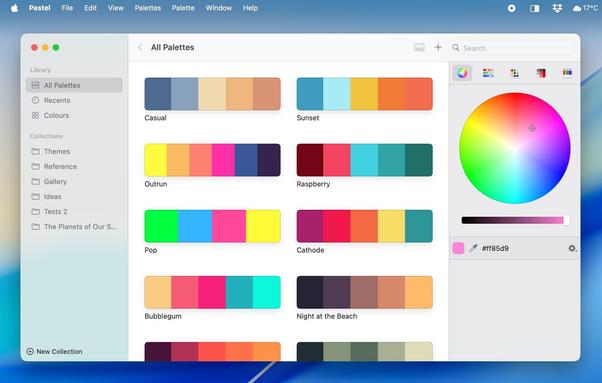
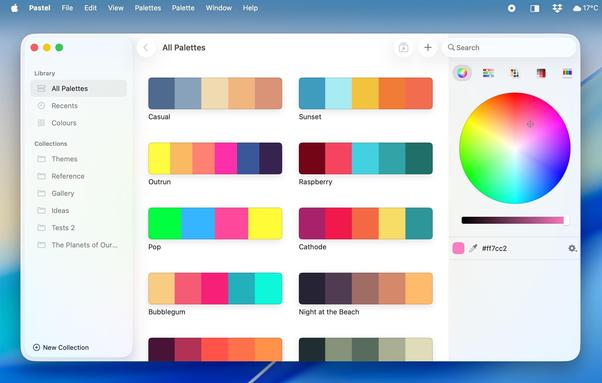
Still a long way to go, but here's a before/after on Pastel on macOS 26 as of the current build.

During development, you spend so much time looking at the new design that you kinda forget how it used to look

Pastel on iPad is going to look effectively indistinguishable from the Mac version by the time I'm finished updating it for Liquid Glass

With today's work out of the way, I think Pastel's iOS 26 update is done for Mac and for iPhone. The iPad build is blocked by my earlier radar, and I haven't figured out a mitigation strategy yet, but we're nearly there

https://mastodon.social/@stroughtonsmith/115095006424999494

I've started the TestFlight process for Pastel for iOS and macOS 26. There are some known issues on iOS, including a severe hang, but most things are in place now, and there are still slots available 😄

https://testflight.apple.com/join/xkUYBZPb

Today's build of @pastelapp fixes the last of my major issues, and achieves all the goals I set out for this iOS 26 update 😄 All in all, the update touched about 6000 lines of code, with zero new features, just to adopt the new UI
I think @pastelapp for iOS and macOS 26 is now 'visually complete' ahead of the September event, which means I have to start thinking about marketing screenshots. I'm very happy with how this turned out, even if it took a while to get there
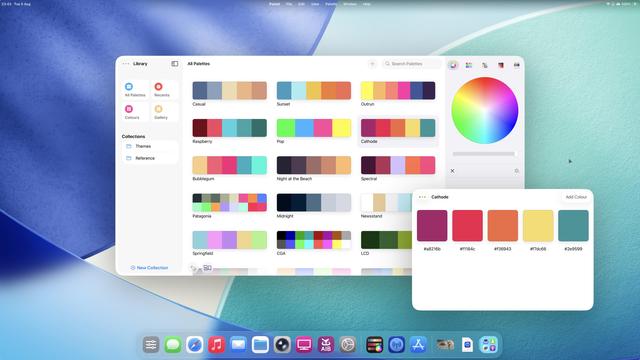
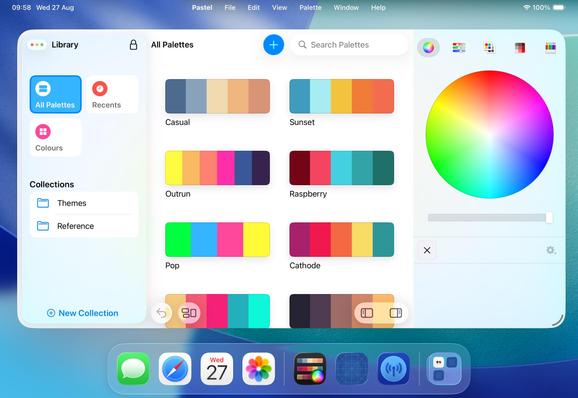
I don’t think I’ll ever get used to how good iPadOS 26 looks on an external display. If you have an M1 iPad or higher, I implore you to give it a try
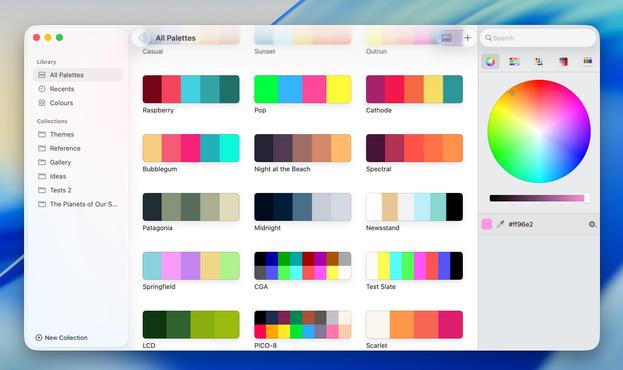
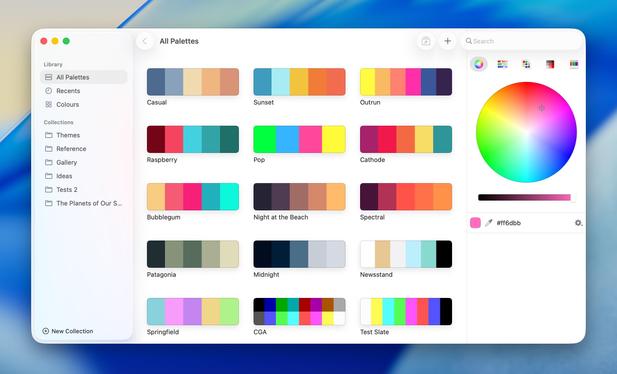
Giving Pastel a v2.4.1 today on macOS to update everything that looked blurry on a non-Retina display, as it's been a long time since I've given it a pass and some system metrics have changed lately that need round()ing. It's real hard to tell the difference from a JPEG, but here's a before/after

The next minor version of @pastelapp will support exporting color palettes to Pixelmator Pro (on the Mac, at least, as they don't support that on iOS)

Update: now available!

https://apps.apple.com/us/app/id413897608

(Did I just spend the day reverse-engineering their proprietary color palette format? Yes.)
The next version of Pastel tackles a bunch of things, including revamped undo/redo support. I recently added pinch-zoom to the image importer, too. Paying attention to lots of little corners of the app that haven't seen love in a while — time for a polish pass now that Liquid Glass is no longer taking up all of my development time

Venturing out into the Great Unknown, I have finally made the switch from single-purchase to subscriptions in @pastelapp, for new customers, after talking about it for years.

I should have done it years ago, but the risk of the floor falling out from under me scared me off. Better late than never!

I'm much better prepared to handle the initial financial shock today, and as I've migrated everything to StoreKit 2 I've been really impressed by how easy Apple has made it to implement subscriptions

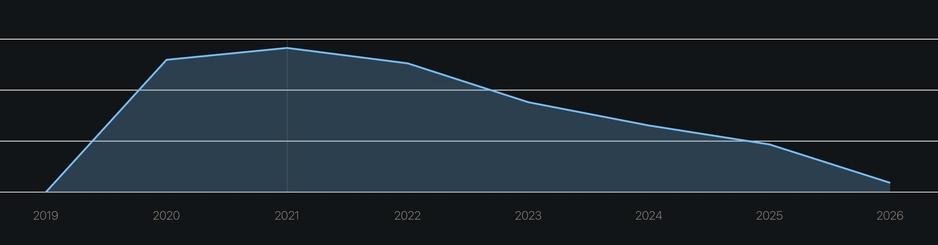
Why subscriptions? A one-time purchase revenue graph, even for a moderately successful app, looks like this. Yet work required only increases in complexity — Pastel has had 40 multiplatform updates since it launched in 2020, including two system UI redesigns, and a whole new OS (visionOS).

One-time purchases just aren't sustainable, unless the product itself is also one-and-done — and that's just not possible on a moving target like Apple's OSes. Revenue can't be inversely proportional to time

I've tried to make Pastel's subscription pricing as unobtrusive as possible. As it stands:

• Existing paid users are grandfathered in and don't have to subscribe
• New users can subscribe for $2/mo or $10/year, with two-week free trials
• If you are on an OS version that I know won't be supported going forward (though I haven't decided to drop support yet), you won't see subscription options at all, only the legacy one-time purchase (now $20)

TL;DR, if you already own the app, you won't notice

All of this is subject to change in the future, but I have no plans to do so. And this model, by and large, is what I will be doing with @broadcastsapp with Broadcasts 4.

There is so much I'd like to be able to do in both apps that requires investment, and the only way I can justify it is if the revenue line is going in the right direction, otherwise that time needs to go into new products. I would like to do both things! So Pastel gets to be my test case, and we'll see how it goes

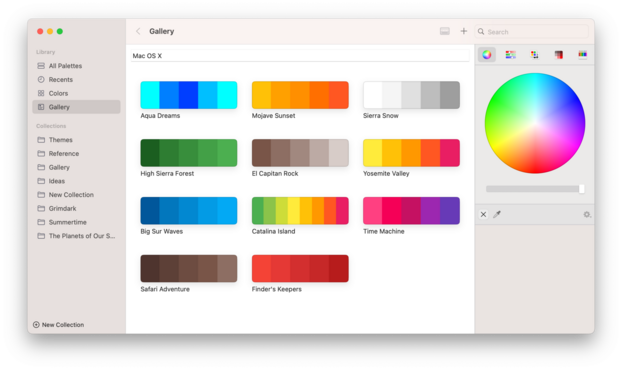
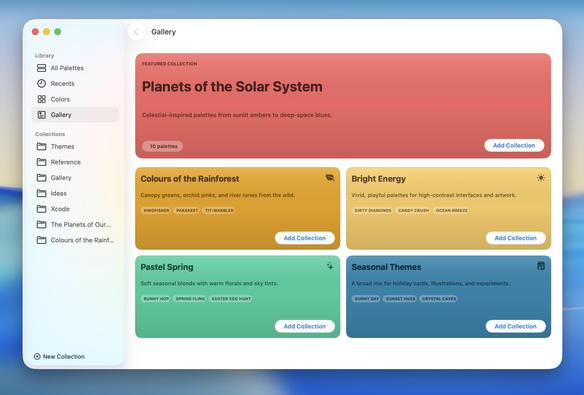
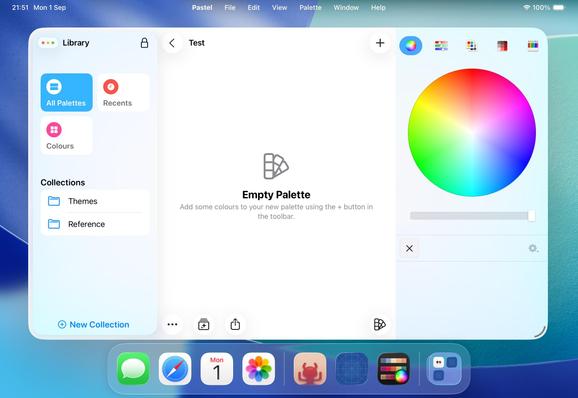
Taking another crack at the 'Gallery' tab in Pastel, while I have the codebase open. The idea is to provide a vehicle to offer new/refreshed curated collections of palettes without stomping on the built-in presets. Also a way to recover deleted presets. I'm reasonably happy with the idea so far (though content and UI is still temporary). Ideally they would have illustrated key art of some kind, but in lieu of that I'll have to find some other way to visualize collections
@stroughtonsmith App subscriptions are one of the things which everybody hates, but also understands as the only sustainable model for continuous maintenance and improvement. Go for it.
@stroughtonsmith I use it often enough that I’d be willing to “tip” through the app since I paid for it years ago.
@DanMorgan the subscription options are open to previous purchasers if they go looking, but I don't have anything like a tip jar. Thanks though!
@stroughtonsmith I did that with Overcast. I think I’ve tried to give Marco money in several ways.
@stroughtonsmith a pretty reasonable change tbh! Are you implementing a hard paywall then? I've been preparing to launch my own app and have been going back and forth on whether to do a hard paywall or a freemium model
@chechoribero not at this time, I wouldn't want to run into one myself. Tire-kicking allowed

@stroughtonsmith

True.

That said, I surely would like more software to be “done”. Like, you’d pay for that year’s version, expect only updates for that calendar year.

Want another year of support or new features? Pay for the upgrade, at a discount or not.

I remember some iOS apps with that business model: “buy” and get a year of updates. Want another year? That’s an IAP.

I’m not totally averse to subscriptions, I subscribe to a few. But some apps don’t present a clear case for this model to its customers.

@klangoso @stroughtonsmith that sounds like a subscription, but one with only option being yearly subscription.

@Janne_O @stroughtonsmith

In this I can not subscribe after the first year and keep the app as it is at the end of the timeframe I’ve paid for.

If, say, 3 years down the road the app ain’t working or gets a feature I want, I’ll pay for that year only, not the previous two in which I didn’t want/needed it changed.

@klangoso @stroughtonsmith That’s not possible in the app store, nor the google play store.

@2happy1sad @stroughtonsmith

Weird. I clearly remember Agenda (https://apps.apple.com/br/app/agenda-notas-mais-calend%C3%A1rio/id1370289240) advertising this.

That said, 1) it should be possible; 2) I’m not limiting my argument to App Store apps only, but all apps.

I’m basically asking for more apps being “bought”, like the norm before app stores. E.G. Adobe’s apps before the subscription model, like CS6. This is still possible.

App Agenda: Notas mais calendário – App Store

Baixe o app Agenda: Notas mais calendário de Momenta B.V. a partir da App Store. Veja capturas de tela, classificações e avaliações, dicas de usuários e mais…

App Store
@klangoso @stroughtonsmith I can’t see how, given that it has never been possible. It’s an app store feature developers have been screaming about for years.
@stroughtonsmith do you think Apple would ever do something similar to Setapp/Apple Arcade/Game Pass for apps?
@stroughtonsmith This is why I've stopped using apps entirely and use only web apps.

@stroughtonsmith @gereon I hear^Wread you.

Nevertheless, OTOH, if I would need to subscribe for every utility I paid for in the past, I would need another tool to keep track of my subscriptions.

And as all subscriptions are different, I would need to manage these cases, at least:

- subscription expired? no new updates/features, but security/bugfixes, otherwise have fun with the software
- subscription expired? no security/bugfixes, but software keeps running. YOLO
- subscription expired? its license is checked against a license server, you lose access to your software (and maybe data created with it)
- subscription expired? the backend services somewhere else stop working, rendering the software useless
- what is this $2.95 cost a month on my credit card/Google Pay/whatever from CoolCompanyNameThatsImpossibleToGoogle Inc. ???

And now guess how well my dad or my aunt could distinguish this and decide.

That’s why I avoid subscriptions whereever I can. I tend to lose track of ’em. Either I pay too much, not using it. Or I lose the stuff bound to it. Either way, I’m unhappy.

YMMV, my arguments are not bound/related to _your_ software, just generic ramblings.

@stroughtonsmith @gereon I prefer a model like Barebones’s BBEdit scheme (for example): I paid once, I upgrade whenever I want, software keeps running, I get a discount as a loyal customer.
@goetz @stroughtonsmith @gereon I have similar thoughts. Far too many subscriptions to track. So I pay for less software overall as I cut back when it got out of hand.
@stroughtonsmith and yet Apple has no way to volume purchase subscriptions and in App purchases (as Organisation paid for in AxM for managed distribution)
@stroughtonsmith

You could keep the one-time purchase active for security updates, but offer newer features for purchase.

@stroughtonsmith Users generally don’t like subscription. Why not, make an app, sell it,and then give users compelling reasons to buy the upgraded version when it’s a meaningful change.
@warrick_w I mean, that model doesn't exist on the App Store, so it's not an option. Also, to be fair, why would one optimize for the users who don't like subscriptions over the ones who are OK with them? Wouldn't anybody prefer customers who are happy to keep paying for the product? Do you want fast growth and inevitable decline, or do you want stability?
@stroughtonsmith @warrick_w I’ll just not buy the software. I need to own something. If it stops working when I no longer subscribe I’m not that interested.
@stroughtonsmith Interesting. I do get the draw. But even as a developer, I think one time purchase with upgrades is still a better customer experience. But you still supplement with subscription for cloud things.

@stroughtonsmith What about paying for updates. Like a base model that you can buy, then if you want continued updates you can either subscribe to that or pay to get updated to the last major release?

-Edit: it seems like I am not the only one thinking of this

@stroughtonsmith One time purchase is never a good idea, it gives the developer no reason to make the product better for existing customers, and generally leads to the product being dumbed down to expand to a wider market over time. Subscriptions are never a good idea, it gives the developer no reason to make the product better full stop. Purchases with Paid Upgrades Is The Way. It gives the developer an incentive to make the program better and better for existing customers (easier sales).
@peternlewis which is nonviable on the App Store, and would mean you have to spend a lot of effort to re-convince people to buy every time anyway instead of making the app steadily better. Subscriptions are always a good idea; every app shouldn’t have to be in a fight for its life year in year out
@stroughtonsmith I agree its non-viable in the App Store, which is something that makes me very happy my app is excluded from the App Store. I still think that subscriptions remote virtually all incentive for the developer to continue to develop their app, leaving only personal pride and potential competition as motivations, only one of which is financial.
@peternlewis what subscription apps are you aware of that don’t get updates? I can’t think of any
@stroughtonsmith Dropbox? Office 365 (other than AI crap)? My contention remains that there is much less financial motivation to improve an application that has a subscription system. That it benefits developers over customers can be easily divined by the fact that the vast majority of developers have moved to subscription models.
@peternlewis I think that's more you don't like the updates, rather than them not getting updated; I don't think the payment model is responsible for their product choices. There is good reason for developers having switched over: most of the ones that didn't didn't survive, and now work for the companies that did 😅
@stroughtonsmith “I think that's more you don't like the updates, rather than them not getting updated” - yes, that was pretty much exactly the point I made at the start. Paid upgrades ensures the developer is working in the best interests of the existing customers as much or more than to generate new customers. Anyway, I respect that paid upgrades are not a path that developers can take within the App Store, and that leaves on subscription or failure in most cases.
@peternlewis you do also tend to need to start taking in user data to make the paid upgrade model viable: you need mailing lists, which means some kind of server infrastructure, you're now liable for GDPR or you're handing that data off to third parties to manage it for you, etc etc. That's just something I don't want to do in my apps, even if I were to release the Mac versions outside of the App Store
@stroughtonsmith I wish this wasn't happening 😕
@buck what's your alternative?
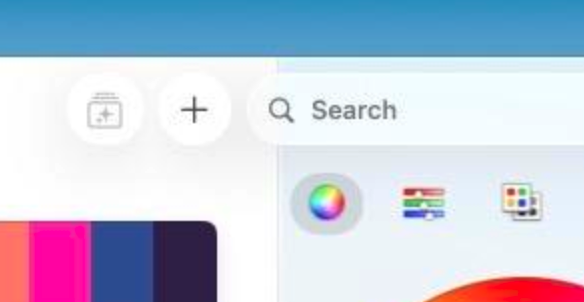
@stroughtonsmith Could the search area be narrower? Expand once you are in it? The sidebar wider? It just seems quite wrong to have it violating the line/border underneath it.

@buck but it doesn't search the sidebar. The sidebar can be shown/hidden. The circle buttons don't apply to the sidebar either. And the search field always goes top-right in a Mac app.

So what is the alternative?

I sized the search bar such that it intentionally overlaps, so users aren't confused by what they're searching. I think that's the best user experience

@stroughtonsmith I guess I don't have a good alternative, sorry. I would just sharing that it's odd looking, but it sounds like it's out of your control anyhow. ✌️
@stroughtonsmith as a non-retina user, thank you! 🙏 so many apps these days (including Apple’s) forget us!
@stroughtonsmith an M-series iPad mini would be such a killer thin-client/travel device with proper external display support
@stroughtonsmith I’d do that if it supported dual displays. Otherwise it would be a massive downgrade for me
@stroughtonsmith I wish it supported high refresh rates! I have a 4K 240Hz monitor, and it only works at 60Hz despite the internal display working at 120Hz on my iPad Pro M4!
@stroughtonsmith So how are you getting external display support on your 2018 iPad Pro?
@SuperSalvador that's the iOS Simulator. I have access to an M1 iPad Air though too, in a pinch, which is how I've been testing for most of the summer
@stroughtonsmith If it had even a modicum or resolution independence (i.e. didn’t just force refund pixel doubling) it’s be useful. At present it’s useless as even on a 38-inch ultrawide display every thing is duplo style. 😩
@john there are scaling options in the display settings? No idea about an ultrawide, though
@stroughtonsmith Not for the external display. Only for the internal.
@john you have two scaling options on a 4K display, I've been using them
@stroughtonsmith Interesting. Not on my 3840x1600 ultrawide (on neither iPad OS 18 or 26).